
How Digital Productivity Tools Can Support ADHD
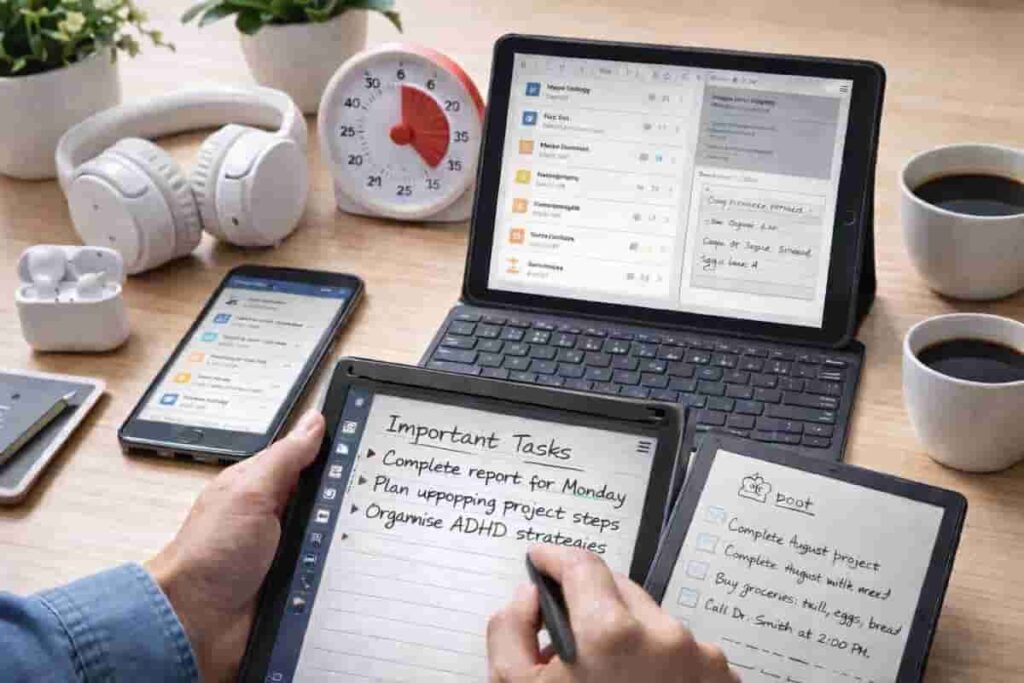
Digital Productivity Tools for ADHD UK: What You’ll Find Here
Digital productivity tools for ADHD UK can help reduce mental overload, improve focus, and support daily routines through physical devices rather than relying purely on apps or willpower.
This page acts as a central hub linking to practical tools, reviews, and guides designed to support attention, organisation, and consistent routines.
If you want a full overview of how these tools work together, you can explore the main authority page here: ADHD Productivity Tools UK.
If your main challenge is choosing the right type of tool, start with the sections below based on what you struggle with most: distraction, reminders, time awareness, or creating a more structured workspace.
Digital Tablets for Focus and Organisation
Digital tablets can act as a distraction-controlled workspace for notes, planning, and structured thinking.
If you want one device that can support planning, note-taking, and a calmer digital setup, tablets are often the best place to start. They can work especially well when paired with dedicated focus timers for time awareness and smartwatches for reminders if remembering tasks is the bigger issue.
- Best Digital Tablets for ADHD Productivity (UK Guide)
- Apple iPad (A16) Review
- Apple iPad Air 11-inch Review
- Samsung Galaxy Tab S9 FE Review
- reMarkable 2 Review
- BOOX Note Air 5 C Review
- How to Stay Focused Using a Tablet
- Why Tablets Reduce Distraction
- Tablet vs Laptop for ADHD Productivity
- How to Build an ADHD Productivity System Using a Tablet
- What Makes a Tablet Good for ADHD Productivity? Key Features That Actually Help (UK Guide)
If you already know a tablet may be part of your setup, the best next step is usually How to Build an ADHD Productivity System Using a Tablet, because it helps connect the device to a real routine rather than just choosing hardware.
Dedicated Focus Devices (Timers)
Dedicated timers help make time visible and reduce reliance on phones during focus sessions.
If you often lose track of time, underestimate how long tasks take, or struggle to stop at the right moment, timers may be one of the most useful upgrades. They also pair naturally with tablets for structured work and distraction blocking apps when focus is the issue as much as time awareness.
-
-
- Best ADHD Focus Timers (UK Guide)
- Focus To-Do App Review
- Secura Visual Timer Review
- Digital Countdown Timer Review
- Time Timer Original Review
- Time Timer MOD Review
- Why Time Blindness Makes ADHD Focus Difficult (And How Timers Help)
- How To Use A Visual Timer For ADHD
- Pomodoro Timers vs Visual Timers: Which Works Better For ADHD
- How To Choose The Best ADHD Focus Timer
- How to Build a Focus Routine Using Timers (ADHD Guide UK)
-
If time blindness is the main problem, begin with Why Time Blindness Makes ADHD Focus Difficult (And How Timers Help) before choosing a specific timer.If you are unsure where to start, most people benefit from beginning with a simple visual timer setup before moving into more structured methods.
Smart Reminder Tools (Smartwatches)
Smartwatches provide physical reminders that are often harder to ignore than phone notifications.
If your biggest problem is missing reminders, forgetting tasks when you move rooms, or losing track of what you meant to do, smartwatches can be more useful than tablets or apps alone. They also work well alongside timers if you need both time awareness and stronger prompts to switch tasks.
-
-
- Best Smart Watches for ADHD
- Fitbit Versa 4 Review
- Amazfit Bip 5 Review
- RUIMEN Smart Watch Review
- Apple Watch Series 9 Review
- Samsung Galaxy Watch 6 Review
- Smartwatch vs Phone Reminders
- How to Use a Smartwatch for ADHD
- How to Choose the Best Smartwatch for ADHD
- How to Stop Missing Reminders with ADHD Using a Smartwatch
- Why Smartwatch Reminders Work Better Than Phone Notifications for ADHD
-
If you are not sure whether a smartwatch is actually better than using your phone, start with Smartwatch vs Phone Reminders and then move to the roundup page if the answer feels like yes.
Distraction Blocking Apps
Apps can help reduce distractions and support structured focus when used alongside physical tools.
If your problem is not forgetting tasks but constantly checking your phone, drifting into tabs, or losing attention before you start, distraction blocking apps may be the right first step. They can work especially well when combined with timers for structure or tablets for a cleaner workspace.
If phone distraction is your biggest issue, start with How to Stop Checking Your Phone Every 5 Minutes before moving into the app reviews.
Workspace Tools and Environment
Environmental tools like headphones can reduce cognitive load and improve focus.
If your attention is heavily affected by background noise, sensory overload, or open environments, this is the section most likely to help. Environmental changes often work best when combined with structured digital tools or timers rather than being treated as a standalone fix.
-
- Best Noise-Cancelling Headphones for ADHD
- Sony WH-1000XM5 Review
- Bose QuietComfort 45 Review
- Soundcore Life Q30 Review
- Sony WH-CH720N Review
- JBL Tune 760NC Review
- Why Noise Cancelling Helps ADHD Focus (And When It Doesn’t)
- Headphones vs Earbuds for ADHD Focus (UK Guide)
- How to Choose the Best Noise Cancelling Headphones for ADHD
- How to Use Noise Cancelling Headphones for Deep Work (ADHD Guide)
- How to Build a Focus Workspace Using Noise Cancelling Headphones (ADHD Guide)
If you’re unsure which change would make the biggest difference to your desk, start with Best ADHD Desk Setup Tools for Focus and Productivity (UK Guide), then explore the reviews and practical guides that match what distracts you most.
-
ADHD Workspace and Desk Setup
A useful desk setup starts with the things that interrupt your work most often. If you’re deciding what to change first, Best ADHD Desk Setup Tools for Focus and Productivity (UK Guide) compares the main options. The reviews and guides below then cover lighting, clutter, sensory distractions and practical desk tools in more detail.
-
- Best ADHD Desk Setup Tools for Focus and Productivity (UK Guide)
- BenQ ScreenBar Review for ADHD Focus
- Logitech MX Keys S Review for ADHD Productivity
- Logitech MX Master 3s Review for ADHD Productivity
- Loop Experience 2 Earplugs Review for ADHD Focus
- Leitz Ergo Pegboard Desk Organiser Review for ADHD Workspaces
- How Visual Clutter Affects ADHD Focus
- Why Lighting Matters for ADHD Productivity
- Minimalist Desk Setups for ADHD Adults
- Reducing Cognitive Overload in Your Workspace
- Building an ADHD Focus Workspace That Reduces Friction
If background noise is only part of the problem, combining environmental tools with visual structure can help. Guides such as Why Time Blindness Makes ADHD Focus Difficult explain why timers and visual cues often work well alongside calmer workspaces
Productivity Apps and Task Systems
Productivity apps can help turn scattered tasks, reminders, and routines into a clearer system.
If your main problem is not just distraction, but knowing what to do next, keeping track of tasks, or building a repeatable daily structure, productivity apps are often the best place to start. They work especially well alongside focus timers, smartwatch reminders, and tablets for planning and organisation.
- Best Productivity Apps for ADHD Adults (UK Guide)
- Todoist Review for ADHD Productivity
- TickTick Review for ADHD Productivity
- Notion Review for ADHD Productivity
- Microsoft To Do Review for ADHD Productivity
- Sunsama Review for ADHD Productivity
- Why ADHD Task Overwhelm Makes Productivity Systems Fail (And What Helps Instead)
- How to Build an ADHD Productivity System Using Apps
- Why Too Many Productivity Apps Can Make ADHD Worse
- Digital vs Paper Planning for ADHD: Which Works Better?
- How Notification Overload Affects ADHD Focus and Executive Function
If task overwhelm is the biggest issue, start with Best Productivity Apps for ADHD Adults and then move into the individual app reviews to find the simplest system for your needs.
Planning and Calendar Systems
Planning and calendar tools help make time visible, create routines, and reduce the mental effort of remembering what needs to happen next.
If your biggest challenge is not task management but actually knowing when to do things, calendar systems can often be more effective than traditional to-do lists. They work especially well alongside productivity apps, smartwatch reminders, and focus timers.
- Best Calendar Apps for ADHD Time Management (UK Guide)
- Google Calendar Review
- Fantastical Review
- Structured Review
- Motion Review
- Any.do Calendar Review
- Why Time Blocking Helps ADHD Adults Manage Time and Focus
- Daily Planning vs Weekly Planning for ADHD
- Why Calendar Overload Makes ADHD Planning Harder
- How to Build Routines Using Calendar Reminders for ADHD
- How to Build an ADHD Calendar System That Actually Works
If knowing what to do is less of a problem than knowing when to do it, start with Best Calendar Apps for ADHD Time Management and then explore the individual reviews to find a planning system that feels sustainable.
Note-Taking and Capture Tools
Note-taking tools can give thoughts, reminders, ideas, and useful information somewhere dependable to live outside your head.
If your main challenge is forgetting ideas before you can act on them, losing information across different apps and notebooks, or struggling to find notes again later, a simple capture system can reduce mental overload. These tools can also work well alongside productivity apps for managing actions, calendar systems for scheduling them, and digital tablets for handwriting and visual organisation.
- Best Note-Taking Tools for ADHD Productivity (UK Guide)
- Apple Notes Review for ADHD Productivity
- OneNote Review for ADHD Productivity
- Evernote Review for ADHD Productivity
- Obsidian Review for ADHD Productivity
- Rocketbook Review for ADHD Productivity
- Why ADHD Brains Need External Memory Systems
- Brain Dumps for ADHD: How to Get Thoughts Out of Your Head
- Digital vs Paper Note-Taking for ADHD
- How to Organise Notes Without Creating More Clutter
- Building an ADHD Second Brain System
If thoughts and useful information regularly disappear before you can use them, start with Best Note-Taking Tools for ADHD Productivity and then explore the individual reviews to find the simplest capture system for the way you naturally think.
Who These Tools Are Best For
These tools are useful for anyone struggling with distraction, task switching, or maintaining routines. They help create external structure so you rely less on willpower and more on systems that support your focus.
If you tend to know what you should do but still struggle to follow through consistently, building a mix of reminders, time cues, distraction control, and a calmer workspace is often more effective than relying on one tool alone.
Where to Start Based on Your Main Problem
If you are not sure where to begin, use this quick pathway:
- If you keep getting distracted by your phone, start with Best Distraction Blocking Apps.
- If you keep missing reminders or forgetting tasks, start with Best Smart Watches for ADHD.
- If time keeps disappearing during work or daily tasks, start with Best ADHD Focus Timers.
- If you want a calmer all-in-one workspace for planning and focus, start with Best Digital Tablets for ADHD Productivity.
- If planning your day and managing time is the biggest challenge, start with Best Calendar Apps for ADHD Time Management.
- If your environment is the problem, start with Best Noise-Cancelling Headphones for ADHD.
- If you keep losing thoughts, notes, or useful information, start with Best Note-Taking Tools for ADHD Productivity.
Related Guides
If you are building a full ADHD productivity setup, these are the best places to start:
- ADHD Productivity Tools UK
- Best Productivity Apps for ADHD Adults
- Best Calendar Apps for ADHD Time Management
- Best Digital Tablets
- Best Smart Watches
- Best Focus Timers
- Best Distraction Apps
- Best Noise-Cancelling Headphones
- Best Note-Taking Tools for ADHD Productivity