
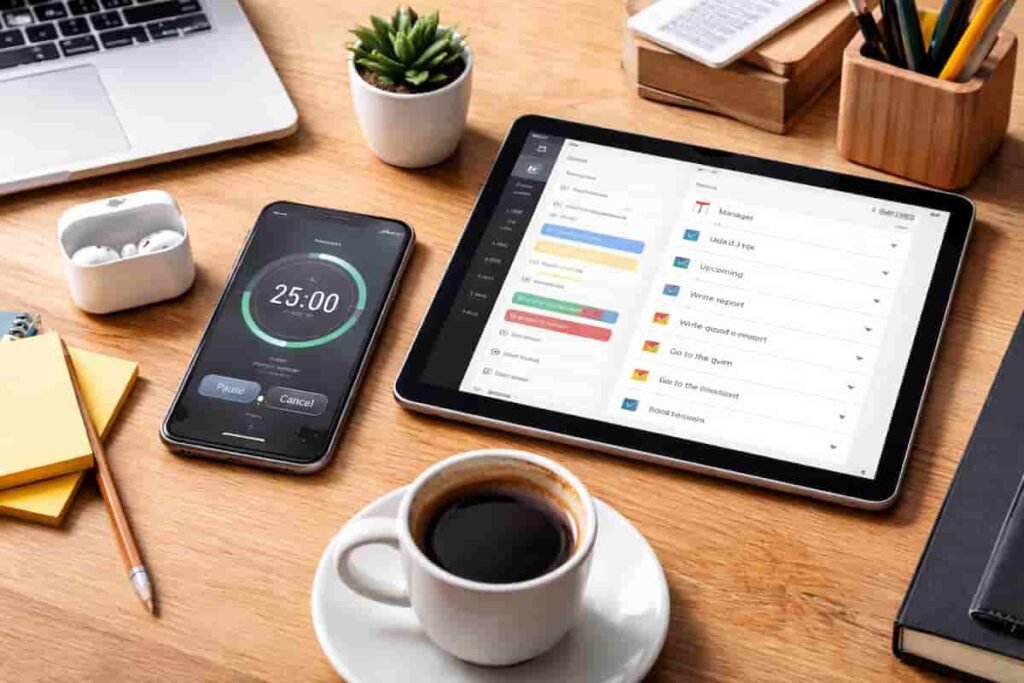
How Digital Productivity Apps Can Help ADHD
If you’re looking for digital productivity apps for ADHD in the UK, the right tools can make it much easier to reduce distractions, stay focused, organise tasks, and follow through on daily routines. Many adults find that phone notifications, task switching, planning overload, and constant interruptions make it harder to stay on track.
Some apps are designed to block distractions. Others help with focus sessions, task management, planning, reminders, or structured routine support. The goal is not to rely on willpower alone, but to use tools that reduce friction and make the next step easier.
If you want a more detailed breakdown of how digital tools fit into a wider ADHD-friendly setup, you can also explore ADHD productivity tools UK or the complete digital productivity tools guide.
If you are not sure where to begin, start with distraction blocking if your phone is the issue, task management apps if planning feels overwhelming, or combine apps with focus timers or smartwatch reminders if you need more structure.
Quick Picks: Best Digital Productivity Apps for ADHD UK
- Best distraction blocker: Freedom
- Best focus app: Forest
- Best strict blocker: Cold Turkey Blocker
- Best simple mobile blocker: Stay Focused
- Best awareness tool: RescueTime
- Best simple task management app: Todoist
- Best task app with timers and habits: TickTick
- Best all-in-one planning workspace: Notion
- Best simple Microsoft task app: Microsoft To Do
- Best guided daily planning app: Sunsama
If you want a full comparison before choosing, go to the best distraction blocking apps for ADHD adults UK or the best productivity apps for ADHD adults UK.
Distraction Blocking Apps
Distraction blocking apps are designed to reduce interruptions from websites, social media, and phone use. For many adults with ADHD, these tools can help create firmer boundaries around focus sessions and make it easier to stay with one task for longer.
If you want to explore the main options currently available, start with the best distraction blocking apps for ADHD adults UK guide.
You can also explore individual options such as the Freedom app review, Cold Turkey Blocker review, and Stay Focused app review.
If phone use is your biggest issue, it is also worth reading how to stop checking your phone every 5 minutes or how to build a focus routine.
Best for: People who struggle with phone use, app switching, social media, or getting pulled away from work too easily.
Focus Apps and Session Tools
Some apps are less about strict blocking and more about guiding attention through short, structured work sessions. These tools can be useful if you struggle with getting started, maintaining momentum, or staying engaged with repetitive work.
You can explore examples such as the Forest app review to see how lighter-touch focus tools may fit into a daily routine.
These tools often work best when combined with visual timers, especially if time awareness is also a challenge.
Best for: People who need help starting tasks, staying engaged, or creating a clearer beginning and end to work sessions.
Task Management and Organisation Apps
Task management apps help reduce mental overload by making tasks, routines, reminders, and priorities easier to see in one place.
For many adults with ADHD, the biggest problem is not knowing what to do eventually, but keeping track of what matters right now without everything feeling scattered. Productivity apps can help externalise tasks so less information has to be held mentally throughout the day.
If you want a full comparison of the main options, start with Best Productivity Apps for ADHD Adults UK Guide.
You can also explore individual reviews including:
- Todoist Review ADHD Productivity UK
- TickTick Review ADHD Productivity UK Guide
- Notion Review for ADHD Productivity UK Guide
- Microsoft To Do Review ADHD Productivity UK
- Sunsama Review ADHD Productivity UK
These tools often work best when combined with digital tablets for planning visibility or smartwatch reminders for prompts and transitions.
Best for: People who feel mentally overloaded, lose track of tasks, struggle with prioritisation, or want a clearer daily planning system.
Calendar Apps and Planning Systems
For some adults with ADHD, the challenge is not remembering what needs doing, but knowing when to do it. Calendar apps can help make time visible, support routines, and reduce the mental effort of planning each day from scratch.
If you want a full comparison, start with Best Calendar Apps for ADHD Time Management UK Guide.
You can also explore:
Calendar systems often work particularly well alongside task management apps such as Todoist and TickTick, helping connect tasks with real time rather than leaving everything on a list.
Habit and Routine Apps
Habit and routine apps can help when you know what you want to do but struggle to remember it, get started, or keep going after an interruption. Some make habits easier to track, while others offer encouragement or guide you through a routine one activity at a time.
If you want a full comparison, start with Best Habit and Routine Apps for ADHD.
You can also explore individual reviews including:
- Habitica Review for ADHD (UK Guide)
- Streaks Review for ADHD (UK Guide)
- Finch Review for ADHD (UK Guide)
- Loop Habit Tracker Review for ADHD (UK Guide)
- Routinery Review for ADHD (UK Guide)
If the difficult part is making a routine manageable in the first place, these supporting guides explore smaller habits, familiar reminders, and ways to make mornings and evenings easier:
- Why ADHD Brains Struggle to Build Habits
- Habit Stacking for ADHD
- How to Create a Morning Routine with ADHD
- How to Build an Evening Routine That Actually Sticks
- Why Tiny Daily Habits Beat Big Goals with ADHD
Best for: People who forget recurring tasks, lose track partway through routines, or want help returning to small daily habits after a disrupted day.
Productivity Systems and ADHD Task Overwhelm
Productivity apps usually work best when they reduce decisions rather than create another place to manage.
If your task list keeps growing, your app setup feels messy, or you keep switching between tools, the issue may not be the app itself. It may be that the system around the app has become too heavy to maintain.
These guides look at the real-world friction behind ADHD task management:
- ADHD Task Overwhelm and Why Productivity Systems Fail
- How to Build an ADHD Productivity System Using Apps
- Can Too Many Productivity Apps Make ADHD Worse?
- Digital vs Paper Planning for ADHD
- How Notification Overload Affects ADHD Focus and Executive Function
Best for: People who already have apps installed but still feel overwhelmed, inconsistent, or unsure what to do next.
Building a Better App-Based System
Digital productivity apps often work best when used as part of a wider system rather than in isolation. This can include distraction blocking, structured focus sessions, reminders, task management, and simple routines.
For example, you might use a blocking app during work sessions, a task app to hold your priorities, a focus app to make starting easier, and a separate reminder tool such as a smartwatch to prompt transitions.
If the system itself feels difficult to maintain, start with How to Build an ADHD Productivity System Using Apps. If you keep downloading more tools without feeling more organised, read Can Too Many Productivity Apps Make ADHD Worse? before adding another app.
If you are building a more complete system, it may also help to explore digital productivity tools or smart devices and wearables.
How These Digital Productivity Apps Work Together
The most effective setup usually combines a few different tools rather than relying on just one. For example, you might use a distraction blocker to remove interruptions, a focus app to structure short work sessions, a task management app to organise your priorities, and a timer to make time feel more visible.
Each tool supports a slightly different part of ADHD productivity. When combined, they can reduce friction, make focus easier to maintain, and help daily routines feel more manageable.
A simple setup might look like this: a distraction blocker to protect focus, a task app to hold your priorities, a planning guide to keep the system realistic, and a reminder tool to bring important tasks back into view at the right time.
Where to Start Based on Your Main Problem
- Phone distractions: start with Stop Checking Your Phone Every 5 Minutes
- Difficulty getting started: explore Forest
- Task overwhelm: use Best Productivity Apps for ADHD Adults UK Guide
- Productivity systems that keep collapsing: read ADHD Task Overwhelm and Why Productivity Systems Fail
- Building a simpler app setup: start with How to Build an ADHD Productivity System Using Apps
- Too many apps and tools: read Can Too Many Productivity Apps Make ADHD Worse?
- Digital vs paper planning: explore Digital vs Paper Planning for ADHD
- Notification overload: read How Notification Overload Affects ADHD Focus and Executive Function
- Time management and planning: explore Best Calendar Apps for ADHD Time Management
- Time blindness: use Visual Timers
- Missing reminders: explore Smartwatches
- Planning and organisation: explore Digital Tablets for ADHD Productivity
Final Verdict
Digital productivity apps for ADHD UK users can be genuinely useful when they are matched to the right problem. Some are best for reducing distractions, others for supporting task starts, and others for organising tasks, routines, and daily planning.
The most effective approach is to start with the area that causes the most friction, choose one tool that directly helps with that problem, and build from there.
If task overwhelm is the main issue, start with Best Productivity Apps for ADHD Adults UK Guide. If you already have too many tools and still feel scattered, start with How to Build an ADHD Productivity System Using Apps.
If you want to see how all tools connect together, go to the complete ADHD productivity tools guide.