

Best Habit and Routine Apps for ADHD: Quick Picks
- Best for game-based motivation: Habitica
- Best for Apple users: Streaks
- Best for gentle self-care routines: Finch
- Best free Android option: Loop Habit Tracker
- Best for guided step-by-step routines: Routinery
Quick Picks by Situation
If ordinary task lists quickly start to feel dull and you respond well to points, rewards, characters and shared challenges, Habitica is likely to be the most engaging place to start.
For Apple users who want a focused and straightforward option, Streaks keeps habit tracking visible without turning the setup into another complicated productivity project.
If you use Android and mainly want a simple way to track repeated habits without subscriptions, games or unnecessary extras, Loop Habit Tracker offers the most straightforward option.
Finch is the gentlest choice in this comparison because it connects everyday goals with caring for a virtual pet rather than placing all the emphasis on maintaining a perfect streak.
When the main difficulty is remembering what comes next during a morning, evening or work routine, Routinery takes a different approach by guiding you through an ordered sequence of timed activities step by step.
Introduction
The Best Habit and Routine Apps for ADHD are not necessarily the ones with the longest feature lists. A useful app should make it easier to begin, remember what comes next, and return after an inconsistent day without making the whole system feel ruined.
That matters because habit apps can create as much effort as they remove. It is easy to spend an enthusiastic evening adding goals, colours, categories, reminders, and carefully planned routines, only to stop opening the app once the setup itself becomes tiring. The better choice is usually the one that matches how you already respond to structure, rewards, visual progress, and prompts.
This guide compares five different approaches rather than treating every habit tracker as the same type of tool. Habitica uses game mechanics, Streaks focuses on visible consistency, Finch links routines with a virtual self-care pet, Loop keeps tracking deliberately simple, and Routinery guides you through timed sequences one step at a time.
Who This Guide Is For
- Adults with ADHD who find it difficult to maintain routines consistently
- People who repeatedly build complicated tracking systems and then abandon them
- Anyone deciding between a habit tracker and a guided routine app
- Apple users looking for a simple tracker that fits their existing devices
- Android users who want a free habit tracker without unnecessary extras
- People who respond better to games, virtual rewards, or gentle encouragement
- Anyone who needs help following the steps of a routine in the correct order
Key Takeaways
- Habitica offers the strongest game-style motivation but can feel visually busy
- Streaks keeps habit tracking focused and easy to check, although it is designed for the Apple ecosystem
- Finch takes a forgiving approach that may suit self-care and low-pressure routines
- Loop Habit Tracker is straightforward, private, free, and limited to Android
- Routinery is better for completing a sequence than simply recording whether a habit happened
- The best option depends on whether you need motivation, tracking, reminders, or step-by-step guidance
How These Products Were Evaluated
These apps were compared according to the amount of effort needed to set them up, how easy they are to understand during a busy day, the usefulness of their reminders, and whether they provide enough encouragement without becoming demanding. Compatibility, pricing structure, notification control, and the ability to recover after missed days were also considered.
The comparison also looks at the emotional side of habit tracking. A streak can feel motivating when it is growing, but the same streak can become discouraging when one missed day appears to erase weeks of progress. Guidance from resources such as ADDitude regularly discusses practical ADHD challenges involving organisation, routines, motivation, and time management, although an app should always be treated as a support tool rather than a complete answer.
Most importantly, each app was judged according to the situation in which it is likely to be used. A feature that looks impressive on a product page has little value if finding it, configuring it, or remembering to use it creates another task.
Quick Comparison Table
| App | Best For | Platforms | Approach | Main Trade-Off |
|---|---|---|---|---|
| Habitica | Game-based motivation | iOS, Android and web | Tasks become quests, rewards and character progress | The game interface can feel busy |
| Streaks | Apple users wanting focused tracking | iPhone, iPad, Mac, Apple Watch and Apple Vision Pro | Simple habit completion and visible streaks | Not available for Android |
| Finch | Gentle routines and self-care | iOS and Android | Completing goals supports a virtual pet | The playful style will not suit everyone |
| Loop Habit Tracker | Free and straightforward tracking | Android | Habit schedules, reminders and progress charts | No official iPhone version |
| Routinery | Following routines step by step | iOS and Android | Timed activities arranged into guided sequences | Timers may feel restrictive on unpredictable days |
Focus Environment Fit
A quiet visual tracker can work well when your main difficulty is remembering whether a repeated task has been completed. Streaks and Loop fit this environment because they keep attention on a relatively small set of habits, rather than asking you to manage a broader productivity system.
Habitica and Finch provide more visual stimulation. That can make opening the app feel more rewarding, particularly when ordinary checklists quickly become invisible, although the characters, rewards, menus, and customisation may also become distractions in their own right. Routinery is the most active option because it is designed to remain involved while you move through the routine rather than waiting for you to record the result afterwards.
The surrounding environment matters as much as the app. A carefully designed morning routine will still be hard to follow when the phone is across the room, notifications are muted, or the routine contains twelve steps that only work on a perfect day. Starting with a small number of visible actions lowers the effort needed to begin and makes it easier to notice whether the app is genuinely helping.
Focus Score Comparison Table
| App | Ease of Setup | Low-Distraction Design | Motivation | Routine Guidance | Overall Focus Fit |
|---|---|---|---|---|---|
| Habitica | 3/5 | 2/5 | 5/5 | 3/5 | 3.5/5 |
| Streaks | 4/5 | 5/5 | 4/5 | 3/5 | 4/5 |
| Finch | 4/5 | 3/5 | 5/5 | 3/5 | 4/5 |
| Loop Habit Tracker | 5/5 | 5/5 | 3/5 | 2/5 | 4/5 |
| Routinery | 3/5 | 4/5 | 4/5 | 5/5 | 4.5/5 |
The individual reviews look more closely at how each app fits into ordinary daily use, including the setup effort, distractions and limitations that may not be obvious from a quick comparison..
Habitica
Who It May Suit
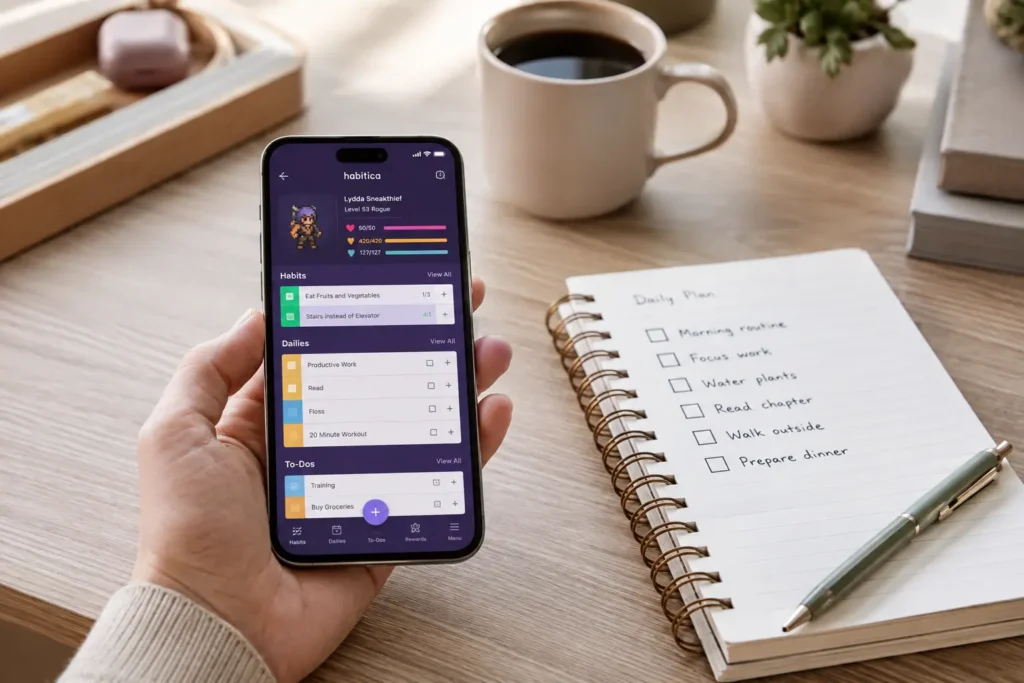
When a normal checklist feels flat almost as soon as it has been created, turning progress into something more visible can make routine tasks easier to approach. Habitica is built for people who enjoy games, character progression, collectable rewards, challenges, and the feeling that completing an ordinary job contributes towards a larger goal.
It may also appeal to people who benefit from social accountability. Parties, shared challenges, and group progress can make a repeated task feel less isolated, particularly when encouragement from other users is more motivating than another phone notification.
Why It May Help
Habitica combines repeating habits, scheduled daily activities, and one-off tasks with a role-playing game. Completing tasks rewards your character, while missed daily activities can have consequences inside the game. This creates a more immediate response than simply ticking a box and watching a number increase.
For an ADHD user who understands what needs doing but struggles to feel interested enough to begin, that extra layer can provide a reason to re-engage. The system also allows habits to be recorded more than once, which can work well for actions such as drinking water, taking short movement breaks, or avoiding an unwanted behaviour throughout the day.
Friction Points to Consider
- The game menus, rewards, equipment, pets, and challenges may feel distracting
- Initial setup can take longer than it does with a simple habit tracker
- Game consequences may feel discouraging if daily tasks are set too aggressively
- The novelty may weaken if the role-playing theme is not naturally appealing
- Social features can create extra pressure rather than useful accountability
Practical Reality Check
Habitica works best when the game is treated as a light layer over a manageable routine, rather than an invitation to turn every responsibility into a quest. Adding too many daily tasks can make the app feel punishing on a difficult day, so a smaller starting list is usually more realistic.
What stood out to me is how different Habitica feels from the other options. It is not simply a tracker with extra visual rewards; it asks you to take part in an ongoing game. That can make repetitive tasks easier to return to, but it also gives you more menus, decisions and activity to manage than Streaks or Loop.
The full Habitica review provides a closer look at whether its rewards, challenges, and game mechanics remain useful once the initial novelty has settled.
Streaks
Who It May Suit
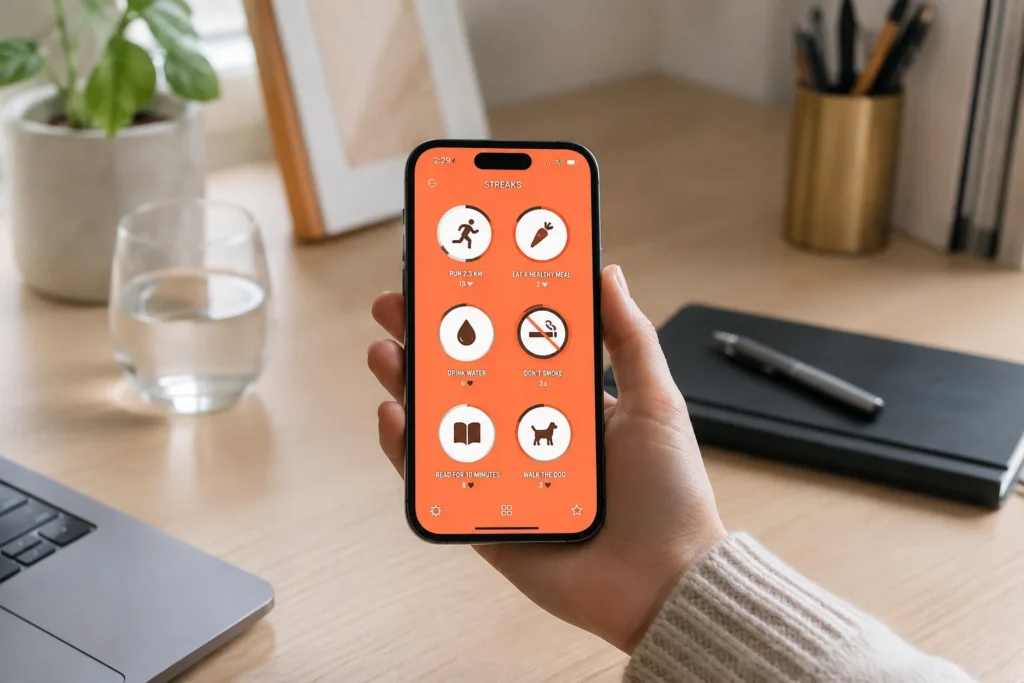
Apple users who want their habit tracker to feel like a small part of the device rather than a separate productivity project are the clearest audience for Streaks. Its restrained design suits people who prefer to see a limited collection of repeated actions and mark them complete without navigating through a game, journal, or detailed planning system.
It is also worth considering when some goals can be tracked through Apple Health. That can reduce the need to remember another manual check-in, especially for habits connected with movement, exercise, mindfulness, or other compatible health data.
Why It May Help
Streaks centres on maintaining consecutive completion, with reminders, timed tasks, negative habits, task notes, shared encouragement, and automatic tracking for certain activities connected to Apple Health. It is available across iPhone, iPad, Mac, Apple Watch and Apple Vision Pro.
The clearest benefit is that the app requires relatively little attention once the habits have been configured. A visible set of recurring actions can provide enough structure to make progress noticeable while leaving the rest of the day outside the app.
Friction Points to Consider
- Android users cannot use it
- Long streaks can become emotionally difficult to break
- It provides less step-by-step routine guidance than Routinery
- People wanting rewards or game mechanics may find it too plain
- Its usefulness depends on keeping the habit list realistic
Practical Reality Check
Streaks is most convincing when you already know the small actions you want to repeat. It will record consistency and prompt you, but it will not decide how a complicated morning should be organised or guide you through each activity while the routine is happening.
The streak system also needs to be handled carefully. Seeing progress build can be satisfying, although a long unbroken run can gradually turn into pressure. Using flexible schedules and avoiding an overcrowded task list can help prevent one difficult day from making the whole setup feel like a failure.
The complete Streaks review explores how its focused Apple-based approach compares with more guided and heavily gamified alternatives.
Finch
Who It May Suit
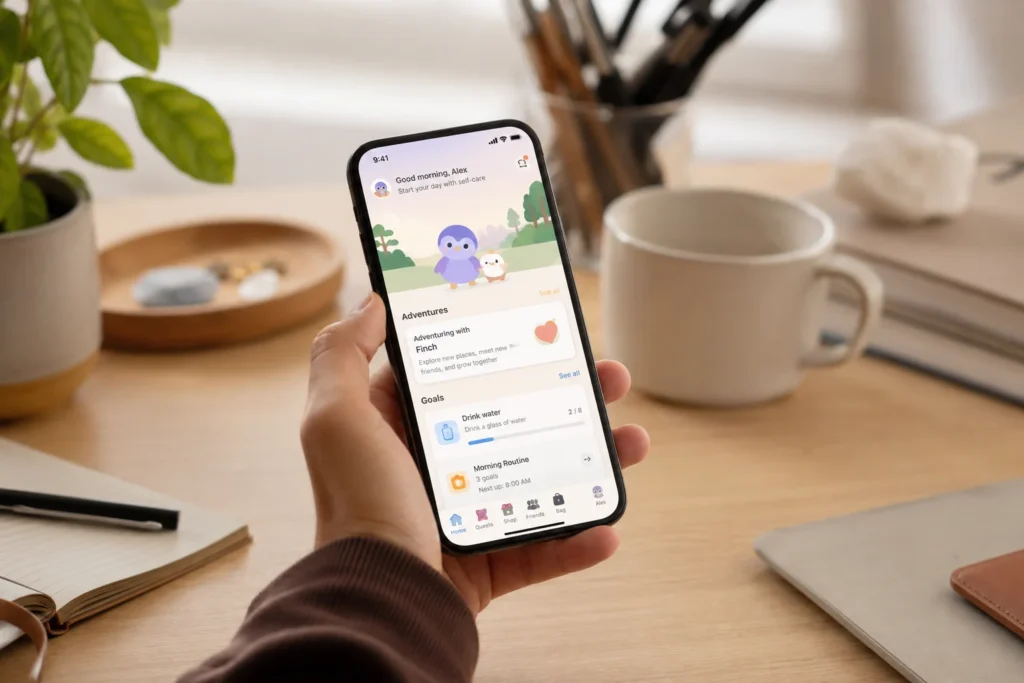
Some people respond poorly to productivity systems that make every missed task feel like evidence that they have fallen behind. Finch takes a softer route, making it more suitable for users who want to build self-care habits while receiving encouragement rather than maintaining a perfectly efficient schedule.
The virtual pet is central to the experience. Completing goals helps the Finch character explore, grow, and develop, which can give small actions such as drinking water, getting dressed, stepping outside, or preparing for bed a more immediate emotional reward.
Why It May Help
Finch combines everyday goals with a self-care pet, alongside activities connected with reflection, breathing, journalling, and personal wellbeing. The app is available on both iOS and Android, with optional paid features alongside its core experience.
This gentler presentation may make returning after a disrupted day feel easier. Instead of opening the app to face an intimidating productivity dashboard, you are returning to a character that has become part of the routine. For people who naturally feel motivated by care, attachment, and visual progress, that can be more effective than points or statistics.
Friction Points to Consider
- The cute visual style will not appeal to every adult
- Extra activities and rewards can make the app feel busy
- It is less suitable for managing complex work routines
- Some features sit behind a paid subscription
- The virtual-pet novelty may fade for some users
Practical Reality Check
Finch is better understood as a gentle self-care companion than a strict productivity system. It can support everyday actions and help create positive momentum, but someone wanting detailed schedules, project organisation, or a timed sequence of morning tasks will probably need a different tool.
The app is also likely to work better when its suggested activities are edited to match real life.A smaller collection of meaningful goals is easier to review and return to than a long list added during the initial burst of enthusiasm.
The full Finch review looks more closely at how the virtual-pet approach feels during ordinary mornings, low-energy days, and periods when consistency becomes difficult.
Loop Habit Tracker
Who It May Suit
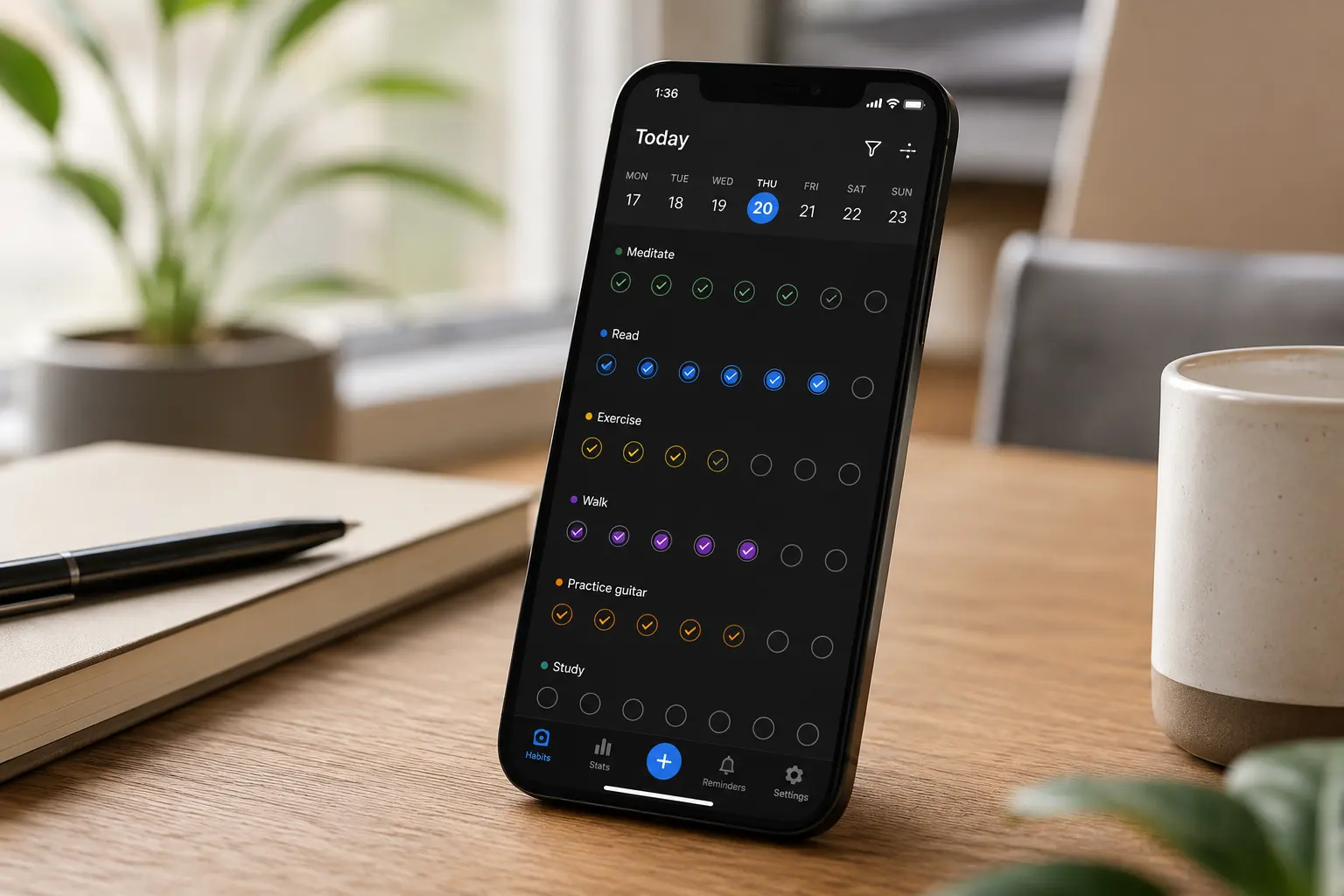
Not everyone needs encouragement from characters, badges, challenges, or carefully designed animations. Loop Habit Tracker is aimed at Android users who want to record repeated actions, receive reminders, and view progress without joining a broader productivity platform.
It is particularly relevant for people who have abandoned other apps because subscriptions, advertisements, accounts, or feature-heavy interfaces created more work than the habits themselves.
Why It May Help
Loop is a free, open-source and ad-free Android habit tracker. It supports repeat schedules, reminders, habit scoring, charts, and direct actions from notifications, while keeping the main experience deliberately straightforward.
That simplicity can be useful when the app needs to disappear into the background. You can see what is due, mark the action, and move on without being drawn into a game or encouraged to redesign the entire system.
Friction Points to Consider
- It is only available for Android
- The design is more functional than playful
- It does not guide you through a routine step by step
- There are fewer social and motivational features
- Users wanting an all-in-one planner may find it too limited
Practical Reality Check
Loop does one job well, but that job is tracking. It can show whether a habit is happening and remind you when it is due, yet it cannot remove the practical barriers that stop the action from being completed. A habit such as “tidy the kitchen” may still be too vague, whereas “clear the worktop for five minutes” gives the reminder a clearer next step.
For me, the appeal is that there is very little to maintain once the setup is complete. That does not make it the most exciting option, although excitement is not always what helps an app survive beyond the first week.
The complete Loop Habit Tracker review examines whether its stripped-back Android approach offers enough support for everyday ADHD routines.
Routinery
Who It May Suit
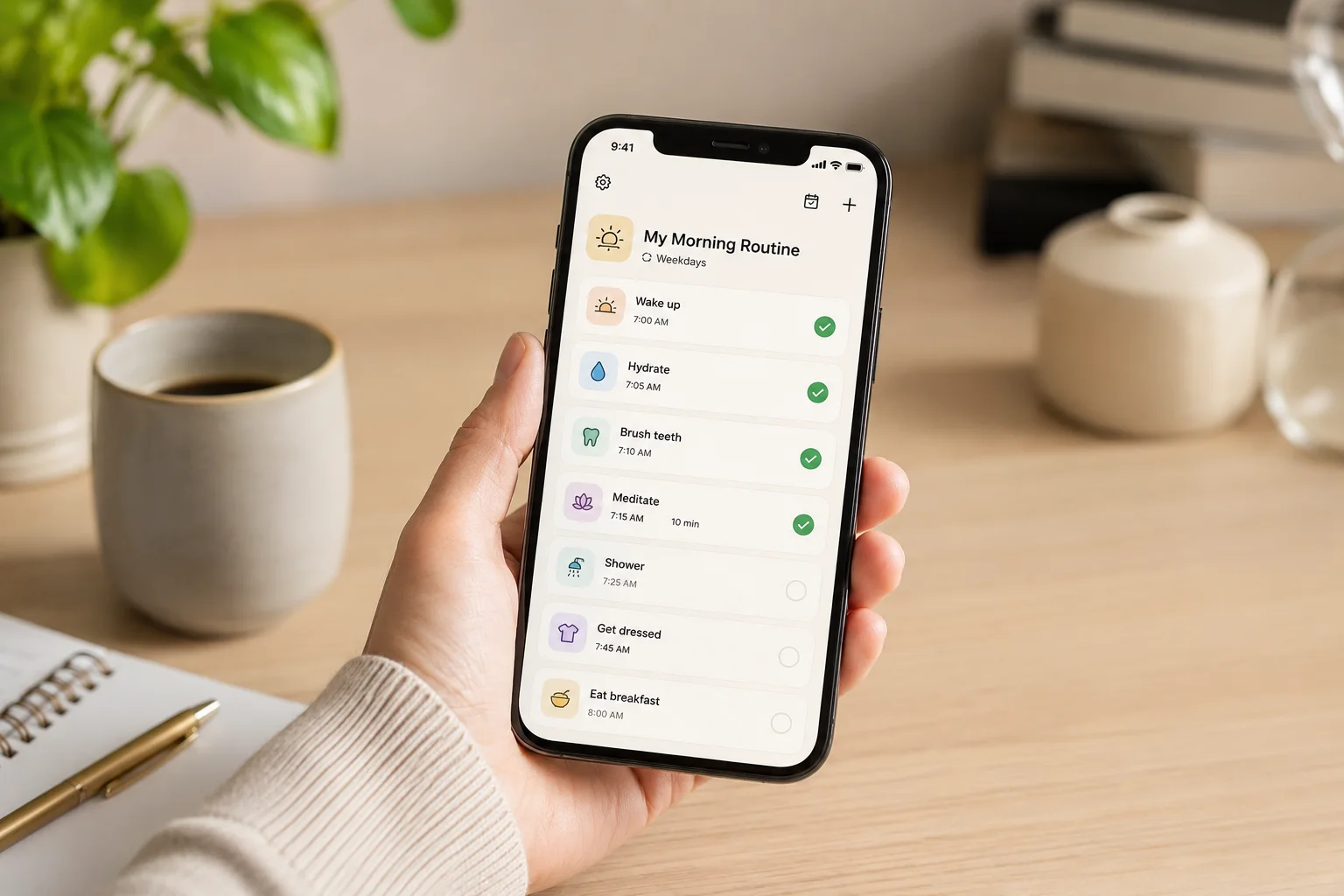
The hardest part of a routine is sometimes not remembering that it exists, but moving from one step to the next without getting sidetracked. Routinery is designed around that exact moment. Rather than waiting for you to report that a routine happened, it presents the activities in sequence and keeps the routine moving with timers, prompts, and alerts.
This approach is likely to suit people who lose track of time while getting ready, become stuck between activities, or repeatedly forget the final steps of a familiar morning or evening routine.
Why It May Help
Routinery allows users to arrange tasks into routines, assign time to each activity, and follow the sequence through a guided timer. Voice alerts, push notifications, pausing, skipping and adjusting the time can help keep the routine moving without requiring you to remember every step or repeatedly work out what should happen next.
Unlike a standard habit tracker, it reduces the need to keep deciding what comes next. Once the routine begins, the app can provide a path through brushing teeth, getting dressed, preparing medication, packing a bag, and leaving the house, with each completed step leading into the next.
Friction Points to Consider
- Building a detailed routine takes more setup than ticking simple habits
- Timers can create pressure when a morning does not go to plan
- Notifications and voice prompts may become easy to ignore over time
- Some features require a paid plan
- Highly variable routines may need frequent adjustment
Practical Reality Check
Routinery is strongest when a routine is stable enough to benefit from an order but flexible enough to survive small delays. Timing every step too tightly can make the app feel like a supervisor, especially when an unexpected phone call, low-energy morning, or missing item throws the schedule off.
A more forgiving setup might include realistic time allowances, a short version for difficult days, and only the steps that are genuinely easy to forget. Used that way, the timer provides direction without turning an ordinary morning into a race.
The full Routinery review takes a closer look at its guided timer and whether step-by-step prompts make routines easier to follow in practice.
Buying Guide: Choosing the Best Habit and Routine Apps for ADHD
Compatibility
Check the devices you use before becoming invested in an app. Streaks is designed for Apple devices, whereas Loop Habit Tracker is an Android-only option. Habitica, Finch, and Routinery are more suitable when access across both major mobile platforms matters.
Wearable support can also be useful when unlocking a phone creates an obvious route into messages, social media, or other distractions. A watch reminder or quick completion button may keep the interaction shorter, although buying or changing devices solely for a habit app is unlikely to be necessary.
Notification Control
A reminder only works while it continues to attract attention. Scheduling too many alerts often turns them into background noise, so it is worth choosing an app that lets you control when and how prompts appear.
Start with reminders for the moments that are most commonly missed rather than adding one to every habit. A notification for medication, leaving the house, or beginning an evening shutdown routine may be useful, whereas alerts for low-priority activities can make the important ones easier to dismiss.
Battery Life
Habit trackers do not normally create the same battery demands as navigation, gaming, or video apps, but frequent background reminders, widgets, wearable syncing, and active routine timers can still affect daily use. Routinery is likely to remain active for longer during a guided sequence, while Streaks and Loop generally rely on shorter check-ins.
The practical question is whether your phone, watch, or tablet is usually charged and nearby at the moment the routine begins. An app cannot guide an evening routine when the device is charging in another room or has already run out of power.
Ease of Use
Ease of use is not simply about how attractive the first screen looks. Consider how many taps are needed to start the routine, complete a habit, correct an accidental entry, postpone a reminder, or return after several missed days.
Loop and Streaks require relatively little ongoing attention, while Habitica and Finch provide more interaction and rewards. Routinery involves more initial planning but can reduce decisions later because the steps have already been placed in order.
Motivation Style
Think about what has encouraged you in the past. Habitica suits game-based motivation, Finch offers care and emotional attachment, and Streaks makes consistency visible. Loop is better when the satisfaction comes from seeing straightforward progress, while Routinery creates momentum through movement from one timed activity to the next.
There is no correct style. A colourful reward system can feel engaging to one person and distracting to another, just as a minimalist tracker can feel calming to one user and completely forgettable to someone else.
Recovery After Missed Days
Every routine will eventually be interrupted, so it is worth considering what the app feels like when you return. Systems built heavily around perfect streaks can become demoralising when the chain breaks, whereas gentler or score-based approaches may make restarting feel less dramatic.
The most sustainable setup is usually one that treats returning as part of the routine rather than proof that the previous attempt failed. Keep the core habits small, remove goals that are repeatedly ignored, and adjust the schedule when real life shows that the original plan was unrealistic.
Frequently Asked Questions
Which habit app is best for ADHD?
There is no single best option for every person with ADHD. Habitica is strong for game-based motivation, Streaks suits Apple users who want focused tracking, Finch supports gentle self-care goals, Loop is a simple free Android tracker, and Routinery is better for following a routine step by step.
Are routine apps better than paper habit trackers?
Apps are useful when you need reminders, automatic progress tracking, portable access, or guided timers. Paper trackers can be better when using a phone is distracting or when a visible sheet on the wall is harder to ignore. Some people use an app for prompts and a paper tracker for the overall view.
How many habits should I track at once?
Begin with a number that still feels manageable on a difficult day. For many people, two or three meaningful habits are more realistic than filling the app with every change they would eventually like to make. More can be added once opening the app and completing the core actions feels familiar.
What should I do when I break a habit streak?
A broken streak is information rather than a reason to delete the system. Look at what interrupted the routine, reduce the size of the habit when necessary, and restart with the next realistic opportunity. The aim is to make returning easier, not to protect a perfect number forever.
Final Verdict
Choosing between the Best Habit and Routine Apps for ADHD comes down to the type of support that is missing from your current routine. Habitica is the most distinctive option for people who find game-style rewards helpful, while Streaks suits Apple users who want a focused way to keep repeated actions visible.
Finch is likely to feel more approachable when self-care, encouragement, and restarting gently matter more than strict productivity. Loop Habit Tracker is the clearest choice for Android users who want something free, private, and deliberately uncomplicated. Routinery provides the strongest step-by-step guidance and makes the most sense when transitions and losing track of what comes next are the main problems.
No app removes the need to make a routine realistic. The most useful option will be the one you can open quickly, understand on a tired day, and return to after a disrupted week without feeling that the whole system needs to be rebuilt.
If you are still deciding, the full product reviews can help you examine the strengths and trade-offs of each app in more detail.