
At a Glance
- Free, open-source habit-tracking app designed for Android devices
- Simple interface focused on routines rather than complex productivity planning
- Supports daily reminders, flexible schedules, habit scores and progress charts
- Works well for people who want a private, advertisement-free tracker
- Best suited to small repeatable habits that can be recorded consistently
Introduction
This Loop Habit Tracker Review for ADHD looks at whether a deliberately simple habit app can make everyday routines easier to remember and maintain. Many habit trackers begin with good intentions but gradually become complicated systems filled with categories, goals, badges and unfinished plans. Loop takes a quieter approach, giving Android users a straightforward place to record habits, view progress and set reminders without turning the process into another major project.
The appeal is not that Loop manages every part of your life. It focuses on one specific job: keeping a small number of repeated behaviours visible long enough for them to become more familiar. That could mean taking medication, preparing tomorrow’s clothes, going for a short walk, drinking water or completing a five-minute evening reset. If you are building a wider setup around routines, reminders and focus tools, the digital productivity tools for ADHD UK guide explains how individual apps can fit into a broader system. If you are comparing habit trackers specifically, the Best Habit and Routine Apps for ADHD (UK Guide) looks at Loop alongside the other main habit and routine apps covered on SB Neuro Focus.
This review explores what Loop feels like during realistic use, where its simplicity becomes a genuine advantage and where it may feel too limited. It is not a medical treatment for ADHD, and checking off a habit does not remove the executive-function difficulties behind it, but the app may provide a useful external prompt when intentions repeatedly disappear from view.
What Stood Out During Use
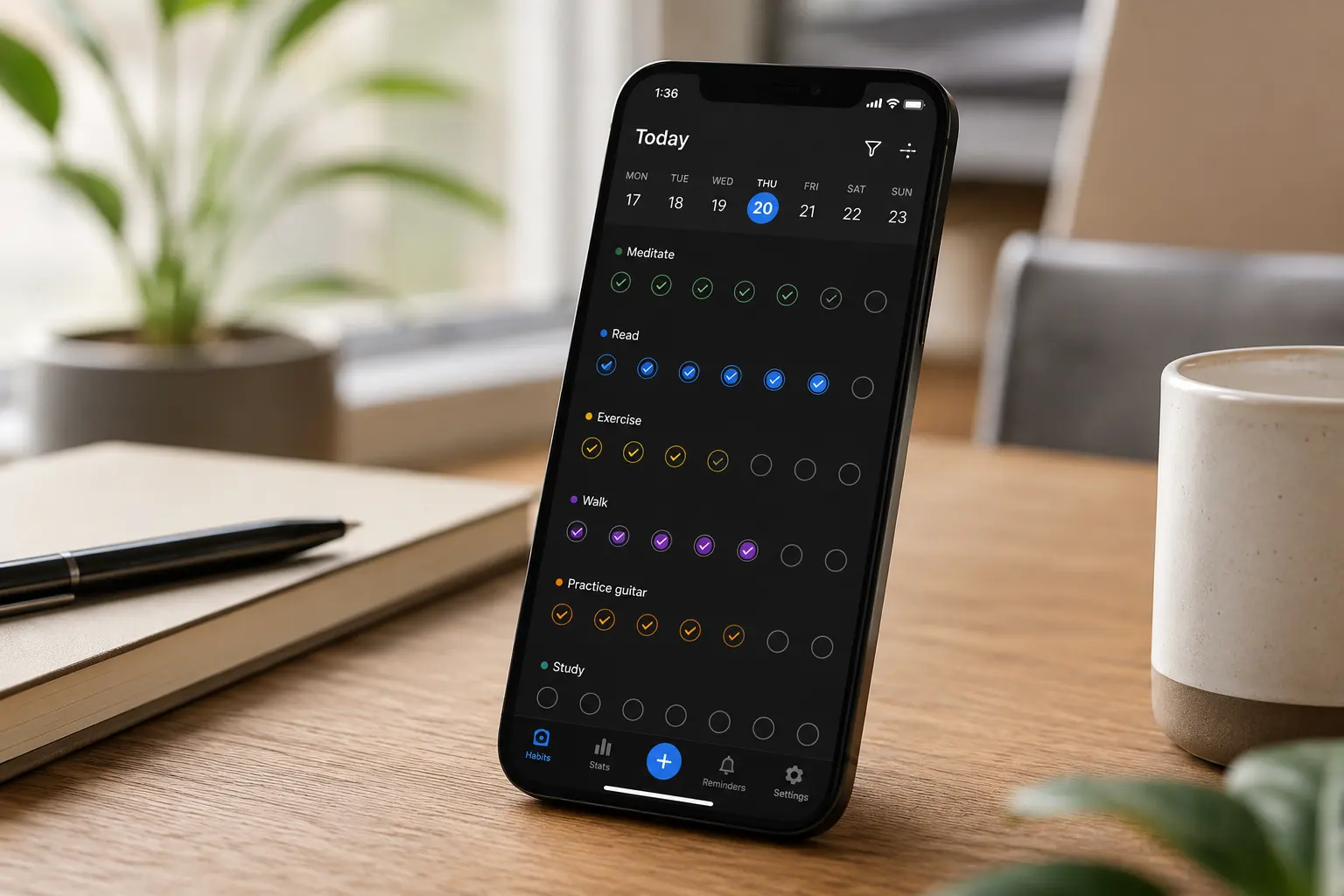
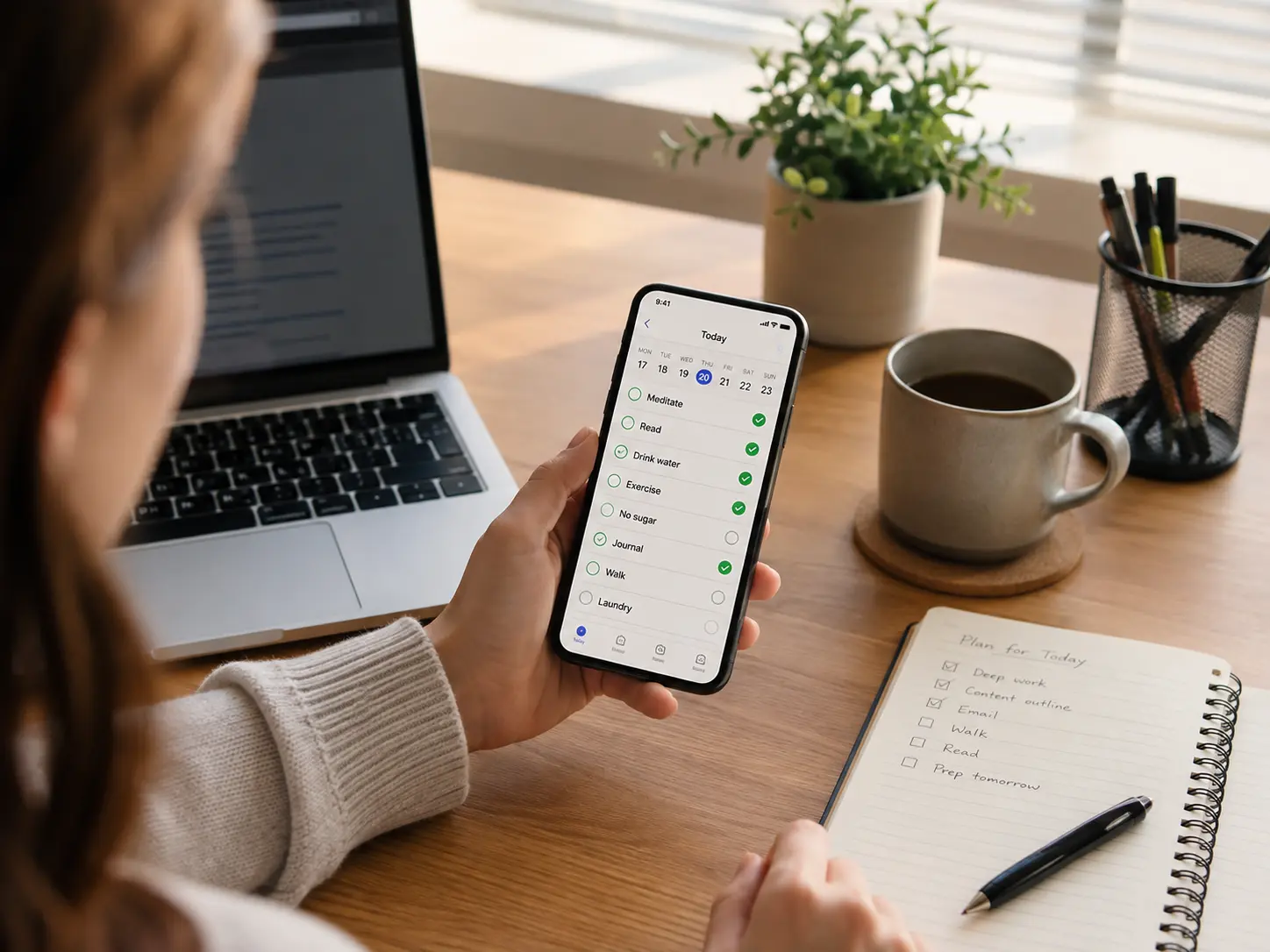
The most noticeable quality is how little Loop asks from you once the initial habits have been created. Opening the app presents a clear list rather than a busy dashboard, and recording progress usually takes only a quick tap. That matters when motivation is inconsistent because a tracker that demands several steps every time you complete something is unlikely to survive a difficult week.
The habit history also feels more forgiving than a basic streak counter. Progress is shown through scores, calendars and charts, so one missed day does not necessarily make the entire habit feel ruined. For someone who tends to abandon a routine as soon as a perfect streak breaks, being able to see the longer pattern can create a more balanced view of what is actually improving.
Loop worked best as a quiet record of repeated behaviour. It does not try to motivate you with characters, social competition or elaborate rewards, which may feel refreshingly calm if gamification becomes distracting. The trade-off is that people who need novelty or immediate encouragement may find the experience a little flat once the initial interest wears off.
Who This Guide Is For
This guide is mainly for Android users who want a focused habit tracker without advertisements, subscriptions or unnecessary planning features. It may particularly suit people who have tried larger productivity systems and discovered that maintaining the system became more demanding than maintaining the original habits.
Loop is also worth considering when you already know which behaviours matter but repeatedly forget to record or repeat them. It is less suitable when the main difficulty is deciding what to do, organising a complicated project or planning an unpredictable day, because those situations usually require a task manager or calendar rather than a dedicated habit tracker.
Key Takeaways
- Loop is strongest when used for a small number of clearly defined habits
- Its minimal interface reduces setup and daily tracking friction
- Flexible schedules make it possible to track habits that do not happen every day
- Charts and habit scores provide a longer-term view than a simple streak
- Android-only availability is the most important limitation to check first
How It Works
You begin by creating a habit, choosing its name and deciding how often it should happen. A habit might be scheduled every day, on selected days of the week or a certain number of times within a period. This flexibility is useful because not every healthy routine needs to become a rigid daily obligation.
Once the habit appears on the main screen, you record it directly from the list. Loop turns those entries into a visual history, making it easier to see a longer pattern without trying to remember how consistent the previous week felt. Measurable habits can also be recorded with a quantity rather than a simple yes-or-no result, which supports gradual progress for behaviours such as drinking water, reading or walking.
Reminders can be attached to habits so the action comes back into view at a relevant time. The important distinction is that Loop records and prompts behaviour; it does not automatically organise the rest of your schedule. You still need to choose realistic habits and place them where they make sense in your day.
Why Loop Habit Tracker May Help with ADHD
ADHD routines often break down in the gap between intending to do something and remembering it at the correct moment. A habit may genuinely matter to you, yet it can disappear as soon as another task, notification or thought takes over. Loop provides an external place where those repeated actions remain visible instead of relying entirely on working memory.
The low-friction design may also reduce the urge to redesign your productivity system whenever motivation drops. There are enough options to create useful schedules and reminders, but the app does not encourage endless folder building or visual customisation. That narrower scope can be helpful when the temptation to organise the tracker becomes more interesting than completing the habits inside it.
Resources such as ADDitude regularly discuss ADHD challenges involving routines, motivation and executive function. Loop does not remove those challenges, but it can make a routine more visible and give you a simple record of what happened, which is often more useful than trying to reconstruct the week from memory.
Real-World Use Cases
Morning routines are an obvious place to begin, although tracking every step would quickly become overwhelming. A more realistic approach might be recording one anchor habit such as taking medication, filling a water bottle or checking the day’s appointments. Once that behaviour becomes more dependable, another small action can be added rather than launching a complete morning transformation at once.
Loop can also support workday habits that are easy to postpone because they never feel urgent. You might track completing a five-minute desk reset, reviewing tomorrow’s priorities or taking a short movement break. The app will not interrupt deep distraction on its own, but a well-timed reminder may bring the action back into awareness before the opportunity passes.
Evening routines are another useful fit. Preparing clothes, plugging in devices or clearing one surface can reduce friction the following morning, yet these jobs are easy to forget when energy is low. Recording one or two of them creates a visible pattern without requiring a detailed nightly checklist.
Feature Breakdown Table
| Feature | What It Does | Why It May Matter for ADHD |
|---|---|---|
| Flexible schedules | Tracks daily, weekly and less frequent routines | Reduces pressure to force every habit into a daily streak |
| Habit reminders | Provides prompts at selected times | Brings routines back into view when working memory drops them |
| Habit score | Measures longer-term consistency rather than only the current streak | Makes one missed day feel less like complete failure |
| Charts and history | Shows progress across days, weeks and longer periods | Provides evidence of patterns that may be difficult to remember accurately |
| Measurable habits | Records quantities as well as completed or missed actions | Supports gradual progress instead of an all-or-nothing target |
| Free and open source | Provides the main experience without advertisements or a paid subscription | Reduces commercial prompts and ongoing cost concerns |
Focus Environment Fit
Loop fits best into a relatively simple phone setup where the app remains easy to find and reminders are not buried beneath dozens of competing notifications. If every habit generates several alerts, the prompts may quickly fade into the general background noise. Using reminders only for routines that are genuinely easy to lose track of makes each prompt more likely to remain noticeable.
The app can also complement a larger planning device without trying to replace it. Someone who organises projects, notes and weekly plans on a tablet could use Loop only for repeated personal behaviours. The best digital tablets for ADHD productivity guide may be useful if you want a broader planning workspace while keeping habit tracking as a smaller separate layer.
Friction Points to Consider
- Loop Habit Tracker is designed for Android rather than iPhone or iPad users
- The minimal interface may not provide enough motivation for people who enjoy rewards or gamification
- Creating too many habits can turn the main list into another source of pressure
- Reminders may become easy to dismiss if they are scheduled at unrealistic times
- The app records behaviour but does not organise complex tasks, projects or appointments
Real Use Review
Loop was most helpful when the habit list remained intentionally small. Opening the app to five meaningful routines creates one clear decision: record what happened and move on. Opening it to twenty-five idealised behaviours adds more choices and creates a daily reminder of everything left undone, which is more likely to encourage avoidance than consistency.
The progress views add enough depth to make tracking worthwhile without dominating the experience. Rather than looking only at today’s result, you can see whether a habit is becoming more regular across a longer period. That makes the app useful for experimentation. You might notice that a lunchtime walk happens reliably on office days but disappears at weekends, or that an evening reset works better when the reminder arrives before you sit down to relax.
The absence of advertisements and subscription prompts helps the app remain focused on the habits already in front of you. There is no regular invitation to explore another paid feature when you only intended to record an action. Simplicity does not create consistency on its own, however. The habits still need to be small enough to repeat, and reminders need to arrive when completing them is realistically possible.
A more realistic role for Loop is as a simple record of a few repeated behaviours rather than a complete productivity system. Used that way, it remains quick to update and less likely to become another system that needs regular maintenance.
Visit the Loop Habit Tracker Website
Practical Reality Check
A habit tracker is useful only when recording the habit remains easier than ignoring the tracker. Loop has a strong foundation here because the daily interaction is brief, but even a simple app can become another abandoned icon if the habits are vague or excessively ambitious.
“Exercise more” is difficult to record consistently because the meaning changes from day to day. “Walk for ten minutes after lunch” gives you a clearer action and a recognisable point in the routine. The tracker works best when each entry represents something observable rather than an ideal version of how you hoped the day would go.
It is also sensible to expect interruptions. Illness, travel, busy work periods and ordinary low-energy days will affect consistency. The useful question is not whether every square remains perfect, but whether the app helps you return to the behaviour sooner after it slips.
Before You Commit
Check device compatibility first because Loop Habit Tracker is primarily an Android app. iPhone users will need an alternative, and people who move regularly between several device platforms may prefer a tracker with broader syncing options.
Next, decide whether you respond better to calm progress data or immediate rewards. Loop offers charts, scores and reminders, but it does not turn routines into a game. That restraint will feel ideal to some users and underwhelming to others.
Finally, choose the first habits before installing the app. Beginning with two or three behaviours gives you a realistic test of whether the interface and reminder style suit you. Importing every routine you wish you had is more likely to produce guilt than useful information.
Frequently Asked Questions
Is Loop Habit Tracker good for ADHD?
It may be useful for adults with ADHD who want a simple external reminder and a visible record of repeated behaviours. Its effectiveness depends on choosing realistic habits and using reminders that match your actual routine.
Is Loop Habit Tracker free?
Yes. Loop is presented as free, open-source software and does not rely on advertisements within the main app experience.
Is Loop Habit Tracker available on iPhone?
Loop is designed for Android devices, so iPhone and iPad users will need to consider a different habit-tracking app.
Does missing one day reset all progress?
A missed day appears in the history, but Loop also uses longer-term habit scores and charts. This means you can still see the broader pattern instead of judging the habit entirely by one broken streak.
How many habits should I track?
There is no universal limit, although beginning with two to five meaningful habits is usually more manageable than creating a long list. Additional habits can be introduced after the original ones feel familiar.
Can Loop replace a task manager?
Not usually. Loop is designed for repeated habits, whereas a task manager is better for one-off actions, deadlines and projects. Some people may use both, provided each app has a clearly separate role.
Alternatives to Consider
If you use an iPhone or prefer a more polished visual experience, Streaks Review for ADHD (UK Guide) explores a streamlined way to track repeated habits across Apple devices. Streaks has a more refined interface than Loop, although it is a paid app and may place greater emphasis on maintaining visible streaks.
If calm charts and progress scores do not provide enough motivation, Habitica Review for ADHD (UK Guide) looks at an app that turns habits and daily tasks into a role-playing game. Its rewards, characters and progression system may make routines feel more engaging, but the additional features can also become distracting for people who prefer Loop’s minimal approach.
If you want something more supportive and reflective than a traditional habit tracker, Finch Review for ADHD (UK Guide) looks at an app that combines self-care activities, goals and gentle encouragement with a virtual pet. It may suit people who respond well to emotional reinforcement and softer motivation, although the extra features create a busier experience than Loop’s deliberately minimal design.
For routines that need step-by-step guidance rather than simple habit recording, Routinery Review for ADHD (UK Guide) covers an app built around timed sequences that guide you through each activity in order. It may be more suitable when starting and moving between routine steps is the main difficulty, while Loop remains the simpler choice for recording whether a repeated behaviour happened.
Final Verdict
Loop Habit Tracker is likely to suit Android users who want private, focused habit tracking without advertisements, subscriptions or extensive setup. Its flexible schedules, reminders and progress views give repeated behaviours somewhere visible to live while keeping the daily recording process brief.
It will suit people who prefer calm data and simple check-ins more than users who rely on novelty, social accountability or gamified rewards. The Android-only limitation also rules it out immediately for some readers. For the right person, however, Loop can help a small number of routines remain visible without trying to become the centre of an entire planning system.
Build a Simple ADHD Productivity System
If you want to bring everything together into one clear setup, this guide shows how tools, apps, and routines can work as one system.