
At a Glance
- Best for: Following morning, evening, work, or self-care routines one step at a time
- Main strength: Guides you through each activity using a structured sequence and individual timers
- Main limitation: Timed routines may feel pressuring if you regularly need flexibility
- Useful features: Custom routines, reminders, step timers, progress tracking, routine templates, and widgets
- Platforms: Available for UK users on Android and Apple devices
Introduction
This Routinery Review for ADHD looks at whether a guided routine app can make everyday sequences easier to begin and follow without turning them into another complicated productivity project. Many people already know what their morning or evening routine should contain. The difficulty is remembering the order, moving between each step, and getting through the whole sequence without becoming distracted halfway through.
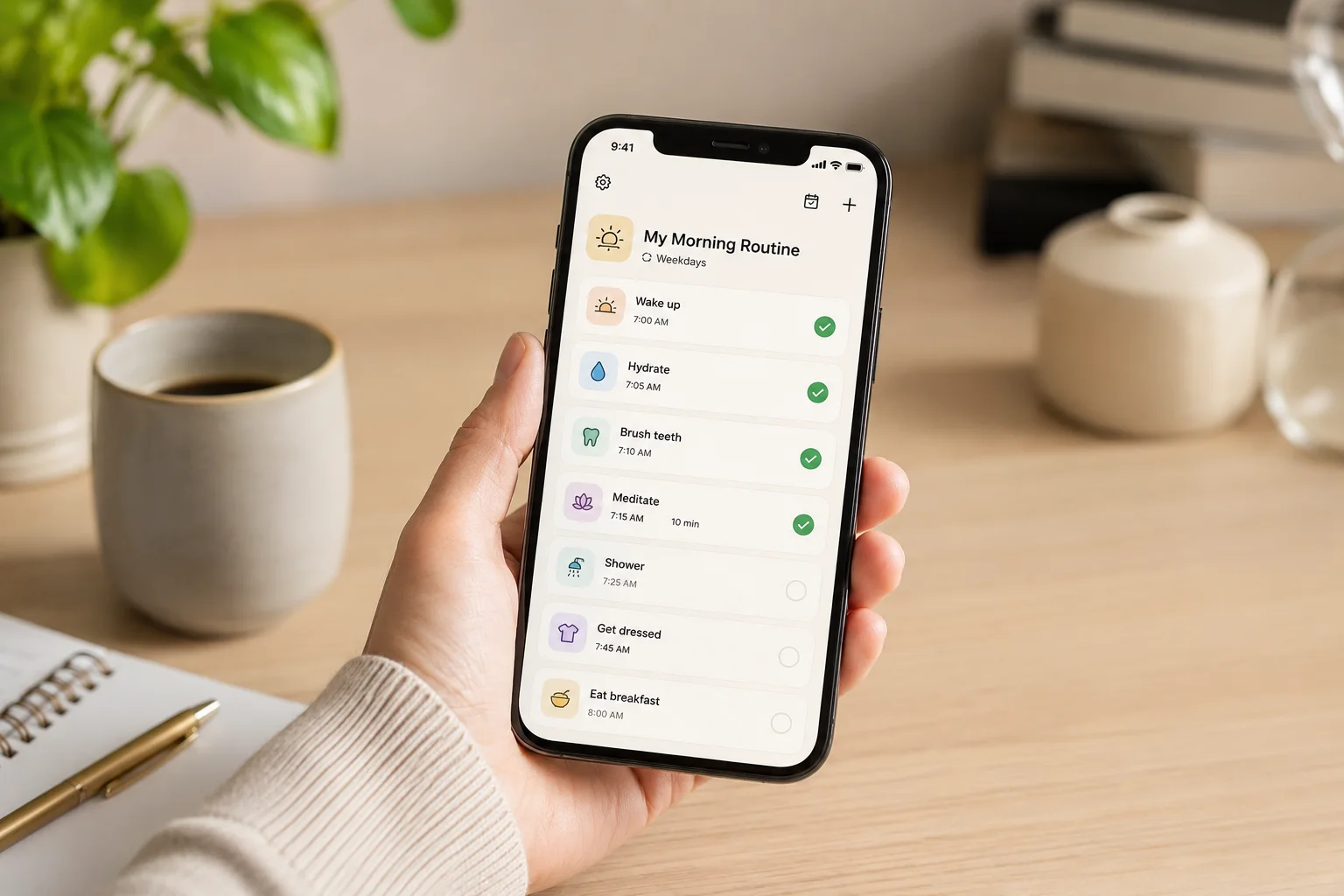
Routinery approaches that problem differently from an ordinary task list. Instead of presenting several activities and leaving you to decide when to tackle them, it guides you through one step at a time. Each activity can have its own expected duration, and the app moves the routine forward as you complete, skip, pause, or adjust those steps.
That makes Routinery particularly relevant when the problem is not planning the routine but carrying it out consistently. It may also fit into a wider setup alongside the digital productivity tools for ADHD UK guide, especially if you need more support with transitions and daily follow-through than a standard checklist provides.
If you are comparing habit trackers specifically, the Best Habit and Routine Apps for ADHD (UK Guide) looks at Routinery alongside the other main habit and routine apps covered on SB Neuro Focus.
What Stood Out During Use
The strongest part of Routinery is the way it reduces the number of decisions required once a routine has started. Rather than repeatedly checking a list, estimating the time and deciding what comes next, you only need to focus on the current activity. When that step finishes, the next action is already visible, reducing the chance that an unstructured pause turns into a distraction.
This feels most useful during routines containing several small actions that are individually easy but collectively difficult to organise. A morning routine might include taking medication, showering, getting dressed, packing a bag, preparing breakfast, and checking what is needed for the day. None of those tasks is especially complex, yet the whole routine can unravel when one distraction interrupts the sequence.
Routinery worked best as a guide through the routine rather than as a traditional habit tracker. It does not simply record that a routine happened; it helps you move through it while it is happening. That distinction is important because many ADHD-friendly systems work well during planning but provide very little support at the moment action is required.
Who This Guide Is For
- Adults with ADHD who regularly begin routines but lose track partway through
- People who become distracted between small morning or evening tasks
- Anyone who wants clearer transitions without setting several separate phone alarms
- Students who need a repeatable preparation or study routine
- Remote workers who struggle to switch into or out of work mode
- People who find ordinary habit trackers too passive
Key Takeaways
- Routinery guides routines in real time rather than only recording completion
- Individual step timers make vague routines feel more concrete
- The app is most useful for repeatable sequences with a clear beginning and end
- It can reduce the mental effort involved in remembering what comes next
- Overly ambitious routines may make the app feel stressful instead of supportive
- The best results are likely to come from starting with one short, realistic routine
How Routinery Works for ADHD Routines
You begin by creating a routine or selecting a ready-made structure that can be adapted. Each activity is placed in order and given an expected duration, so the sequence does not need to be reconstructed from memory every time. A reminder can then bring the routine back into view when it is due to begin.
Once the routine begins, Routinery displays the current activity with a countdown. You can complete it, pause the routine, add time, move ahead, or return to an earlier step when real life does not follow the original plan. The timer provides momentum, but the routine is not completely fixed.
That combination of structure and adjustment is one of the more practical aspects of the app. A normal checklist may tell you to shower, get dressed, eat breakfast, and pack your bag, but it does not create a clear bridge between those actions. Routinery gives the sequence a beginning, a pace, and a visible endpoint, which can make it easier to keep moving when attention would otherwise drift.
Why It May Help (ADHD Context)
Routine difficulties are not always caused by a lack of knowledge or motivation. The friction often appears between activities, especially when completing one task creates an unstructured moment before the next begins. That small gap provides enough space to check a message, open another app, sit down for a minute, or begin something unrelated.
Routinery reduces those gaps by keeping the next action visible. Instead of holding the entire sequence in working memory, you only need to focus on the current step. This may be particularly helpful during busy mornings, bedtime routines, household resets, and other situations where several small tasks need to happen in a reliable order.
Resources such as ADDitude discuss ADHD challenges involving executive function, transitions, time awareness, and maintaining routines. Routinery does not remove those difficulties, but its step-by-step approach creates external structure at the point where a routine is most likely to break down.
The timers may also make routine length more visible. A morning sequence that feels endless can become less intimidating when the app shows that the planned activities add up to a manageable amount of time. Equally, it may reveal that a routine regularly takes longer than expected, allowing you to adjust the plan rather than repeatedly blaming yourself for running late.
Real-World Use Cases
A guided morning routine is the most obvious use. You could create a sequence covering medication, washing, dressing, breakfast, checking your calendar, and preparing to leave. Once started, the app becomes a temporary set of instructions, allowing you to follow the process without repeatedly deciding what deserves attention next.
Evening routines may benefit in a different way. When energy is lower, small tasks such as preparing clothes, charging devices, checking tomorrow’s appointments, completing personal care, and setting out medication can feel surprisingly difficult to organise. A short routine can reduce the temptation to postpone everything until the following morning.
Routinery can also support a work-start sequence. Opening the laptop, reviewing the calendar, choosing one priority, closing unnecessary tabs, and beginning a focused work block can become a repeatable transition instead of an improvised daily struggle. For people who work from home, that structured entry into work may create a clearer boundary between personal time and professional tasks.
The same method can be used for household resets, leaving-the-house routines, study preparation, meal planning, or returning home after work. The important factor is that the activities form a repeatable sequence. Routinery is less suited to unpredictable project work where the next action changes constantly.
Feature Breakdown Table
| Feature | What It Does | Why It May Matter for ADHD |
|---|---|---|
| Step-by-step routine timer | Displays one activity at a time with an expected duration | Reduces the need to remember the whole routine |
| Custom routines | Lets you build sequences around your own mornings, evenings, work, or self-care | Makes the system easier to match to real daily life |
| Routine reminders | Prompts you when a scheduled routine is due to begin | Supports the difficult transition from intention to action |
| Time adjustments | Allows extra time, pauses, skips, and changes while the routine is running | Provides flexibility when activities take longer than planned |
| Templates and activity icons | Speeds up routine creation and makes steps easier to recognise | Reduces setup effort and visual reading demands |
| Progress information | Shows routine completion and consistency over time | Can provide feedback without relying entirely on memory |
| Home-screen widgets | Makes routines and activities easier to access from the device home screen | Reduces the chance of forgetting that the system exists |
Focus Environment Fit
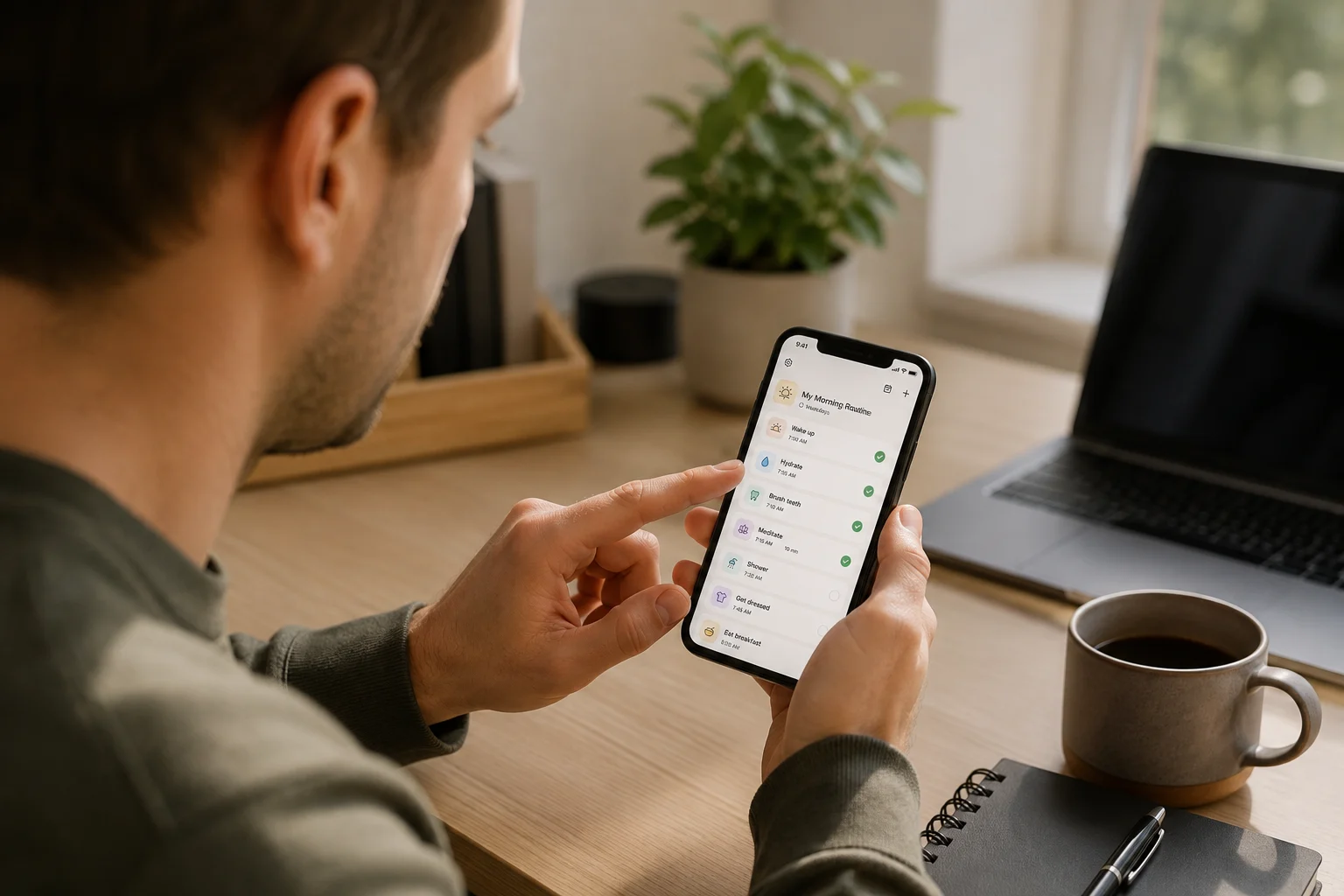
Routinery fits best when the phone is being used deliberately for the routine rather than as a general source of entertainment. Keeping the current step prominent reduces the need to move between several screens or remember what comes next. Other notifications and apps remain available, however, so the phone can still pull attention away from the sequence.
For that reason, it may be worth reducing unnecessary alerts while the routine is active. The benefit of a guided sequence can disappear quickly if every timer transition competes with messages, social media, news, and email. People who use a tablet as a calmer planning device may also find the best digital tablets for ADHD productivity UK guide useful when considering where routines, calendars, notes, and planning tools should live.
Friction Points to Consider
- Timers may feel uncomfortable if you interpret them as strict deadlines
- Building a detailed routine takes some initial thought and setup
- An unrealistic sequence can make falling behind feel discouraging
- The app cannot prevent other phone notifications from distracting you
- Some features and additional flexibility may require a paid plan
- Frequent schedule changes may make fixed routines harder to maintain
Real Use Review
Routinery was most useful when the routine was short enough to feel believable. A sequence of five or six necessary steps creates direction without feeling like a long set of instructions. Once it is filled with every ideal habit you think you should complete, the timers can begin to highlight how far behind you are rather than helping you keep moving.
The app is particularly effective during transitions. Finishing breakfast and moving directly into packing a bag is easier when the next step appears automatically. Without that prompt, the end of one activity can become an invitation to wander, sit down, or check something unrelated. Routinery gives that gap a clear next action.
The ability to adjust time is equally important. ADHD routines rarely unfold with perfect consistency, and a system that treats every delay as failure would quickly become difficult to return to. Adding time, pausing or skipping an activity allows the routine to continue when real life changes, although repeatedly extending every step can make the original timing less useful.
What it does not replace is realistic planning. If a shower usually takes fifteen minutes, assigning five minutes will not create efficiency; it will simply make the routine appear behind schedule. The most useful setup comes from observing how long activities genuinely take and building breathing room around them.
Practical Reality Check
Downloading Routinery will not automatically create a reliable routine. The app works as a guide, but it still depends on you noticing the reminder, opening the routine, and beginning the first step. Its real advantage is that once you have started, it lowers the effort required to continue.
The most realistic way to test it is with one routine linked to a recurring problem. If mornings are chaotic, create a basic morning sequence rather than building separate routines for work, exercise, cleaning, evenings, weekends, and meal preparation on the first day. Using one routine repeatedly will reveal whether the guided timer suits the way your attention works.
It is also worth viewing the scheduled times as estimates rather than scores. Finishing late does not mean the routine failed. The timing information is useful because it helps refine the sequence and makes hidden delays easier to notice.
Before You Commit
Decide which routine is causing the most practical difficulty and write down only the steps that genuinely need to happen. Remove optional habits that would make the sequence feel impressive but harder to complete. A dependable ten-minute routine is likely to be more useful than an ideal forty-five-minute system that you avoid starting.
Consider how you respond to visible timers. Some people find a countdown motivating because it creates momentum and a clear endpoint. Others experience it as pressure, particularly when personal care, fatigue, family responsibilities, or unpredictable mornings affect how quickly they can move. Routinery allows adjustments, but the basic experience still revolves around timed activities.
You should also check the current free-plan limits and subscription terms through the official service before deciding whether the available features justify another recurring payment. App plans and included features can change, so the current listing is more reliable than an older review or screenshot.
Frequently Asked Questions
Is Routinery good for ADHD?
Routinery may be useful for ADHD when the main difficulty is following a sequence, transitioning between small tasks, or remembering what comes next. Its guided timers provide more active support than a standard habit checklist.
Can Routinery be used for morning and evening routines?
Yes. Morning and evening sequences are among the clearest uses because they contain repeatable activities that usually need to happen in a particular order.
Do I have to finish every Routinery activity within the timer?
No. The timer gives the activity a planned duration, but routines can be paused or adjusted when a task takes longer. It is better to treat the timing as guidance rather than a strict test.
Is Routinery only a habit tracker?
No. Although it records routine consistency, its more distinctive role is guiding you through activities in real time. That makes it closer to a routine coach or step-by-step timer than a simple completion tracker.
Can Routinery replace a calendar or task manager?
Probably not for most people. It is designed around repeatable routines rather than appointments, large projects, or changing task lists. It may work better alongside a calendar or simple task app.
Alternatives to Consider
Habitica may be more appealing if routine completion feels dull and you respond well to game mechanics, rewards, characters, and shared challenges. It provides stronger motivational elements, although its busier design may be distracting for people who prefer a calm step-by-step experience.
Streaks is a simpler alternative for Apple users who mainly want to track whether habits have been completed. It is simpler and less guided than Routinery, making it more suitable when you can remember the sequence but want a visible record of whether it happened.
Loop Habit Tracker is another simpler option for Android users who want to record repeated behaviours without following a timed routine sequence. Its reminders, flexible schedules and progress tracking make it useful for keeping habits visible, but it offers much less guidance than Routinery when moving from one step to the next is the main difficulty.
Finch takes a gentler self-care approach, using a virtual companion and small daily activities to encourage engagement. It may suit people who find rigid schedules discouraging, whereas Routinery remains the stronger choice when you specifically need timed sequencing and clearer transitions.
Final Verdict
Routinery is best suited to people who know which activities need to happen but struggle to carry them out in a consistent order. Its guided timers, sequencing, reminders and adjustable steps provide support while the routine is happening rather than only recording the result afterwards.
Its value will depend on how you respond to timed structure. Used with a short and realistic sequence, Routinery can reduce decision fatigue and make transitions feel less vague. Used as an attempt to schedule an ideal version of every morning and evening, it may become another system that feels demanding.
For adults with ADHD who regularly lose track between small tasks, the app has one clear role: keeping the current action visible and showing what comes next. That may make it useful for morning, evening, work-start and household routines where the order remains broadly predictable.
Build a Simple ADHD Productivity System
If you want to bring everything together into one clear setup, this guide shows how tools, apps, and routines can work as one system.