
At a Glance
- Polished habit tracker designed specifically for Apple devices
- Uses visible streaks to make daily progress easier to notice
- Supports flexible schedules rather than requiring every habit every day
- Works with iPhone, iPad, Mac and Apple Watch
- Best suited to people who prefer a focused system with limited clutter
Introduction
This Streaks Review for ADHD looks at whether a polished habit tracker can make everyday routines easier to remember without becoming another complicated productivity system to maintain. Streaks is included in the Best Habit and Routine Apps for ADHD guide because it takes a noticeably focused approach: you choose the behaviours you want to repeat, complete them as they happen and build a visible chain over time.
That sounds simple, but simplicity is often what determines whether a habit app survives beyond the first enthusiastic week. Many systems feel exciting while they are being configured, only to become demanding once every task needs to be organised, categorised and reviewed. Streaks avoids much of that administrative weight by keeping your active habits visible and making completion quick.
The app is firmly built around the Apple ecosystem, so it will not suit everyone. For iPhone and Apple Watch users, however, widgets, reminders, flexible schedules and health-data integration can keep routines visible without requiring repeated trips into the main app.
What Stood Out During Use
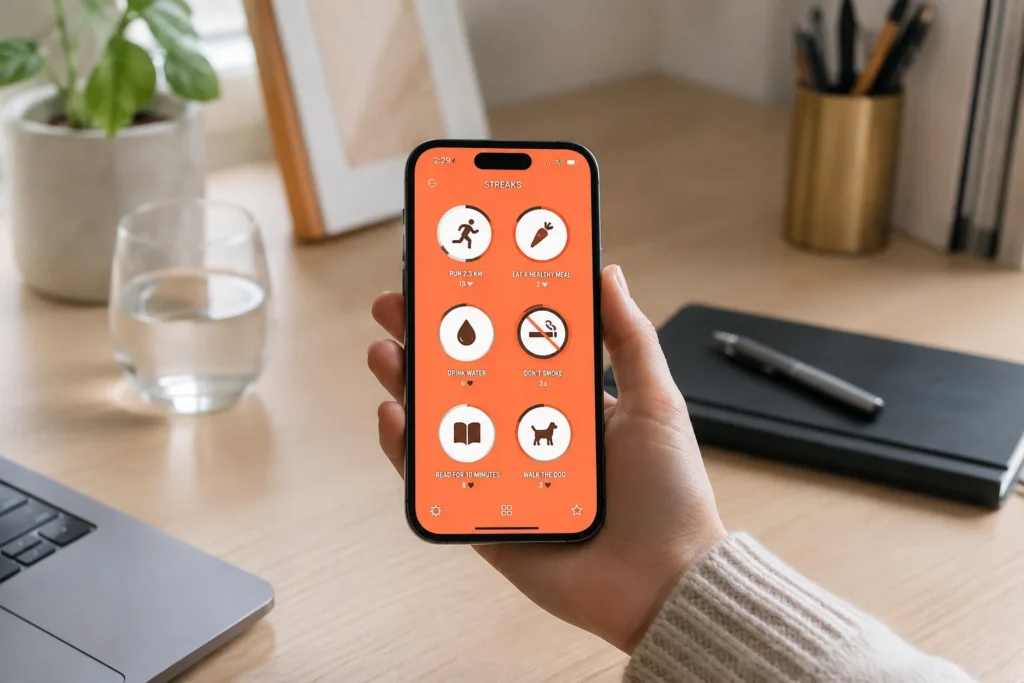
The strongest part of Streaks is how little explanation it needs once the initial setup is complete. Each habit appears as a large, recognisable icon, and marking something as completed takes only a moment. That low level of interaction matters on busy or mentally crowded days, when opening a complicated dashboard can feel like one more task rather than useful support.
Its visual style also gives the app a clear role. Streaks is not trying to replace a full task manager, calendar or project-planning system. It works best as a small daily checkpoint for a limited number of repeatable behaviours, such as taking medication, walking, preparing tomorrow’s clothes, reading for ten minutes or completing an evening reset.
The ability to change how often a task is required was particularly useful. A habit does not have to happen every day to count as a successful routine. You might schedule exercise three times per week, paperwork every Friday or a room reset twice a week. That flexibility makes the system feel more realistic than an app that treats every missed day as a broken commitment.
Who This Guide Is For
This guide is most relevant to Apple users who want a dedicated habit tracker rather than a broad productivity platform. It may suit people who already know which routines they want to reinforce but struggle to remember them consistently once the day becomes busy.
- Adults with ADHD who respond well to visible progress
- Apple users who want habits available across several devices
- People who prefer a clean interface with minimal navigation
- Anyone trying to establish a small number of repeatable routines
- Users who want flexible weekly targets instead of daily perfection
It may be less suitable if you need detailed project planning, shared household routines or support across Android and Windows devices. Streaks remains intentionally narrow, which is one of its main strengths but also its clearest limitation.
Key Takeaways
- Streaks is strongest when used for a deliberately small set of meaningful habits
- Flexible schedules make it practical for routines that do not happen every day
- Widgets and Apple Watch access reduce the effort required to record progress
- Visible streaks may motivate some users but create pressure for others
- Its Apple-only focus makes compatibility an important consideration
How It Works
You begin by creating a task for each habit you want to develop or reduce. You can choose a recognisable icon, decide how often the action should happen and add a reminder where one is genuinely useful. Once the habit is active, recording it takes only a quick interaction, which lowers the effort needed to keep the system updated.
The scheduling options are more flexible than the app’s name initially suggests. You can create daily habits, choose particular days or set a target number of completions within a week. Negative tasks can also be used when the goal is to avoid or reduce a behaviour rather than perform one, although these need to be framed carefully so the system remains encouraging rather than punitive.
Some health-related activities can be recorded automatically through Apple Health. A walking target, workout or other supported activity may therefore update without requiring a manual tap. Automatic recording is useful when remembering to log the habit is harder than completing it, although it is worth checking that the chosen data source is reliable before depending on it..
Home-screen widgets and Apple Watch support bring the habits closer to the places where you are likely to notice them. Instead of relying on memory to open the app, you can keep a visual reminder alongside the tools you already use throughout the day.
Why Streaks May Help with ADHD Routines
Habit formation can become difficult when the intended action disappears from awareness at the exact moment it needs to happen. You may genuinely intend to prepare lunch, take medication or complete a five-minute reset, but the cue is lost once attention moves elsewhere. A visible habit tracker gives those repeated actions somewhere consistent to live.
Resources such as ADDitude discuss the importance of routines, external reminders and reducing reliance on working memory. Streaks fits that general approach by turning a vague intention into a visible action that can be checked quickly.
The motivational value comes from continuity. Once several successful days are visible, completing the next action may feel more immediate because it protects something already built. For some people, that gentle reluctance to break the chain provides enough momentum to begin a routine even when motivation is low.
There is a balance to maintain, though. ADHD routines are rarely perfectly consistent, and an app should support recovery rather than make one missed day feel like failure. Streaks tends to work better when the targets are modest, flexible and connected to behaviours that are genuinely under your control.
Real-World Use Cases
A morning routine is an obvious starting point, but it is usually better to track one or two anchor actions than every stage of getting ready. Recording medication, opening the curtains or packing a work bag may be enough to create a reliable beginning without turning the app into a long checklist.
Streaks can also support small maintenance tasks that are easy to postpone because they never feel urgent. A twice-weekly paperwork habit, a ten-minute kitchen reset or a regular review of upcoming appointments gives these jobs a clearer rhythm. The aim is not to schedule every responsibility, but to stop a few useful actions from repeatedly disappearing.
For work or study, habits might include beginning one focused session, reviewing tomorrow’s priorities or closing unnecessary browser tabs before starting. These actions are small enough to repeat and may reduce the effort required to enter a more productive state.
Wellbeing routines can be included too, particularly when Apple Health can record them automatically. Walking, completing a workout or meeting another measurable target can appear alongside manually recorded routines, giving you a broader view without requiring every result to be entered by hand.
Feature Breakdown Table
| Feature | What It Means in Practice | Why It May Matter for ADHD |
|---|---|---|
| Flexible habit schedules | Tasks can repeat daily, on selected days or a set number of times per week | Creates more realistic routines without demanding daily perfection |
| Visual streak tracking | Current and previous progress remains easy to see | Makes consistency more tangible and may strengthen motivation |
| Custom reminders | Prompts can be attached to habits that are commonly forgotten | Reduces reliance on remembering the routine independently |
| Apple Health integration | Supported health and activity goals can update automatically | Removes the extra step of manually recording some habits |
| Widgets and Apple Watch support | Habits remain visible outside the main app | Places routine cues closer to the moment of action |
| Custom icons and themes | Tasks can be made visually distinctive and recognisable | Improves scanning and reduces the need to read long labels |
Focus Environment Fit
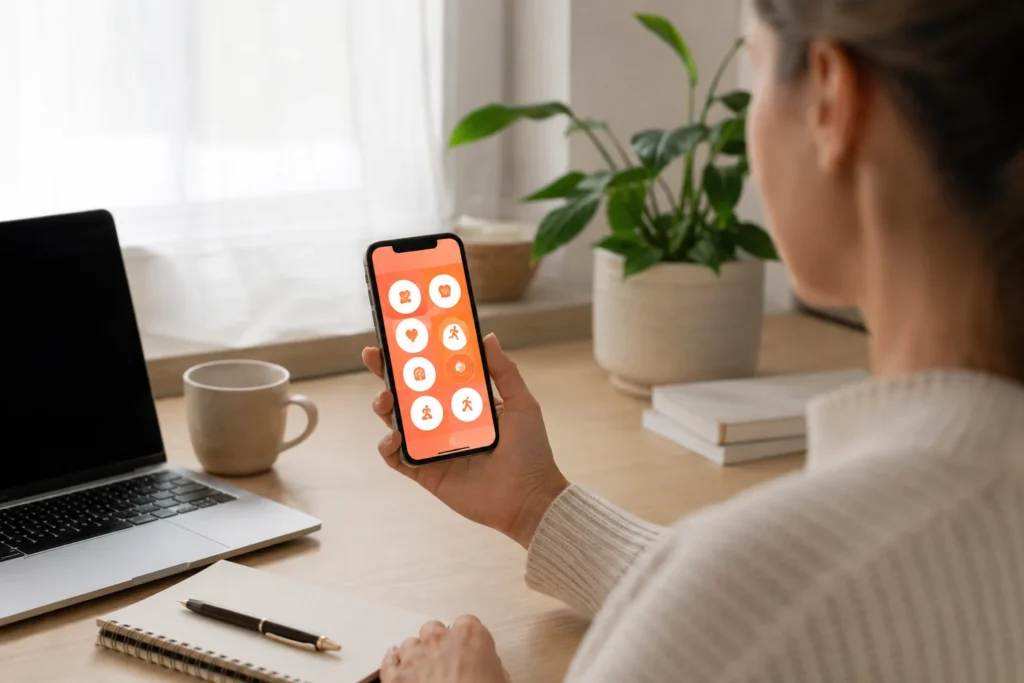
Streaks fits particularly well into a quiet Apple-based setup where the phone, watch and computer already work together. A habit can be checked from the device that happens to be nearby, which reduces the chance of postponing the update and forgetting it later.
The app is also visually calmer than many gamified habit systems. There are no characters to manage, complicated reward shops or broad project dashboards competing for attention. That restraint makes it easier to see what needs doing without sorting through extra menus or reward systems. People who rely on novelty for motivation, however, may find the experience less engaging once the initial interest fades.
For people who prefer routines to remain visible on a larger screen, a habit app can form one small part of a wider planning setup. The Best Digital Tablets for ADHD Productivity guide explores devices that may provide more space for calendars, notes and daily planning alongside tools such as Streaks.
Friction Points to Consider
- Streaks is intended for Apple devices, so it is unsuitable for Android-based setups
- Protecting a streak may become stressful if targets are set too aggressively
- The app tracks repeated habits rather than complex tasks or projects
- Too many active habits can make the main screen feel demanding
- Reminders may lose their impact if several are scheduled close together
The biggest practical risk is creating an idealised version of your routine during setup. It is tempting to add exercise, reading, cleaning, meal preparation, meditation and several work habits at once. The result can look organised while quietly becoming impossible to maintain.
Real Use Review
Streaks worked best as a brief checkpoint rather than somewhere to spend time. The process is simple: notice the habit, complete the action and record it. This allows the app to support an existing day without becoming another system that needs regular attention of its own.
The clear interface matters because even a small recording step can become easy to postpone. Recognisable icons and quick completion reduce the gap between doing the action and logging it. That lowers the chance of deciding to update the app later and then forgetting altogether.
Apple Watch support is particularly useful for routines performed away from a desk. Recording a completed walk, glass of water or medication routine from the wrist removes the need to unlock a phone and potentially encounter messages or other distractions along the way.
The app worked best as a reinforcement layer rather than the main place for planning. A calendar may still determine when an appointment happens, and a task manager may hold the work required for a project. Streaks is most useful for the smaller repeatable behaviours that support those larger systems.
Practical Reality Check
A completed streak shows that something was recorded consistently, but it does not automatically mean the routine is improving your life. Checking off an easy or poorly defined habit can create visible progress without addressing the area where support is actually needed.
The best starting point is one behaviour that already has a natural cue. You might record preparing your medication immediately after brushing your teeth, reviewing tomorrow’s schedule when closing your laptop or completing a brief room reset before making an evening drink. Linking the habit to an existing moment reduces the amount of memory and motivation required.
It is also sensible to decide in advance what happens after a missed day. Rather than abandoning the system because a streak has reset, treat the next completion as the start of a new chain. The app becomes more sustainable when returning matters more than maintaining a flawless record.
Before You Commit
Check device compatibility first. Streaks makes the most sense for someone already using an iPhone, and its value becomes stronger when widgets, Apple Watch or Apple Health integration are part of the intended setup. People using Android or mixed-device households will need an alternative.
Next, decide what Streaks will replace or support. It should not duplicate every item already held in a calendar or task manager. Choose repeatable behaviours where seeing continuity is genuinely useful, then allow your other tools to handle appointments, deadlines and one-off responsibilities.
Finally, start smaller than feels necessary. Two useful habits maintained consistently will provide more value than a screen filled with ambitious routines that becomes uncomfortable to open. Extra tasks can always be added later once the first ones feel established.
Frequently Asked Questions
Is Streaks good for adults with ADHD?
It may be useful for adults with ADHD who respond well to visual progress, simple reminders and quick habit recording. Its effectiveness will depend on choosing realistic routines and keeping the number of active habits manageable.
Does Streaks work on Android?
No. Streaks is designed for the Apple ecosystem, including supported versions of iPhone, iPad, Mac and Apple Watch.
Can Streaks track habits automatically?
Some supported health and activity habits can update through Apple Health. Other routines need to be recorded manually when they are completed.
Do habits have to be completed every day?
No. You can choose particular days or set a target number of completions within a period, which makes the app suitable for habits such as exercising several times a week.
Can Streaks replace a task manager?
It is better viewed as a dedicated habit tracker. A task manager will usually be more appropriate for projects, deadlines, detailed lists and responsibilities that do not repeat consistently.
Alternatives to Consider
For a broader comparison of Streaks, Habitica, Finch, Loop Habit Tracker and Routinery, visit the Best Habit and Routine Apps for ADHD guide. That comparison is useful when deciding between a polished streak tracker, a gamified system, a gentler self-care approach or a timed routine assistant.
If your main difficulty is organising projects and one-off responsibilities rather than repeating habits, the Digital Productivity Apps for ADHD guide covers broader tools designed around tasks, planning and everyday organisation.
Where routines are being missed because the day lacks visible structure, the Best Calendar Apps for ADHD Time Management guide may be more relevant. A calendar can give habits a place in time, while Streaks records whether the repeated behaviour actually happened.
Final Verdict
Streaks is best suited to Apple users who want a focused way to keep a small number of repeatable routines visible. Flexible schedules, widgets, Apple Watch access and optional health tracking reduce the effort involved in recording progress without turning habit tracking into a large organisational project.
Its narrow focus is both the advantage and the limitation. Streaks will not manage complex projects or plan an entire day, and the visible chain may feel pressuring if you interpret a missed habit as failure. Used with realistic targets and a willingness to restart, however, it can keep important routines visible without demanding a complicated system around them.
Build a Simple ADHD Productivity System
If you want to bring everything together into one clear setup, this guide shows how tools, apps, and routines can work as one system.