
At a Glance
- Flexible productivity workspace for notes, tasks, planning, and organisation
- Can combine calendars, projects, routines, and brain dumps in one place
- Useful for ADHD users who prefer visual systems and custom setups
- Steeper learning curve than simpler task apps
- Best suited to people who enjoy building systems rather than quick setup tools
Introduction
This Notion Review for ADHD Productivity (UK Guide) is really about whether a flexible all-in-one workspace can help reduce mental clutter without becoming overwhelming itself. Many ADHD users struggle when tasks, notes, reminders, routines, and ideas live in five different apps. Notion tries to pull everything into one place so your system feels more connected and easier to manage.
Unlike simple to-do list apps, Notion is closer to a digital workspace builder. You can create dashboards, calendars, databases, daily planners, routines, project trackers, and note systems that all connect together. For some people, that flexibility feels freeing. For others, it can become another rabbit hole of endless tweaking.
If you are trying to build a wider productivity setup, it can also fit alongside tools covered in this Best Digital Tablets for ADHD Productivity (UK Guide), especially if you prefer visual planning and digital organisation.
This review looks at how Notion works in real life for ADHD productivity, where it genuinely helps, where it becomes frustrating, and who it is most likely to suit.
Notion Review for ADHD Productivity: Key Features
The biggest strength of Notion is flexibility. Instead of forcing one rigid system, it lets you build a workspace around the way your brain naturally works.
- Custom dashboards and workspace layouts
- Task lists and project management tools
- Calendar and planning integrations
- Templates for routines, notes, habits, and workflows
- Database systems for organising information visually
- Cross-device syncing between desktop, tablet, and phone
- Collapsible pages and sections to reduce visual clutter
- AI features for summaries, notes, and drafting
Who This Guide Is For
- ADHD adults who enjoy visual organisation systems
- People managing multiple projects, ideas, or routines
- Students juggling notes, deadlines, and revision planning
- Freelancers and remote workers needing flexible workflows
- Users frustrated by switching constantly between apps
Key Takeaways
- Notion is powerful, but it is not the quickest app to learn
- It works best when kept simple rather than endlessly customised
- The visual structure can help reduce mental overload
- Templates make setup much easier for ADHD users
- It can replace multiple apps if used carefully
- Too much complexity can become distracting instead of helpful
How It Works
Notion works like a flexible digital workspace rather than a standard productivity app. Instead of opening separate apps for notes, tasks, calendars, and planning, you can build everything inside one connected system.
You create pages that can contain text, checklists, databases, reminders, embedded calendars, links, tables, habit trackers, or project boards. Those pages can then connect together into a larger dashboard system.
For ADHD users, this can feel surprisingly calming when done well. Instead of remembering where everything lives, you open one homepage that acts as a central control panel for your day.
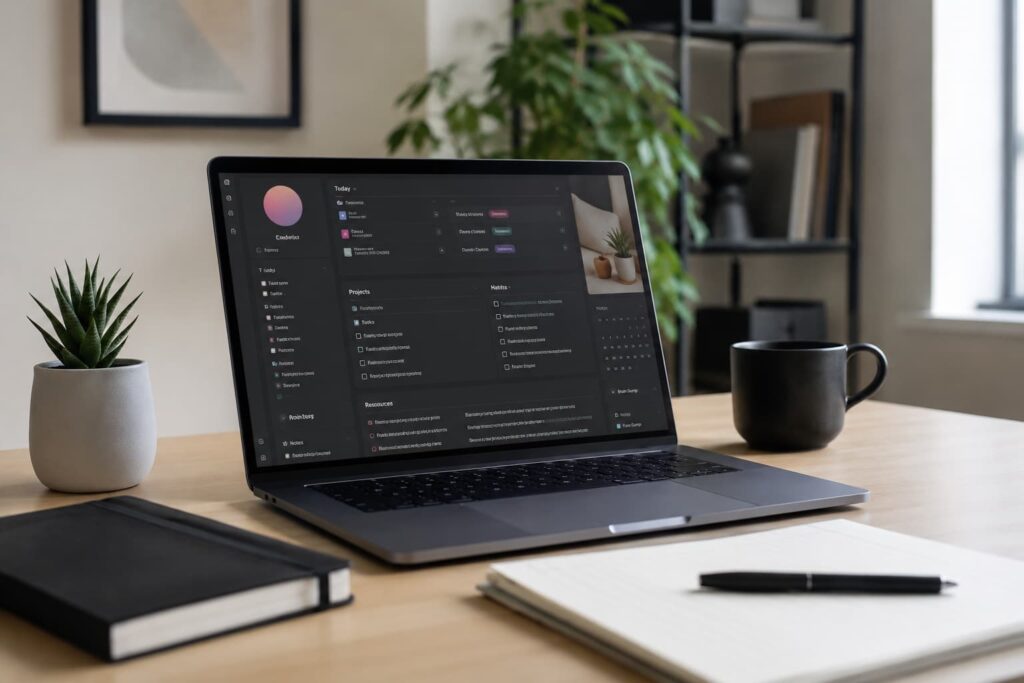
For example, a simple ADHD productivity dashboard might include:
- Today’s tasks
- A calendar block
- A quick brain dump section
- A routines checklist
- Notes for current projects
- A “later” parking space for distracting ideas
That centralisation is one of the biggest reasons people stick with Notion long term. It can reduce the constant app-hopping that often fragments attention throughout the day.
I also think there is something helpful about the visual side of Notion. Seeing information grouped into clear sections feels less chaotic than long endless lists. For ADHD brains that struggle with overwhelm, that structure matters.
Why It May Help (ADHD Context)
ADHD productivity problems are often less about laziness and more about friction, overwhelm, memory load, and inconsistent organisation. Notion can help because it externalises information into one visible system.
Instead of holding everything mentally, you create a trusted place where tasks, ideas, notes, and routines live together. That can reduce the feeling of carrying unfinished thoughts around all day.
Resources such as ADDitude often discuss how ADHD affects executive function, working memory, and organisation. A flexible external system can support those areas by reducing how much information has to stay active mentally at once.
Another strength is customisation. ADHD users often abandon systems because they feel too rigid or unnatural. Notion allows you to shape the workspace around your actual habits rather than forcing yourself into somebody else’s workflow.
That said, flexibility cuts both ways. Too much freedom can lead to endless redesigning instead of doing actual work. The people who benefit most from Notion are usually the ones who intentionally keep the system simple.
Real-World Use Cases
One of the reasons Notion has become popular for ADHD productivity is because it adapts well to messy real-world situations instead of only structured office work.
Students often use it for revision planning, lecture notes, assignment tracking, and deadline organisation. Having everything inside one dashboard can reduce the stress of jumping between platforms.
Freelancers and remote workers commonly use it as a project hub. Client work, content ideas, meeting notes, deadlines, and routines can all live in one place rather than scattered across apps and sticky notes.
It is also useful for managing life admin. Meal planning, budgeting, habit tracking, appointments, shopping lists, and reminders can all sit inside the same workspace.
One area where I think Notion works particularly well is idea capture. ADHD brains often generate thoughts at awkward moments and then lose them later. Having a fast brain dump section available on every device makes it easier to offload those thoughts quickly.
However, the biggest difference comes when people stop trying to create a “perfect productivity system.” The setups that tend to last are usually the simplest ones.
Feature Breakdown Table
| Feature | What It Means in Practice | Why It Matters for ADHD |
|---|---|---|
| Custom dashboards | Create one homepage for tasks, notes, and planning | Reduces app switching and mental clutter |
| Templates | Start quickly without building everything manually | Lowers setup overwhelm |
| Databases | Organise information visually using tags and filters | Makes large projects easier to manage |
| Cross-device syncing | Access the same workspace everywhere | Keeps systems consistent |
| Collapsible sections | Hide unnecessary information | Reduces visual overload |
| Calendar integration | View deadlines and schedules inside the workspace | Supports planning and time awareness |
Focus Environment Fit
Notion works best in calmer digital environments where you intentionally reduce distractions. It is not really designed for chaotic multitasking.
Using it on a larger screen or tablet often feels easier because you can visually separate sections without everything becoming cramped. That is one reason many users combine it with digital tablets or minimalist desk setups.
It also helps to remove unnecessary workspace clutter inside the app itself. Too many widgets, colours, databases, and pages can start to feel visually exhausting very quickly.
For ADHD productivity, simpler layouts usually win. A clean dashboard with only the essentials visible tends to be far more sustainable than highly complex systems.
Real Use Review
In real daily use, Notion feels less like a normal productivity app and more like a digital second brain. That can either feel incredibly useful or slightly overwhelming depending on your personality.
The strongest part is having everything connected together. Notes, plans, tasks, and ideas stop feeling scattered across different apps. Once the workspace is set up properly, it can create a calmer sense of control.
I also found that Notion works best when treated as a support tool rather than a hobby. The temptation to constantly redesign layouts is real. A lot of ADHD users spend more time optimising productivity systems than actually using them.
That is why templates are important. Starting from a simple structure removes a huge amount of friction and helps you avoid the “blank page paralysis” that can happen with highly flexible tools.
The mobile app is useful for capturing ideas quickly, but desktop or tablet versions generally feel much better for planning sessions and deeper organisation work.
Overall, the experience becomes much smoother once you stop trying to make the system perfect and focus on making it usable.
Friction Points to Consider
- The learning curve can feel steep at first
- Too much flexibility may become distracting
- Complex dashboards can create visual overwhelm
- Requires intentional setup to stay useful long term
- Can encourage productivity procrastination through endless tweaking
- Works better with some planning habits already in place
Practical Reality Check
Notion is not a magic ADHD fix. If you struggle to open planning apps consistently, downloading Notion alone will not suddenly solve organisation problems.
The people who benefit most usually build a lightweight system they can realistically maintain. That often means:
- One homepage
- One task list
- One quick capture area
- One simple calendar view
Trying to build an advanced productivity empire from day one usually backfires.
It is also worth being honest about whether you enjoy building systems. Some ADHD users genuinely find that process motivating. Others find it draining and would do better with a simpler app like Todoist or Microsoft To Do.
Buying Guide
Before choosing Notion for ADHD productivity, think about whether you want flexibility or simplicity.
If you enjoy visual organisation, custom workflows, and having everything in one place, Notion can be extremely useful. It becomes especially powerful when you manage multiple projects, routines, or creative ideas at once.
If you prefer minimal setup and quick task entry, a lighter productivity app may suit you better.
It is also important to keep expectations realistic. The goal is not creating the perfect productivity workspace. The goal is reducing friction enough that daily life feels easier to manage.
Many ADHD users benefit most from starting with templates and slowly simplifying over time rather than constantly adding more complexity.
Frequently Asked Questions
Is Notion good for ADHD productivity?
It can be very useful for ADHD productivity if you prefer visual organisation systems and want notes, tasks, and planning tools combined in one place.
Is Notion difficult to learn?
There is a learning curve at first, especially compared to simple task apps. Templates help reduce setup overwhelm significantly.
Can Notion replace multiple apps?
Yes. Many users replace separate note-taking, planning, and task apps with one connected Notion workspace.
Does Notion become distracting?
It can if you constantly redesign systems instead of using them. Simpler dashboards usually work best for ADHD.
Is Notion better on desktop or mobile?
Desktop and tablet versions generally feel better for planning and organisation, while mobile works well for quick idea capture.
Alternatives to Consider
If Notion feels too flexible or overwhelming, Todoist may suit you better because it focuses more heavily on fast task capture and simple organisation.
If you prefer structured routines and built-in scheduling, TickTick offers a more guided productivity experience with timers and habit tools included.
Some people also find that highly custom productivity systems become difficult to maintain over time. If you tend to overcomplicate digital organisation, this article on why too many productivity apps can make ADHD worse may be useful.
Final Verdict
Using Notion for ADHD Productivity ultimately comes down to whether flexibility helps you feel organised or overwhelmed. For the right person, it can become an incredibly useful central workspace that reduces mental clutter and keeps tasks, notes, and planning connected together.
Its biggest strengths are customisation, visual organisation, and the ability to centralise information into one calmer system. Its biggest weakness is that too much flexibility can become distracting if you overbuild the workspace.
If you enjoy visual systems and are willing to keep things simple, Notion can be one of the most powerful ADHD productivity tools available. If you want something lightweight and fast with less setup, simpler apps may feel easier to maintain long term.
Build a Simple ADHD Productivity System
If you want to bring everything together into one clear setup, this guide shows how tools, apps, and routines can work as one system.