
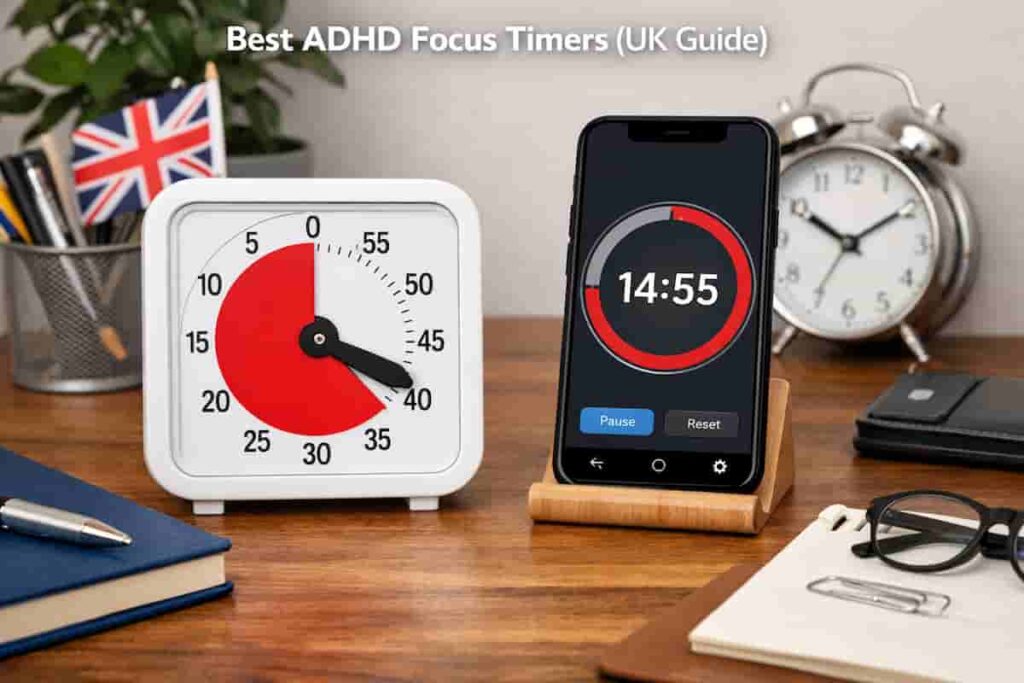
Best ADHD Focus Timers (UK Guide): Quick Picks
- Best well-known visual timer: Time Timer Original
- Best portable visual timer: Time Timer MOD
- Best budget visual countdown timer: Secura 60-Minute Visual Timer
- Best simple physical timer: Simple Digital Countdown Timer
- Best app-based focus timer: Focus To-Do
Quick Picks by Situation
If you want a classic visual countdown that is easy to read across a desk, the Time Timer Original is the obvious place to start.
If you need something smaller that can move between rooms or go in a bag, the Time Timer MOD makes more sense.
If budget matters most, the Secura 60-Minute Visual Timer gives you the same basic visual idea for less money.
If you want the quickest possible setup with almost no effort, the Simple Digital Countdown Timer is the easiest physical option.
If you already work from your phone, tablet, or laptop and want task tracking alongside your timer, Focus To-Do is the strongest app-based pick.
Introduction
Best ADHD Focus Timers (UK Guide) is a useful topic if you struggle with time blindness, delayed task starts, or long stretches of work that quietly drift off course. A good timer does not magically create focus, but it can make the next 10, 25, or 60 minutes feel more visible and easier to stick with.
If you are building a wider setup around timers, it is worth starting with the broader Digital Productivity Tools for ADHD UK (Complete Guide), which puts timers alongside tablets, wearables, and other practical focus tools.
What stood out to me when comparing these tools is that the best ones are usually the easiest to start. If a timer takes too much fiddling, I know I am much less likely to use it when I actually need it.
For general ADHD information and routines, you can also read ADDitude.
Who This Guide Is For
- People who lose track of time once they start a task
- People who struggle to begin work without a clear start point
- Anyone who wants a more visible countdown than a standard phone clock
- Users deciding between a physical timer and an app-based timer
- UK readers looking for realistic timer options commonly found on Amazon UK
Key Takeaways
- Visual timers make time feel easier to see and judge
- Portable timers are helpful if you work in more than one place
- Budget countdown timers can work well when you do not need premium build quality
- Simple digital timers are best for speed and simplicity
- App-based timers suit people who want tasks and timing in one place
How These Products Were Evaluated
These picks were not chosen just because they are popular. I looked at how easy they are to start, how clearly they show passing time, how practical they are in daily use, and whether they feel realistic for ADHD-friendly routines.
I also prioritised UK availability and options that are commonly found on Amazon UK. The goal here is not to chase the fanciest tool. It is to find timers that are actually usable when your attention is already under pressure.
For this Best ADHD Focus Timers (UK Guide), I focused on five different use cases rather than five near-identical products. That makes the guide more useful when you are trying to match a tool to real life instead of just comparing specs.
Quick Comparison Table
| Product | Type | Best For | Portability | Alert Style | Typical Use |
|---|---|---|---|---|---|
| Time Timer Original | Visual timer | Desk-based time awareness | Low | Visual + optional audible alert | Work blocks, study, planning |
| Time Timer MOD | Portable visual timer | Flexible everyday use | High | Visual + optional audible alert | Desk, kitchen, travel, meetings |
| Secura 60-Minute Visual Timer | Budget visual timer | Low-cost visual countdowns | Medium | Visual + alarm | Study, chores, work sprints |
| Simple Digital Countdown Timer | Physical digital timer | Fast setup | High | Audible / simple countdown | Pomodoro sessions, quick resets |
| Focus To-Do | App-based timer | Tasks + timers together | Very high | App notifications | Pomodoro sessions, planning, routines |
Focus Environment Fit
Physical timers tend to work best when you stay in one place and need the passage of time to stay visible in front of you. That is where the Time Timer Original and Secura style of timer feel strongest. You set them once, leave them in view, and let them do their job.
If your day moves around more, the How to Use a Smartwatch for ADHD Time Management and Reminders (UK Guide) article is also worth a look, because some people do better with timer prompts that move with them instead of staying on a desk.
Simple digital timers fit best when you want almost no setup at all. Start the countdown, get moving, and let it run in the background. App timers work best if you already keep your task list digitally and want the timer built into that same flow.
For me, this is where the difference really shows. A visual timer is great when I am sitting down properly. An app timer uses the Pomodoro method and is more useful when I am moving between tasks and need everything in one place. If you’re unsure which method works best, this Pomodoro vs visual timer guide explains the differences.
Choosing between visual, digital, or app-based options can feel confusing, so this guide on how to choose the best ADHD focus timer can help you find what actually fits your setup.
Focus Score Comparison Table
| Product | Visibility | Ease of Use | Reminder Strength | Routine Fit | Overall Focus Fit |
|---|---|---|---|---|---|
| Time Timer Original | High | High | Medium | High | 9/10 |
| Time Timer MOD | High | High | Medium | High | 9/10 |
| Secura 60-Minute Visual Timer | Medium | High | Medium | Medium | 8/10 |
| Simple Digital Countdown Timer | Low | Very high | Medium | High | 8/10 |
| Focus To-Do | Medium | Medium | High | High | 8.5/10 |
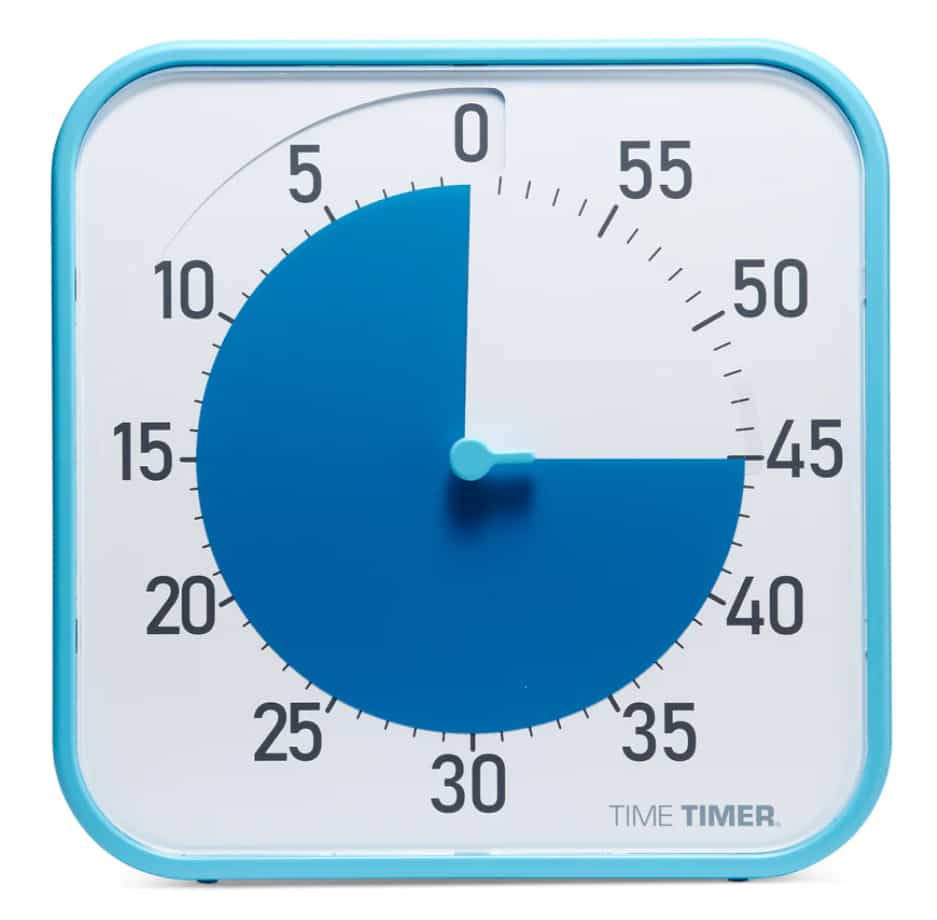
Time Timer Original
Who It May Suit
This may suit people who need to see time physically disappearing in front of them. It is especially useful for desk work, reading, revision, writing, and any task where you stay in one place for a set period.
Why It May Help
The main strength here is clarity. The countdown is visible from a distance, so you do not have to keep mentally checking how much time is left. That makes it easier to stay in the task rather than constantly switching attention back to the clock.
For many people, this is the most natural starting point in a Best ADHD Focus Timers (UK Guide) because it is easy to understand immediately. You set it, place it where you can see it, and get on with the work.
Friction Points to Consider
- Bulkier than smaller timer options
- Works best in a fixed workspace rather than on the go
- Higher price than basic countdown timers
Practical Reality Check
This is the strongest pick if your main problem is not noticing time passing. It feels simple in a good way. The trade-off is that it is less convenient to carry around than smaller options.
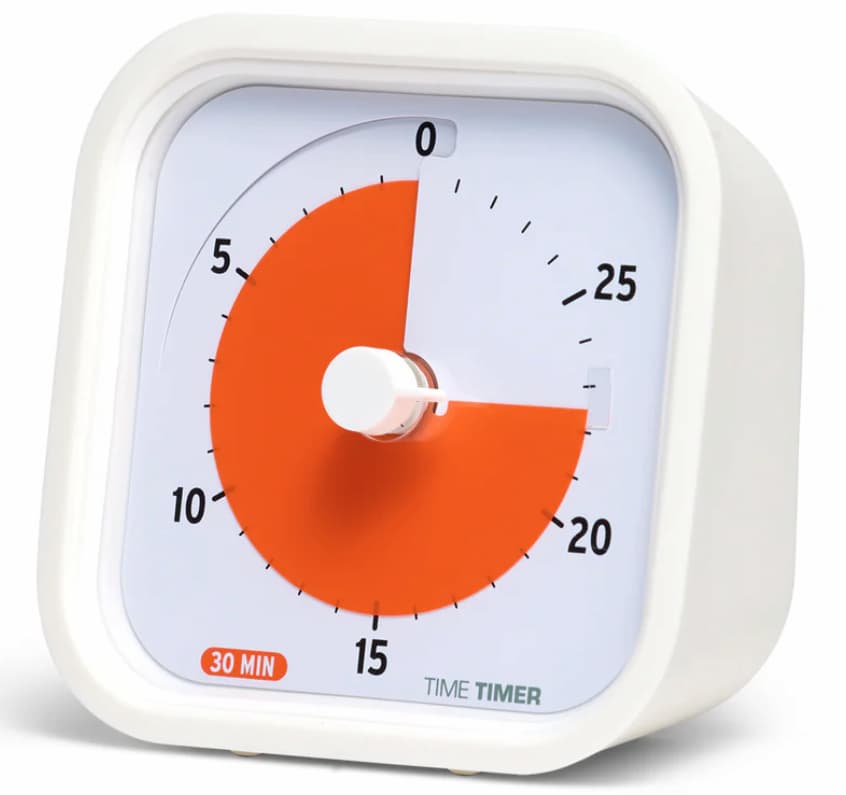
Time Timer MOD
Who It May Suit
This may suit people who like the visual countdown style but want something smaller, neater, and easier to move around during the day.
Why It May Help
The Time Timer MOD keeps the same basic idea as the larger Original but in a more compact form. That matters if you switch between a desk, kitchen table, meeting room, or different rooms at home.
It still gives you a visible time block without feeling as clunky. For a lot of adults, that portability makes it more likely to be used consistently.
Friction Points to Consider
- Smaller face is slightly less visible from across the room
- Still costs more than basic countdown timers
- Not as useful if you prefer long sessions and a larger display
Practical Reality Check
If the Time Timer Original feels a bit too desk-bound, this is probably the better fit. It is the easiest visual timer here to keep using in normal life rather than only in one ideal setup.
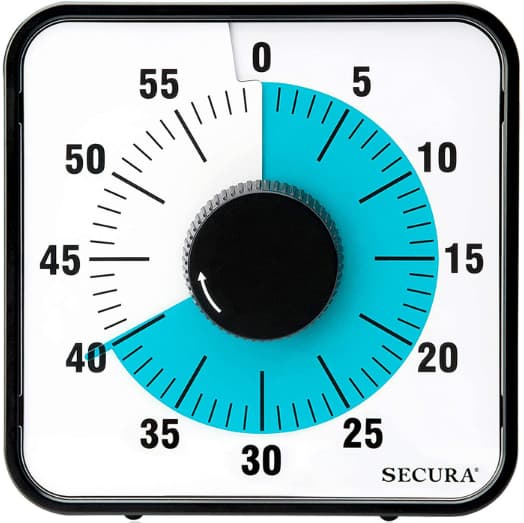
Secura 60-Minute Visual Timer
Who It May Suit
This may suit anyone who wants the visual countdown style without spending Time Timer money. It is a sensible choice for trying the concept first before paying more.
Why It May Help
The value here is straightforward: you get a visible 60-minute countdown at a lower price point. If you respond well to seeing time run down, that can still be enough to make work sessions feel more contained and less vague.
It is also useful for chores, short admin blocks, and study sessions where you just need a clear finish line.
Friction Points to Consider
- Build quality may feel more basic than premium options
- Designs and versions can vary on Amazon UK
- Less polished overall than Time Timer models
Practical Reality Check
If budget matters, this is the easiest recommendation in the guide. It may not feel premium, but it covers the main job well enough for many people: making time easier to see.
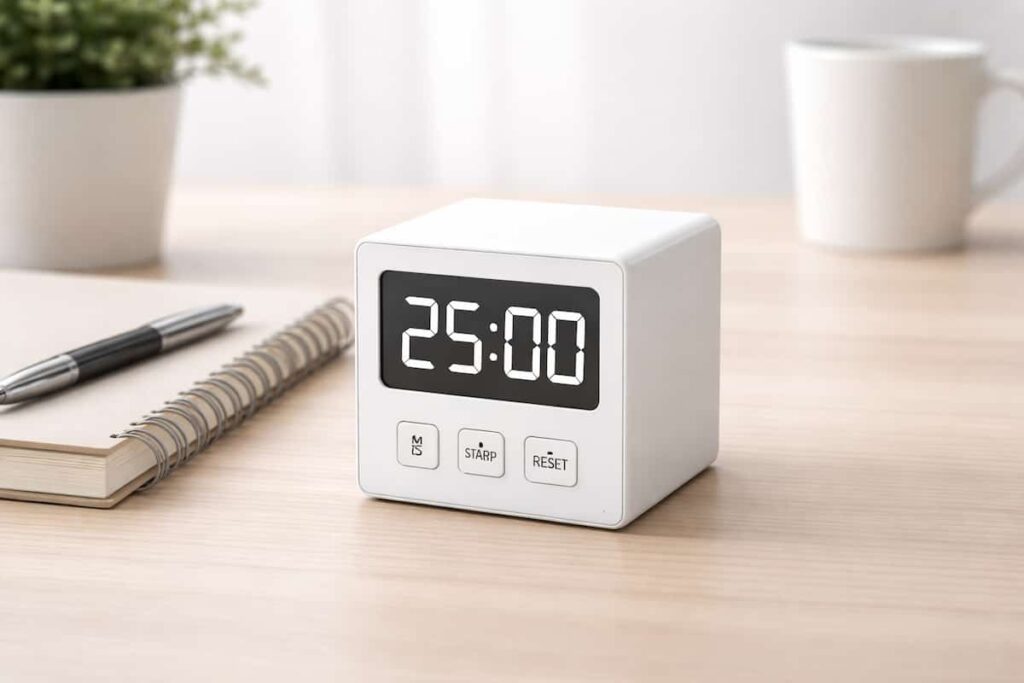
Simple Digital Countdown Timer
Who It May Suit
This may suit people who want the fastest possible start with almost no decision-making. It is ideal if you like short work sprints and hate fiddly setup.
Why It May Help
The simple digital countdown timer is all about low effort. You start the countdown and get moving. That makes it genuinely useful for ADHD routines because the barrier to getting going is so small.
It works especially well for Pomodoro-style sessions, reset breaks, quick tidy-ups, and “just start for 10 minutes” moments.
Friction Points to Consider
- Preset time blocks or button layouts may vary between models
- Less visual feedback than a classic countdown dial
- Not ideal if you want a more tactile timer style
Practical Reality Check
This is the easiest timer here to use when you are already mentally tired. You do give up some flexibility, but that is also what makes it appealing.
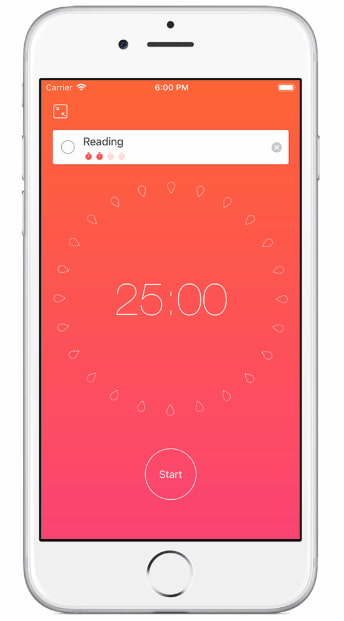
Focus To-Do
Who It May Suit
This may suit people who want a timer and task list in the same place. It is a better fit for digital planners than for anyone trying to get away from screens.
Why It May Help
Focus To-Do combines Pomodoro timing with task management, which can be helpful if the problem is not only staying focused but also moving from planning into action. Instead of setting a separate timer and then going back to a list, it keeps both parts together.
That can make the start of a work session feel smoother. In a Best ADHD Focus Timers (UK Guide), it stands out as the strongest app-based option because it is built around timing rather than being a general productivity app with a timer buried inside it.
Friction Points to Consider
- Can feel a bit busy if you only want a plain timer
- Phone-based use may still bring distraction risks
- Needs a little setup before it feels useful
Practical Reality Check
If you already manage tasks digitally, this makes a lot of sense. If your phone is the distraction itself, though, a physical timer may still work better.
Buying Guide: Choosing a Focus Timer
Choosing the right timer usually comes down to one question: do you need time to stay visible in front of you, or do you need your timer to travel with you?
That is why the Best ADHD Focus Timers (UK Guide) is not really about naming one winner. It is about matching the timer to the routine you can actually stick with.
Compatibility
App-based options like Focus To-Do work across phones, tablets, and computers, which is useful if your work moves between devices. Physical timers do not need syncing or setup, which some people will prefer.
Notification control
If you need stronger prompts, app timers can give you alerts and repeated reminders. If too many notifications already overwhelm you, a physical timer may feel calmer and easier to trust.
Battery life
Physical timers usually win here because they are simple and low-maintenance. App timers depend on the device you are using and how reliable you are at keeping it charged and nearby.
Ease of use
This matters more than most people expect. A timer can be clever, flexible, and feature-rich, but if it feels annoying to start, it often gets ignored. Simpler tools are often the ones that get used.
Frequently Asked Questions
Do focus timers help with ADHD?
They can help by making work sessions feel more defined and by making time easier to notice. They are most useful when they fit naturally into your routine.
Are visual timers better than timer apps?
They can be, especially if seeing time disappear helps you stay anchored. Apps are more flexible, but physical timers are often easier to ignore less.
Is a simple digital countdown timer good for Pomodoro sessions?
Yes, especially if you like short, low-effort sessions and want something quick to start. They are less ideal if you need highly custom timings.
Should I choose a physical timer or an app?
Choose a physical timer if your phone already causes distraction. Choose an app if you want tasks and timing in one place and are comfortable working digitally.
Choosing the right timer is a good starting point, but most people get better results when a few tools support different parts of their routine.
To see how that can work in practice, take a look at the full ADHD productivity tools setup guide.
Final Verdict
Best ADHD Focus Timers (UK Guide) comes down to how you need time to show up in your day.
The Time Timer Original is best if you want a classic visual countdown in a fixed workspace. The Time Timer MOD is better if you want that same idea in a more portable format. The Secura 60-Minute Visual Timer is the sensible budget pick. The Simple Digital Countdown Timer is best for low-effort, quick-start focus sprints. Focus To-Do is the best choice if you want a timer built into your digital task flow.
There is no universal winner here. The right tool is the one that feels easiest to start and easiest to keep using when your brain is already full.