
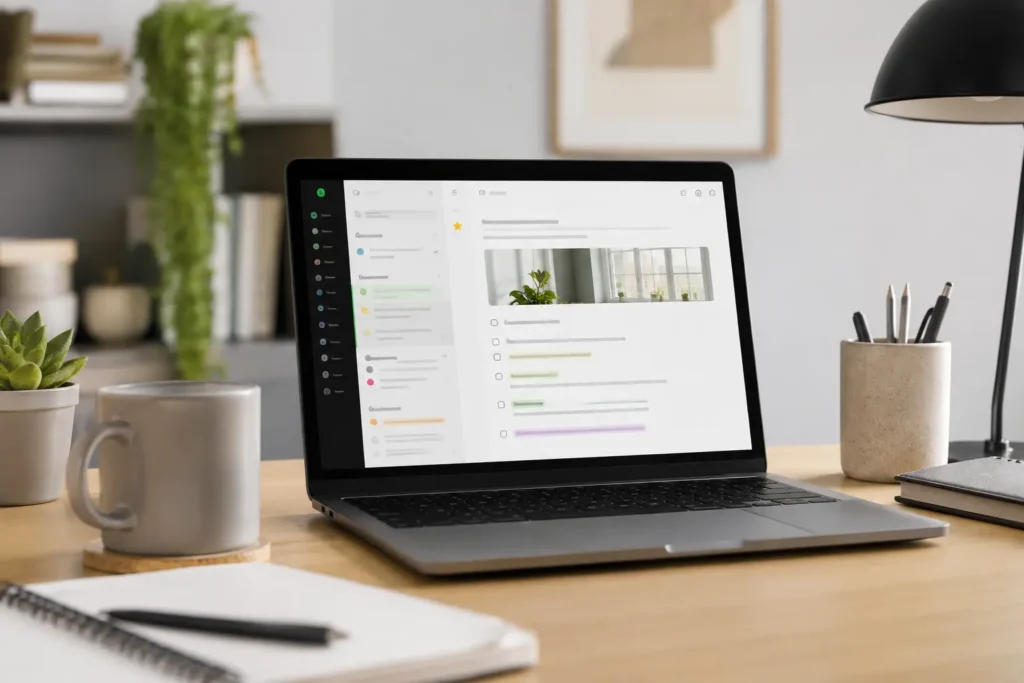
At a Glance
- Best for capturing notes, web clips, documents, ideas, reminders, and reference material in one place.
- Useful for ADHD adults who need an external memory system rather than relying on recall.
- Can feel useful, but may become cluttered without a simple notebook and tagging routine.
- Strong option if your notes include websites, screenshots, receipts, meeting notes, PDFs, and voice memos.
- Less ideal if you want a completely minimal, distraction-free writing space.
Introduction
This Evernote Review for ADHD Productivity looks at whether Evernote is still a useful note-taking tool for ADHD adults in the UK, especially if your main problem is not writing notes, but actually finding them again when your brain needs them. Evernote has been around for a long time, and that can make it feel slightly old-school compared with newer second brain apps, but its core strength is still very ADHD-relevant: it gives loose thoughts, screenshots, documents, web pages, reminders, and reference material somewhere to land instead of floating around in your head.
If you are building a wider productivity setup, Evernote can sit inside a broader ADHD Productivity Tools UK Guide approach rather than trying to become your entire life system. It works best when it has a clear job: capture the things you would otherwise forget, organise them lightly, and make them searchable later. For a broader comparison, you may also want to read Best Note-Taking Tools for ADHD Productivity (UK Guide).
What Stood Out During Use
What stood out most during use was how many different types of information Evernote could hold without needing a separate system for each one. Notes, saved articles, scanned documents, screenshots, reminders, and reference material could all live in one searchable place.
For ADHD, that matters because information often arrives in messy ways. A useful idea might come from a web page, an email, a receipt, a meeting, or a random thought halfway through the day. Evernote felt strongest when it reduced the need to remember where each piece of information had ended up.
The experience worked best when Evernote had a clear role: capture useful information, organise it lightly, and make it easier to find later. It felt less helpful as a full productivity system and more useful as an external memory layer for things you would otherwise forget, lose, or scatter across too many places.
Who This Guide Is For
This guide is for ADHD adults who collect information everywhere but struggle to keep it usable. You might save screenshots, email yourself reminders, write notes in five different apps, bookmark useful websites, and then feel overwhelmed because none of it is connected. Evernote is designed for that kind of messy capture problem, where the first priority is getting things out of your head before they disappear.
It may also suit you if you work across different contexts. For example, you might have work notes, health information, website ideas, family admin, receipts, project research, and personal reminders all competing for attention. In that situation, the value of Evernote is not that it magically makes you organised. The value is that it gives you one reliable place to put things, which can reduce the daily mental load of remembering where everything went.
Key Takeaways
Evernote is strongest as an external memory system rather than a pure writing app. It is particularly useful if your ADHD productivity challenges involve losing information, forgetting useful ideas, or feeling scattered because important notes are spread across too many places.
The main caution is that Evernote can become cluttered if you overbuild the structure. ADHD brains often want to create the perfect system at the start, with detailed notebooks, tags, templates, categories, and naming rules. That can feel productive for a few days, but it may create friction later. Evernote works best when the setup is simple enough to maintain on a tired Tuesday, not only when you feel motivated on a Sunday afternoon.
How It Works
Evernote works by letting you create notes and organise them into notebooks, with optional tags for extra context. A note might be a simple typed idea, a checklist, a meeting summary, a scanned letter, a saved web article, or a collection of links. This flexibility is useful because real life rarely arrives in one neat format, especially if you are trying to manage work, home, health, projects, and random ideas at the same time.
The web clipper is one of Evernote’s most practical features. If you often fall down research rabbit holes, clipping useful pages into a notebook can be better than leaving twenty browser tabs open and hoping you remember why they mattered. The benefit is not just saving the page; it is giving that saved information a future home. For ADHD productivity, that matters because open tabs can become visual noise, while clipped notes can be returned to when you are actually ready to use them.
Search is another important part of the system. Rather than relying entirely on perfect organisation, Evernote lets you search for words inside your notes and saved content. That can be helpful if you remember part of an idea but not where you stored it. In practice, this means you do not have to maintain a flawless filing system for Evernote to remain useful, which is often a better fit for ADHD than tools that depend on constant manual tidying.
Why It May Help (ADHD Context)
For many ADHD adults, the issue is not a lack of ideas. It is the speed at which ideas arrive, disappear, change shape, or get buried under something more urgent. Evernote can help by acting as an external holding place, which reduces the pressure to keep everything active in working memory. That is important because ADHD often affects attention regulation, planning, organisation, and follow-through, and resources such as ADDitude regularly discuss the role of external structure in managing daily ADHD challenges.
The practical value shows up in small moments. You see a useful article but cannot deal with it now. You have an idea for a project while making coffee. You receive a document you will need later but know you will forget the email thread. Evernote gives those things somewhere to go quickly, which means you are less dependent on memory, motivation, or perfect timing.
There is also an emotional side to this. When information lives everywhere, it can create a low-level background stress because your brain knows something important exists but cannot locate it.A note-taking system will not remove that completely, but having one familiar place to put things can make daily life feel a little less fragile. Instead of thinking, “I must remember this,” you can start thinking, “I know where this goes.”
Real-World Use Cases
Evernote is useful for project research because it lets you collect information before you fully know how you will use it. For example, if you are researching productivity tools, health appointments, travel plans, or work ideas, you can clip pages, add comments, attach documents, and return later when you have more energy to process them. This is helpful for ADHD because thinking and organising do not always happen at the same time.
It can also work well for life admin. Bills, receipts, appointment letters, insurance information, product manuals, and reference numbers are easy to misplace when they arrive through different channels. Scanning or forwarding those items into Evernote gives them a searchable home, which may reduce the last-minute panic of needing a document and not knowing whether it is in an email, a drawer, a photo gallery, or a pile on the side.
For work, Evernote can support meeting notes, call summaries, checklists, and follow-up ideas. The key is to avoid turning every note into a complex project plan. A simple format often works better: date, topic, key points, next action. If you want to build more structure around planning, a tablet-based setup can also be useful, and the Best Digital Tablets for ADHD Productivity UK guide may be relevant if you prefer handwriting, visual planning, or reading notes away from a laptop.
Feature Breakdown Table
| Feature | ADHD Productivity Benefit | Possible Limitation |
|---|---|---|
| Web Clipper | Saves useful pages before they disappear into open-tab chaos. | Can create clutter if you clip everything without reviewing it. |
| Notebooks | Gives broad areas of life a clear home. | Too many notebooks can become another organisation burden. |
| Tags | Adds flexible labels across different topics. | Tag systems can become messy if overcomplicated. |
| Search | Helps you find information even when you forgot where it lives. | Works best when notes include useful keywords or clear titles. |
| Document Scanning | Useful for paperwork, receipts, letters, and visual notes. | Requires a habit of scanning before paper piles build up. |
| Tasks | Turns notes into actions without moving apps immediately. | May not replace a dedicated task manager for complex planning. |
Focus Environment Fit
Evernote fits best into a focus environment where capture is separated from deep work. In other words, it is not always the place where you finish the task; it is often the place where you stop the thought from being lost. That distinction matters because ADHD productivity systems can become overwhelming when every tool tries to do everything.
A practical setup might look like this: Evernote for storing notes and reference material, a task app for daily actions, a calendar for time-specific commitments, and a simple review habit once or twice a week. Evernote becomes the memory layer, not the whole operating system. That is usually more sustainable than expecting one app to manage planning, reminders, writing, files, routines, and emotional regulation all at once.
Friction Points to Consider
- Evernote may feel too busy if you prefer a very minimal writing space.
- The free plan may feel restrictive for long-term use, depending on your needs.
- Without a review habit, clipped articles and saved notes can build up quickly.
- Some users may prefer apps with stronger backlinking or second brain features.
- It can overlap with task apps, calendars, and document storage if you do not define its role.
Real Use Review
In real use, Evernote feels most valuable when you treat it as a capture-first tool. The quick win is being able to save something immediately, add a rough title, and move on without having to decide exactly where it belongs. That reduces the friction that often stops ADHD systems from being used consistently. If every note requires categorising, tagging, formatting, and linking before it is allowed to exist, the system will probably fail when your energy drops.
Where Evernote can become difficult is during the organisation stage. Because it offers notebooks, stacks, tags, templates, tasks, shortcuts, and search, it is easy to spend more time designing the system than using it. A simple rule helps: create fewer notebooks than you think you need, use tags only when they solve a real retrieval problem, and let search do some of the work.
Practical Reality Check
The biggest question is not whether Evernote has enough features. It has plenty. The better question is whether you will use it in a way that lowers friction rather than creating another place to manage. For ADHD productivity, a tool becomes useful when it makes the next action easier, not when it gives you more ways to organise a future version of yourself.
A good starting setup could be three notebooks: Inbox, Active, and Reference. Inbox is for anything captured quickly. Active is for current work, projects, or life admin. Reference is for things you may need later but do not need to act on now. That kind of structure may look almost too simple, but simple is often what makes a system survive real life.
Before You Commit
Before choosing Evernote, it is worth asking whether your main problem is capture, storage, or system complexity.
If you already save screenshots, email yourself reminders, bookmark useful pages, scan paperwork, and keep notes in several different places, Evernote may be easier to justify because it brings those pieces into one searchable system.
If your needs are much simpler, a lighter notes app may be enough. Evernote is strongest when you use it regularly for mixed information, not when it becomes another app you only open occasionally.
Frequently Asked Questions
Is Evernote good for ADHD productivity?
Evernote can be good for ADHD productivity if your main challenge is capturing and retrieving information. It is especially useful for people who save ideas, documents, articles, screenshots, and reminders across too many places and need one external memory system.
Is Evernote better than Obsidian for ADHD?
Evernote is usually easier for quick capture, web clipping, scanning, and general life admin. Obsidian may be better if you want a more personal knowledge system with linked notes and deeper structure. The better option depends on whether you need fast capture or long-term thinking space.
Can Evernote replace a task manager?
Evernote includes task features, but it may not replace a dedicated task manager if you need recurring tasks, detailed prioritisation, or daily planning workflows. It works best when notes and actions are connected, but not necessarily when every task has to be managed inside it.
Is Evernote worth paying for?
Evernote may be worth paying for if you use it every day for notes, documents, saved articles, scanning, search, and organisation. If you only need occasional simple notes, a free or lower-cost alternative may be enough.
Alternatives to Consider
Evernote is strong if you want one searchable place for notes, documents, saved articles, scans, and reference material, but it will not be the right fit for everyone. The best alternative usually depends on whether you need quick capture, visual organisation, or a more connected second brain system.
If your goal is building a personal knowledge base with linked notes and long-term connections between ideas, Obsidian Review for ADHD Productivity (UK Guide) may be a stronger option. It offers more flexibility than Evernote, although it also requires more setup and a clearer maintenance habit.
For Apple users who want the fastest possible way to capture thoughts before they disappear, Apple Notes Review for ADHD Productivity (UK Guide) may be the easier choice. It is less feature-heavy than Evernote, but that simplicity can be useful if your biggest challenge is getting ideas written down quickly.
If you prefer a visual notebook-style workspace with sections, pages, and a familiar Microsoft layout, OneNote Review for ADHD Productivity (UK Guide) may be a better fit. It can feel more spacious than Evernote, especially for work notes, study notes, or larger topic areas.
If you are still working out where note-taking fits into your wider ADHD productivity setup, Why ADHD Brains Need External Memory Systems, Brain Dumps for ADHD: How to Get Thoughts Out of Your Head, and Building an ADHD Second Brain System may be useful supporting guides.
Ultimately, the best note-taking system is the one you will actually return to when life gets busy. If your biggest need is keeping mixed information searchable in one place, Evernote remains a strong option. If you mainly need speed, visual structure, or connected thinking, one of these alternatives may be a better fit.
Final Verdict
This Evernote Review for ADHD Productivity comes down to one clear point: Evernote is best for ADHD adults who need a reliable external memory system for mixed information. It is not the cleanest writing app, and it may feel too busy if you want a very minimal setup, but it remains useful for capturing notes, documents, articles, images, reminders, and reference material in one searchable place. If you keep the structure simple and use it as a capture-and-retrieval tool rather than a perfect life dashboard, Evernote can be a practical part of an ADHD-friendly productivity system.
Build a Simple ADHD Productivity System
If you want to bring everything together into one clear setup, this guide shows how tools, apps, and routines can work as one system.