
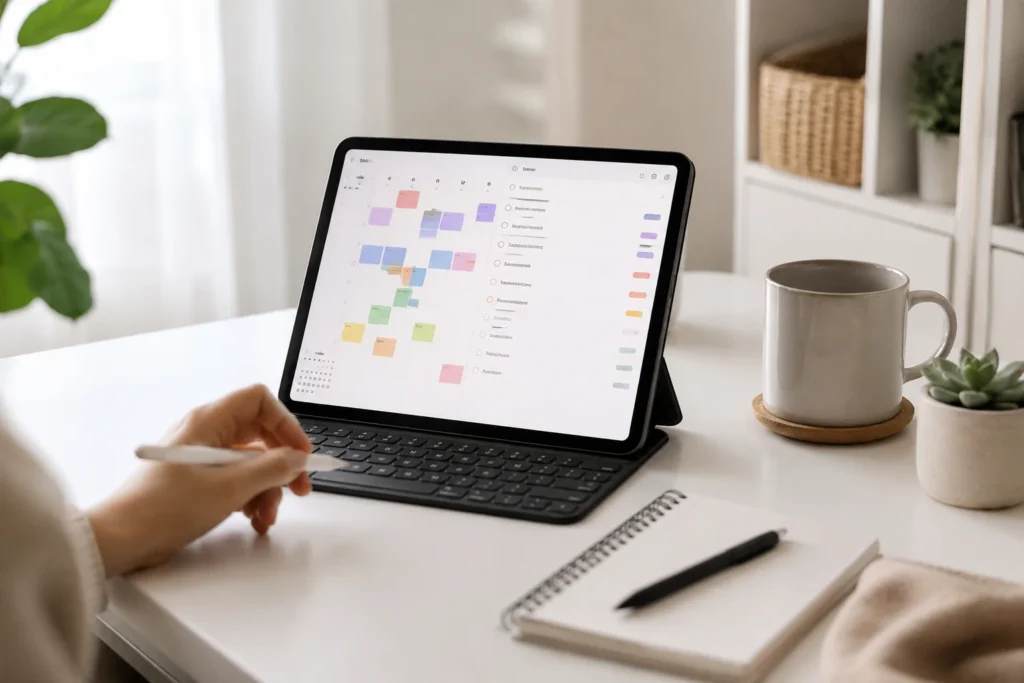
How to Build an ADHD Calendar System That Actually Works: Quick Overview
- Use your calendar as a time map, not a pressure list.
- Keep tasks, reminders, and events working together instead of competing for attention.
- Build the system around real ADHD behaviour, especially forgotten tasks, time blindness, and restart friction.
- Use simple recurring reminders for routines that often disappear from memory.
- Review the system gently so missed days do not turn into abandoned weeks.
Introduction
Learning how to build an ADHD calendar system that actually works is less about finding the perfect app and more about creating a setup that still makes sense when your day gets messy. A useful system gives your time somewhere visible to live, which is why it can sit alongside the wider ADHD productivity tools UK guide as part of a broader planning routine.
If calendar planning is the area you are building next, the Best calendar apps for ADHD time management UK guide can help you compare tools without turning the decision into another source of planning overload.
For many ADHD adults, the problem is not a lack of intention. It is that tasks, appointments, errands, reminders, and half-finished plans all compete for space in working memory. A calendar system helps by taking some of that load out of your head and putting it somewhere you can return to, even after distraction, interruption, or a missed day.
Why ADHD Productivity Systems Matter
ADHD planning often breaks down in the gap between knowing something matters and remembering it at the right moment. You might write a task down, feel briefly reassured, and then forget to look at the list again until the task has already become urgent. I have found that the calendar only becomes useful when it stops acting like a perfect plan and starts acting like a reliable place to return to.
This is why a calendar system matters. It does not need to control every minute of the day, but it should reduce the number of decisions you have to remake from scratch. When the system shows what is fixed, what is flexible, and what needs a reminder later, it becomes easier to restart without feeling as though the whole day has failed.
ADHD advice from sources such as ADDitude often highlights the value of external structure, but the real benefit is often reducing the amount you have to hold in your head. The calendar is not there to make you more disciplined. It is there to make time visible again when attention has drifted, plans have changed, or you simply cannot remember what you were intending to do next.
The Core Components of an ADHD Productivity System
- Calendar blocks that show where your time is already going.
- Task capture so jobs do not rely on memory alone.
- Reminder prompts that bring important actions back at the right moment.
- Review points that help you reset without rebuilding the whole system.
The key is to avoid expecting the calendar to solve every planning problem on its own. Many ADHD adults end up creating complicated systems because they are trying to stop themselves forgetting things. In practice, it often works better when each part of the system has one simple job. The calendar shows time, the task list stores information, and reminders help bring important things back into view when they have slipped out of attention.
How Different Tools Work Together
A useful ADHD calendar setup usually works because each part of the system has a different job. The calendar shows the shape of the day, the task list holds the jobs you do not want to forget, and reminders act as small nudges when something needs to return to your attention. This is why a calendar works best when it is connected to a wider ADHD productivity system using apps rather than treated as another isolated place to store everything.
For example, a weekly review might help you choose what needs attention, while daily planning helps you decide where those tasks realistically fit. Time blocking can then give certain jobs a visible boundary, especially when open-ended time makes everything feel vague. If planning often becomes overwhelming, it may also help to understand why ADHD task overwhelm makes productivity systems harder to stick with.
Example ADHD Productivity Setup
Morning Setup
The morning setup should be light enough that you can still do it on a low-energy day. One mistake many ADHD adults make is trying to solve the entire day before it has even started. In practice, it often works better to check fixed commitments first, such as work, appointments, meetings, travel, or anything with a real-world consequence. Once those are visible, you can choose one or two flexible tasks that realistically fit around them. This reduces the pressure to keep every responsibility in your head at once and gives you a simpler place to restart if the day changes direction.
If mornings often become the point where the system starts to wobble, it may help to compare daily planning vs weekly planning for ADHD so the calendar supports the day without becoming another thing to maintain.
This is where How to build an ADHD calendar system that actually works becomes practical rather than theoretical. The aim is not to fill every blank space, because a fully packed calendar can become another source of pressure. A better approach is to leave space around transitions, especially when switching between home, work, errands, and rest usually takes longer than expected.
Work Blocks
Work blocks are useful when they give a task a clear container. A block might say “write article section,” “admin reset,” or “review calendar,” but it should not become so detailed that the calendar turns into a second task manager. If the task needs lots of steps, keep those in a separate task app and use the calendar to show when you are likely to do the work.
For ADHD adults, this can reduce the uncomfortable feeling that every task is competing for attention at the same time. A visible block gives the work somewhere to live, which often feels less overwhelming than carrying it around mentally all day. What matters is not whether you follow the block perfectly. What matters is having somewhere obvious to return when attention drifts, a meeting overruns, or another task unexpectedly takes over. The calendar becomes less about control and more about helping you find your place again.
For tasks that need a clearer shape, time blocking can help ADHD adults stay organised because it turns vague intentions into visible parts of the day.
Break Management
Breaks are often where calendar systems quietly fall apart. A short break can stretch, or a task can continue for too long because stopping feels harder than carrying on. Adding break blocks or transition reminders can help the day feel less like one long blur, especially when you use them alongside a visual timer or simple phone reminder.
The point is not to make breaks rigid. It is to make returning easier. One of the hardest parts of ADHD planning is often not starting work but finding your way back after attention has moved elsewhere. When a reminder tells you what you were planning to do next, you do not have to rely entirely on memory, motivation, or last-minute urgency to restart. The system quietly holds that information for you until you are ready to pick it up again.
If your calendar starts to feel too full or noisy, it may be worth looking at why calendar overload makes ADHD planning harder before adding more reminders or blocks.
End of Day Reset
An end of day reset gives unfinished tasks somewhere to go. This is important because many ADHD systems fail when missed tasks stay in yesterday’s plan and quietly become clutter. A five-minute reset lets you move anything important, delete anything that no longer matters, and choose what needs to come back tomorrow.
This is also where how to build an ADHD calendar system that actually works becomes more sustainable. You are not trying to prove that every plan was followed perfectly; you are building a system that can absorb normal life, missed blocks, distractions, tiredness, and changes without collapsing.
For routines that regularly disappear from memory, building routines using calendar reminders can help recurring actions come back into view without relying on willpower alone.
Common Mistakes to Avoid
- Putting every task directly into the calendar until the day looks impossible.
- Using too many reminder apps at once, which can make prompts easier to ignore.
- Planning an ideal day instead of a realistic day with transitions, breaks, and recovery space.
- Abandoning the system after one missed day instead of building in a simple restart point.
Another common mistake is expecting the calendar to create motivation on its own. A calendar can show you what matters, but it works better when the task has a clear starting point and the reminder arrives at a moment when action is possible. This is why your setup should be simple enough to check quickly, especially if you already know that cluttered apps and overloaded notifications make planning harder.
Building a Simple System That You Can Stick To
Most ADHD planning systems become difficult because they start with an ideal version of the day rather than the day that actually happens. It is often easier to begin with commitments that already exist and build around those. Once the basics feel manageable, reminders can help cover the moments where things most commonly disappear from attention, such as leaving the house, finishing work, or getting ready for bed.
A simple system might use Google Calendar or another calendar app for time blocks, a task app for jobs, and a small number of reminders for the actions that genuinely need prompting. If you are comparing tools, the best calendar apps for ADHD time management UK guide can help you choose a setup that fits your planning style without adding unnecessary complexity.
The best version of how to build an ADHD calendar system that actually works is the version you can reopen after a difficult week. That means it should be clear, forgiving, and easy to reset. A calendar that only works when you are already focused is not much of a system; a calendar that helps you return after losing track is far more useful.
Frequently Asked Questions
Should ADHD adults put tasks in a calendar?
Some tasks can go in a calendar, especially if they need to happen at a specific time or during a specific block. However, it is usually better to keep detailed task lists in a separate app or note system, while the calendar shows when you plan to give those tasks attention.
How many reminders should an ADHD calendar system use?
Use fewer reminders than you think you need at first. Too many alerts can quickly become background noise, whereas a small number of well-placed reminders can help important actions return at the right moment.
Is time blocking good for ADHD?
Time blocking can help when it is used flexibly. It gives the day a visible shape, although it should include space for transitions, breaks, and tasks taking longer than expected.
What is the best calendar app for ADHD?
The best app is rarely the one with the most features. It is usually the one that feels easiest to check, easiest to trust, and easiest to return to after a busy or difficult day. Many ADHD adults abandon planning tools because the system becomes harder to maintain than the problem it was supposed to solve. Consistency and low friction usually matter far more than advanced features.
How do I restart after missing a day?
Use a short reset rather than rebuilding the whole system. Move anything still relevant, delete anything that no longer matters, and choose the next visible action instead of trying to catch up with every missed task.
Final Thoughts
How to build an ADHD calendar system that actually works comes down to making time easier to see and tasks easier to return to. The calendar does not need to be perfect, full, or highly detailed. It needs to give your day enough structure that you are not constantly relying on memory, urgency, or last-minute panic.
A good system connects the calendar, task list, reminders, and reset points so each part supports the next. When it is simple enough to use on an ordinary day and forgiving enough to restart after a difficult one, it becomes much more than a productivity tool. It becomes a practical support structure for real life.
Build a Simple ADHD Productivity System
If you want to bring everything together into one clear setup, this guide shows how tools, apps, and routines can work as one system.