
Quick Answer
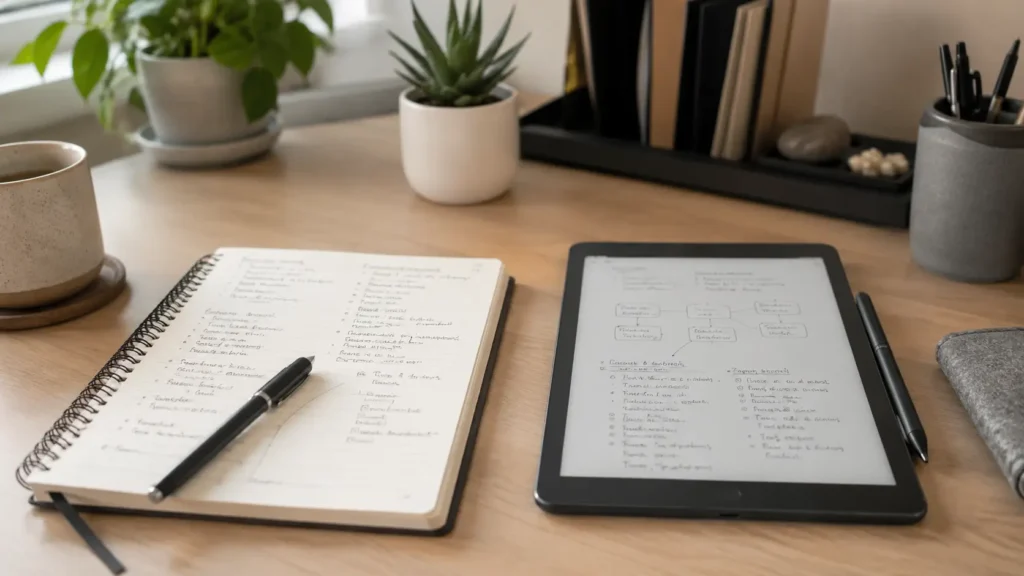
Choosing between digital and paper note-taking for ADHD is not about finding one method that is universally better. Paper often makes capturing and processing thoughts feel more immediate, whereas digital notes are easier to search, organise and access across different situations. For many people with ADHD, the most reliable option is a simple combination of both.
Introduction
Choosing between digital and paper note-taking can become surprisingly difficult because both methods solve different problems. A notebook feels quick and distraction-free, but it can be left at home, buried under other papers or abandoned after a few enthusiastic days. A digital app travels with you and can store almost anything, yet opening your phone to write one note can easily turn into checking a message, reading an email and forgetting what you wanted to record.
The real aim is not to build a flawless note-taking system. It is to give important thoughts somewhere dependable to go before they disappear. The broader digital productivity tools for ADHD guide explains how capture tools can fit into a wider system, especially when working memory, interruptions and changing levels of motivation affect what you remember throughout the day.
This also connects closely with Why ADHD Brains Need External Memory Systems. Notes are most useful when they reduce the number of things you are trying to mentally hold onto, rather than creating another collection of information that needs to be remembered, reviewed and maintained.
Why Choosing a Note-Taking Method Can Feel Difficult
The difficulty choosing between digital and paper usually comes from the way each method handles attention, access and organisation differently.
- Paper is immediately visible but cannot be searched automatically.
- Digital notes are portable but may sit inside distracting devices.
- New systems feel motivating at first but can become difficult to maintain.
- Notes are often captured without a clear routine for reviewing them.
- Different situations create different levels of urgency, energy and mental friction.
- Trying to organise every note perfectly can make capturing anything feel like work.
Why This Happens (ADHD Context)
A thought can feel completely unforgettable while it is in your head. You may be halfway through another task when you remember something important, such as an appointment to arrange, an idea for work or an item you need from the shop. Because the thought feels urgent and clear, stopping to write it down can seem unnecessary. Ten minutes later, it has vanished.
Paper reduces some of the resistance involved in capturing that thought. You can open a notebook and write without navigating menus, selecting folders or deciding which tag applies. The physical act of writing may also slow the thought down enough for you to process it. The drawback is that the notebook must be nearby, and you need to remember where the note was written.
Digital tools solve the access problem because a phone is usually within reach. They can also handle reminders, search results, photographs, links and longer pieces of information. However, the same device may contain every notification, conversation and source of entertainment competing for your attention. You can open a notes app with good intentions and emerge several minutes later having done everything except create the note.
Neither experience means you are incapable of using the method. It simply means that the environment surrounding the note-taking tool matters almost as much as the tool itself.
What Usually Goes Wrong
One common mistake is choosing a system based on how organised it looks rather than how easily it can be used during an ordinary, slightly chaotic day. A colour-coded notebook or highly structured digital workspace may be appealing when you have time to set it up, but the system can become fragile when every note needs a category, title, date and destination.
Another problem is allowing multiple capture points to develop without deciding what each one is for. Notes end up spread across notebooks, loose paper, screenshots, emails to yourself, messaging apps and several digital platforms. Each location made sense at the moment of capture, but finding the information later becomes an investigation.
People also abandon paper because it becomes messy or abandon digital tools because the structure feels cluttered. In reality, notes do not need to look tidy at the moment they are captured. The immediate purpose is to preserve the thought. Organisation can happen later, provided there is a small and realistic routine for doing it.
Without that review routine, both methods become storage rather than support. A notebook that is never reopened and an app containing hundreds of forgotten notes create the same basic problem: the information exists, but it does not reliably return when needed.
Step-by-Step: Build a Note-Taking System That Is Easier to Maintain
Step 1: Make One Capture Method Easy to Reach
Start by making one capture method easier to reach than everything else. Place a notebook and pen where thoughts usually occur, such as beside your computer, near the sofa or next to the bed. For digital capture, move your chosen notes app onto the first screen of your phone and remove unnecessary notifications from the device where possible.
The aim is to shorten the distance between remembering something and recording it. Do not begin by creating an elaborate filing structure. A single page or digital inbox is enough during the capture stage, because deciding where a note belongs can create just enough hesitation for the thought to disappear.
Step 2: Make Distractions Slightly Less Automatic
When digital notes are your main option, make distracting actions slightly less automatic. Sign out of social media on the device you use for focused work, move entertainment apps away from the home screen or use a focus mode that temporarily limits notifications. You do not need to make distractions impossible; adding one extra step may be enough to interrupt the automatic habit of opening them.
Paper already removes many digital distractions, but it can introduce visual clutter. Keep the notebook in one consistent place instead of allowing loose sheets to spread across the room. A notebook that disappears beneath post is not functioning as an external memory system, no matter how useful the notes inside it might be.
Step 3: Create a Simple Capture and Review Routine
Create a simple rule for what happens when a thought appears. For example, anything that takes less than a minute to record goes into your main capture inbox immediately. Do not rely on deciding whether the thought is important enough, because that decision creates another opportunity to delay.
Then attach a short review to something that already happens. You might check captured notes when shutting down your computer, preparing your bag for work or planning the following day. The review does not need to become a full organisation session. It may simply involve moving actions onto a task list, adding dates to your calendar and deleting notes that no longer matter.
Step 4: Give Paper and Digital Tools Clear Roles
Choose tools that match the way you naturally capture information. Someone who thinks by writing may benefit from keeping paper nearby even if their permanent system is digital. Someone who regularly loses notebooks may need to transfer useful handwritten notes into a searchable digital location during the daily review.
Using Brain Dumps to get the thought out of your head can be particularly useful when your mind feels too crowded to decide what belongs where. Capture everything first, then separate actions, ideas, worries and reminders once the mental pressure has reduced.
Real-World Use Cases
When working from home, paper can provide a quick place to capture interruptions without leaving the screen you are working on. If you suddenly remember that you need to make a phone call, writing it on a visible page allows you to return to the current task. At the end of the work session, transfer genuine actions into your digital task system rather than leaving them trapped in the notebook.
For study, handwriting can be helpful when you need to process an idea rather than copy information word for word. Digital notes may work better for storing references, searching lecture material and keeping larger amounts of information together. A practical combination is to make rough handwritten notes while learning and create a brief digital summary afterwards.
During deep work, the best note-taking tool is usually the one that causes the smallest interruption. A paper pad beside the keyboard can hold unrelated thoughts until the focus session ends. Alternatively, a distraction-free digital document can work well when your research, notes and final task all need to remain connected.
Evening routines often favour visibility over complexity. A notebook left beside your keys may be more effective than a reminder hidden inside an app. Digital reminders are still useful for anything linked to a specific time, while paper can hold the less urgent thoughts that tend to appear just as you are trying to switch off for the night.
Tools That May Help
A basic notebook is often enough for rapid capture, particularly when you do not want another screen involved. Choose one that is easy to carry and inexpensive enough that using the pages does not feel precious. The notebook should be a working tool rather than something you avoid writing in because you want to keep it neat.
Apple Notes, Microsoft OneNote and similar digital apps can provide searchable storage across devices. Their usefulness depends less on advanced features and more on whether you can open the app quickly, capture information consistently and find it again without remembering an exact folder. The best note-taking tools for ADHD productivity guide compares different options if you need help finding a capture method that suits the way you naturally work.
Reusable notebooks may suit people who enjoy writing by hand but do not want to keep stacks of paper. Whatever you choose, How to Organise Notes Without Creating More Clutter is the next problem to solve once capture becomes consistent. Organisation should make retrieval easier without turning every new thought into an administrative task.
Resources from ADDitude may also help you explore broader ADHD organisation and productivity strategies alongside your own note-taking setup.
Friction Points to Expect
- You may forget to review the notes even after building a capture habit.
- You may feel tempted to replace the system whenever a new app or notebook looks more appealing.
- Your preferred method may change depending on energy, location and the type of information being captured.
- A messy inbox may create avoidance if you expect every item to be organised perfectly.
Practical Reality Check
No note-taking system will prevent every forgotten thought. You will still occasionally write something down and fail to act on it, leave a notebook somewhere inconvenient or save a digital note under a title that makes no sense a week later. The goal is not perfect recall; it is to reduce how often important information depends entirely on memory.
It is also normal for the system to feel less exciting once the novelty wears off. That is when simplicity becomes valuable. A plain notebook that you continue using is more supportive than an impressive setup you avoid, while a basic digital inbox is better than an elaborate second-brain system that requires constant maintenance.
Review the method when it repeatedly fails, but avoid redesigning everything because of one difficult week. Sometimes the problem is not the tool. It may be that the notebook was stored in the wrong place, notifications were distracting you or the review routine was attached to an unreliable part of the day.
Choosing the Right Support Strategy
The best note-taking approach depends on where information appears and what needs to happen afterwards. Paper is often strongest for immediate capture, visible reminders and thinking through ideas. Digital notes are usually stronger for long-term storage, searching, sharing and information that needs to be accessed in several places.
A hybrid system can use those strengths without asking both methods to perform the same job. Paper can act as the temporary landing area, while digital storage becomes the permanent home for anything worth keeping. The important rule is that the transfer happens at a predictable time rather than relying on remembering whenever you happen to see the notebook again.
Keep the boundaries easy to explain. You might use one notebook for temporary daily notes, one digital inbox for information captured away from home and a task manager for actions. Once a note has been processed, it should either move somewhere useful or be discarded. This prevents the capture system from quietly becoming another archive of unfinished decisions.
As the system grows, Building an ADHD Second Brain System can help connect notes, tasks, projects and reference material. Begin with dependable capture first, because a larger system cannot compensate for thoughts that never make it out of your head.
Frequently Asked Questions
Is handwriting better than typing for ADHD?
Handwriting may feel more engaging and can encourage slower processing, but typing is usually faster and easier to search. The better method is the one that helps you capture useful information without creating so much friction that you stop using it.
Should I keep all my notes in one place?
Using one permanent storage location can make retrieval easier, although your initial capture method may vary. For example, you could capture thoughts on paper during work and move important information into one digital system later.
What should I do with old notebooks?
Review them briefly for actions, useful reference material or ideas you genuinely want to keep. Transfer only what still matters. You do not need to digitise every page simply because it exists.
How often should I review my notes?
A short daily review is useful for actions and reminders, while a weekly review can handle ideas and reference material that are less urgent. The routine should be brief enough that you can still complete it on a low-energy day.
Can I use both digital and paper without making things confusing?
Yes, provided each method has a clear role. Paper might be used for immediate capture and thinking, while digital tools hold searchable information, scheduled reminders and long-term notes. Confusion usually begins when the same type of information is stored randomly in several places.
Final Thoughts
Choosing between digital and paper note-taking is best approached as a practical experiment rather than a permanent identity choice. Paper may help you capture thoughts with fewer distractions, while digital tools make information easier to store, search and access. Using both can work well when each method has a simple and clearly defined purpose.
Begin with one dependable capture point and one short review routine. Once those habits feel reasonably stable, you can add folders, tags or more advanced tools where they solve a genuine problem. A useful note-taking system should reduce mental pressure, not become another project that is constantly waiting to be completed.
Build a Simple ADHD Productivity System
If you want to bring everything together into one clear setup, this guide shows how tools, apps, and routines can work as one system.