
Quick Answer
For a lot of people with ADHD, the real problem is not knowing what to do — it is losing track of time while doing it. Tasks drift, sessions stretch longer than planned, or starting feels harder than it should. Learning how to use a visual timer for ADHD focus (UK guide) can help by making time feel more visible, so it is easier to stay on track without relying on willpower alone.
Introduction
Staying focused with ADHD is not just about attention. It is often about losing track of time without realising, struggling to start because a task feels too open-ended, or drifting off because there is nothing visible showing that time is actually passing. This is exactly where learning how to use a visual timer for ADHD focus (UK guide) can start to make things feel more manageable in everyday life.
If you are trying to build a wider setup around this, the Best ADHD Focus Timers (UK Guide) is the most useful place to compare timer options.
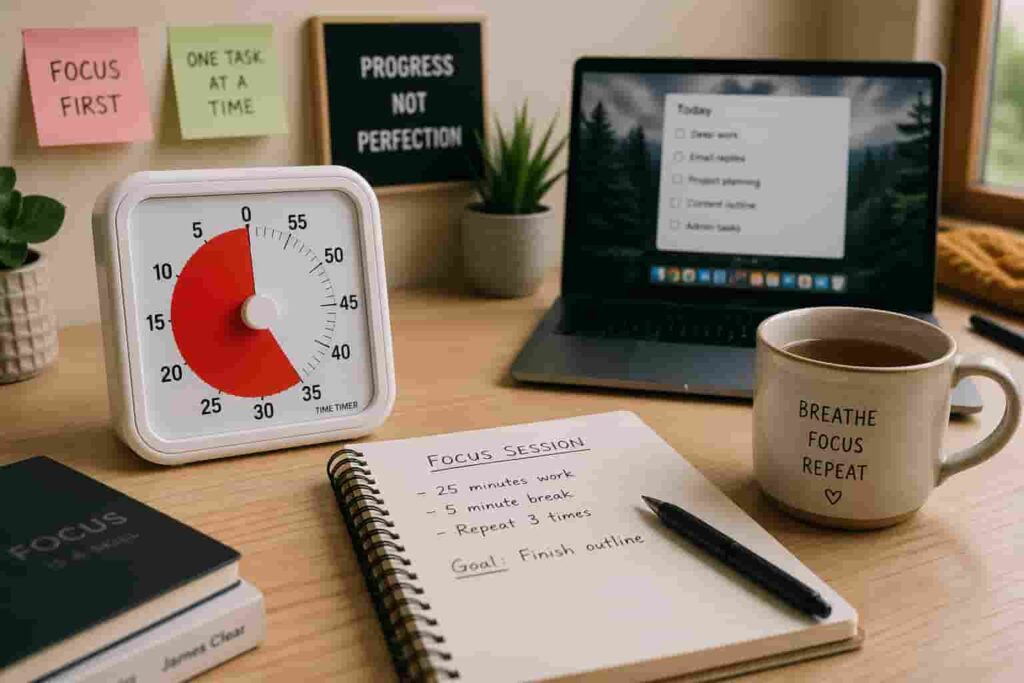
A visual timer helps by showing time passing in a simple, physical way. Instead of just seeing changing numbers, you can usually see a coloured section getting smaller, which can feel much easier to respond to. That sounds small, but in practice it can make focus sessions feel more manageable and less abstract.
This article looks at how to use a visual timer in a practical ADHD-friendly way, where people often go wrong, and how to fit one into work, study, and home routines without turning it into yet another abandoned system.
How to Use a Visual Timer for ADHD Focus (UK Guide): Key Causes
Before a visual timer can help, it is worth understanding why focus often breaks down in the first place. ADHD friction around time is not usually laziness or lack of effort. It is more often a mix of time blindness, weak task boundaries, and difficulty feeling urgency until something becomes immediate.
- Time can feel vague until a deadline is suddenly very close
- Tasks often feel too open-ended, which makes starting harder
- Short distractions can quietly turn into much longer detours
- Phone timers can lead straight into notifications and app checking
- Transitions between tasks can feel harder than expected
- Without a visible cue, it is easy to lose track of how long you have been working
Why This Happens (ADHD Context)
ADHD often makes internal time awareness less reliable. You may fully intend to work for ten minutes, check something briefly, then realise half an hour has disappeared. Or you may avoid starting altogether because the task feels too big and undefined. A visual timer helps because it gives time a shape you can actually see.
That matters because many ADHD struggles are not really about knowing what to do. They are about noticing the moment to begin, stay with something, or stop. A visible countdown can support all three. It acts like a gentle external reminder without needing lots of extra thought. Sometimes that small visual cue is enough to stop a task from floating off into “later”.
If time awareness is a consistent issue, this guide on why time blindness makes ADHD focus difficult explains why external cues like timers can make such a difference.
Resources such as ADDitude often discuss ADHD-related challenges like time blindness, routines, and transitions. A visual timer does not solve those on its own, but it can support them in a practical way by making time easier to notice.
What Usually Goes Wrong
One of the most common issues is using a timer without changing anything else around the task. If your phone is still within reach, tabs are open, and the task itself is unclear, the timer does not really stand a chance. It just fades into the background instead of actually helping.
Another thing that trips people up is setting focus blocks that are too long. Thirty or sixty minutes sounds productive on paper, but if you are already struggling to get started, that can feel like too much. For ADHD, shorter, visible sessions are usually easier to commit to and actually follow through on.
Where you put the timer matters more than most people expect. If it is tucked behind a laptop, off to the side, or buried under papers, you lose the benefit completely. A visual timer only works if you can see it without thinking about it. It sounds simple, but this is often why tools get blamed when the real issue is setup.
There is also a tendency to expect the timer to fix everything on its own. It will not. A visual timer works best when it supports something specific, like starting a task, getting through admin, or knowing when to stop. Without that, it is just another thing on your desk.
This is usually the point where learning How to Use a Visual Timer for ADHD Focus (UK Guide) properly starts to make a difference, because it turns time from something vague into something you can actually see and respond to.
Step-by-Step: How to Fix This
Step 1: Reduce Immediate Triggers
Before starting the timer, remove the distractions most likely to break the session. Put your phone out of reach if possible, close irrelevant tabs, and make sure the task you are about to do is visible and specific.
If digital distraction is part of the problem, the Best Distraction-Blocking Apps for ADHD Adults (UK-Compatible) can support your setup.
Step 2: Add Effort to Distraction
Make distraction slightly less convenient than staying with the task. Then place the visual timer where it sits naturally in your line of sight so it works as a quiet cue.
Step 3: Replace the Habit Loop
Use the timer with a replacement behaviour. For example, when you feel the urge to switch tasks, commit to staying until the timer reaches a visible point or ends.
Step 4: Use Tools That Support Behaviour
The best timer setup is one that feels repeatable. Products like the Time Timer Original or Secura 60 Minute Visual Timer can help depending on your setup.
If you are comparing approaches, this guide on Pomodoro timer vs visual timer explains how structured sessions differ from visual countdowns.
Real-World Use Cases
Working from home: Helps contain tasks that would otherwise stretch too long.
Study: Makes revision blocks feel manageable.
Deep work: Creates a clear start and finish point.
Evening routine: Helps with transitions and prevents time drift.
If you want to turn this into a repeatable system, this guide on how to build a focus routine using timers shows how to make timers part of a daily routine.
Tools That May Help
The Time Timer MOD suits compact setups, while a Digital Countdown Timer may suit simpler needs.
Friction Points to Expect
- The timer may get ignored without a routine
- Sessions may still feel too long
- Poor placement reduces effectiveness
- Some users need environmental changes as well
Practical Reality Check
A visual timer will not fix everything, but it can make focus slightly easier to access and sustain. Consistency matters more than complexity.
Final Thoughts
Learning how to use a visual timer for ADHD focus (UK guide) is about making time visible and manageable. When used consistently, it can help structure your day in a simple, practical way.
Build a Simple ADHD Productivity System
If you want to bring everything together into one clear setup, this guide shows how tools, apps, and routines can work as one system.