
Quick Answer
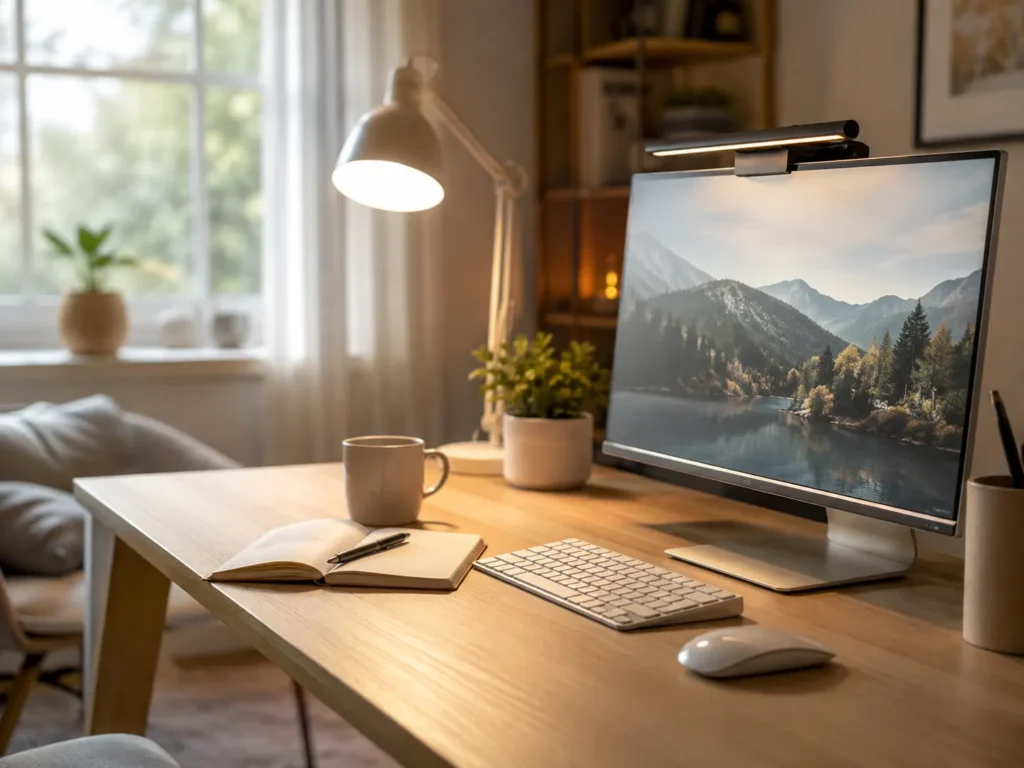
Lighting can affect ADHD productivity through comfort, alertness and how easily you can see what deserves your attention. Lighting that is too dim, harsh or uneven may make an already demanding task feel more tiring, whereas a comfortable and well-positioned light can make the workspace easier to use.
Introduction
The effect lighting has on ADHD productivity becomes clearer when you think about what happens at an uncomfortable desk. You sit down intending to answer an email, but the screen feels overly bright, the room behind it looks gloomy and a nearby lamp is reflecting in the monitor. None of these problems seems important enough to fix immediately, yet together they make staying at the desk less appealing. Lighting is only one part of the environment covered in Best ADHD Desk Setup Tools for Focus and Productivity (UK Guide), but it can affect how manageable work feels.
Changing a light bulb won’t suddenly create perfect concentration. ADHD attention can still shift with interest, urgency, noise, energy and interruptions. More comfortable lighting may, however, remove one layer of discomfort that would otherwise compete for attention, especially during reading, writing, studying or detailed computer work.
The effect is sometimes easy to miss because poor lighting rarely announces itself as the reason you have wandered away. You may simply find yourself checking your phone, moving to the sofa or putting off a piece of paperwork until daylight returns. Looking at the lighting around the task can reveal why one part of the room consistently feels easier to work in than another.
Why Lighting Matters for ADHD Productivity: Key Causes
Several everyday lighting problems can make concentration less comfortable or leave a workspace feeling harder to use than it needs to be.
- Dim rooms can make reading and detailed work feel more tiring.
- Glare on a screen or glossy page can repeatedly pull attention away.
- Harsh overhead lighting may feel uncomfortable during sensitive or low-energy periods.
- Strong contrast between a bright monitor and a dark room can strain the eyes.
- Poorly positioned lamps can create shadows across notebooks, keyboards or paperwork.
- Changing daylight can make a setup comfortable in the morning but awkward later in the day.
Why This Happens (ADHD Context)
People do not always notice environmental discomfort as a single clear problem. It often appears as restlessness instead. You may read the same paragraph several times, shift position, open another tab and then decide you need a drink, without consciously registering that the page is difficult to see or the light above you feels unpleasant.
ADHD can make this more noticeable because the mind is already handling competing information. A reflection moving across the screen, a flickering bulb or a bright patch at the edge of your vision becomes one more thing available for attention to land on. The interruption may last only a moment, but reconnecting with the original sentence or thought can take much longer.
Lighting can also affect how clearly a workspace communicates what is happening there. A well-lit notebook, keyboard or work surface makes the current task easier to see, while objects left in darker areas may almost disappear from awareness. This is one of the practical considerations involved in Building an ADHD Focus Workspace That Reduces Friction, where visibility and comfort need to work together rather than creating more demands on attention.
Resources such as ADDitude discuss many practical aspects of living and working with ADHD. Personal preferences vary considerably, so it is worth treating lighting as something to adjust around your own comfort rather than searching for one universally correct setup.
What Usually Goes Wrong
A common difficulty is relying on the main ceiling light for every activity. It may illuminate the whole room adequately while leaving the actual work surface in shadow, particularly if your body sits between the light and the desk. The room is technically bright, but reading handwritten notes still feels awkward.
The opposite happens when people add an extremely bright desk lamp and point it directly at the workspace. This can produce glare, hard shadows or a bright hotspot that becomes distracting in its own right. More light is not automatically more comfortable light, especially when it reflects from a monitor or shines directly into your eyes.
Another problem is creating a setup that works at one time of day. A desk beside a window may feel excellent on a cloudy morning but become difficult when late-afternoon sunlight hits the screen. By the evening, the same space may rely on a cool overhead bulb that makes winding down harder. Because the problem changes throughout the day, it can feel inconsistent and be easy to blame on motivation instead.
Ways to Make Workspace Lighting More Comfortable
Notice What Keeps Catching Your Eye
Before work begins, it is worth noticing what repeatedly catches your eye. A bare bulb in your field of vision, sunlight moving across the monitor or a lamp reflected in a glossy screen can keep interrupting attention in small ways. These details often become obvious when you sit in the normal working position and look around, rather than assessing the room while standing at the doorway.
Blinds, curtains or a slight change in screen angle may be enough to soften daylight glare. A lamp can sometimes be moved to the side rather than placed directly behind the monitor. The adjustment does not need to produce a showroom-perfect desk; it only needs to stop the same bright spot from repeatedly demanding notice.
Keep Lighting Controls Within Easy Reach
Lighting controls are not always where they are useful. If changing an uncomfortable light means getting up, crossing the room and reaching behind furniture, it is easy to tolerate the problem until you eventually leave the desk. Keeping an accessible switch or lamp control nearby makes an adjustment more likely before discomfort turns into another reason to wander off.
It may also help to make visual distractions slightly less prominent. Decorative lights, bright device displays and colour-changing bulbs can look appealing, but movement or frequent changes may become difficult to ignore during focused work. Saving those effects for another part of the room allows the work area to remain visually quieter.
Adjust the Light at Natural Points in the Day
Sometimes leaving the desk provides a brief escape from eye strain or an unpleasant room, even when the lighting has not been identified as the cause. Removing every reason to stand up would be neither realistic nor particularly helpful, but making the desk more comfortable can prevent avoidable departures from blending into longer distractions.
Lighting is often easier to notice when you first open the laptop or return to the desk after lunch. That can be a convenient time to adjust a blind or switch on a lamp, without turning it into another routine that needs to be remembered perfectly. On darker days, making the change then may feel easier than waiting until the room has become gloomy enough to interrupt what you are doing.
Choose Tools That Solve a Specific Problem
A desk lamp with adjustable brightness can help when natural light changes, while a monitor light may illuminate the keyboard and nearby notes without taking up much desk space. Smart bulbs or plug-in controls can also be useful when a light is otherwise awkward to reach. The practical benefit is having fewer reasons to abandon the workspace halfway through a task.
A lamp still needs to fit around the rest of the desk rather than becoming another object squeezed into an already busy space. Minimalist Desk Setups for ADHD Adults considers how useful equipment can remain accessible without allowing the work surface to become visually crowded.
Real-World Use Cases
Working from home often involves using a room that was not designed as an office. A desk may sit in a spare-bedroom corner where daylight comes from one side and the ceiling light sits behind you. A movable lamp aimed across the desk can make video calls, paperwork and computer work more comfortable without requiring the whole room to be rearranged.
During study, the difficulty may only become noticeable when switching between a bright laptop and a printed textbook. A softer room light combined with a focused lamp over the page can reduce that sharp contrast. It also keeps the study materials visible when opening the phone for “just one quick search” would risk turning into twenty lost minutes.
Deep work usually benefits from a setup that stays visually steady. Once a bright reflection, changing colour effect or flickering bulb has been noticed, it can become surprisingly difficult to stop noticing it. A consistent light across the work surface removes one small interruption while the person settles into writing, designing or analysing something complicated.
Evening routines need a different balance. Bright lighting may still be needed for cooking, medication, paperwork or preparing for the next morning, but every light in the room does not necessarily need to remain at full brightness. Softer background lighting with a clearer light where the activity is happening can keep objects visible without making the entire room feel like daytime.
Tools That May Help
An adjustable desk lamp is useful when a ceiling light illuminates the room but not the task in front of you. Models that change brightness or colour temperature offer more flexibility across gloomy mornings, bright afternoons and evening work, although simple controls are usually easier to live with than a complicated app.
Smart bulbs can be useful elsewhere in the room, particularly when scheduled changes or easy dimming prevent the lighting from being forgotten until it becomes uncomfortable. Simple controls matter here. A light that requires several app screens whenever the room changes may create more effort than an accessible physical switch.
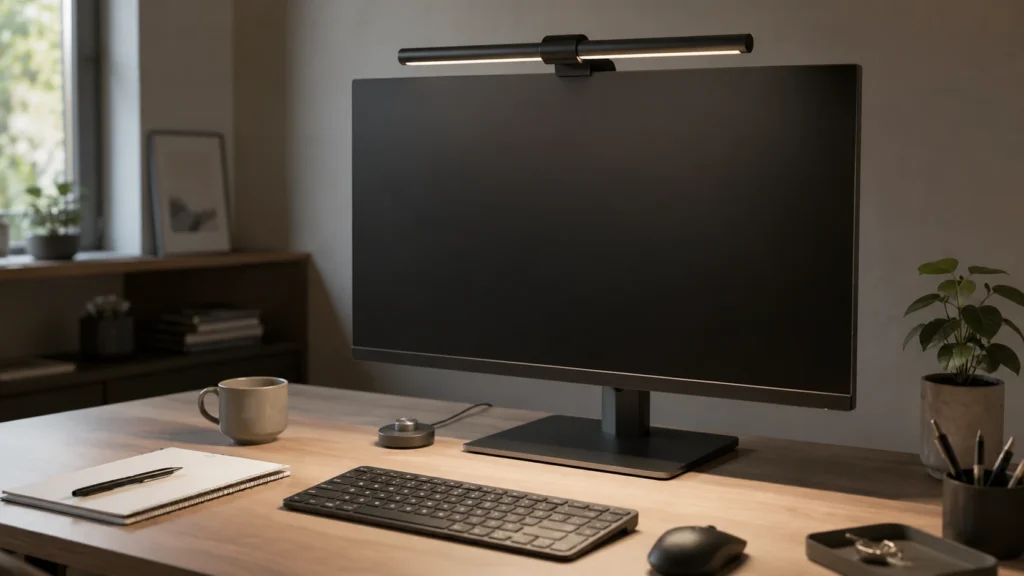
A monitor light bar may suit a small desk because it directs light towards the keyboard and work surface without needing a large base. Placement still matters, as the light should not create another reflection on the screen. The BenQ ScreenBar Review for ADHD Focus looks more closely at how this type of lighting fits into a working desk setup.
What May Still Get in the Way
- A lamp that works in winter may feel unnecessarily bright during summer.
- The most comfortable setting can change when tiredness or sensitivity increases.
- Smart lighting becomes less convenient when every adjustment requires opening an app.
- A useful lamp may gradually be blocked by paperwork or moved out of position.
- Other people sharing the room may prefer a different brightness or colour temperature.
Practical Reality Check
Lighting changes are usually subtle. You may not suddenly complete twice as much work, but you might notice that reading feels easier, your eyes are less drawn towards a reflection or you stay at the desk for the intended work period. Those small improvements matter because they make the environment less demanding without adding another productivity method to remember.
The preferred setup may also change from one day to the next. A bright lamp that feels useful during a low-energy morning might feel unpleasant when you are more sensitive to light. Missing a planned adjustment or working somewhere else for the day does not undo anything; the setup remains something you can return to when it is useful.
It is also reasonable to discover that one popular option does not suit you. Some people enjoy cool, bright light for detailed tasks, while others find warmer or more diffused lighting easier to tolerate. A little experimentation in the room where you actually work tends to reveal more than following a rigid recommendation.
Finding Lighting That Fits the Way You Work
Helpful lighting will look different depending on what is making the space difficult to use. Someone working with paper notes may need a focused lamp that prevents shadows, whereas someone using a monitor may benefit more from reducing glare and softening the contrast between the screen and the room.
The simplest useful change is often the one that addresses the discomfort you already notice. That might mean moving a lamp, changing one bulb, partially closing a blind or adding light behind the monitor. Several new devices are unnecessary when a small placement change makes the current workspace noticeably easier to use.
It also helps when the controls match ordinary life. A light that remembers its previous setting or can be adjusted without leaving the chair is more likely to remain useful than one with numerous modes hidden behind an app. The setup should still make sense on a busy Wednesday when attention and patience are already being used elsewhere.
Frequently Asked Questions
What type of lighting is best for ADHD productivity?
There is no single type that suits everyone. Comfortable, even lighting with limited glare is a sensible starting point, but preferred brightness and colour can vary with the task, time of day and individual sensitivity.
Is natural light always better?
Natural light can make a workspace feel pleasant, although it is not automatically ideal throughout the day. Direct sunlight may create glare or make a screen difficult to see, so blinds or a change in desk position can sometimes make the daylight more usable.
Can a dark room make concentration harder?
A dim room may make reading, writing and detailed work feel more tiring, particularly when the monitor is much brighter than everything around it. Adding soft background light or illuminating the work surface can make that contrast less severe.
Are smart lights useful for ADHD?
They can be useful when lights are often forgotten or difficult to reach. Simple schedules and accessible controls may make changes easier, but a system that requires frequent app adjustments can create more work than it removes.
Should desk lighting be warm or cool?
Cooler light may feel more suitable for detailed daytime work, while warmer light often feels more comfortable later in the evening. Personal comfort matters more than following an exact setting, especially if certain tones feel harsh or distracting.
Final Thoughts
Helpful workspace lighting is less about finding a perfect bulb and more about making everyday tasks comfortable enough to stay with. Glare, shadows and uneven brightness can quietly add to the effort of working, while a well-positioned lamp or softened window light may make the desk feel easier to return to.
The effect will not be identical every day, and lighting cannot prevent every interruption or low-energy period. It can, however, remove a persistent annoyance that might otherwise be mistaken for poor motivation. In ordinary use, the most helpful lighting is usually the kind that remains easy to adjust and does not keep calling attention to itself.
Build a Simple ADHD Productivity System
If you want to bring everything together into one clear setup, this guide shows how tools, apps, and routines can work as one system.