
Quick Answer
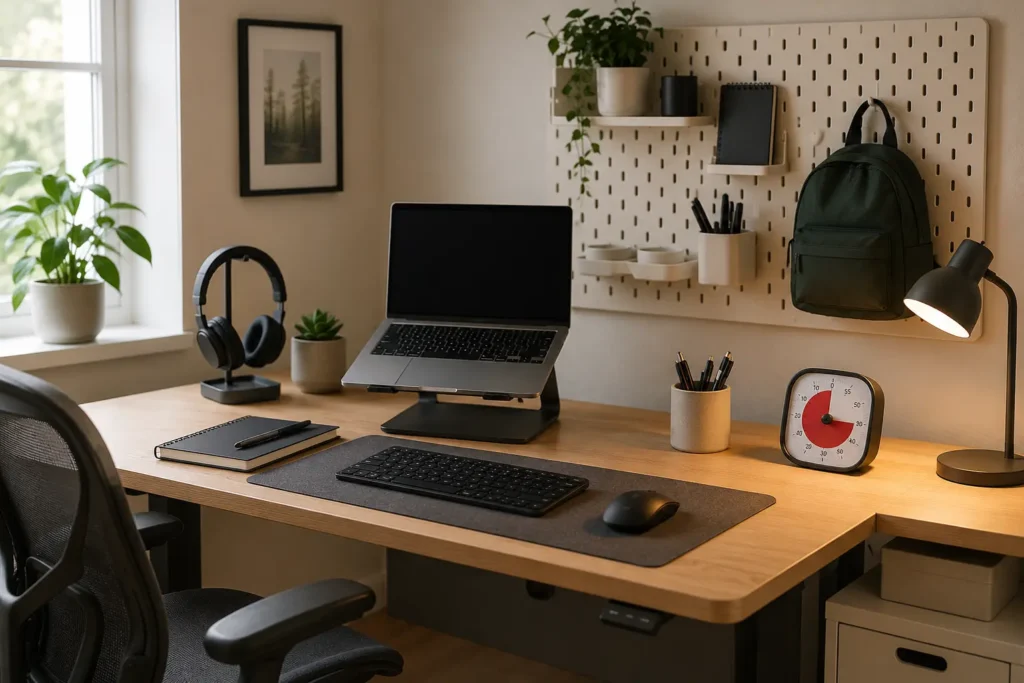
An ADHD-friendly workspace is easier to use when everyday items are easy to see, distractions are less immediate and starting work involves fewer decisions. The desk doesn’t need to be perfectly tidy or highly organised; it simply needs to make the next useful action reasonably obvious.
Introduction
Making an ADHD workspace easier to use often begins with noticing the small moments that make work harder than it needs to be. You sit down intending to reply to an email, but the charging cable is missing, yesterday’s paperwork covers the notebook you need and an unrelated object reminds you of something elsewhere in the house. Ten minutes later, you are upstairs looking for a cable and cannot quite remember what you originally sat down to do. This is why understanding How Visual Clutter Affects ADHD Focus can be useful when deciding what deserves space on the desk.
A workspace can look acceptable and still create difficulties. The problem may be a mouse that is never where your hand expects it to be, several pens that do not work, a phone sitting directly beside the keyboard or a task list hidden inside an app that you forget to open. Each detail is small, but together they can turn beginning a straightforward task into a surprising amount of preparation.
Building an ADHD Focus Workspace That Reduces Friction: Key Causes
Most workspace difficulties come from ordinary details that repeatedly interrupt starting, concentrating or returning after a break. Common causes include:
- Frequently used items being stored out of sight or in different places each day
- Too many objects competing for attention within the immediate working area
- Cables, chargers or equipment needing to be found before work can begin
- Notifications and distracting tabs being visible from the moment the computer opens
- Lighting, noise or physical discomfort gradually making concentration more tiring
- A workspace that takes too much effort to reset after a busy or low-energy day
Why This Happens (ADHD Context)
It is easy to assume that starting work begins when you open the document or pick up the task. In reality, it often begins several minutes earlier. You may need to clear a space, find your headphones, connect a charger, locate a note and decide which of three unfinished jobs should come first. None of those actions is especially difficult on its own, although the combined effort can be enough to send attention somewhere easier.
Objects in view may also behave like unfinished thoughts. A letter on the desk can remind you that a form needs completing, while an empty mug suggests going to the kitchen and a parcel waiting by the door brings back another errand. Attention can move between all three before the intended task has properly started. The workspace is then quietly presenting several possible jobs at once, even when only one matters right now.
Returning after an interruption creates another difficulty. A phone call may last two minutes, yet reconnecting with the original piece of work can take much longer because the relevant document, note or next action is no longer clear. A visible note showing where you stopped can make returning easier than relying on memory after every interruption.
What Usually Goes Wrong
A complete desk makeover often works well on the first day because everything is new, clean and deliberately arranged. By Wednesday, the headphones have moved, two drinks are sitting beside the keyboard and several pieces of paper have appeared. When the setup depends on maintaining an immaculate surface, normal life quickly starts to undo it.
Another common difficulty is hiding everything in drawers or storage boxes. The desk looks calmer, but useful objects may effectively disappear once they are out of sight. You might buy another packet of sticky notes because you have forgotten about the three packets already stored away. A workable middle ground usually leaves everyday essentials visible while moving occasional items beyond the immediate field of view.
Sometimes the workspace also becomes a place for every type of activity. Work, online shopping, meals, gaming, paperwork and household administration all happen in the same physical and digital space. It is not always possible to have separate rooms or desks, but small changes between activities can help. Closing unrelated tabs, putting the work notebook in the centre or changing the lighting can provide a clearer sense of what the space is being used for now.
Making the Workspace Easier to Start and Return To
Keep the Central Working Area Clear
Before work begins, attention is often captured by whatever is easiest to see. A phone lighting up beside the keyboard, an open email inbox or a collection of unrelated paperwork can pull you into another activity before the intended one has started. The desk doesn’t need to be empty. It may be enough to keep the central working area clear and move unrelated objects to a nearby tray, shelf or defined holding place.
The most useful items can remain within reach: perhaps a drink, notebook, working pen and headphones. Everything else does not need a complicated storage system, only somewhere it can wait without becoming part of every task. Minimalist Desk Setups for ADHD Adults explores how a simpler surface can remain practical without expecting the workspace to look permanently staged.
Move Easy Distractions Slightly Further Away
Some distractions happen before there has been time to make a conscious choice. Your hand reaches for the phone during a slow-loading page, or a social media tab opens because it is already pinned beside the work tabs. Moving the phone to a stand behind the monitor, placing it in a bag or signing out of a distracting account may give you just enough time to notice where your attention is going.
The change only needs to make the distraction slightly less immediate. Putting a phone in another room may be unrealistic when it is needed for calls, authentication or glucose monitoring, whereas turning it face down and moving it beyond arm’s reach may still prevent several casual checks. The arrangement has to fit the way the device is genuinely used.
Plan for the Moments When Attention Wanders
Reaching for a distraction is not always about avoiding work. Sometimes it fills the gap while a file opens, provides stimulation during a dull task or offers a moment of relief when attention is becoming tired. Simply removing it can leave an awkward pause, which makes the old pattern tempting again.
A quieter option might be keeping a drink nearby, standing and stretching while something loads or writing an unrelated thought on a scrap page instead of immediately researching it. Leaving the day’s first task on the keyboard the night before can also make the next morning easier without adding another alarm. Whatever you choose should feel simple enough to use without becoming another routine that needs to be remembered perfectly.r.
Choose Tools for Recurring Annoyances
Useful desk tools solve small, repeated annoyances. A vertical organiser can keep current paperwork visible without spreading it across the whole desk, while a keyboard and mouse that remain connected remove an avoidable setup step. A lamp can make darker afternoons less draining, and a simple timer can show that a break has lasted longer than it felt.
It is worth thinking about the difficulty first and the product second. Why Lighting Matters for ADHD Productivity may be helpful when the workspace feels comfortable in the morning but noticeably harder to use as daylight changes. The right tool is usually the one that quietly removes a recurring interruption rather than adding another system that needs regular attention.
Real-World Use Cases
When working from home, the desk may collect household items throughout the day. A nearby basket or tray provides somewhere for those objects to wait, which means clearing the working area does not become a full tidying session before every video call. At the end of the day, closing the laptop and moving the work notebook away can also make the same room feel less connected to unfinished work.
For study, the difficult part may be remembering which book, document or online portal is needed. Leaving the next chapter open, writing the next specific task on paper and keeping the relevant materials together makes returning less dependent on remembering yesterday’s plan. This is particularly useful when studying happens around work, appointments or changing energy.
Deep work is easily disrupted when every alert creates another decision. A phone placed outside the main line of sight, unnecessary tabs closed and a short note showing the current task can make a protected period feel more settled. The external ADHD resource ADDitude also publishes practical information about attention, organisation and everyday ADHD challenges.
During an evening routine, the workspace may need to support a completely different level of energy. After a demanding day, sorting every paper and restoring every object may be unrealistic. Returning the main tools to their usual places, plugging in essential devices and leaving one clear note for tomorrow may be enough to make the next morning easier.
Tools That May Help
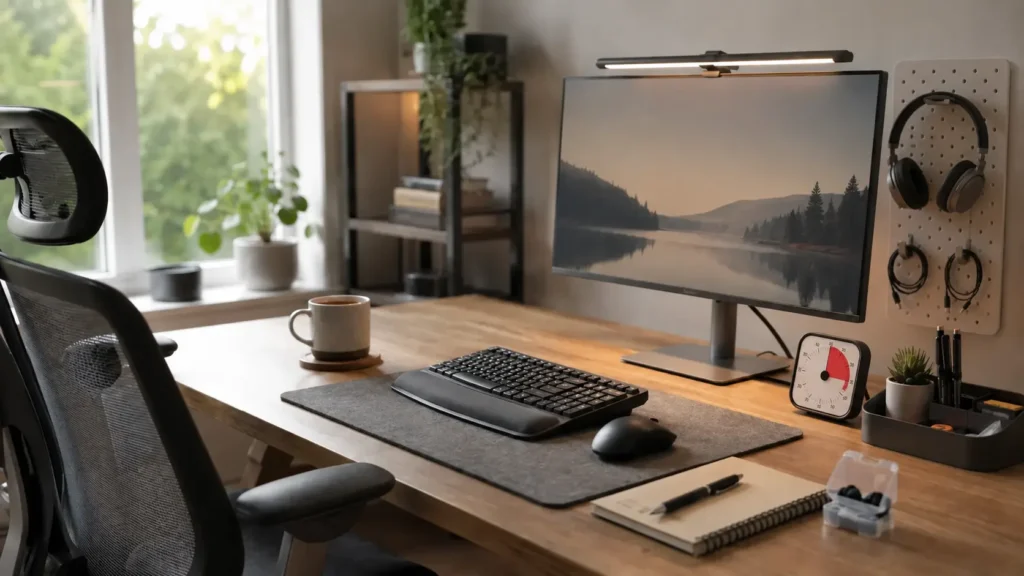
A monitor light can provide more consistent illumination when overhead lighting feels harsh or the room becomes dim in the afternoon. This may be especially helpful when poor lighting contributes to eye strain or makes the desk feel less inviting later in the day.
A simple visual timer can also be useful when time becomes difficult to judge, particularly during breaks or repetitive work. It doesn’t have to control the whole day. Sometimes it is simply a visible indication that ten minutes have passed while attention was elsewhere. If you would like to compare different options, Best ADHD Focus Timers UK looks at timers that make the passing of time easier to see without relying on a phone.
A pegboard or small vertical organiser can keep headphones, cables and frequently used accessories visible without allowing them to spread across the desk. If you would like to compare this kind of organisation with lighting, keyboards, mice and noise-reducing tools, Best ADHD Desk Setup Tools for Focus and Productivity (UK Guide) brings the main options together in one place.
What May Still Get in the Way
- The desk will still become untidy during busy weeks, especially when several tasks overlap.
- Items stored too neatly may be forgotten, while too many visible items can become distracting.
- A layout that works during focused mornings may feel less manageable when energy drops later.
- New equipment can become clutter when it does not solve a problem that occurs regularly.
- Interruptions will still happen, so the workspace needs to make returning reasonably easy.
Practical Reality Check
A better workspace may remove some repeated annoyances, but it will not make attention completely predictable. There will still be mornings when work starts late, afternoons when the phone wins and evenings when putting everything away feels like one task too many. The useful test is whether the setup remains workable after those days.
A small reset is often more realistic than restoring the whole room. Clearing the keyboard area, returning one or two essential items and leaving tomorrow’s first task visible may take only a couple of minutes. Missing that reset occasionally does not undo the setup; it simply means the next return may need a little more preparation.
Finding Changes That Fit the Way You Work
A workspace that feels easier to use will look different depending on where work usually becomes stuck. One person may have a calm desk but spend ten minutes finding passwords and documents, while another may have everything available but struggle because every object remains visible. Looking at the repeated awkward moments usually gives more useful information than copying somebody else’s desk exactly.
It can help to notice what happens immediately before attention drifts or a task stalls. Perhaps the chair becomes uncomfortable, the room grows darker, the necessary cable is elsewhere or the next action is buried inside a long task list. Reducing Cognitive Overload in Your Workspace offers further context for simplifying the number of things competing for attention at the same time.
Frequently Asked Questions
These questions cover some of the practical concerns that often appear when arranging an ADHD-friendly workspace.
Does an ADHD workspace need to be minimalist?
No. Some people find a very clear desk calming, while others forget useful items when everything is hidden. A practical setup usually keeps current essentials visible and gives everything else an easy nearby home.
What should stay on the desk?
Items used most days are reasonable candidates, such as a keyboard, mouse, notebook, working pen, drink and headphones. Objects used occasionally can remain nearby without occupying the central working area.
Can a workspace help when motivation is low?
It cannot create motivation on demand, although it can prevent low motivation from being made worse by missing equipment, unclear tasks or a surface that must be cleared first. On a difficult day, being able to sit down and see where to begin matters.
How often should the workspace be reset?
There is no ideal schedule. A brief reset at the end of work may suit some people, while others find it easier before starting the next morning. The timing is less important than keeping the reset small enough to happen fairly regularly.
Should work and leisure use separate spaces?
Separate spaces can be helpful, but they are not available in every home. When the same desk serves both purposes, changing what is visible, closing unrelated applications or moving the work notebook can create a modest but useful distinction.
Final Thoughts
Making an ADHD workspace easier to use is mainly about removing the small obstacles that appear again and again: the missing charger, the crowded surface, the distracting phone and the uncertainty about where to begin. The arrangement will change as work, energy and routines change, and occasional clutter doesn’t mean it has stopped working. A useful workspace is one that can be returned to without needing a perfect day or a complete reorganisation first.
Build a Simple ADHD Productivity System
If you want to bring everything together into one clear setup, this guide shows how tools, apps, and routines can work as one system.