
Quick Answer
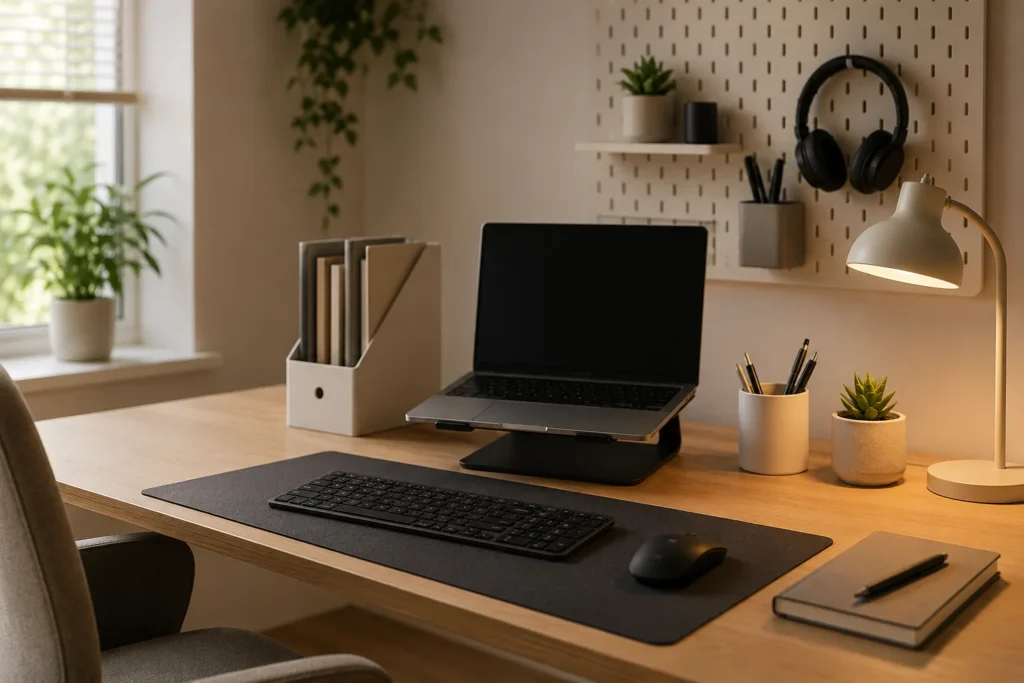
Reducing workspace overload usually begins with limiting how many objects, decisions and unfinished tasks compete for your attention. A calmer setup keeps the things you need easy to see while moving distracting or rarely used items away from your immediate working area.
Introduction
A less mentally busy workspace can make starting, continuing and returning to tasks feel noticeably less demanding. When paperwork, cables, notifications, stationery and half-finished jobs are all visible at once, your attention may keep moving between them before you have consciously decided what to work on. This is closely connected to How Visual Clutter Affects ADHD Focus, because an object does not need to be physically in your way to occupy some of your attention.
A busy desk can also create several small decisions before the intended task has even begun. You may need to move yesterday’s post, find the right notebook, decide which browser tab matters and work out where you left your charger. None of these jobs is particularly difficult, but together they can turn opening a document into a much larger event than expected.
This does not mean everyone needs a nearly empty desk. Some people with ADHD work better when useful items remain visible, particularly when putting something inside a drawer makes it effectively disappear. A practical workspace normally sits somewhere between visual calm and helpful visibility, with enough structure to make the next task obvious without hiding everything you rely on.
Reducing Cognitive Overload in Your Workspace: Key Causes
Workspace overload rarely comes from one dramatic problem. It tends to build through small interruptions and objects that gradually collect around the place where you are trying to concentrate.
- Too many visible items competing for attention
- Unfinished tasks being left in the main working area
- Notifications, open tabs and incoming messages interrupting concentration
- Frequently used items having no consistent place
- Poor lighting, uncomfortable equipment or distracting background noise
- Having to make several decisions before beginning a task
Why This Happens (ADHD Context)
You may sit down intending to answer one email, notice an unpaid bill beside the keyboard and then remember that you also need to book an appointment. While opening the calendar, a notification appears, and several minutes later you are reading something unrelated with the original email still untouched. The workspace has not simply looked untidy; it has presented several possible directions at the same time.
Attention can be especially difficult to guide when every visible item seems to carry a request. A notebook may represent notes that need organising, a mug may remind you to go downstairs and a parcel may bring back a task you postponed earlier. Even when you do not act on those thoughts, repeatedly noticing them takes you slightly further away from the work in front of you.
Objects can also be useful reminders, which is why putting everything away is not always the answer. If medication, a planner or a document needs to be seen at a particular time, hiding it may create a different problem. The more useful question is whether an item helps you understand what is happening next or merely reminds you of something you cannot deal with right now.
ADDitude provides further information about ADHD, attention and organisation. Individual experiences vary, but it is common for the surrounding environment to influence how easy it feels to begin or reconnect with a task.
What Usually Goes Wrong
A large clear-out can feel satisfying on a Sunday afternoon, but the new arrangement may be difficult to maintain once the working week begins. Items return to the desk because their new homes are inconvenient, paperwork accumulates during busy periods and the carefully organised drawer becomes a place where unrelated objects are quickly pushed out of sight.
Another common difficulty is creating a setup that looks calm but is awkward to use. If the charger is stored across the room or the notebook you use every morning is inside a labelled box, maintaining the appearance of the desk creates extra work. After a few rushed mornings, the objects usually return to the nearest available surface.
Digital clutter can quietly replace physical clutter too. A clear desk does not feel particularly calm when the computer opens with 24 browser tabs, several chat windows and a desktop covered in files. One notification may lead to another app, where an unrelated message changes the direction of the next half-hour.
Making Workspace Overload Easier to Manage
Clear the Immediate Working Area
Before work begins, attention is often captured by whatever is easiest to see. A phone beside the keyboard, an open personal email tab or a pile of post can become the first destination even when something else is more important. Moving those items beyond the central working area gives the intended task a better chance of becoming the most noticeable thing on the desk.
This can be a small adjustment rather than a complete reorganisation. A tray at the side of the room can hold paperwork that needs attention later, while the current document stays in front of you. When visual distractions have become a persistent problem, ideas from Minimalist Desk Setups for ADHD Adults may help you decide what genuinely earns a permanent place within view.
Move Easy Distractions Slightly Further Away
Some distractions happen so quickly that there is barely a decision involved. Your hand reaches for the phone during a slow-loading page, or a familiar website is opened before you remember why you launched the browser. Keeping the phone in a bag, placing it on a shelf behind you or signing out of an especially absorbing website doesn’t make the distraction unavailable, but it may give you enough time to remember what you were doing.
The extra effort needs to remain proportionate. A complicated blocking system may become another thing to configure and avoid, whereas closing an unnecessary tab or keeping entertainment apps off a work browser profile may be enough. Even a small interruption to the automatic movement from work to distraction can prevent an intended two-minute check from becoming twenty lost minutes.
Plan for the Moments When Attention Wanders
Removing a distraction sometimes leaves an uncomfortable gap. Checking your phone may provide a moment of stimulation when work becomes repetitive, while repeatedly rearranging the desk may create a sense of movement when you are unsure how to begin. Without another easy option, the same distraction tends to return.
A brief alternative can fit into that moment without pulling you completely away. You might stand up for a stretch while a file loads, keep a drink nearby or jot an unrelated thought onto a small “later” list instead of pursuing it immediately. When you sit down at the start of the day, opening the one document you plan to use first can also become a natural part of getting settled rather than another decision made under pressure.
Choose Tools for a Recurring Problem<
Workspace tools are most useful when they solve a problem that occurs regularly. A visible timer may make the passing of time easier to notice, a small organiser can stop frequently used objects spreading across the desk and a monitor light may make an uncomfortable workspace easier to use during darker mornings. Why Lighting Matters for ADHD Productivity explores how lighting can affect the experience of working at a desk without suggesting that one particular arrangement suits everyone.
The wider selection of digital productivity apps for ADHD may also be useful when the overload sits on the screen rather than the desk. A simple task list or calendar can hold information that would otherwise remain scattered across notes, messages and open browser tabs.
Real-World Use Cases
When working from home, domestic tasks are often visible from the same chair used for paid work. A basket of washing, unopened post or yesterday’s dishes may keep drawing attention even when none of it needs to be handled immediately. Facing the desk towards a calmer part of the room, or placing household items outside the direct line of sight, can make the boundary between work and home slightly clearer.
During study, overload may appear as several books, highlighters, lecture tabs and unfinished notes all being open together. Keeping the current chapter and one place for notes in the main working area makes it easier to see what the study session is actually for. Other materials can remain nearby without being spread across every available surface.
Deep work is particularly vulnerable to interruptions because reconnecting with a complicated thought takes time. A short message may only require a few seconds to read, yet remembering which paragraph, calculation or design decision came next can take much longer. Muting non-essential alerts and leaving a brief note about the next action before taking a break can make returning less disorientating.
In the evening, the same desk may be used for hobbies, life administration or browsing. A simple end-of-work reset—closing work tabs, putting the current papers into one tray and leaving tomorrow’s first task visible—can stop the entire working day spilling into the evening. It also means the following morning begins with fewer decisions, even when the reset was not perfectly tidy.
Tools That May Help
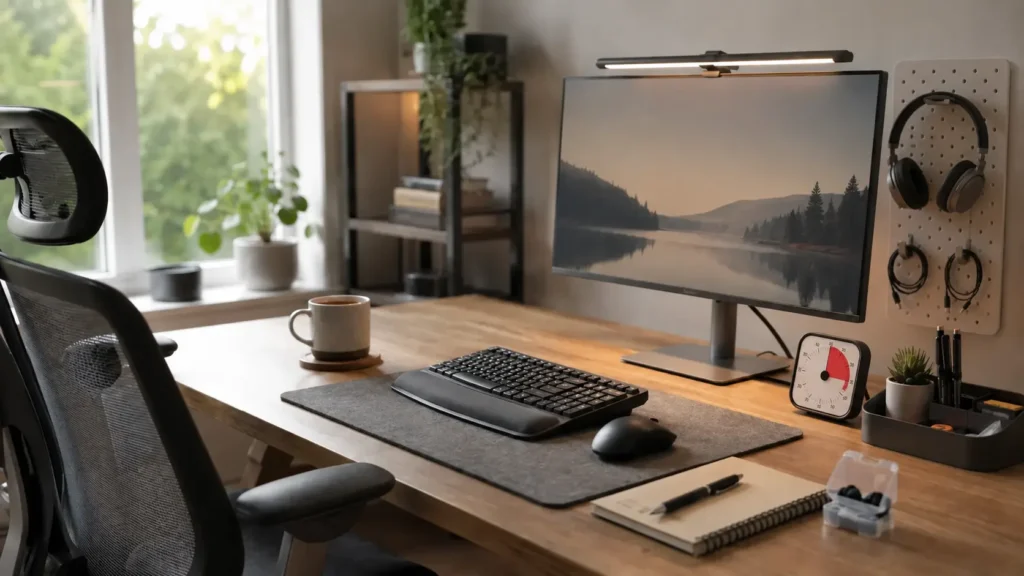
A desk organiser can be useful when pens, cables, headphones and small accessories repeatedly end up in the central working area. The most practical organisers keep everyday items visible and within reach without introducing a complicated system of compartments that is difficult to remember.
A visual timer may help when a task has no obvious stopping point or when checking the time on a phone tends to lead elsewhere. Because the remaining time can be seen at a glance, there is less need to unlock another device. Noise-reducing earplugs or headphones may also make a shared or unpredictable environment feel less busy, particularly when nearby conversations and intermittent sounds repeatedly pull attention away.
None of these tools needs to become the centre of the workspace. Building an ADHD Focus Workspace That Reduces Friction looks more broadly at how individual choices can work together, but one well-chosen item is often more useful than several new products that each require their own place and routine. If you would like to compare options covering lighting, desk organisation, noise reduction and everyday equipment, Best ADHD Desk Setup Tools for Focus and Productivity (UK Guide) brings them together in one place.
What May Still Get in the Way
- The desk may gradually fill up again during a busy or low-energy week.
- An item stored completely out of sight may also be forgotten.
- A new organiser may create more sorting than it saves.
- Household members, colleagues or shared spaces may limit what can be changed.
- Digital notifications may continue the overload even after the desk is clearer.
Practical Reality Check
A calmer workspace will not make every day focused or prevent every diversion. Energy changes, unexpected messages arrive and some mornings begin with an urgent problem rather than an orderly plan. You may also find that a setup works well for several days and then slowly becomes less useful as different tasks and objects enter the space.
That does not mean the arrangement has failed. A two-minute reset can still be worthwhile even when there is not enough energy for a full clear-out, and returning loose items to one temporary tray may be more realistic than sorting them individually. What matters in everyday use is whether the workspace remains easy enough to recover after interruptions and imperfect days.
Finding Changes That Fit Your Workspace
Different kinds of overload call for different changes. Some people are mainly distracted by visible objects, while others struggle with noise, uncomfortable lighting or a computer screen crowded with alerts. Paying attention to what repeatedly pulls you away can reveal whether the desk needs fewer objects, better placement of essential items or a quieter digital setup.
Changes are more likely to feel useful when they respond to difficulties you already notice rather than an idealised photograph of a perfectly organised office. A nearly empty surface may feel restful to one person and unhelpfully bare to another. The useful arrangement is the one that makes important things noticeable, distracting things less dominant and the next task easier to recognise.
Frequently Asked Questions
These common questions cover some of the practical concerns that arise when trying to make an ADHD workspace feel less mentally busy.
Does an ADHD workspace need to be minimalist?
No. Minimalism may reduce visual distraction, but hiding every useful item can make it harder to remember what exists. Many people find that a clear central work area, combined with visible storage for frequently used items, offers a more practical balance.
What should stay on the desk?
Items used most days usually deserve the easiest access, particularly when retrieving them from another room would interrupt the task. Objects connected with occasional jobs can normally move to a nearby shelf, drawer or tray until they are needed.
How can I stop paperwork building up?
Paper often accumulates because each item requires a different decision. One clearly defined holding tray can keep it away from the working area until there is time to deal with it. It is still worth reviewing the tray regularly, but the papers no longer need to compete with the current task.
What if I share my workspace with someone else?
Shared rooms rarely stay under one person’s control, so a portable setup may be more realistic. A small container for essential items, headphones and a folder for current papers can create a recognisable working area without requiring the entire room to remain unchanged.
Can a tidy workspace improve ADHD focus?
It may make focusing easier by reducing some of the sights and decisions competing for attention, although it cannot guarantee concentration. Comfort, noise, task difficulty, tiredness and interruptions still matter, so tidiness is best viewed as one useful part of the overall environment.
Final Thoughts
Reducing workspace overload is less about maintaining a flawless desk and more about making the intended task easier to find among everything else asking for attention. A clearer working area, sensible homes for frequently used items and fewer automatic digital interruptions can remove some of the effort that happens before useful work even begins.
The arrangement will probably need occasional resets as workloads, energy and daily routines change. A workspace remains useful when it can cope with those changes and still be brought back to a manageable state without turning tidying into another major project.
Build a Simple ADHD Productivity System
If you want to bring everything together into one clear setup, this guide shows how tools, apps, and routines can work as one system.