
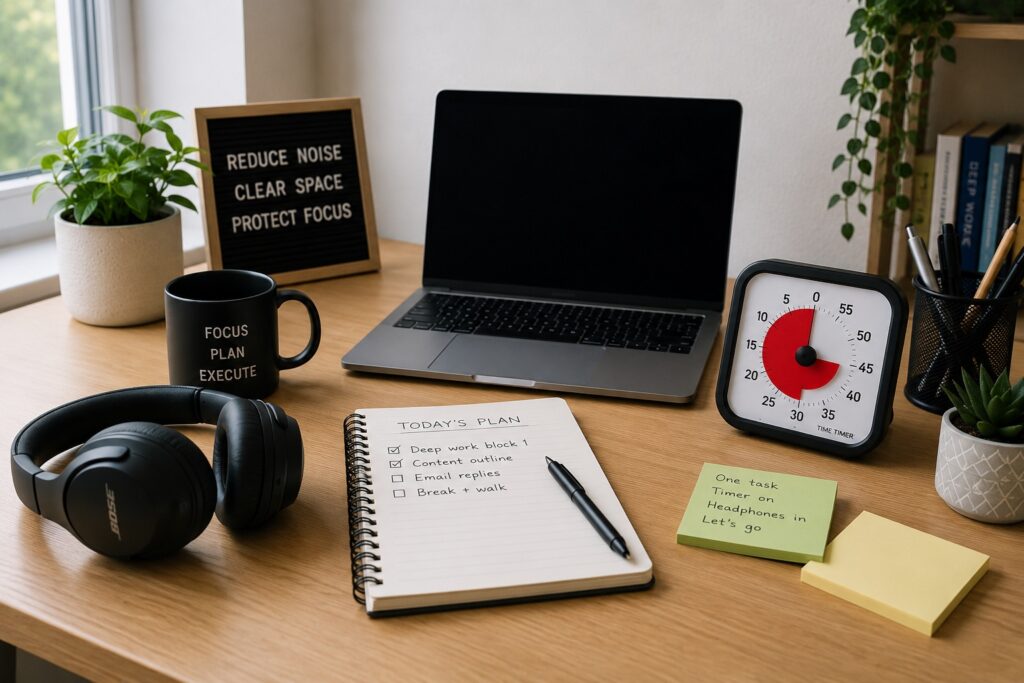
How to Build a Focus Workspace Using Noise Cancelling Headphones: Quick Overview
-
- Use headphones as one part of a wider focus system, not the whole solution
- Set up your desk so sound, clutter, reminders, and timing all work together
- Choose a repeatable start routine before deep work sessions
- Keep breaks structured so you do not drift too far from the task
- Use simple tools that reduce decisions instead of adding more pressure
Introduction
Learning How to Build a Focus Workspace Using Noise Cancelling Headphones is not just about buying a pair of headphones and hoping your concentration improves. For ADHD, the workspace needs to reduce friction before you even start working.
A good focus workspace can help lower the number of decisions you have to make. Instead of asking yourself where to sit, what to use, what to block out, and how long to work for, your setup gives you a familiar path to follow.
Noise cancelling headphones can be very useful in that system because they create a clearer sound boundary. But they work best when they sit alongside reminders, timers, a tidy desk area, and a simple routine that you can repeat.
Why ADHD Productivity Systems Matter
ADHD focus is often affected by more than one thing at once. Background noise, visual clutter, phone notifications, unclear task priorities, and time blindness can all make it harder to settle into work.
This is why a system usually works better than a single tool. A pair of noise cancelling headphones may reduce sound, but they will not automatically tell you what to work on, when to stop, or how to reset after a break.
I find this is where many productivity tools fail. They look helpful on their own, but they do not have a clear place in the routine, so they get used for a few days and then disappear.
Resources such as ADDitude often discuss ADHD challenges around routines, focus, and distraction. The practical goal here is not to create a perfect workspace, but to make focus slightly easier to start and maintain.
The Core Components of an ADHD Productivity System
- Focus tools
- Reminder systems
- Environment control
- Routine structure
A focus workspace needs a few simple parts. The first is a tool that helps you block or soften distractions. In this article, that role belongs to noise cancelling headphones.
The second part is a reminder system. This could be a smartwatch, phone reminder, calendar alert, or written note. The point is to avoid relying only on memory.
The third part is environment control. That means reducing the things that pull your attention away, such as open tabs, clutter, background sound, and visual mess.
The final part is routine structure. This is what turns the workspace from a nice-looking desk into something you can actually use repeatedly.
How Different Tools Work Together
If sound is your biggest problem, start with the headphones. The best noise cancelling headphones for ADHD adults in the UK guide compares different options for comfort, noise reduction, and budget before you build the wider setup around them. If time blindness is the bigger issue, connect your headphones with a timer routine using the Best ADHD Focus Timers UK guide. If reminders are the missing piece, a smartwatch may help you create a clearer start cue.
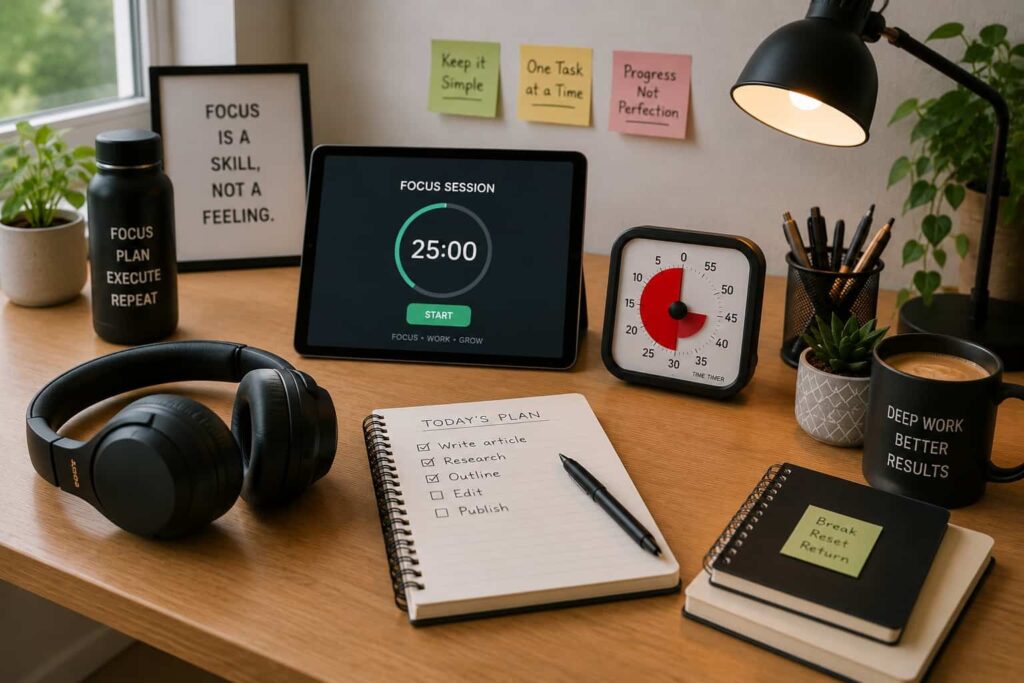
Example ADHD Productivity Setup
Morning Setup
Start by making the workspace easy to enter. Put your headphones in the same place each day, clear only the area directly in front of you, and choose the first task before opening extra tabs.
This does not need to be a full reset. Even a two-minute setup can help your brain understand that this space now has one job.
Work Blocks
For focused work, put on your headphones, choose one task, and set a timer for a realistic block. For many people, twenty to thirty minutes is more useful than trying to force a long session straight away.
If you are choosing headphones for this purpose, the Sony WH-1000XM5 review for ADHD focus may be useful if you want strong noise cancelling, while the Soundcore Life Q30 review may suit a more budget-friendly setup.
Break Management
Breaks need structure too. Without a clear boundary, a five-minute break can become half an hour of scrolling. Use a timer, stand up, move away from the screen, and decide what brings you back.
The headphones can help here as well. Taking them off can mark the break, and putting them back on can become the cue that work is restarting.
End of Day Reset
At the end of the day, do a small reset rather than a full tidy. Put the headphones back in their place, close unnecessary tabs, write down the next starting task, and leave the desk ready for the next session.
This is especially helpful if mornings feel heavy after a bad night’s sleep. You are reducing tomorrow’s first decision before tomorrow arrives.
Common Mistakes to Avoid
- Buying headphones but not creating a start routine around them
- Using too many tools at once and making the setup feel complicated
- Expecting noise cancelling to solve task avoidance by itself
The biggest mistake is treating headphones as the whole system. They can reduce sound, but they still need to be paired with a clear task, a time boundary, and a way to restart after breaks.
Another mistake is making the workspace too perfect. If your system only works when the desk is spotless, the room is silent, and you have two hours free, it may not survive normal life.
Building a Simple System That You Can Stick To
The best system is usually the one you can repeat when your energy is low. Start with three steps: put on your headphones, set one timer, and work on one task.
Once that feels natural, you can add more support. That might mean using a smartwatch reminder, a visual timer, a tablet for planning, or a distraction blocking app.
If you are unsure where to begin, focus on the main problem first. For sound sensitivity, start with headphones. For time blindness, start with timers. For forgotten tasks, start with reminders. For planning overload, start with a simple written or tablet-based system.
That is the practical heart of How to Build a Focus Workspace Using Noise Cancelling Headphones. You are not trying to create a perfect productivity setup. You are building a space that makes the next useful action easier.
Frequently Asked Questions
Do noise cancelling headphones help ADHD focus?
They can help some people by reducing background noise and creating a clearer boundary between work and distraction. They are usually most effective when combined with a routine, timer, and clear task list.
Should I use music, white noise, or silence?
That depends on what helps you settle. Some people prefer silence with active noise cancelling. Others focus better with low-volume instrumental music, brown noise, or white noise.
Can headphones replace a full productivity system?
No. Headphones can support focus, but they do not replace reminders, planning, time management, or task structure.
What should be on an ADHD focus desk?
A simple setup might include noise cancelling headphones, a timer, a notebook or tablet, a water bottle, and only the items needed for the current task.
Is How to Build a Focus Workspace Using Noise Cancelling Headphones mainly for home working?
It is useful for home working, studying, admin tasks, and shared spaces. The same idea applies anywhere you need a repeatable focus cue.
Final Thoughts
How to Build a Focus Workspace Using Noise Cancelling Headphones is really about creating a simple environment that gives your brain fewer things to fight against.
Noise cancelling headphones can reduce sound distractions, but they work best as part of a wider setup. Add a timer, a reminder cue, a clear starting task, and a small reset routine, and the workspace becomes much easier to use.
You do not need a perfect desk or a complicated productivity system. You need a setup that helps you start, stay with one task for a realistic amount of time, and come back after breaks without too much friction.
Build a Simple ADHD Productivity System
If you want to bring everything together into one clear setup, this guide shows how tools, apps, and routines can work as one system.