
At a Glance
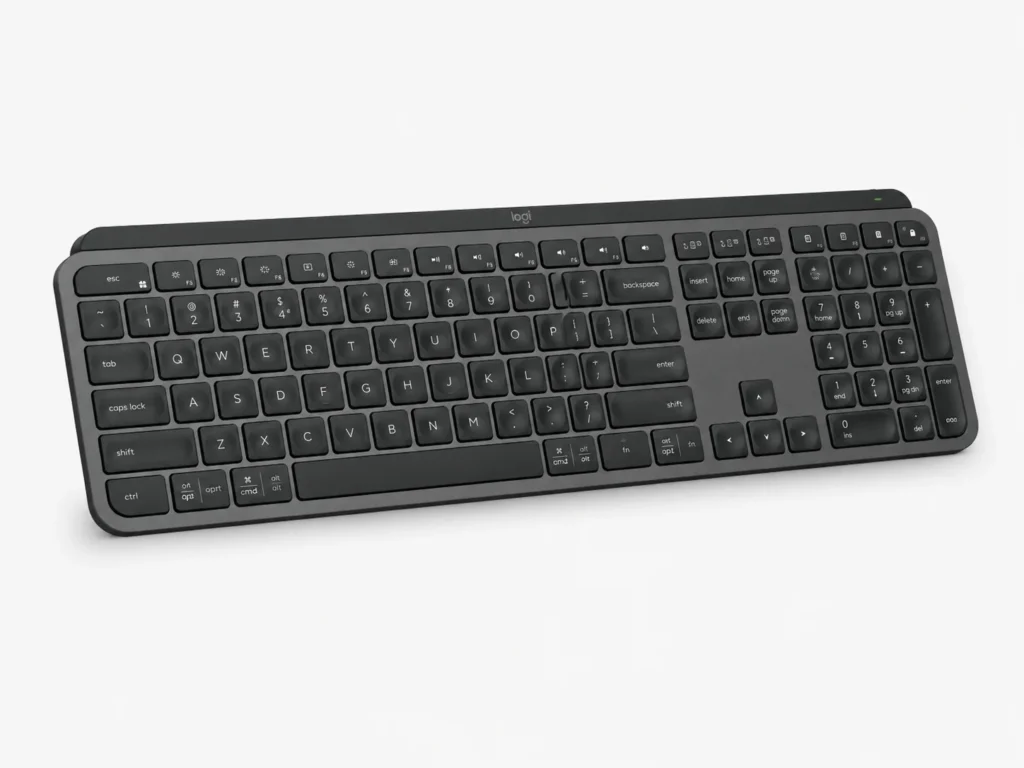
- Full-size wireless keyboard with a dedicated number pad
- Low-profile, spherically dished scissor keys designed for stable typing
- Smart illumination activates as your hands approach and responds to the surrounding light
- Easy-Switch keys allow you to move between up to three paired devices
- Connects through Bluetooth or the included Logi Bolt USB receiver
- Programmable function keys and Smart Actions are available through Logi Options+
- Rechargeable through USB-C rather than relying on disposable batteries
- Makes the most sense for people who spend significant time typing at a fixed desk
Introduction
This Logitech MX Keys S Review for ADHD Productivity looks at a piece of equipment that is easy to dismiss as simply a nicer keyboard. In reality, if most of your working day involves email, documents, spreadsheets, research or moving between different computer tasks, the keyboard is one of the few things you interact with almost constantly. Making that interaction smoother will not suddenly create focus, but it can remove some of the little annoyances that make sitting down and getting on with work feel more cumbersome than it needs to be.
That idea fits into a wider approach to building an ADHD-friendly setup. Rather than looking for one product that somehow fixes productivity, the ADHD Productivity Tools UK Guide looks at how different tools, apps and routines can work together without creating another complicated system to manage.
The MX Keys S is Logitech’s full-size, low-profile wireless keyboard, built around spherically dished scissor keys, smart illumination and switching between up to three paired devices. It connects through Bluetooth or the included Logi Bolt USB receiver, while Logi Options+ provides programmable function keys, backlight controls and Smart Actions. At approximately 810g and just over 43 cm wide, this is clearly intended to live on a desk rather than travel around in a laptop bag.
Logitech MX Keys S Review for ADHD Productivity: Key Features
The MX Keys S is not overloaded with unusual features. Its appeal comes from making ordinary computer work feel more predictable, whether you are typing for several hours, moving between two computers or working as the light in the room changes. The more advanced options are there when needed, but the keyboard does not depend on constant customisation to justify its place on the desk.
- Full-size keyboard layout with integrated number pad
- Low-profile, spherically dished scissor keys
- Smart illumination with hand-proximity and ambient-light sensors
- Backlight brightness and duration controls through Logi Options+
- Easy-Switch controls for up to three paired computers or devices
- Bluetooth Low Energy and Logi Bolt wireless connectivity
- Programmable function-row keys through Logi Options+
- Smart Actions for assigning several compatible actions to one keystroke
- USB-C rechargeable 1,500mAh battery
- Up to 10 days of battery life under typical backlit settings or up to five months with the backlighting switched off
Who This Guide Is For
This guide is mainly for people who spend a lot of time working at a computer and find that small amounts of friction quickly become irritating. Perhaps you regularly move between a work laptop and personal computer, type for several hours each day or simply want your main desk to feel like somewhere you can sit down and start without adjusting equipment first.
It is also worth considering if you prefer a full-size keyboard rather than the increasingly common compact layouts. Having dedicated arrow keys, function keys and a number pad means the controls stay where you expect them to be. For someone who finds that interruptions break momentum easily, familiarity can be more useful than having the smallest possible keyboard on the desk.
Key Takeaways
- The typing experience is the main reason to consider the MX Keys
- Multi-device switching is genuinely useful if your work crosses more than one computer
- Automatic backlighting removes one small adjustment from the working day
- Programmable keys and Smart Actions may save repeated steps, but only if you give them a clear and memorable purpose
- The full-size layout is comfortable but takes up considerably more desk space than a compact keyboard
- Its ADHD relevance is practical rather than transformative: predictable equipment can mean fewer small interruptions once work has started
How It Works
Once paired, the MX Keys S behaves much like any other wireless keyboard, which is part of its appeal. You don’t need to use Smart Actions or spend time programming keys before it becomes useful. The low-profile keys have a shallow movement similar to a laptop keyboard, while the full-size layout provides dedicated arrow keys, function controls and a number pad instead of hiding common commands behind key combinations.
The Easy-Switch buttons are one of the more practical additions. Three devices can be paired to separate channels, and pressing the corresponding key moves the keyboard from one to another. Logitech supports switching between up to three paired computers or devices, so someone using a work laptop beside a personal machine does not need a second keyboard or a repeated Bluetooth-pairing process.
The smart illumination is similarly designed to stay in the background. Sensors detect when your hands approach and illuminate the keys, while the brightness responds to the surrounding light. Logi Options+ also lets you adjust the brightness and how long the backlighting remains active, although you can leave the automatic behaviour to handle most changes without thinking about it.
Why It May Help (ADHD Context)
When concentration is inconsistent, small interruptions can have more impact than they appear to deserve. A keyboard disconnects, you cannot immediately find a key, you have to move from one computer to another, or you notice that the desk feels awkward and stop what you are doing to rearrange it. None of those things causes ADHD, but every unnecessary interruption creates another opportunity for attention to wander somewhere else.
Resources such as ADDitude regularly discuss practical ways of reducing distraction and externalising parts of everyday organisation for people with ADHD. The relevance here is not that a premium keyboard somehow improves executive function. It is that equipment which behaves consistently can leave fewer decisions and interruptions between deciding to work and actually working.
There is also something reassuring about returning to a desk where the essential equipment is already in place and behaves as expected. You can sit down, wake the computer and begin without first finding a keyboard, rearranging the space or reconnecting equipment. That won’t overcome every difficult day, but it removes some of the preparation that can make an already unappealing task feel even heavier.
Real-World Use Cases
The clearest use case is a home-office setup where you type regularly. Email is a good example because it is rarely difficult because of the physical act of typing; the friction comes from getting started, working through the queue and resisting the temptation to move onto something more interesting. A comfortable keyboard cannot solve the avoidance, but once you start, it does not add anything else for you to fight against.
Longer documents are where your preference for the keys is likely to matter most. The shallow scissor mechanism is very different from the deeper movement of a mechanical keyboard, so people who already enjoy laptop-style typing may find the MX Keys S more immediately familiar. Its 810g weight also makes it a substantial piece of desk equipment, although typing feel remains personal and some people will still prefer deeper key travel.
Multi-device switching becomes particularly useful when work and personal systems share the same desk. Instead of moving your hands to a laptop keyboard, reconnecting Bluetooth or keeping two keyboards side by side, one button changes the active device. It is a small convenience, but repeated dozens of times across a week it can make the whole setup feel less fragmented.
Feature Breakdown Table
| Feature | What It Means in Practice | Why It Matters for ADHD |
|---|---|---|
| Spherically dished scissor keys | Low-profile keys provide a stable and consistent feel across the keyboard | May make long typing sessions feel less physically distracting |
| Smart backlighting | Keys illuminate when your hands approach and brightness can respond to the room | Removes another small adjustment when working in changing light |
| Easy-Switch | Move between up to three paired devices using dedicated keys | Reduces disruption when switching between work and personal computers |
| Programmable function keys | Selected function-row keys can be given different jobs through Logi Options+ | Can place a frequently used action somewhere familiar instead of leaving you to search through menus |
| Smart Actions | Several compatible computer actions can be assigned to one keystroke through Logi Options+ | May shorten a repetitive task, although complicated actions can become another setup to remember |
| Logi Bolt connectivity | The keyboard can connect through the included USB receiver as an alternative to Bluetooth | Provides another connection option if Bluetooth is unreliable or already crowded with devices |
| Full-size layout | Includes dedicated arrow keys, function controls and number pad | Keeps commonly used controls predictable and easy to find |
| USB-C charging | The internal battery can be recharged rather than replaced | Means there are no disposable batteries to remember, although using the backlight significantly affects how often it needs charging |
Focus Environment Fit
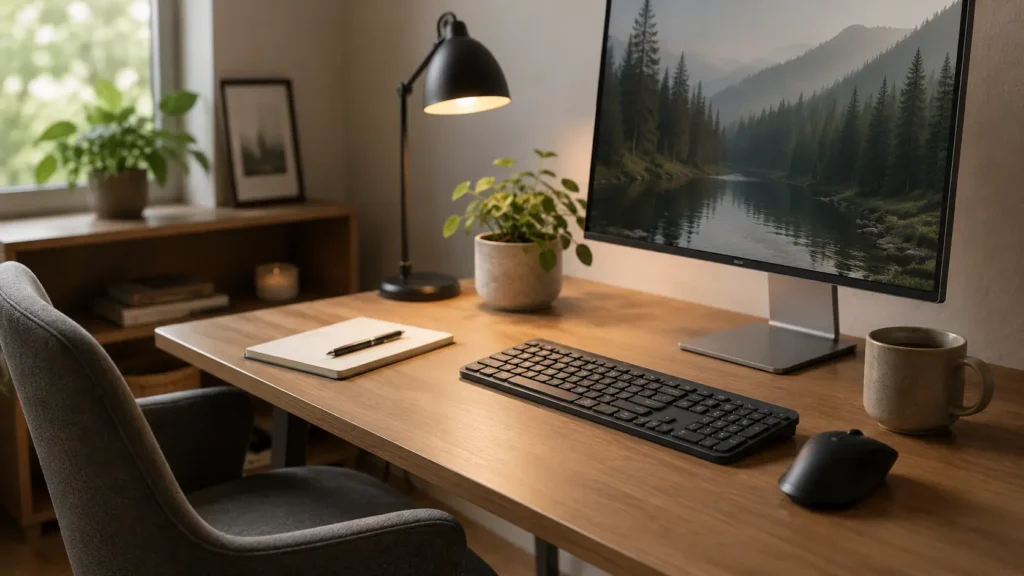
The MX Keys S works best as part of a permanent desk setup rather than something you regularly throw into a bag. It is broad, relatively substantial and designed to stay put, which is useful if your goal is to create a predictable work area but less appealing if you constantly change where you work.
That larger footprint is worth thinking about if visual clutter already bothers you. A full-size keyboard occupies a noticeable amount of space, so on a particularly narrow desk it could actually make the environment feel busier. On a reasonably sized desk, though, the low-profile design keeps it visually restrained, especially when compared with larger gaming or mechanical keyboards.
The programmable keys and Smart Actions are only helpful while they remain easy to remember. It is easy to see how an evening spent creating shortcuts for every application could leave the keyboard more confusing than it was before. A couple of actions connected to jobs you genuinely repeat may be useful; a complicated collection of commands risks becoming another setup you gradually stop using.
Real Use Review
What stands out about the Logitech MX Keys S is how little of its everyday value needs to depend on novelty. The reason to buy it is not because it introduces an exciting new way to work. It is because typing, moving between devices and working in changing light can all feel slightly smoother without you having to think very much about the keyboard itself.
The full-size layout is particularly useful if you regularly work in spreadsheets, enter numbers or dislike keyboards that require combinations of keys for ordinary controls. There is enough room for everything to have an obvious place, and that can be reassuring when you are trying to keep momentum rather than remember where a manufacturer moved a particular shortcut.
At approximately 810g, the MX Keys S is clearly closer to a permanent desk keyboard than a portable model. That weight will be inconvenient if you regularly move between workspaces, but it makes more sense in a home office where the keyboard can remain connected and ready to use. It is another reason to decide where the keyboard will live before choosing it simply because the typing features sound appealing.
The limitation is that none of these benefits will feel revolutionary. If your current keyboard is already comfortable and reliable, upgrading may simply give you a nicer version of something that was not causing a problem in the first place. The MX Keys S makes more sense when you can identify an existing irritation such as uncomfortable typing, swapping between computers or wanting a more consistent desk setup.
Friction Points to Consider
- The full-size layout takes up more room than compact or tenkeyless alternatives
- It costs considerably more than a basic wireless keyboard
- People who prefer deep mechanical key travel may find the low-profile feel too laptop-like
- Multi-device switching is less valuable if you only ever use one computer
- Logi Options+ is needed for Smart Actions and deeper customisation, and the software is primarily available for Windows and macOS
- Backlighting can reduce the battery life from several months to around 10 days under typical settings
- Customisation can become another distraction if you spend more time tweaking settings than using the keyboard
Practical Reality Check
A keyboard is one of those purchases where it is easy to convince yourself that better equipment will make you more productive. Sometimes it genuinely does remove friction, but the effect is usually quieter than that. If you struggle to begin a report because the task feels unclear, the MX Keys will not solve that. If you are already working and your existing keyboard feels uncomfortable, unreliable or awkward, improving that physical interaction can make the session easier to stay with.
The customisation options can also become a distraction in their own right. Logi Options+ offers programmable keys, backlight controls and Smart Actions, but those features stop feeling convenient if you can no longer remember which key does what. You may find that pairing the devices you genuinely use and assigning one or two memorable actions is enough. After that, the most useful outcome is probably forgetting about the setup and simply using the keyboard.
Buying Guide
Check the exact version before following an Amazon listing. This review covers the standard full-size Logitech MX Keys S in a UK layout. The MX Keys Mini removes the number pad, while the MX Keys S for Mac uses a dedicated Apple layout. Some listings also bundle the standard keyboard with an MX Palm Rest, so check the contents rather than assuming every higher-priced option is a different keyboard. The palm rest is not included in the product assessment here.
Start by deciding whether you genuinely need a full-size keyboard. The number pad is useful for spreadsheets, finance work and frequent numerical entry, but it also pushes the mouse further to the side and requires more desk width. If you rarely touch the number pad, a more compact layout may suit your workspace better.
Next, think about the typing feel you already enjoy. Anyone comfortable with good laptop keyboards is likely to understand the appeal of the MX Keys S fairly quickly because the keys are low-profile and relatively shallow. If you deliberately enjoy the deeper travel and stronger feedback of a mechanical keyboard, this is a fundamentally different experience.
Finally, consider whether the multi-device features solve a real problem. Someone with a work laptop and home computer on the same desk can make good use of Easy-Switch, whereas a single-computer user is paying for functionality they may barely notice. Buy for the workflow you actually have rather than the elaborate setup you imagine creating later.
Frequently Asked Questions
Is the Logitech MX Keys S good for ADHD?
It can suit an ADHD-friendly workspace if you value predictable equipment, comfortable typing and fewer interruptions when moving between devices. It does not directly improve ADHD symptoms, but it can reduce some everyday friction around computer work.
Can the MX Keys S connect to more than one device?
Yes. Logitech’s Easy-Switch system allows the MX Keys S to move between up to three paired devices using dedicated controls. It can connect through Bluetooth Low Energy or the included Logi Bolt USB receiver.
Does the Logitech MX Keys S have backlighting?
Yes. The MX Keys S has smart illumination that activates as your hands approach and responds to the surrounding light. Logi Options+ also provides controls for brightness and how long the backlighting remains active.
Is the MX Keys S suitable for long typing sessions?
That will depend on your personal preference, but its low-profile scissor keys and stable full-size design are clearly aimed at people who type regularly. Anyone who prefers laptop-style keyboards is likely to find the layout more familiar than a tall mechanical keyboard.
Is the Logitech MX Keys S worth the extra cost?
It makes the most sense when you will regularly benefit from the typing feel, backlighting and multi-device switching. If you only need a straightforward keyboard for occasional use, a cheaper model may provide everything you actually need.
Alternatives to Consider
If your priority is saving desk space rather than having a number pad, a compact keyboard may be a better fit. Removing the number pad gives the mouse more room and can make a smaller workspace feel noticeably less crowded, although you give up some of the convenience of a traditional full-size layout.
If the keyboard is only one part of a desk that feels awkward to use, Best ADHD Desk Setup Tools for Focus and Productivity (UK Guide) compares it with different ways of addressing lighting, mouse control, organisation and background noise. If you specifically like the MX Keys S but find the mouse causes more daily irritation, Logitech MX Master 3S Review for ADHD Productivity is the more natural next comparison. The useful question is which part of the desk actually keeps interrupting you, rather than which products look as though they belong in the same setup.
For a broader look at combining different productivity tools rather than treating the keyboard as an isolated purchase, the ADHD Productivity Tools UK Guide is the most relevant next step. The ideal setup is not the one with the most equipment; it is the one where each item has a clear reason for being there.
Final Verdict
This Logitech MX Keys S Review for ADHD Productivity comes down to consistency. It is a substantial full-size keyboard that can make everyday computer work feel smoother without demanding much attention once it has been set up. The low-profile keys, smart illumination, programmable controls and ability to move between multiple devices are all useful, but their value depends on whether they remove something that regularly interrupts you.
For someone building a permanent ADHD-friendly workspace, that is a sensible strength. If your keyboard is something you use for hours every day, more comfortable typing and easier device switching can remove small annoyances that otherwise accumulate across a working week. It is harder to justify if your current keyboard already works perfectly well, but for regular desk-based work the MX Keys S has a clear purpose when comfort, stability and simplicity matter more than collecting extra features.
Build a Simple ADHD Productivity System
If you want to bring everything together into one clear setup, this guide shows how tools, apps, and routines can work as one system.