
At a Glance
- Best for people who like writing by hand but do not want paper notes scattered everywhere.
- Useful for quick capture, brain dumps, meeting notes, planning pages, and study notes.
- Works best when you are willing to scan pages regularly and keep destinations simple.
- May not suit people who dislike using a specific pen or who forget to scan notes after writing.
- A strong hybrid option between paper notebooks and digital note-taking apps.
Check price and available options on Amazon
Introduction
This Rocketbook Review for ADHD Productivity looks at whether a reusable notebook can make note-taking feel easier, calmer, and less cluttered for adults who struggle with scattered thoughts, forgotten lists, and half-used notebooks. For many ADHD brains, the problem is not simply remembering to take notes; it is remembering where those notes went afterwards.
Rocketbook sits in an interesting middle ground. It gives you the physical feel of writing on paper, but it also lets you scan pages into digital destinations such as cloud folders or note apps. That makes it worth considering if you are comparing tools in Best Note-Taking Tools for ADHD Productivity (UK Guide) and you are unsure whether you need a fully digital app or something more tactile.
The main appeal is that Rocketbook reduces the “where did I write that down?” problem without pushing you into a complicated app setu You still need a habit for scanning and naming notes, but the tool itself can make capture feel lower pressure because you are not building another pile of paper that has to be sorted later.
What Makes It Useful
One of Rocketbook’s biggest strengths is that it makes handwritten notes feel less temporary. Instead of filling another notebook that eventually disappears into a drawer, it gives you a straightforward way to move handwritten notes into organised digital storage.
For many people with ADHD, that matters because ideas often begin on paper. Brain dumps, rough plans, meeting notes, and quick sketches can feel easier to create by hand, but they are also easy to lose once the notebook is closed. Rocketbook helps reduce that problem by creating a simple route from handwritten capture to notes that are easier to store, revisit, and find again later.
Rocketbook works best when it is seen as a bridge between paper and digital organisation rather than simply another notebook. It does not replace digital tools, but it complements them by making handwritten thinking easier to keep without creating another pile of paper to manage.
Who This Guide Is For
This guide is for adults with ADHD who like the grounding feeling of handwriting but do not want their notes trapped in random notebooks, loose sheets, or desk piles. It may be especially relevant if you have tried digital note apps and found them useful in theory but too easy to over-organise, ignore, or abandon.
Rocketbook may also suit students, office workers, freelancers, and home organisers who need a quick place to get thoughts out of their head. If you often open a note app and immediately get distracted by old notes, menus, folders, or notifications, a physical notebook can sometimes feel easier because it removes the screen from the first capture step.
It is not the best fit for everyone. If you already dislike handwriting, forget physical notebooks, or find scanning routines annoying, Rocketbook could become another object on the desk rather than a reliable external memory tool.
Key Takeaways
The biggest strength of Rocketbook is that it gives ADHD users a simple capture point without committing them to endless paper storage. You write first, scan later, and wipe the page when you are finished with it. That flow can be useful if your brain works better when ideas are physical at first but needs digital backup later.
The biggest weakness is that Rocketbook still depends on a follow-through habit.A reusable notebook will not automatically organise your notes for you, and if scanning becomes another task you avoid, important information can still sit in the notebook until you forget it is there.
Used well, Rocketbook can be a practical part of a larger system rather than a complete productivity system on its own. It works best when paired with a simple destination structure, such as one folder for work notes, one for personal planning, and one for ideas you want to review later.
How It Works
Rocketbook works by combining handwriting with app-based scanning. You write on the reusable pages using a compatible pen, then scan the page using the Rocketbook app. Before scanning, you can mark a symbol at the bottom of the page to send the scan to a specific destination, depending on how you have set up the app.
For an ADHD brain, the useful part is that the writing stage stays simple. You do not need to choose a folder, format a note, or decide where everything belongs before you begin. You can simply write the thought down while it is still fresh, then decide later whether it needs saving, actioning, or deleting.
This is especially useful for messy first drafts of thinking. A Rocketbook page can hold a rough to-do list, a meeting brain dump, a project sketch, or a “things I must not forget” page without making those notes feel permanent. Once scanned, the page can be wiped and reused, which can make the notebook feel less intimidating than a traditional paper planner.
Why It May Help (ADHD Context)
ADHD often affects working memory, task initiation, organisation, and follow-through, which means ideas can vanish quickly if they are not captured in a reliable place. Resources such as ADDitude often discuss practical ADHD strategies around externalising information, and Rocketbook fits into that idea because it gives thoughts somewhere outside your head to land.
The tactile side matters more than it might seem. Some people think more clearly when writing by hand because the page slows things down slightly and makes the thought easier to see. With ADHD, that can be helpful when everything feels mentally tangled, especially during planning, problem-solving, or emotional overwhelm.
The digital scanning side matters for a different reason. Paper notes can be comforting in the moment but chaotic afterwards. Rocketbook gives you a way to keep the benefits of handwriting while reducing the long-term clutter that often comes with notebooks, sticky notes, and loose scraps of paper.
Real-World Use Cases
One strong use case is the daily brain dump. At the start of the day, you can write down everything pulling at your attention: work tasks, errands, worries, ideas, appointments, and random reminders. Once it is on the page, the pressure to mentally hold everything can ease, and you can choose a few priorities rather than trying to carry the entire list in your head.
Rocketbook can also work well for meetings. Instead of typing notes into a laptop and risking distraction, you can take handwritten notes, scan them afterwards, and send them to a work folder. This can be particularly useful if screens tend to pull you into email, browser tabs, or unrelated tasks.
Another practical use is planning across paper and digital tools. You might sketch a rough plan in Rocketbook, scan it, and then turn the final actions into a task app or calendar. If you are already using a tablet as part of your setup, you may also find it useful to compare this style of hybrid capture with Best Digital Tablets for ADHD Productivity UK, because the right choice often depends on whether you prefer low-distraction handwriting or a more complete digital workspace.
Feature Breakdown Table
| Feature | ADHD Benefit | Possible Limitation |
|---|---|---|
| Reusable pages | Reduces paper clutter and notebook pile-up. | Requires wiping pages and keeping the notebook usable. |
| Handwriting format | Supports quick capture without opening an app. | Less useful if handwriting feels slow or uncomfortable. |
| App scanning | Turns paper notes into digital files for later reference. | Scanning can become another step to remember. |
| Destination symbols | Helps send notes to common locations quickly. | Needs a simple setup to avoid confusion. |
| Wipe-clean workflow | Makes notes feel less permanent and less cluttered. | Important notes must be scanned before erasing. |
Focus Environment Fit
Rocketbook fits best in environments where screens are part of the problem. If opening a laptop or phone often leads to distraction, a physical notebook gives you a quieter place to think. It does not flash notifications, suggest other apps, or tempt you to reorganise your system instead of using it.
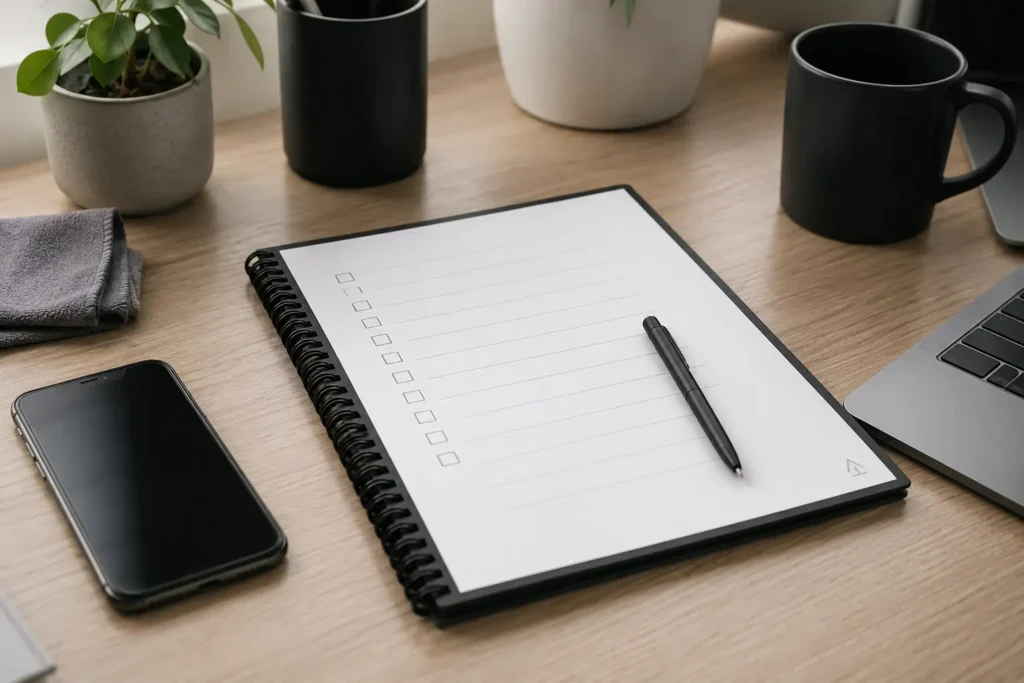
It can be particularly useful on a desk, beside a work laptop, in a study bag, or near a planning area at home. The notebook becomes a simple landing pad for anything that might otherwise become a forgotten thought, a random phone note, or a sticky note that gets lost.
The focus benefit is not that Rocketbook magically makes you organised. It is that it lowers the friction of capturing information while still giving you a route into a digital system later. That makes it a good option for people who need both physical immediacy and digital backup.
Real Use Review
In real use, Rocketbook feels most valuable when it is treated as a capture tool rather than a perfect notebook. The moment you expect every page to be neat, categorised, and beautifully structured, the system can start to feel heavy. The better approach is to let the notebook be messy at first, then only scan and save what actually needs to live longer.
For ADHD productivity, this matters because many systems fail when they demand too much organisation too early. Rocketbook gives you permission to write first and organise second. A rough project plan, a messy list, or a half-formed idea can still be useful, even if it does not look polished.
The main thing to build in is a review point. That might be scanning pages at the end of the workday, every Friday afternoon, or whenever a page becomes full. Without that review point, the notebook can still become a temporary holding area rather than a dependable memory system.
Friction Points to Consider
- You need to use compatible pens, which may be annoying if you often lose stationery.
- Scanning notes requires follow-through, so it may not suit people who avoid admin steps.
- Reusable pages can feel different from normal paper.
- It is not a full replacement for a task manager, calendar, or long-term note archive.
- If your notes need lots of editing, linking, or searching, a digital app may be stronger.
Practical Reality Check
Rocketbook is not a cure for disorganisation, and it will not automatically turn handwritten notes into a complete second brain. Its value comes from making one part of the system easier: getting information out of your head and into a place that can be saved if needed.
The best way to use it is to keep the workflow deliberately simple. For example, you might use one symbol for work notes, one for personal notes, and one for ideas. If you create too many destinations, the notebook can start to feel like another complicated system to maintain.
This is where Building an ADHD Second Brain System becomes relevant. Rocketbook can be the capture layer, but the second brain only works if there is somewhere sensible for the notes to go afterwards. The notebook catches the thought; your wider system decides what happens next.
Buying Guide
When buying a Rocketbook, the main things to consider are size, page style, and how you plan to use it. A smaller notebook may be easier to carry around, while a larger one can feel better for planning, mind maps, and meeting notes. If you mostly need quick lists, compact may be enough; if you think visually, more page space may be worth it.
Page format also matters. Lined pages are useful for notes and lists, while dotted or blank pages may suit sketching, planning, and visual thinking. For ADHD users, the best choice is usually the one that feels easiest to start using, not the one that looks best on paper.
It is also worth thinking about where the notebook will live. A Rocketbook that stays on your desk may become part of your daily workflow, while one that disappears into a bag may be forgotten. For ADHD productivity, visibility often matters as much as the features.
Frequently Asked Questions
Is Rocketbook good for ADHD productivity?
Rocketbook can be good for ADHD productivity if you like handwriting and need a simple way to capture thoughts before they disappear. It works best when you keep the scanning process simple and use it as part of a wider system rather than expecting it to organise everything automatically.
Is Rocketbook better than a normal notebook?
Rocketbook may be better than a normal notebook if paper clutter is a problem or if you often lose track of where important notes are stored. A normal notebook can still work well, but Rocketbook adds the option to scan notes into a digital location before wiping the page clean.
Does Rocketbook replace a note-taking app?
Rocketbook does not fully replace a note-taking app for everyone. It is better seen as a capture tool that can feed into a digital system. If you need searching, linking, tagging, and long-term organisation, an app may still be useful after the initial handwritten capture stage.
Is Rocketbook suitable for work meetings?
Rocketbook can be suitable for work meetings because it lets you take handwritten notes without relying on a laptop or phone. After the meeting, you can scan the notes and store them digitally, which may make follow-up easier.
What is the biggest downside of Rocketbook?
The biggest downside is that it requires a follow-through habit. If you forget to scan notes or regularly lose the pen, the system may become frustrating. The notebook works best when scanning becomes part of a simple routine.
Alternatives to Consider
Rocketbook offers a unique blend of handwritten note-taking and digital storage, but it will not be the right solution for everyone. The best choice usually depends on whether you think most clearly with pen and paper, prefer fully digital notes, or want to build a more connected knowledge system.
If your goal is creating a long-term personal knowledge base with linked notes and connected ideas, Obsidian Review for ADHD Productivity (UK Guide) may be the stronger option. It offers far more flexibility than Rocketbook, although it also requires more setup and ongoing maintenance.
For people who want a traditional digital notebook with web clipping, document storage, and cross-device access, Evernote Review for ADHD Productivity (UK Guide) provides a more familiar digital experience. It is particularly useful if you rarely work with handwritten notes and prefer everything to be stored digitally from the start.
If you already use Apple devices and your biggest priority is capturing thoughts with as little friction as possible, Apple Notes Review for ADHD Productivity (UK Guide) may be the better fit. It is ideal for quick note capture, although it does not recreate the handwritten experience that makes Rocketbook different.
If you are still deciding whether handwriting or digital note-taking works best for your ADHD, Digital vs Paper Note-Taking for ADHD explores the strengths of both approaches and can help you build a system that feels easier to maintain over time.
Ultimately, the best note-taking system is the one you will actually come back to when life gets busy.If handwriting helps you organise ideas, reduce overwhelm, and remember information more effectively, Rocketbook remains one of the strongest hybrid options available. If you prefer a completely digital workflow or a more connected knowledge system, one of these alternatives may be a better fit.
Final Verdict
This Rocketbook Review for ADHD Productivity shows that Rocketbook is a strong option for adults who think better with handwriting but want fewer loose notes, fewer abandoned notebooks, and a clearer route into digital storage. It is especially useful for brain dumps, meetings, planning sessions, and messy first-stage thinking.
It is not ideal if you want a fully automatic system or dislike scanning notes after writing them. However, if your ADHD productivity setup needs a low-pressure capture tool that feels physical in the moment and digital afterwards, Rocketbook can be a practical and realistic choice.
Build a Simple ADHD Productivity System
If you want to bring everything together into one clear setup, this guide shows how tools, apps, and routines can work as one system.