
Quick Answer
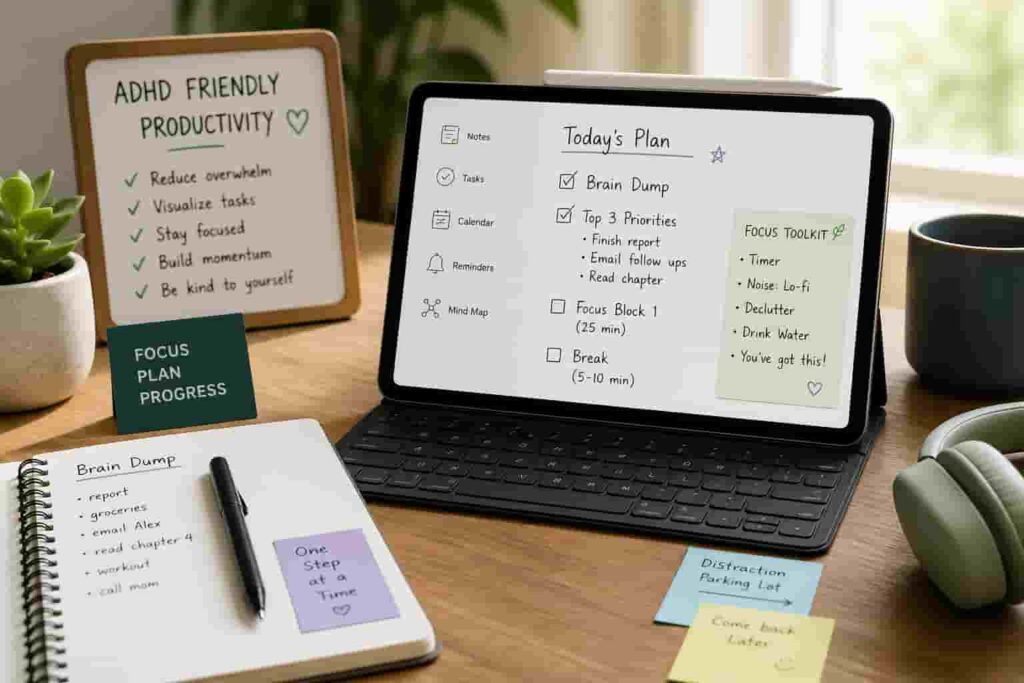
A tablet that supports ADHD productivity should reduce friction, limit distractions, and make tasks easier to start and continue. The most helpful features are simplicity, clear organisation, low-notification environments, and tools that support focus rather than interrupt it.
Introduction
What makes a tablet good for ADHD productivity is not just performance or price — it is how well it reduces overwhelm and supports consistent action. Many people choose powerful devices but still struggle to use them effectively because the setup adds friction rather than removing it.
If you are comparing options, the best digital tablets for ADHD productivity (UK guide) highlights models that work well in real-world use, but the features behind those choices matter more than the brand itself.
The problem is simple: most tablets are designed for flexibility, but ADHD often needs structure. Without the right setup, a tablet can quickly become another distraction device instead of a productivity tool.
For a broader overview of how tablets fit into a complete setup, see the ADHD productivity tools UK guide.
What Makes a Tablet Good for ADHD Productivity: Key Causes
The difference between a helpful tablet and a distracting one usually comes down to a few core factors that directly affect focus and behaviour.
- Too many apps and notifications competing for attention
- Unclear structure for tasks, notes, and routines
- Overly complex interfaces that slow down starting
- Easy access to distractions like social media or browsing
- Lack of visual organisation or clarity
- Tools that require too many steps to use consistently
Why This Happens (ADHD Context)
ADHD is not about knowing what to do — it is about doing it consistently. Tablets can either support that or make it harder depending on how they are used.
When everything is available in one place, it becomes harder to prioritise. A tablet with dozens of apps, notifications, and options can feel overwhelming before you even begin. That often leads to avoidance, distraction, or switching tasks too quickly.
A common pattern is opening a tablet to start something useful, then immediately drifting into something easier. It happens quickly and often without noticing, which is why structure matters more than features.
Resources like ADDitude regularly highlight how environment and setup influence ADHD behaviour. A tablet is part of that environment, not just a tool.
What Usually Goes Wrong
Most people assume any tablet will help with productivity, but the default setup is rarely ADHD-friendly.
You might download multiple apps for tasks, notes, planning, and reminders without a clear system. That creates friction because you have to decide where everything goes every time you use it.
Another common issue is relying on the tablet in the same way as a phone. Notifications, messages, and apps compete for attention, which makes it harder to stay focused.
Sometimes the problem is the opposite — trying to build a perfect system straight away. That often leads to overcomplication and eventual abandonment.
Step-by-Step: How to Fix This
Step 1: Reduce Immediate Triggers
Start by removing distractions. Turn off non-essential notifications, remove unnecessary apps, and simplify your home screen.
The goal is to make your tablet feel calm rather than busy. If it looks cluttered, it will feel harder to use.
Step 2: Add Effort to Distraction
If certain apps are hard to resist, make them slightly harder to access. Move them off the home screen or group them into folders.
This small change creates a pause, which can be enough to stop automatic behaviour.
Step 3: Replace the Habit Loop
Instead of removing behaviour entirely, replace it with something useful. For example, opening a notes app instead of browsing, or starting a simple task list when you pick up the tablet.
This makes the tablet feel like a tool rather than a distraction.
Step 4: Use Tools That Support Behaviour
Choose tools that reduce thinking and increase action. For example, a simple note-taking app or structured planner can make it easier to start tasks.
You can see how this works in practice in how to stay focused using a tablet (ADHD guide UK), where the setup is designed to minimise friction.
Real-World Use Cases
Working from home: A tablet can act as a central hub for tasks, notes, and planning without the distraction of multiple browser tabs.
Study: Using one app for notes and one for tasks keeps everything simple and reduces switching between tools.
Deep work: A distraction-light tablet setup can support focused sessions without constant interruptions.
Evening routine: A tablet can be used for planning the next day or quick task reviews without pulling you into endless scrolling.
Tools That May Help
Some tablets naturally support ADHD productivity better than others depending on how they are designed.
The Apple iPad (A16) is useful for flexibility and app support, while still being easy to organise.
The Samsung Galaxy Tab S9 FE offers strong multitasking features, which can help when used carefully.
If you prefer minimal distraction, the reMarkable 2 removes most distractions entirely and focuses on writing and planning.
Friction Points to Expect
- Trying to build a perfect system too quickly
- Switching between too many apps
- Forgetting to use the tablet consistently
- Letting notifications creep back in over time
Practical Reality Check
What makes a tablet good for ADHD productivity in real life is not complexity. It is whether the setup supports how you actually behave, not how you think you should behave.
The simplest systems usually work best. If something takes too long to set up or maintain, it will eventually stop being used.
The goal is not to create a perfect system — it is to make starting and continuing tasks easier on a daily basis.
Choosing the Right Support Strategy
What makes a tablet good for ADHD productivity depends on how it fits into your overall approach.
Environment: Keep the setup clean and distraction-light.
Habits: Use the tablet consistently for the same types of tasks.
Tools: Choose simple apps that reduce decision-making.
Routine fit: Make the tablet part of your daily flow, not something separate.
If reminders are your main challenge, you may also benefit from tools like smartwatches. The best smart watches for ADHD task reminders (UK) can support consistency alongside a tablet setup.
Frequently Asked Questions
What features matter most in a tablet for ADHD?
Simplicity, low distraction, clear organisation, and ease of use are the most important features.
Is a more expensive tablet better for ADHD productivity?
Not necessarily. The setup and how you use it matter more than the price.
Are tablets better than laptops for ADHD?
For many people, yes. Tablets often feel simpler and less overwhelming, which can make them easier to use consistently.
Should I use multiple apps or keep it simple?
Keeping it simple usually works better. Too many apps create friction and decision fatigue.
Final Thoughts
When thinking about what makes a tablet good for ADHD productivity it is not just about the device itself, but how well it supports your behaviour. The right tablet reduces friction, limits distractions, and makes it easier to start and stay on tasks.
A simple, consistent setup will almost always outperform a complex one. If your tablet feels easy to use and helps you take action without overthinking, it is doing its job.
Struggling to stay consistent with digital tools?
Explore the full system behind ADHD-friendly setups and find tools that actually support focus.