
At a Glance
- Best for Apple users who want fast, low-friction note capture.
- Strong for brain dumps, checklists, scanned documents, quick ideas, and simple folders.
- Less suitable if you need advanced project management or cross-platform flexibility.
- Good ADHD fit because it is already built into iPhone, iPad, and Mac.
Introduction
This Apple Notes Review for ADHD Productivity looks at whether Apple’s built-in notes app is actually enough for everyday ADHD organisation, or whether it becomes another place where thoughts disappear. For many people with ADHD, the problem is not a lack of ideas. It is that ideas arrive at random times, often when you are walking, cooking, commuting, or halfway through another task, and the capture system needs to be quick enough that the thought does not disappear before you use it.
Apple Notes works best when you treat it as a simple external memory system rather than a perfect filing cabinet. If you already use an iPhone or iPad, it removes one of the biggest barriers: you do not have to download another app, create another account, or learn a complicated structure before writing something down. For a wider setup, you may also want to compare it with Best Note-Taking Tools for ADHD Productivity (UK Guide) and the broader ADHD Productivity Tools UK Guide.
What Stood Out During Use
What stood out most during use was how little effort it took to capture a thought before it disappeared. There was no waiting for an app to load, no deciding which workspace to open, and no pressure to organise everything perfectly before writing something down.
That matters because many ADHD capture moments are brief. An idea often appears while walking, making dinner, travelling, or halfway through another task. Apple Notes made it easy to open the app, write something quickly, and trust that it would still be there later.
The experience felt strongest when Apple Notes was treated as a simple external memory rather than a complete productivity system. Instead of trying to manage projects, tasks, and planning all in one place, it worked best as somewhere reliable to capture thoughts first and organise them later.
Who This Guide Is For
This guide is for Apple users who want a calmer way to catch thoughts before they vanish. It is especially relevant if you already have notes scattered across screenshots, WhatsApp messages to yourself, random notebooks, reminders, and half-used apps. Apple Notes can become a useful middle ground because it is structured enough to be searchable, but not so complex that it turns organisation into another project.
It is also a good fit if you find heavier tools slightly intimidating. Apps like Obsidian, Notion, or Evernote can be useful, but they can also invite overbuilding. Apple Notes suits people who want fewer decisions, less setup, and a place to write things down quickly before momentum disappears.
Key Takeaways
Apple Notes is strongest as a capture-first system. That means its main job is to help you get thoughts out of your head quickly, then give you enough structure to find them later. It is not the best choice for complex databases, detailed workflows, or advanced productivity dashboards, but it can be excellent for daily ADHD use when you keep the setup simple.
The best way to use it is usually with broad folders, a small number of tags, and a few pinned notes for active areas of life. Once you start creating too many folders, the system can become harder to maintain, which is where ADHD friction often creeps back in.
How It Works
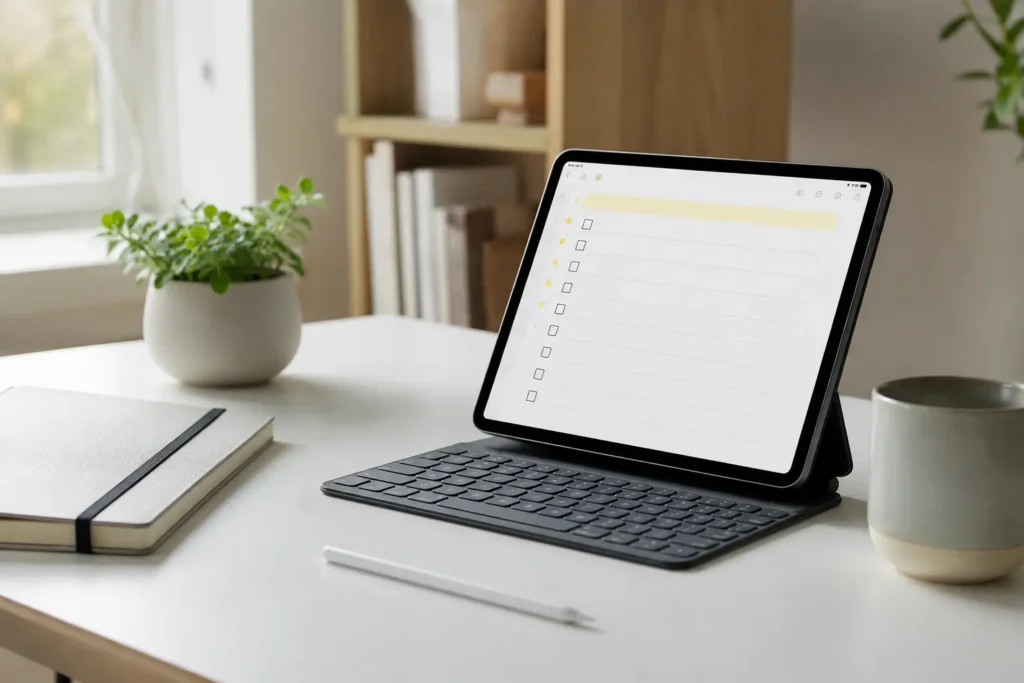
Apple Notes lets you create notes manually, share content into notes from other apps, scan documents, make checklists, add photos, and organise everything into folders. On iPhone, this makes it useful for quick capture during the day. On iPad, it becomes more flexible if you like handwriting or visual planning. On Mac, it is easier to tidy, rename, search, and review longer notes.
A realistic ADHD setup might include a few folders such as Inbox, Work, Personal, Money, Health, and Website Ideas. The Inbox folder catches anything that does not yet have a home. Later, during a weekly reset, you can move only the notes that genuinely need keeping. This matters because forcing yourself to organise every thought perfectly at the point of capture often creates enough friction that you stop capturing altogether.
For planning-heavy setups, Apple Notes can also sit alongside a tablet workflow. If you are building a visual productivity system around handwriting, reading, and planning, the Best Digital Tablets for ADHD Productivity UK guide may be useful alongside this review.
Why It May Help (ADHD Context)
ADHD productivity often improves when there is less pressure to hold everything in working memory. Apple Notes gives thoughts somewhere to land before they become mental clutter. That might be a reminder to call someone, a sentence for an article, a bill you need to sort, or a worry that keeps looping because it has not been written down anywhere reliable.
Resources such as ADDitude often discuss the importance of externalising information for ADHD, and Apple Notes fits that idea well when it is used as a simple memory aid. The benefit is not that the app magically makes you organised. It is that it lowers the gap between having a thought and storing it somewhere visible.
The biggest ADHD advantage is speed. When a system asks for too many choices, such as which database, which template, which project, which tag, or which view, the thought can disappear before it is captured. Apple Notes works best when you make the first step almost effortless: open, write, leave.
Real-World Use Cases
Apple Notes is useful for brain dumps when your head feels full but you do not know where to start. You can open one note, write everything down without sorting it, and then decide what matters later. This approach pairs naturally with Brain Dumps for ADHD: How to Get Thoughts Out of Your Head, because the first win is reducing mental pressure rather than creating a perfect plan.
It also works well for household admin. Letters can be scanned into a note, renewal dates can be written underneath, and related details can stay in one place. For ADHD adults, this can be more realistic than expecting every piece of life admin to be processed immediately.
For work, Apple Notes is handy for meeting notes, rough outlines, article ideas, and quick checklists. It is not as structured as a full project management tool, but that can actually be useful when you only need somewhere to capture the next useful thought.
Feature Breakdown Table
| Feature | ADHD Benefit | Best Use |
|---|---|---|
| Quick notes | Reduces capture friction | Ideas, reminders, thoughts, errands |
| Folders | Creates simple structure | Broad life areas |
| Tags | Connects related notes | Themes across different folders |
| Smart Folders | Finds notes without manual sorting | Active projects or recurring themes |
| Checklists | Makes small actions visible | Shopping, packing, admin tasks |
| Document scanning | Reduces paper clutter | Letters, forms, receipts, paperwork |
Focus Environment Fit
Apple Notes fits best into a low-friction focus environment. It is not designed to block distractions, force routines, or manage your whole day. Instead, it works quietly in the background as a capture layer. That makes it especially useful when paired with a calendar, reminder app, focus timer, or task manager.
The key is to avoid turning Apple Notes into a dumping ground that you never revisit. A simple review habit helps. For example, once or twice a week, open your Inbox folder and ask whether each note is something to delete, move, turn into a task, or keep as reference. This small review loop is often more valuable than creating a complicated folder system.
Real Use Review
In real use, Apple Notes feels strongest when speed matters more than structure. You can capture an idea while standing in a queue, add a quick checklist before leaving the house, or scan a letter before it gets buried on the sideboard. For ADHD productivity, these small moments matter because the system supports the point where things usually fall apart.
The weakness appears when notes build up without review. Apple Notes will not automatically decide what matters, what needs action, or what can be deleted. If you avoid the review stage, it can become a very searchable junk drawer. That is still better than losing everything, but it works best when you keep the structure deliberately light.
Friction Points to Consider
- It is mainly useful if you are already in the Apple ecosystem.
- It can become cluttered if you never review old notes.
- It is less powerful than Obsidian for linked knowledge systems.
- It is less structured than OneNote for notebooks and sections.
- It does not replace a proper task manager for deadline-driven work.
Practical Reality Check
Apple Notes is not a complete ADHD productivity system by itself. It is better to see it as one part of the system: the place where thoughts, documents, lists, and rough ideas land first. From there, some items may move into a calendar, some may become tasks, and some may simply stay as reference.
This matters because many ADHD systems fail by asking one app to do everything. Apple Notes is most useful when it has a clear job. Capture the thought, store the reference, reduce the mental load, and make the next review easier. If you expect it to manage priorities, deadlines, habits, and routines as well, it may start to feel too vague.
Before You Commit
Apple Notes is free with Apple devices, so the buying decision is less about the app itself and more about whether your current devices support the way you want to use it. If you mainly use an iPhone, it is excellent for fast text capture, checklists, and scanning. If you use an iPad with Apple Pencil, it becomes more flexible for handwriting, sketching, and visual thinking. If you use a Mac, it becomes easier to manage larger notes and organise your system properly.
Before buying extra tools, it is worth testing whether Apple Notes already solves enough of the problem. Create one Inbox folder, one active note for current thoughts, and one weekly review routine. If that alone reduces forgotten ideas and scattered notes, you may not need a more complex app yet.
Frequently Asked Questions
Is Apple Notes good for ADHD?
Apple Notes can be good for ADHD if you use it as a quick capture and external memory tool. It is especially helpful when you keep the setup simple and avoid creating too many folders or rules.
Is Apple Notes better than Evernote?
Apple Notes is usually better for Apple users who want simplicity and speed. Evernote may suit people who need stronger web clipping, cross-platform access, and more advanced storage features, which is why comparing it with Evernote Review for ADHD Productivity (UK Guide) can be useful.
Can Apple Notes replace a task manager?
Apple Notes can handle basic checklists, but it is not a full task manager. For time-sensitive tasks, reminders, recurring actions, and deadlines, it usually works better alongside a dedicated task or calendar app.
Does Apple Notes work for a second brain?
Apple Notes can support a simple second brain, especially if you use folders, tags, pinned notes, and regular reviews. For a more connected knowledge system, you may want to compare it with Obsidian Review for ADHD Productivity (UK Guide) and also Building an ADHD Second Brain System.
Alternatives to Consider
Apple Notes is an excellent low-friction capture tool, but it will not suit everyone. The best choice usually depends on where your biggest organisational challenge sits.
If your goal is building a connected knowledge system rather than simply capturing ideas, Obsidian Review for ADHD Productivity (UK Guide) is worth exploring. It offers linked notes and a more connected second brain approach, although it also requires more setup and ongoing maintenance.
For people who want stronger document storage, web clipping, and access across multiple devices, Evernote Review for ADHD Productivity (UK Guide) may be a better fit. It is particularly useful if your notes become a long-term reference library rather than just a place for quick thoughts.
If you think more clearly by writing things down by hand, Rocketbook Review for ADHD Productivity (UK Guide) combines handwritten notes with digital storage. It also works well alongside Digital vs Paper Note-Taking for ADHD if you are still deciding which approach feels most natural.
Those looking for a notebook-style workspace with sections, pages, and a more structured layout may prefer OneNote Review for ADHD Productivity (UK Guide). It offers more organisation than Apple Notes, although some ADHD users may find the extra structure becomes another system to manage.
Ultimately, the best note-taking app is usually the one you will actually open when an idea appears. If your biggest challenge is capturing thoughts before they disappear, Apple Notes remains one of the simplest options available. If your needs go beyond quick capture, one of these alternatives may prove a better long-term fit.
Final Verdict
Apple Notes Review for ADHD Productivity comes down to this: if you already use an iPhone, iPad, or Mac, it is one of the easiest ways to capture thoughts before they disappear. It removes barriers to getting ideas out of your head, making it easier to rely on an external memory rather than trying to remember everything yourself.
Its biggest strength is not an endless list of features. It is the fact that there is very little standing between having a thought and writing it down. For many people with ADHD, reducing that small moment of friction can make the difference between keeping an idea and losing it.
If you need advanced knowledge management, detailed project planning, or cross-platform flexibility, there are stronger options available. But if your priority is quick, reliable note capture with almost no learning curve, Apple Notes is an excellent place to start.
This kind of tool works best when it supports a wider productivity system rather than trying to do everything on its own. To see how note-taking fits into a bigger ADHD-friendly setup, take a look at ADHD Productivity Tools UK Guide.