
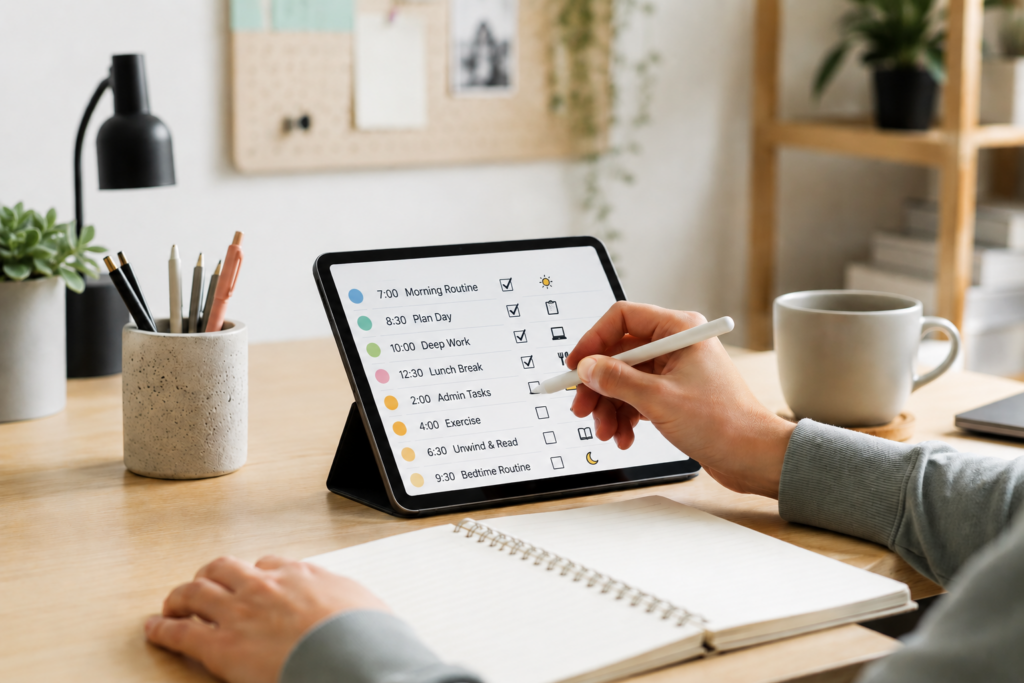
How to Build Routines Using Calendar Reminders: Quick Overview
- Use calendar reminders to make routines visible before they disappear from working memory.
- Keep each reminder simple, specific, and linked to a real part of your day.
- Build routines around existing anchors such as waking up, lunch, work breaks, or evening reset time.
- Use reminders alongside task apps, timers, and simple planning systems rather than relying on one tool alone.
- Review and adjust your routine gently instead of rebuilding the whole system every time something slips.
Introduction
Learning How to Build Routines Using Calendar Reminders can make daily structure feel less dependent on memory, motivation, or having the perfect planning mood. For ADHD adults, this matters because a routine that only lives in your head can disappear as soon as the day becomes busy, distracting, or emotionally overloaded. A simple reminder system works best when it connects with a wider setup, which is why it can sit naturally alongside the wider ADHD productivity tools UK guide.
The aim is not to fill your calendar with endless alerts. In practice, too many reminders can become background noise, especially when every alert feels equally urgent. A better approach is to use calendar reminders as small prompts that help you return to the next useful action without needing to mentally rebuild your day from scratch.
Why ADHD Productivity Systems Matter
ADHD routines often break down in the space between intention and action. You may know exactly what would help, such as taking medication, starting work, preparing food, checking tomorrow’s appointments, or setting up a focused work block, but the prompt to actually do it arrives too late or not at all. That is where a system matters, because it reduces how much of the routine has to be carried in working memory.
One thing many ADHD adults experience is that routines often feel obvious when planning them and strangely invisible when the moment arrives. Taking medication, checking the calendar, starting work, or resetting the house may only take a few minutes, but remembering to do them at the right time is often the harder part. When the next action appears exactly when it is needed, there is less pressure to hold the whole routine in working memory. The task itself has not changed, but the effort required to begin often feels much smaller, and that reduction in friction can make routines easier to repeat consistently.
Resources such as ADDitude often discuss ADHD in terms of practical daily challenges, and that is the useful lens here. Calendar reminders are not about forcing discipline; they are about making a routine easier to notice, repeat, and recover when the day does not go perfectly.
The Core Components of an ADHD Productivity System
- Focus tools
- Reminder systems
- Environment control
- Routine structure
A useful ADHD productivity system usually works because each part reduces a different type of mental effort. A calendar reminder brings the routine back into view, a task app holds information that would otherwise need remembering, a timer creates a clear boundary around the work, and the environment removes distractions once you begin. When those pieces work together, the system feels less like managing everything in your head and more like following the next visible step.
This is especially important with routines because routines are rarely one action. A morning routine may involve medication, breakfast, checking appointments, and preparing for the day. An evening routine may involve reviewing tomorrow’s calendar, resetting the workspace, charging devices, and clearing mental clutter before bed. Calendar reminders can hold the timing, but the wider system helps remove the small points of friction that often cause routines to stall. When each tool has a clear job, the routine becomes easier to follow even on distracted, busy, or low-energy days.
How Different Tools Work Together
The most helpful setup is usually layered rather than complicated. For example, a calendar reminder can tell you when to start your evening reset, while a task app such as the systems covered in the best productivity apps for ADHD adults UK guide can hold the small checklist that belongs to that reset. The calendar handles timing, the task app holds detail, and the routine becomes easier to repeat because neither tool has to do everything.
This is the same reason timers and reminders can work well together. The reminder brings the routine back into awareness, then the timer gives it a boundary so it does not become an open-ended task. If you already use visual timers, the best ADHD focus timers UK guide can sit alongside your calendar system, especially for work blocks, reset routines, or short admin sessions.
When thinking about How to Build Routines Using Calendar Reminders, it helps to avoid treating the calendar as a full productivity system by itself. The calendar is best used for timing and rhythm. The detail can live elsewhere, while your environment and devices support the behaviour once the reminder appears.
This approach becomes much easier when the calendar itself is structured in a way that works with ADHD attention patterns, which is explored further in How to Build an ADHD Calendar System That Actually Works.
Example ADHD Productivity Setup
Morning Setup
A morning routine works best when the first reminder is attached to something that already happens. Instead of creating a vague alert such as “be productive”, a more useful reminder might appear after waking up and say “medication, water, breakfast, check today”. That gives the brain a small route into the day without needing to decide everything from scratch.
The calendar reminder creates the starting point, but the supporting tools make the routine easier to follow. A task app can hold the short checklist, a smartwatch can make the alert harder to miss, and a visible calendar event can show what is coming next. If reminders often become background noise, the article on notification overload and ADHD executive function explains why ADHD brains can become desensitised to constant alerts and why fewer, more purposeful reminders often work better.
Work Blocks
Work blocks are easier to start when the calendar does not simply say “work”. A more useful block might name the first action, such as “open draft and write introduction” or “review calendar app article for 25 minutes”. The reminder then becomes a bridge into the task, rather than another vague instruction that still requires planning.
This is where a calendar reminder can hand over to a timer. The calendar tells you when the block begins, while the timer gives the session an edge and makes the commitment feel smaller. For many ADHD adults, the promise of “just 20 minutes” feels more realistic than an undefined work session that could stretch forever.
Break Management
Breaks can be difficult because they often start with good intentions and then quietly expand. A calendar reminder can help here, but it should be gentle and specific rather than harsh. For example, a reminder might say “make a drink, move around, back at 11:30”, which gives the break a shape without turning it into another pressure point.
In practice, this is often more useful than relying on willpower to notice when the break has gone too long. The reminder does not have to control the whole break; it simply gives you a cue to return, reset, or decide intentionally what happens next.
End of Day Reset
An end of day reset is one of the most useful routines to put into a calendar because it protects tomorrow from today’s unfinished mental clutter. The reminder might appear near the end of work or early evening and prompt a small sequence: check tomorrow, move unfinished tasks, clear the workspace, and choose the first task for the next day.
This routine does not need to be perfect to be useful. Even a five-minute reset can reduce the feeling of starting tomorrow with a messy brain, especially when tasks, tabs, notes, and reminders have built up across the day. When you are learning How to Build Routines Using Calendar Reminders, this is often one of the best places to begin because the benefit is easy to feel the next morning.
Many ADHD adults find this type of reset works particularly well when combined with a dedicated planning review. If keeping track of unfinished tasks is a recurring struggle, Daily Planning vs Weekly Planning for ADHD expands on ways to keep routines and planning connected without creating more admin.
Common Mistakes to Avoid
- Creating too many reminders until every alert starts to feel meaningless.
- Using vague reminder titles that still require planning when they appear.
- Rebuilding the whole system after one missed day instead of making a small adjustment.
The biggest mistake is expecting the reminder to do the entire job. A reminder can bring the routine back into view, but it cannot remove every barrier around the task. If the reminder says “sort life out”, the brain still has to decide what that means, where to start, how long it will take, and whether it feels safe to begin.
A better reminder reduces the decision. It points to a small action that belongs to a real moment in the day. That might be “check tomorrow’s calendar”, “start laundry before lunch”, or “set 20-minute timer for admin”. These prompts are easier to respond to because they do not ask your brain to build a full plan while already overloaded.
Another common mistake is trying to schedule every hour of the day from the beginning. Many ADHD adults find that heavily structured calendars become difficult to maintain once real life starts getting in the way. If this sounds familiar, Why Time Blocking Can Help ADHD Adults Stay Organised and Why Calendar Overload Makes ADHD Planning Harder provide two useful perspectives on finding the right balance between structure and flexibility.
Building a Simple System That You Can Stick To
The easiest way to start is to choose one routine that already causes friction and build around that. For many people, this might be a morning medication routine, an evening reset, a weekly review, or a work-start ritual. Add one calendar reminder, give it a specific action, and connect it to a checklist, timer, or physical cue if needed. If you are still building the wider planning side of your system, How to Build an ADHD Calendar System That Actually Works can help connect reminders, planning, and routines into one setup.
Once the reminder has been tested in real life, try adjusting it before deciding the system is broken. If it appears too early, move it. If the wording is vague, make it more specific. If it is easy to ignore on your phone, consider whether a smartwatch reminder or desktop alert would work better. The goal is not to create a perfect routine. The goal is to build something that still works on ordinary ADHD days, including the tired, distracted, busy, and imperfect ones.
This is why How to Build Routines Using Calendar Reminders is less about creating a perfect schedule and more about making useful actions visible at the right time. A routine becomes easier to repeat when the reminder is small, the next step is clear, and the rest of the system supports follow-through.
Frequently Asked Questions
Are calendar reminders enough to build an ADHD routine?
Calendar reminders can help, but they usually work best as part of a wider system. The reminder brings the routine into view, while task apps, timers, notes, or environmental cues help you complete the steps without relying on memory alone.
How many calendar reminders should I use?
Start with fewer than you think you need. One or two well-placed reminders are often more useful than a full day of alerts, especially if you already find notifications easy to dismiss or ignore.
What should a calendar reminder actually say?
A good reminder should name the next action clearly. Instead of “routine”, use something like “take medication and check today”, “start 20-minute admin block”, or “reset desk and choose tomorrow’s first task”.
What if I miss a reminder?
Missing a reminder does not mean the system has failed. It may simply mean the timing, wording, device, or routine size needs adjusting. The goal is to make the system easier to return to, not to create another reason to feel behind.
Can I use calendar reminders for weekly routines?
Yes, weekly routines can work well with calendar reminders because they often disappear from memory between sessions. A weekly review, planning reset, or household admin block can become easier to repeat when it has a consistent calendar prompt.
Final Thoughts
How to Build Routines Using Calendar Reminders is really about reducing the distance between intention and action. The calendar gives the routine a visible place in the day, while the rest of the system helps you move from the reminder into the next realistic step.
The most useful routines are rarely the most detailed. They are the ones that continue working through distraction, tiredness, missed days, busy mornings, and unexpected changes. Start small, make the reminder specific, connect it to one supporting tool, and focus on building something that feels easy to return to. Over time, that consistency often matters far more than creating a perfect routine from the beginning.
Build a Simple ADHD Productivity System
If you want to bring everything together into one clear setup, this guide shows how tools, apps, and routines can work as one system.