
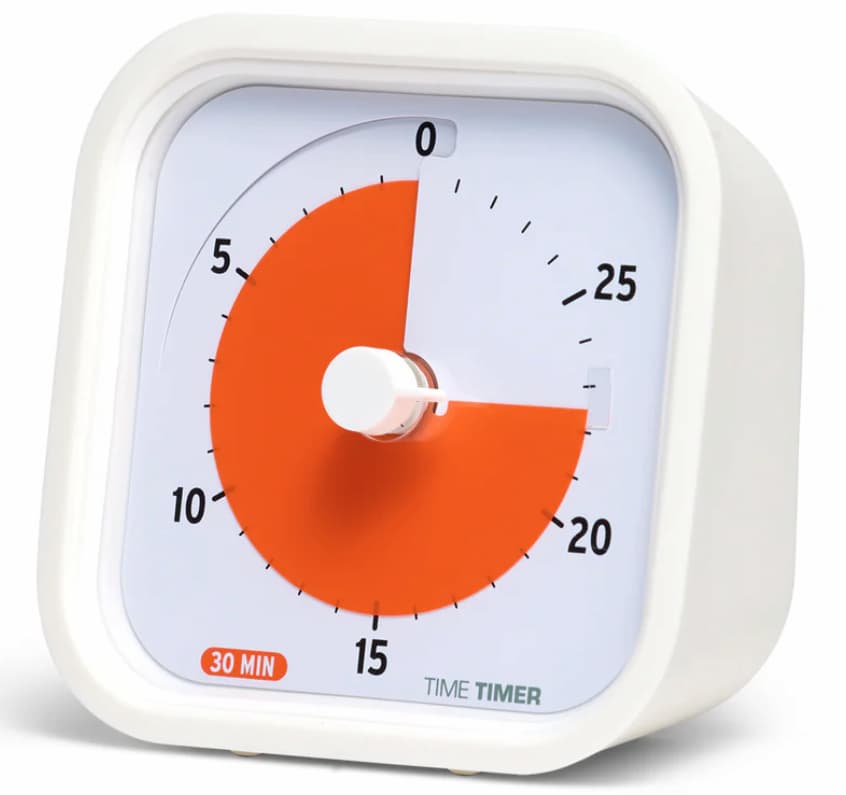
At a Glance
- Compact visual timer designed to make time passing easier to see
- Useful for short focus sessions, transitions, and routine tasks
- Portable shape makes it easier to move between rooms or take out
- Simple countdown design can feel less distracting than an app
- Best for people who want a visual cue rather than lots of features
Check price and available options on Amazon
Introduction
The Time Timer MOD Review for ADHD is really about one question: does a small visual timer make it easier to start, stay on task, and notice time passing before it slips away? For many people with ADHD, that is the whole battle. You sit down meaning to do ten minutes, look up, and somehow forty have gone. A timer that shows time visually rather than just beeping at the end can feel more immediate and easier to trust in daily use.
The Time Timer MOD is one of the better-known portable visual timers. It keeps the familiar disappearing colour disk style but puts it into a more compact square body that looks tidy on a desk and is easy to move around the house. That matters more than it sounds. If a tool is awkward, bulky, or easy to forget, it often ends up living in a drawer. This one is clearly designed to be kept nearby.
If you want to compare it against the wider category first, you can also see the Best ADHD Focus Timers (UK Guide).
This review looks at how the timer works in real life, where it fits best, where it can be a little annoying, and whether it is worth considering if you want a more ADHD-friendly way to manage time without always relying on your phone.
Time Timer MOD Review for ADHD: Key Features
The main appeal of the Time Timer MOD is not complexity. It is simplicity. You get a visual countdown, a quiet and tidy design, and a format that feels easier to live with than a larger classroom-style timer.
- Visual red disk that shrinks as time passes
- Compact square design that is easy to carry or reposition
- Up to 60-minute countdown
- Simple centre dial for setting time quickly
- Optional audible alert for session end
- Clean, low-distraction design compared with many digital timers
Who This Guide Is For
- Adults with ADHD who struggle with time blindness
- People who want a timer without opening their phone
- Students using short study blocks or revision sessions
- Remote workers who need help with transitions between tasks
- Parents looking for a calm visual timer for shared routines
Key Takeaways
- The visual countdown is the main reason to consider it
- Its smaller size makes it more practical than bulkier timers for many adults
- It works best for short focus blocks, transitions, and reminders to wrap up
- It is not feature-heavy, which will suit some people and disappoint others
- The value depends on whether visual time cues genuinely help you act sooner
How It Works
The Time Timer MOD uses a simple visual system. You turn the dial to set the amount of time you want, and a coloured disk shows how much time is left. As the countdown continues, that coloured section gets smaller until it disappears. At the end, the timer can alert you with a sound if you want it to.
That may sound basic, but the difference between seeing time and just knowing the number matters. A digital timer tells you the time remaining in abstract terms. A visual timer turns it into something you can notice at a glance. If you are writing, tidying, replying to emails, or trying to leave the house on time, you do not have to mentally translate minutes into urgency. You can simply see that the available time is shrinking.
If you prefer a simpler numbered display instead of a visual disk, a digital countdown timer may suit you better.
The MOD version feels geared more toward personal use than shared classroom use. It is smaller, neater, and better suited to a desk, kitchen counter, bedside table, or work bag. It is not trying to be a smart device. It does one job. For plenty of ADHD users, that is a good thing because fewer features often means less fiddling and less chance of drifting off task.
I also think the physical act of setting the timer helps. Turning a dial creates a clear start point. That little action can make a task feel more real. For me, that is one of the underrated parts of dedicated timers. Pressing a button on a phone can feel casual and easy to ignore. Setting a separate timer feels more like making a small agreement with yourself.
Why It May Help (ADHD Context)
Many people with ADHD do not struggle because they never heard of time management. They struggle because time often feels vague in the moment. Ten minutes and thirty minutes can feel oddly similar until it is too late. A visual timer helps by making passing time visible, which can be easier to respond to than a hidden countdown on a screen.
This matters for starting tasks, staying with them, and stopping at the right point. If you tend to drift before getting started, using a visible 10- or 15-minute timer can make the task feel smaller and less heavy. If you hyperfocus, the shrinking visual section can act as a gentle cue that the session is moving on and that you may need to wrap up or switch tasks soon.
Resources such as ADDitude often discuss common ADHD challenges like time blindness, transitions, and routines. A tool like this does not fix those on its own, but it can support them in a practical way because it makes time easier to notice without demanding more decisions from you.
Another point in its favour is that it reduces phone reliance. If your phone is where your timer lives, it is also where your messages, apps, tabs, and distractions live. A dedicated timer removes that entry point. That alone can make it more useful than a free timer app for some people. If you do want an app-based option as well, the Focus To-Do App is one alternative worth comparing.
Real-World Use Cases
One of the strongest things about the Time Timer MOD is how many ordinary situations it can slot into. It is not just for deep work or formal study sessions. It works well for the messy middle of normal life.
For focused work, a 25-minute session is the obvious use. You place the timer where you can see it, get on with one task, and let the disappearing disk keep you aware of the session. This can be especially useful when you want some structure but do not want your desk dominated by a larger timer.
For transitions, it can help with getting ready to leave the house, switching from one work task to another, or giving yourself a clear endpoint before a break. If you tend to lose ten extra minutes in the kitchen, bathroom, or on one last email, having a visible countdown nearby can help pull you back sooner.
It also fits well for household routines. You can use it for quick tidying, getting through paperwork, staying on top of meal prep, or creating short reset blocks when everything feels a bit scattered. What stood out to me is that it works best when the goal is not perfection. It is very good at helping with “just do this for ten minutes” tasks.
Students could also find it useful for revision bursts, reading blocks, or essay planning. Because it is small and straightforward, it feels less formal and less intimidating than some study tools. That may sound minor, but when motivation is low, softer edges help.
Feature Breakdown Table
| Feature | What It Means in Practice | Why It Matters for ADHD |
|---|---|---|
| Visual countdown disk | You can see time reducing without reading numbers constantly | Makes time passing easier to notice |
| 60-minute range | Suitable for short work blocks, routines, and transitions | Works well for manageable sessions |
| Compact body | Fits more easily on desks, shelves, and kitchen counters | More likely to stay visible and get used |
| Simple dial setup | Quick to set without menu screens or app setup | Lower effort to start using |
| Optional sound alert | Can mark the end of a session if you need a stronger prompt | Helpful for transitions and stopping points |
Focus Environment Fit
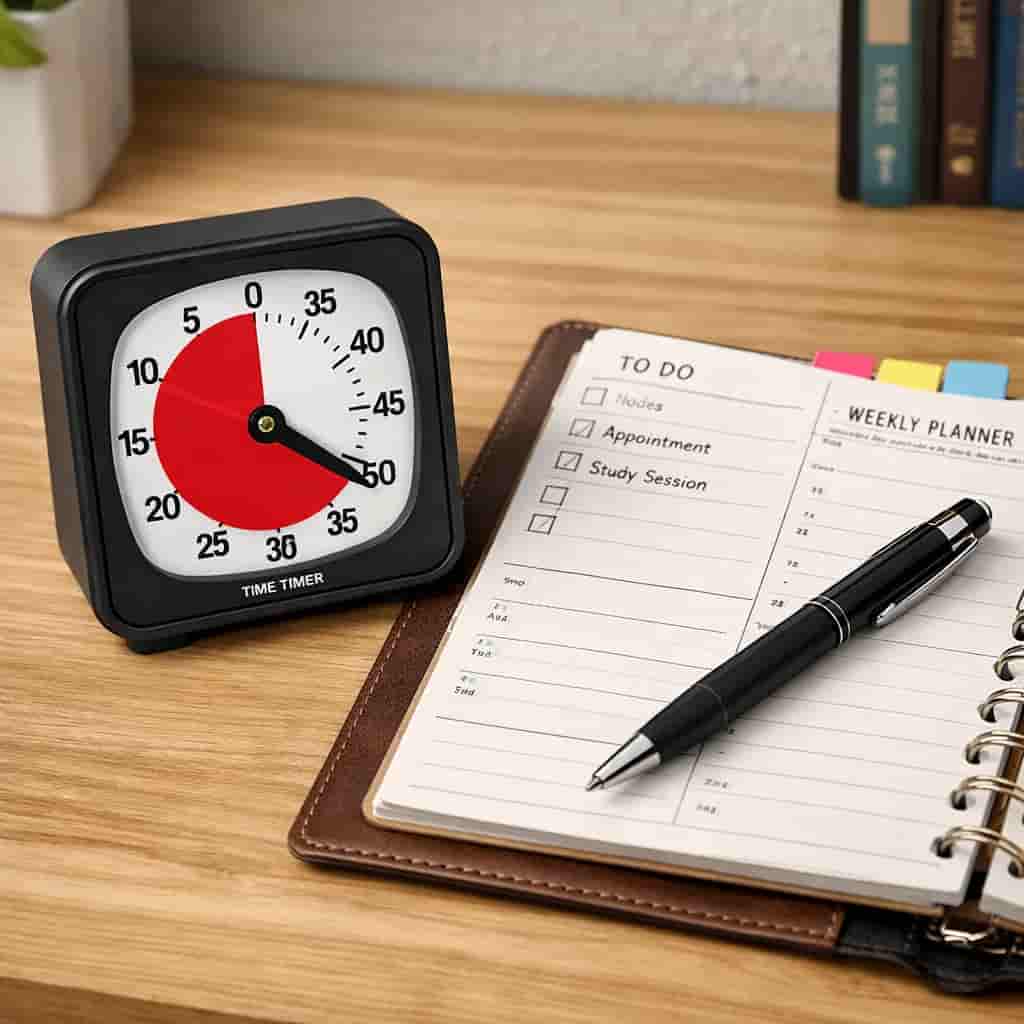
The Time Timer MOD suits calm workspaces best. It feels at home on a tidy desk, in a small home office, on a shelf near the front door, or in a kitchen where you want a visible routine prompt. Because it is smaller and cleaner-looking than some alternatives, it blends into an adult workspace more easily.
That said, visibility still matters. If you place it behind a monitor, under papers, or somewhere out of your line of sight, you lose much of the benefit. This kind of timer works best when it stays in your peripheral vision. It should feel present without getting in the way.
It is also a good fit if you are trying to build a more distraction-light environment. A dedicated visual timer can support a desk setup that relies less on checking screens and more on quick, physical cues. If your attention is easily pulled by notifications, that design choice matters.
Real Use Review
In day-to-day use, the Time Timer MOD feels strongest when you treat it as a practical visual cue rather than a magic fix. It is easy to set, easy to understand, and easy to move around. Those are all genuine strengths. The compact design is probably the biggest difference between this and bulkier versions. It feels more realistic for adults who want something functional without it looking like classroom equipment.
The visual countdown is the standout feature, and that remains the reason to buy it. If visual cues work for you, it can be genuinely useful. I found that it was especially good for tasks that are easy to avoid because they feel vague, such as admin, tidying, and “just start” work blocks. Seeing fifteen minutes represented physically makes the session feel more contained.
It also works well for bringing a bit more honesty to how long things take. If you repeatedly underestimate transitions, getting ready, or small chores, the timer can quietly show the reality. That sounds obvious, but it helps with planning because it stops every task from feeling like it will “only take a minute”.
The main thing to be realistic about is that it is still a timer. If you ignore timers, hide them, or stop trusting them, this will not solve that by itself. Its benefit comes from visibility and ease. If that is what you are missing, it could be a very worthwhile tool. If you want reports, apps, custom modes, or digital integrations, this is not that kind of product.
Friction Points to Consider
- It is simple, but some people may find it too basic for the price
- The 60-minute limit may not suit longer planning blocks
- It depends on being visible, so placement matters a lot
- People who prefer digital features may want more flexibility
- If visual timers do not click for you, this may not feel worth it
Practical Reality Check
The most useful question is not whether the Time Timer MOD is well designed. It is whether you will actually use it often enough for it to earn its place on your desk. Plenty of ADHD tools fail not because they are bad, but because they create one extra step and then quietly disappear from your routine.
This portable ADHD focus timer has a good chance of avoiding that problem because it is fast to use and visually clear. There is no account setup, no charging routine in the same way as a smart device, and no app temptation. But you do still need to build a habit around it. The easiest way is to pair it with repeating moments: starting work, doing a quick reset, beginning admin, or leaving the house.
If that kind of visible routine support helps you, the MOD makes sense. If you know you prefer hidden digital tools or you dislike having objects on your desk, you may get more value elsewhere.
Buying Guide
Before buying, think about where you would put it and what exact problem you want it to solve. If the answer is “I need something small that helps me see time and stop using my phone as a timer,” then this is a strong fit. If the answer is “I want a highly flexible productivity device,” it may feel limited.
It is also worth thinking about session length. The MOD is particularly well suited to short and medium blocks: ten minutes, fifteen minutes, half an hour, and transition windows before leaving or switching tasks. That is where its design feels most natural.
Portability is another advantage. If you move between rooms, work from different spots, or want something that can sit on a kitchen counter one day and a desk the next, the compact format makes that easier. For some people, that flexibility will matter more than extra features.
In simple terms, buy it if you want a dedicated, visual, low-distraction timer that is small enough to fit into ordinary life. Skip it if you need more than a visual countdown and end alert.
If you want to compare it with other options before choosing, the Time Timer Original is worth a look if you want a larger face, while the Secura 60-Minute Visual Timer may appeal more if you are trying to keep cost down.
Frequently Asked Questions
Is the Time Timer MOD good for ADHD?
It can be a good fit for ADHD if visual cues help you notice time passing more easily than digital numbers or phone timers.
What is the difference between the Time Timer MOD and a normal countdown timer?
The main difference is the visual disk. Instead of only showing numbers, it lets you see time reducing at a glance.
Is it better than using a phone timer?
For some people, yes. A separate timer avoids opening your phone and getting pulled into other apps or notifications.
Can you use it for work and study?
Yes. It suits short focus sessions, revision blocks, transitions, admin tasks, and routine activities around the home.
Does the smaller size make it less useful?
Not necessarily. For many adults, the smaller size actually makes it more practical because it is easier to keep nearby and use regularly.
Alternatives to Consider
If you like the idea of a visual timer for ADHD but want a different size or style, there are other options worth considering. A larger Time Timer model may suit you better if you want something easier to see across a room. If you are more budget-focused, a simpler visual countdown timer can sometimes do the job well enough without the same design polish.
You may also prefer a more straightforward digital countdown timer if you mainly want portability and a clear alarm rather than the visual disk. On the other hand, if you want a timer that connects to broader focus methods, an app-based system may suit you better, although that does bring back the phone distraction issue.
The right choice depends less on the brand and more on how you naturally respond to time cues. If visual prompts help you act sooner, the MOD is appealing. If you mainly rely on strong alerts or more structured session tracking, you may want something different.
For related options, you can compare this model with the Time Timer Original, the Secura 60-Minute Visual Timer, the Digital Countdown Timer, or the Focus To-Do App.
Final Verdict
This Time Timer MOD Review for ADHD comes down to this: it is a well-designed, compact visual timer for ADHD that can be genuinely useful if seeing time helps you manage it better. Its best qualities are simplicity, portability, and the fact that it reduces reliance on your phone. That combination makes it especially appealing for people who want a calmer, more physical way to structure focus sessions and transitions.
It will not suit everyone. Some people will want more features, a louder prompt, or a lower price. But if your main challenge is that time slips away unless it is right in front of you, this timer makes a strong case for itself. For the right user, it is one of those small tools that can quietly make the day feel easier.
This kind of tool can be effective for short focus sessions, but it tends to work best when it supports a wider system rather than acting as the only solution. To see how timers fit into a bigger picture, take a look at the ADHD productivity tools UK guide.