
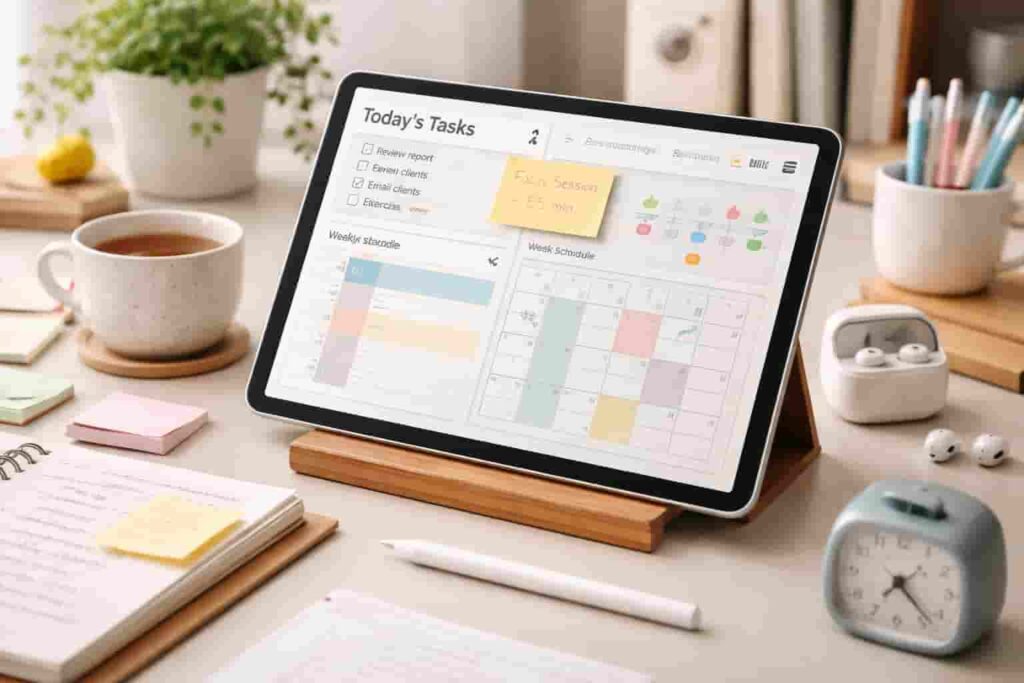
How to Build an ADHD Productivity System Using a Tablet: Quick Overview
-
- Use a tablet as your central hub for tasks, notes, and routines
- Combine focus tools, reminders, and simple structure
- Reduce phone distraction by keeping systems in one place
- Keep everything visible and easy to access
- Start simple and build gradually over time
Introduction
How to build an ADHD productivity system using a tablet is really about making your daily setup feel simpler, not more complicated. A tablet can act as a central place for planning, focus, and reminders, which means you are not constantly switching between apps, devices, or bits of paper.
If you are still choosing your setup, it may help to start with a device that suits your needs. This best digital tablets for ADHD productivity (UK guide) gives a clear overview of what works well for ADHD productivity.
The goal here is not perfection. It is building a system that helps you start tasks, stay on track, and finish without everything feeling overwhelming.
How to Build an ADHD Productivity System Using a Tablet Step by Step
Building a tablet-based system works best when you keep it simple. The aim is not to use lots of tools. It is to create one reliable setup that supports planning, focus, reminders, and routines without adding extra friction.
For most people, that means using a tablet as the main place for daily tasks, notes, and check-ins. Once everything sits in one place, it becomes much easier to restart after distractions and keep track of what matters.
If you want to see how this fits into a wider setup, you can explore the Digital Productivity Tools for ADHD (UK Guide), which breaks down how everything works together.
Why ADHD Productivity Systems Matter
ADHD often makes everyday tasks feel harder than they should. Not because you do not know what to do, but because getting started, staying focused, and switching between tasks can feel messy.
Without a system, things tend to scatter. Notes end up in different places, reminders get missed, and small tasks build up into something bigger.
As explained by ADDitude, challenges like time awareness, distraction, and task switching are common with ADHD, which is why having a simple, visible system can make such a difference in daily life.
When everything lives in one place, it removes a lot of the mental back-and-forth. Instead of thinking “where did I put that?”, it becomes much easier to open the tablet and find what you need.
The Core Components of an ADHD Productivity System
- Focus tools
- Reminder systems
- Environment control
- Routine structure
How Different Tools Work Together
The key idea behind building an ADHD productivity system with a tablet is not using one tool perfectly. It is combining a few simple tools so they support each other.
For example, a tablet can handle planning and notes, while a focus method helps you stay on task, and reminders keep things moving.
If you are unsure how tablets fit into this, this guide on why tablets can reduce distraction for ADHD (compared to phones) explains why they can be easier to use than phones for this kind of setup.
You might also want to explore specific devices depending on your style, such as the Apple iPad A16 review for ADHD productivity or the reMarkable 2 review for ADHD productivity, as they support slightly different ways of working.
The main point is layering tools without overcomplicating things.
Step-by-Step: How to Set Up Your Tablet for ADHD Productivity
1. Choose One Notes App
Start with one simple place for notes, ideas, and reminders. This could be a built-in notes app or a digital planner, but the important thing is keeping everything together rather than spreading information across different places.
2. Pick One Task System
Use one clear task list for what needs doing today, this week, or later on. Avoid building a complicated setup too early. A short task list that you actually check is usually more helpful than a detailed system you stop using after a few days.
3. Add One Reminder Method
Reminders should support your system rather than overwhelm it. Start with one or two important alerts for daily check-ins, appointments, or key tasks. Too many reminders can quickly fade into background noise.
4. Create a Simple Morning Check-In
Open your tablet at the start of the day and review what matters most. This can be as simple as checking your list, choosing your top priorities, and getting clear on what needs your attention first.
5. Finish with an End-of-Day Reset
At the end of the day, tidy up your notes, review unfinished tasks, and prepare for tomorrow. Even a short reset helps your tablet-based system feel easier to return to the next morning.
Example ADHD Productivity Setup
Morning Setup
Start by opening your tablet and reviewing your tasks for the day. Keep it simple. Just a short list of what actually needs doing.
This helps avoid that “where do I start?” feeling.
Work Blocks
Use short focus sessions, such as 15–25 minutes, and keep your tablet open with your task list or notes visible.
If you want more structure, this guide on how to stay focused using a tablet can help you build better work blocks.
Managing Breaks
Breaks matter, but they can easily drift. Set a clear break time and return to your tablet when it ends. Keeping everything in one place makes it easier to restart.
End of Day Reset
At the end of the day, take a few minutes to tidy up your task list and prepare for tomorrow. This small habit makes the next day feel easier to start.
👉 If you want a full breakdown of devices that work well with this kind of setup, explore the best digital tablets for ADHD productivity (UK guide).
Common Mistakes to Avoid
- Trying to build a perfect system all at once
- Using too many apps or tools
- Relying on memory instead of writing things down
- Switching between devices too often
- Ignoring simple routines that actually work
Building a Simple System That You Can Stick To
The most important part of building a tablet-based ADHD productivity system is keeping it realistic.
Start with one or two tools. A task list and a simple note system is enough in the beginning.
For many people, the biggest difference comes from reducing effort. If something takes too many steps, it quickly stops being used.
It is also worth thinking about your environment. This comparison of tablet vs laptop for ADHD productivity can help you decide how your setup should look day to day.
Over time, you can adjust things, but the foundation should always feel easy to return to.
This kind of tablet-based ADHD productivity system works best when it stays simple and easy to return to.
Recommended Tablets for ADHD Productivity
If you are still choosing a device, these guides may help:
- Apple iPad A16 review
- Apple iPad Air 11-inch review
- Samsung Galaxy Tab S9 FE review
- reMarkable 2 review
Frequently Asked Questions
Can a tablet really improve ADHD productivity?
It can help by keeping everything in one place and reducing distractions compared to using a phone.
What apps should I use?
Start simple. A notes app and a task list are enough. You can add more later if needed.
Is a tablet better than a laptop for ADHD?
For many people, yes. Tablets tend to feel simpler and less distracting, especially for planning and focus tasks.
How long does it take to build a system?
It depends, but most people start seeing benefits within a few days if they keep things simple.
Final Thoughts
How to Build an ADHD Productivity System Using a Tablet is not about finding the perfect setup. It is about creating something simple that you actually use every day.
A tablet works well because it brings everything together in one place. Tasks, notes, and routines become easier to manage when they are not spread across different tools.
Start small, keep it practical, and adjust as you go. Over time, a simple system can make a noticeable difference in how your day feels.
Find a Tablet That Works for You
Compare tablet options designed to support focus, organisation, and daily structure.