
Best Workspace & Desk Setup for ADHD UK
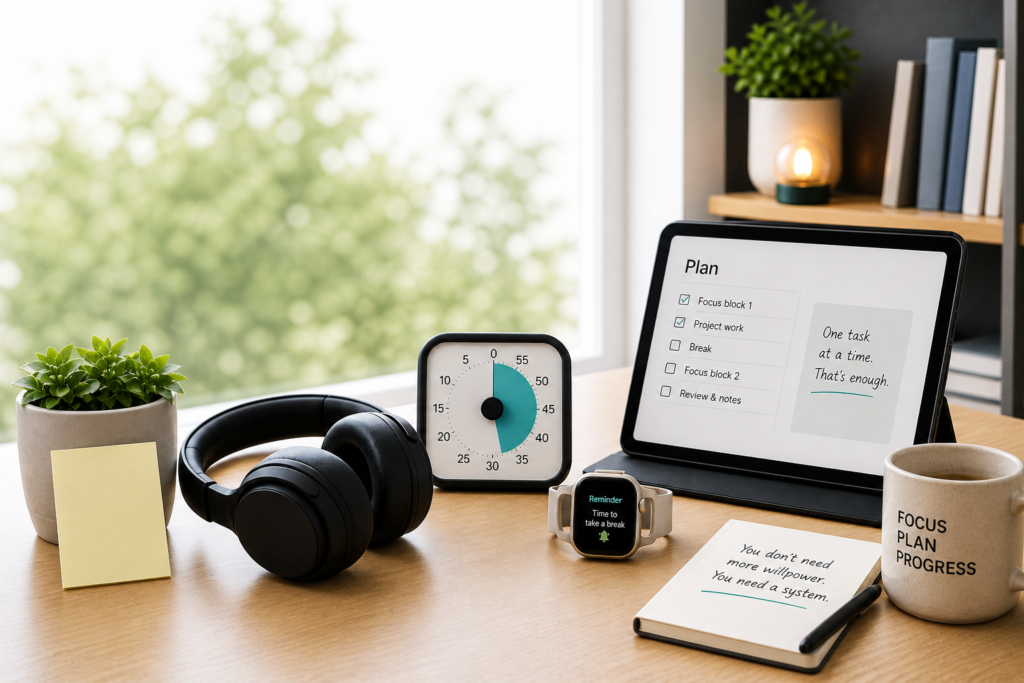
A workspace desk setup for ADHD UK users can help reduce distractions and improve focus by combining simple tools, clearer layouts, and fewer interruptions.
Some tools help reduce noise. Others make time more visible, simplify planning, or create a clearer physical workspace. The goal is not to create a perfect desk setup, but to build an environment that removes friction and makes focus easier to return to.
If you want a wider overview of how these tools fit into a complete setup, you can also explore ADHD productivity tools UK or the complete digital productivity tools guide.
If you are not sure where to begin, start with noise-cancelling headphones if sound distracts you, timers if time disappears, or tablets if planning feels scattered.
For wider ADHD productivity strategies, you can also explore ADDitude.
Quick Picks: Best Workspace Tools and Environment Supports for ADHD UK
- Best focus environment tool: Noise-cancelling headphones
- Best visual time support: Best ADHD focus timers
- Best planning device: Best digital tablets for ADHD productivity UK
- Best reminder support: Best smart watches for ADHD task reminders UK
- Best distraction control: Productivity apps for ADHD
If your main issue is background noise, start with the best noise-cancelling headphones for ADHD.
Noise-Cancelling Headphones
Noise-cancelling headphones can help create a calmer focus environment by reducing background noise, conversations, household sounds, or office distractions.
For many adults with ADHD, noise is not just annoying. It can interrupt thought, increase mental fatigue, and make it harder to stay with one task. A good pair of headphones can make the workspace feel more controlled and predictable.
You can explore the main options in the best noise-cancelling headphones for ADHD guide.
Best for: People who are easily distracted by sound, work in shared spaces, or need a calmer environment for deep work.
Visual Timers for Workspace Structure
Visual timers help make time more visible while you work. Instead of relying on internal time awareness, they give you a clear external cue for how much time is left in a focus session.
This can be useful if you regularly underestimate how long tasks take, lose track of time, or struggle to switch between activities.
You can explore the main options in the best ADHD focus timers guide.
If time blindness is one of your biggest challenges, also read why time blindness makes ADHD focus difficult.
Best for: People who lose track of time, struggle with task starts, or need a clearer sense of structure during work sessions.
Digital Tablets and Writing Devices
Digital tablets can support a cleaner workspace by giving you one place for notes, planning, task lists, and written thinking.
For some people with ADHD, a tablet feels less overwhelming than a laptop and more useful than a phone. It can create a separate planning space without opening the door to as many distractions.
You can explore the main options in the best digital tablets for ADHD productivity UK guide.
For practical setup advice, see how to build an ADHD productivity system using a tablet.
Best for: People who want a simpler way to plan, write, organise tasks, or reduce laptop overwhelm.
Smartwatches and Reminder Tools
Smartwatches can support your workspace by keeping reminders off your main screen. Instead of relying on phone alerts, wrist-based prompts can help you notice tasks, meetings, breaks, and transitions without opening distracting apps.
This is especially useful if you often miss phone notifications or forget what you meant to do next once you sit down to work.
You can explore the main options in the best smart watches for ADHD task reminders UK guide.
You may also find why smartwatch reminders work better than phone notifications useful.
Best for: People who miss reminders, forget transitions, or need prompts that do not depend on checking their phone.
Productivity Apps and Distraction Control
Productivity apps can help control the digital side of your workspace. Blocking distracting sites, setting focus sessions, and reducing phone checking can make it easier to stay with the task you actually planned to do.
They work best when used as part of a wider setup rather than as a complete solution on their own.
You can explore the main options in the productivity apps for ADHD UK guide.
If phone checking is a major issue, you may also want to read how to stop checking your phone every 5 minutes.
Best for: People who get pulled into websites, apps, notifications, or repeated phone checking during work.
Building a Better ADHD Workspace Setup
Workspace tools and environment supports usually work best when they reduce one clear source of friction.
A simple workspace desk setup for ADHD UK users works best when it removes friction, reduces distraction, and supports consistent focus.
For example, you might use noise-cancelling headphones to reduce sound, a visual timer to make time visible, and a tablet to keep planning separate from your main computer.
If reminders are also an issue, adding a smartwatch can help create a more complete setup.
Where to Start Based on Your Main Problem
- Noise distraction: start with noise-cancelling headphones
- Time blindness: start with visual timers
- Planning overwhelm: start with digital tablets
- Missed reminders: start with smartwatches
- Digital distraction: start with productivity apps
Final Verdict
The best workspace desk setup for ADHD UK users is one that supports your biggest daily challenges.
Workspace tools and environment supports for ADHD UK users can be genuinely useful when they are matched to the right problem.
The best setup is usually simple: reduce the biggest distraction, make time easier to notice, and give yourself fewer reasons to rely on memory alone.
If you want to see how all tools connect together, go to the complete ADHD productivity tools guide.