
Stay Focused App Review ADHD (UK Guide)
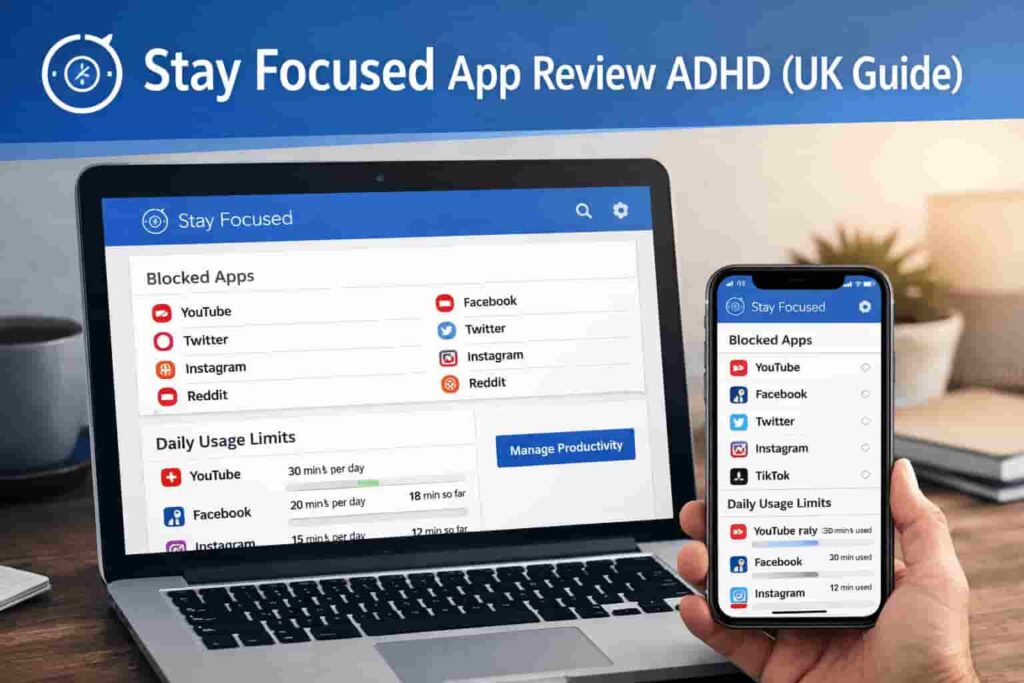
At a Glance
- Strong website and app blocking across devices
- Customisable block lists and session timers
- Useful for reducing impulsive distraction loops
- Flexible scheduling for routine building
- Can feel strict if over-configured
Introduction
Stay Focused App Review ADHD (UK Guide) looks at how this distraction-blocking tool may help reduce digital interruptions and support more structured focus sessions.
If you’ve already explored broader tools in Best Distraction-Blocking Apps for ADHD Adults (UK-Compatible), this review focuses specifically on how Stay Focused behaves in real-world use.
For many people, distraction isn’t just about willpower. It often comes from quick impulses — opening a tab, checking a notification, or switching apps without thinking. Tools like Stay Focused aim to interrupt that pattern by limiting access at the moment it matters.
Stay Focused App Review ADHD (UK Guide): Key Features
Stay Focused is built around controlling access to distractions rather than relying on reminders alone. It focuses on limiting behaviour at the source.
- Website and app blocking across mobile and desktop
- Custom block lists for specific triggers
- Scheduled focus sessions with automatic activation
- Strict mode to prevent bypassing restrictions
- Usage tracking to highlight distraction patterns
Who This Guide Is For
- Adults working from home with frequent online distractions
- Students who struggle with browser-based interruptions
- People who benefit from stricter digital boundaries
- Anyone trying to reduce impulsive app switching
- Users looking for more control than lightweight timers
Key Takeaways
- Stay Focused works best when distractions are predictable
- Blocking removes decision-making during focus sessions
- Scheduling helps build consistent routines
- Strict mode can reduce workarounds
- Over-restriction may feel frustrating if not balanced
How It Works
Stay Focused is designed to intervene at the exact moment you would normally get distracted. Instead of reminding you to focus, it removes the option to drift.
Step 1: Setup
After installing the app, you create a list of distracting websites and apps. This might include social media, news sites, or anything you tend to open impulsively.
Step 2: Configure Sessions
You can start a manual focus session or schedule blocks at specific times. For example, 9am–12pm could automatically activate every weekday.
Step 3: During a Session
Once active, blocked apps and websites are inaccessible. If you try to open them, you’re stopped immediately. This removes the need to “decide” to stay focused.
Step 4: Attempted Distractions
Instead of slipping into a distraction loop, you hit a barrier. That pause can be enough to return to your task without losing momentum.
Step 5: Scheduling Behaviour Change
Over time, scheduled sessions create predictable structure. You begin to associate certain hours with focused work, reducing reliance on motivation.
This approach is less about discipline and more about shaping your environment in advance.
Why It May Help (ADHD Context)
Distraction often happens quickly and automatically. One tab becomes five, and suddenly 30 minutes have passed.
Stay Focused may help by interrupting this pattern early. Instead of relying on self-control in the moment, it removes access entirely.
Distraction patterns: impulsive checking, tab switching, and app hopping are common triggers. Blocking tools stop these behaviours before they escalate.
Decision fatigue: constantly choosing whether to stay focused can be exhausting. Pre-set rules reduce the number of decisions you need to make.
Environment control: the app reshapes your digital environment so fewer distractions are available.
This app is particularly useful when you need to reduce impulsive app switching during work sessions, which is something highlighted throughout this Stay Focused App Review ADHD (UK Guide) when looking at real-world use.
From my own experience, the biggest benefit comes from not having to “fight” the urge — the option simply isn’t there, which feels surprisingly freeing while dping work.
For broader strategies on managing attention, resources like ADDitude also highlight how environment changes can support focus.
Real-World Use Cases
Working from home:
Stay Focused can block common distractions like social media during work hours, helping maintain consistency without relying on willpower.
Study sessions:
Students can create focused blocks around revision periods, reducing the temptation to switch tabs or check messages.
Deep work blocks:
For tasks that require sustained attention, strict blocking helps maintain flow by preventing interruptions entirely.
Evening routine:
It can also be used to limit late-night scrolling, supporting a more consistent wind-down routine.
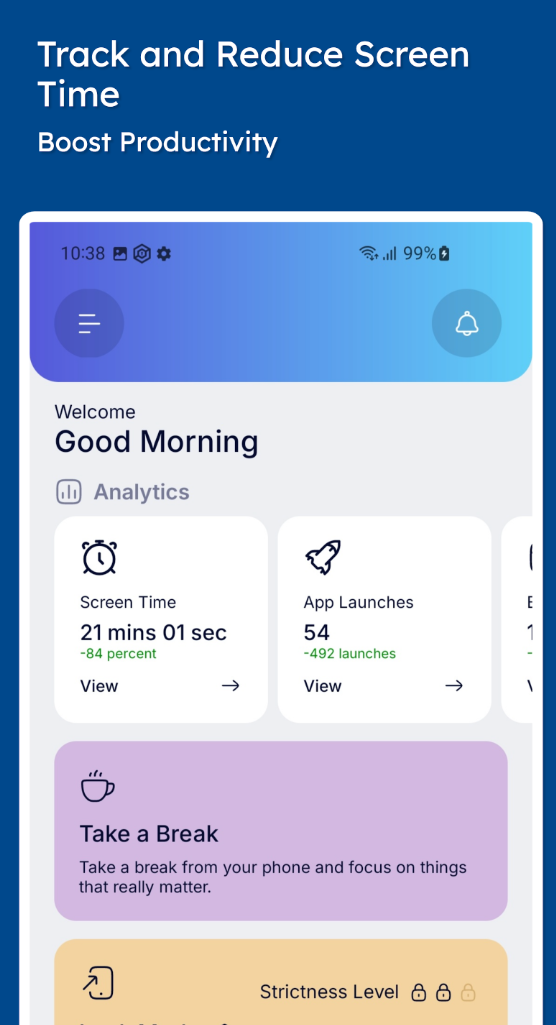
Feature Breakdown Table
| Feature | Details |
|---|---|
| Blocking Type | Websites and apps |
| Scheduling | Custom daily or weekly sessions |
| Strict Mode | Prevents disabling during sessions |
| Customisation | Highly configurable block lists |
| Platform Support | Mobile and desktop |
Focus Environment Fit
Stay Focused works best in environments where distractions are digital and predictable. If most interruptions come from your phone or browser, it can be very effective.
For users who prefer a lighter, more visual approach, tools like Forest App Review for ADHD Focus (UK Guide) may feel less restrictive.
However, if you need stronger boundaries, Stay Focused offers more control.
Real Use Review
A typical day using Stay Focused might start with a scheduled block at 9am. As work begins, distracting sites are already inaccessible.
During the morning, attempts to check social media are blocked instantly. This creates a subtle shift — instead of deciding whether to open a site, you simply continue working.
Midday, when the session ends, access returns. This can feel like a release, but also highlights how often those distractions would have appeared.
In the afternoon, another session might begin. This repetition helps reinforce routine.
When it works well: predictable work blocks, repetitive tasks, or environments with frequent digital temptation.
When it feels restrictive: if you need flexibility or spontaneous access, strict blocking can feel frustrating.
From experience, the key is not over-blocking. Too many restrictions can lead to trying to bypass the system rather than working with it.
Friction Points to Consider
- Strict mode can feel limiting if overused
- Requires setup time to define block lists
- May not suit highly flexible workflows
- Can be bypassed if motivation drops
- Less visual feedback compared to some apps
Practical Reality Check
Stay Focused does not remove distraction completely. It reduces access, but behaviour still matters.
It works best as part of a broader system — combining blocking with clear task planning and realistic expectations.
If used thoughtfully, it can reduce friction around starting and maintaining focus, but it’s not a complete solution on its own.
Buying Guide
When considering Stay Focused App Review ADHD (UK Guide), it helps to think about how it fits into your daily routine.
Compatibility: check whether you need mobile, desktop, or both.
Notification control: consider whether blocking alone is enough or if you need additional reminder systems.
Ease of use: more features can mean more setup, which may affect consistency.
Routine fit: tools like this work best when used consistently at the same times each day.
Frequently Asked Questions
Is Stay Focused suitable for ADHD?
It may help reduce digital distractions by limiting access to common triggers, but it should be seen as a support tool rather than a solution.
Can you bypass Stay Focused?
Some features, like strict mode, reduce the ability to disable sessions, but no tool is completely bypass-proof.
Does it work on both phone and desktop?
Yes, depending on the version you use, it can support multiple devices.
Is it better than timer-based apps?
It depends on preference. Blocking tools are stricter, while timer apps are more flexible.
Alternatives to Consider
If Stay Focused feels too strict or not quite right, there are a few alternatives worth exploring:
Freedom App Review for ADHD (UK Guide) offers cross-device blocking with strong scheduling features.
Cold Turkey Blocker Review ADHD (UK Guide) is one of the strictest options available for desktop use.
RescueTime App Review ADHD (UK Guide) focuses more on tracking and awareness rather than blocking.
Final Verdict
Stay Focused App Review ADHD (UK Guide) shows that this tool may be most useful for people who need firm boundaries around digital distractions.
It suits structured workdays, predictable routines, and environments where interruptions are mostly online.
However, it may not suit users who prefer flexibility or lighter guidance.
Used correctly, it can reduce the effort required to stay focused — but the balance between restriction and usability is key.
If you’re thinking about how this fits into your overall setup, it helps to look beyond a single tool. The ADHD productivity tools UK guide shows how different tools can support focus together.