
Freedom App Review for ADHD (UK Guide)
At a Glance
- Cross-device distraction blocking across phone and desktop
- Scheduled focus sessions with automatic activation
- Blocks websites and apps simultaneously
- Useful for creating structured routines
- More rigid than lighter focus tools
Introduction
Freedom App Review for ADHD (UK Guide) explores how this tool may help reduce digital distractions by blocking apps and websites across multiple devices.
One of the main challenges with focus is not just distraction, but the number of small decisions you have to make throughout the day. Tools like Freedom aim to remove those decisions in advance. If you are comparing tools, you can also explore this distraction blocking apps guide to see how different approaches compare.
That matters because distraction is not always dramatic. Often it is a series of tiny interruptions that slowly pull attention away from the task you meant to do. A quick check of messages, a news tab, or a social app can break momentum faster than you expect. The main promise of Freedom is not motivation. It is environment control. Instead of trying to rely on willpower every few minutes, the tool helps create conditions where staying focused is easier.
Freedom App Review for ADHD (UK Guide): Key Features
Freedom focuses on structured blocking rather than visual motivation, helping reduce access to distractions entirely during set periods.
- Block websites and apps across multiple devices
- Schedule recurring focus sessions
- Locked mode to prevent ending sessions early
- Sync across mobile, tablet, and desktop
- Custom blocklists for personalised control
Who This Guide Is For
- People who get pulled into websites or apps repeatedly
- Those who need stronger boundaries than simple timers
- Users working across multiple devices
- Anyone trying to build consistent focus routines
Key Takeaways
- Freedom prioritises strict distraction control
- Works across devices, not just on your phone
- Best suited for planned focus sessions
- Less flexible once a session is active
How It Works
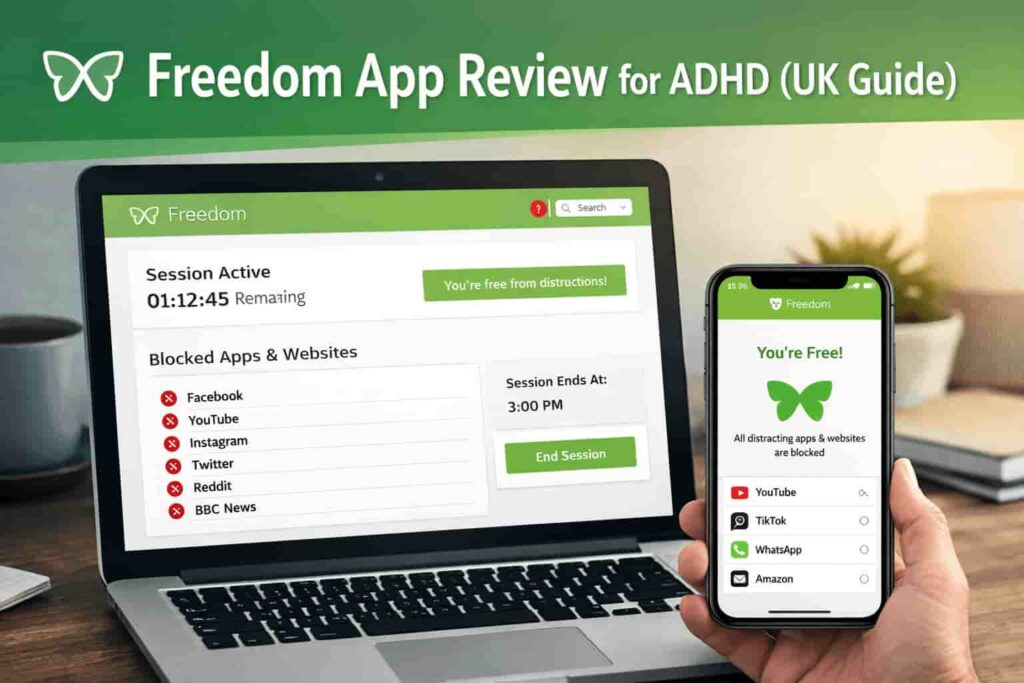
Freedom allows you to create blocklists of websites and apps, then start or schedule sessions where those distractions are unavailable.
A practical setup usually starts with identifying your most common problem apps and websites. That might mean social media, YouTube, shopping sites, or news pages that seem harmless at first but quickly eat into your time. Once those are added to a blocklist, you can start a session manually or schedule it to run automatically at the same time each day.
During an active session, Freedom blocks access to those distractions across connected devices. That part matters more than it sounds. It is one thing to block a site on your laptop, but a lot of attention drift happens when you simply switch to your phone instead. Cross-device syncing reduces that loophole.
A common way to use it is to set a morning focus session before work begins. For example, you might block social media, video sites, and messaging apps from 9am to 11am. That means you are not negotiating with yourself every few minutes about whether you should stay focused. The decision has already been made in advance.
If you attempt to visit one of the blocked sites, you hit that barrier immediately. That interruption is useful. It creates a pause between impulse and action. In practice, that pause can be enough to stop a five-minute distraction turning into a forty-minute drift.
Scheduling is one of the stronger parts of the app. A manually started session can still depend on remembering to use it. A recurring schedule removes that friction. It helps turn focus into something built into the day rather than something you need to restart from scratch each time.
Freedom also offers a locked mode, which stops you ending sessions early. This will not suit everyone, but it is one of the clearest examples of the app choosing structure over flexibility. If you know you tend to talk yourself out of focus once discomfort appears, that stricter option may be the reason the app works at all.
Why It May Help (ADHD Context)
One of the more difficult parts of maintaining focus is resisting repeated small distractions. These are not always conscious choices. Sometimes they are automatic checks triggered by boredom, uncertainty, or the feeling that a task is taking too long.
Freedom may help by reducing the number of decisions you need to make. Instead of repeatedly asking yourself whether to open an app, check a site, or stay on task, the environment answers the question for you. That can lower decision fatigue and make starting work feel less mentally cluttered.
There is also the issue of task switching. Once attention shifts away from the original task, returning is not always immediate. Even a short detour can make it harder to recover your train of thought. Tools like Freedom do not solve that completely, but they can reduce how often those breaks happen in the first place.
From my own experience, once a distraction is even slightly available, it becomes much harder to ignore. A blocked app can feel restrictive for the first few sessions, but it also removes that background tension of constantly deciding whether to stay focused.
This aligns with general strategies discussed by ADDitude, where reducing environmental distractions can support more consistent focus patterns. Freedom App Review for ADHD (UK Guide) is most useful when seen in that context: not as a cure-all, but as a tool that changes the environment around your attention.
Real-World Use Cases
Freedom tends to work best when it is tied to specific situations rather than left as a vague “I should probably focus more” tool.
Working from home: This is one of the clearest use cases. When home and work happen on the same devices, it is very easy to switch between tasks and distractions without noticing. Blocking social media, entertainment, and news during work blocks can create cleaner boundaries.
Study sessions: If you are trying to read, revise, or complete coursework, repeated device-checking can break concentration quickly. A scheduled block can make study time feel more defined and less dependent on willpower.
Deep work blocks: For writing, admin, long-form thinking, or project work, attention is often lost through repeated app checking rather than one large interruption. Freedom is more suited to this kind of work than to quick flexible tasks.
Evening routine: Some people use Freedom less for work and more for limiting late-evening scrolling. Blocking selected apps at night can make it easier to step away from screens and reduce overstimulation before bed.
The common theme in all of these is not productivity in the abstract. It is reducing access to the specific things that most often pull your attention off course.
Feature Breakdown Table
| Feature | Details |
|---|---|
| Device Coverage | Mobile, desktop, tablet |
| Blocking Type | Websites and apps |
| Scheduling | Yes, recurring sessions available |
| Session Locking | Optional locked mode |
| Ease of Setup | Moderate |
Focus Environment Fit
Freedom works best in environments where you need consistent, repeatable structure. It can be especially useful for work blocks where switching tasks quickly leads to lost time.
If your setup includes multiple tools, you may want to explore how it fits alongside others in a broader productivity tools guide once published.
It is less suited to highly reactive work where you need constant access to changing tools, websites, or communications. In those situations, a lighter reminder-based app may feel less disruptive. Freedom App Review for ADHD (UK Guide) makes the most sense where your main issue is digital drift rather than lack of reminders.
Real Use Review
In day-to-day use, Freedom tends to work best when sessions are planned in advance. For example, setting a morning block for emails and a longer afternoon block for focused work.
A realistic workday with Freedom might look like this. You begin in the morning with a scheduled two-hour block covering social media, video sites, shopping pages, and non-essential messaging apps. That first hour often feels the most useful because it removes the usual drift before the day properly begins. Instead of “just checking” a few things before work, you are already in a protected block.
By midday, the structure can feel helpful rather than dramatic. You are not constantly noticing the app. You mostly notice the absence of distractions that would usually interrupt the task. That is often the best sign that it is doing its job.
Where it can feel restrictive is when your mood changes or your task becomes uncomfortable. That is usually when the urge to switch tabs or grab your phone is strongest. If the session is locked, you feel that friction immediately. Some people will find that useful because it prevents the usual escape route. Others may find it too rigid, especially on lower-energy days.
For shorter tasks, Freedom can feel slightly heavy. If you only need ten minutes of focus, setting up a stronger blocker may be more than you need. For longer tasks, admin sessions, writing blocks, or deep project work, it becomes more useful because it removes repeated interruptions before they build into a bigger loss of momentum.
From a behavioural point of view, the app works best when it supports a routine you already want to build. It is less effective if used reactively after you have already drifted for half an hour. That is why scheduling tends to matter so much in practice.
As explored in this Freedom App Review for ADHD (UK Guide), the app is strongest when blocking starts before distraction begins, rather than trying to recover focus once attention has already slipped.
Friction Points to Consider
- Sessions can feel restrictive once started
- Setup takes longer than simple timer apps
- Not ideal for very short or flexible tasks
- Requires planning to get full benefit
Practical Reality Check
Freedom is not a passive tool. It works best when you actively build it into your routine.
If you expect it to fix distraction automatically, it may feel frustrating. If you use it to support a structure you already want to follow, it becomes much more effective.
It is also worth being realistic about what kind of problem you are trying to solve. If your main issue is forgetting tasks, you may need reminder tools more than blockers. If your issue is that you keep sliding into the same distracting apps and websites, Freedom is much more relevant.
Buying Guide
When considering Freedom App Review for ADHD (UK Guide), it helps to think about how it fits into your daily setup rather than just its features.
- Compatibility: Works across multiple devices, which is useful if you switch frequently
- Notification control: Blocks access entirely rather than managing alerts
- Ease of use: Slight learning curve but manageable
- Routine fit: Best for scheduled, repeatable work sessions
It is also worth checking whether you want a strict blocker or a lighter behavioural tool. Some people respond better to hard boundaries, while others prefer more flexible timers or tracking-based systems. Freedom is clearly aimed at the first group.
Frequently Asked Questions
Can Freedom block apps and websites at the same time?
Yes, Freedom can block both apps and websites during a session, depending on your device setup.
Does Freedom work across multiple devices?
Yes, one of its main features is syncing sessions across devices so distractions are blocked everywhere.
Is Freedom suitable for short focus sessions?
It can be used for short sessions, but it tends to be more effective for longer, structured blocks where repeated interruptions are the main problem.
Can you stop a session once it starts?
In locked mode, sessions cannot be stopped early, which is designed to reduce impulsive switching.
Alternatives to Consider
If Freedom feels too strict or not quite the right fit, there are other tools worth considering.
Forest App Review offers a lighter, visual approach to focus sessions and may suit people who prefer encouragement over strict blocking.
Cold Turkey Blocker Review provides even stricter blocking, particularly on desktop, and may appeal if you want fewer loopholes.
RescueTime Review focuses more on tracking and awareness rather than blocking, which may be a better fit if you want to understand your patterns before enforcing limits.
Final Verdict
Freedom App Review for ADHD (UK Guide) shows that this tool may suit people who need strong boundaries around digital distractions, especially across multiple devices.
It is particularly useful if you benefit from pre-planned routines and want to remove decision-making during work sessions. However, it may not suit those who prefer flexibility or very short bursts of focus.
Used consistently, it can support a more controlled and structured work environment, but it works best when combined with a realistic routine. Freedom App Review for ADHD (UK Guide) is strongest for people who already know their main problem is digital distraction and want a more deliberate way to manage it.
Used on its own, a tool like this can help, but it tends to work best as part of a wider setup. If you want to see how different tools can fit together, explore the ADHD productivity tools UK guide.