
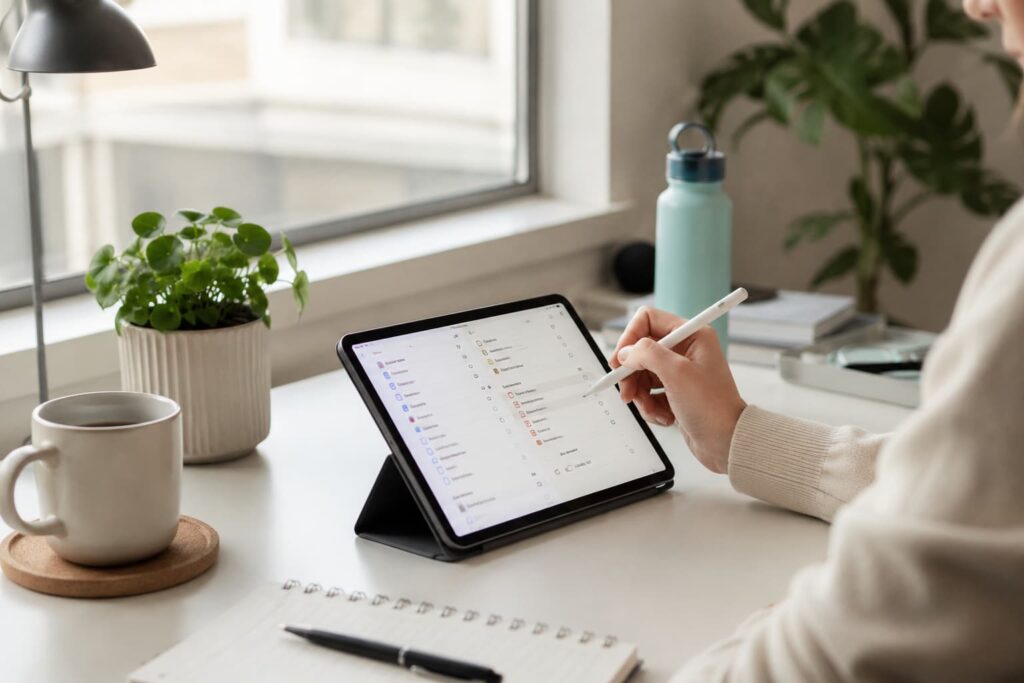
At a Glance
- All-in-one task app with lists, calendar, habits, reminders, and focus timer features
- Useful for adults with ADHD who want fewer separate productivity tools
- Best suited to people who like digital planning but need structure to stay visible
- Can feel more flexible than simpler to-do list apps
- May feel too busy if you are easily overwhelmed by features
Introduction
This TickTick Review for ADHD Productivity looks at whether TickTick can help turn scattered tasks, reminders, habits, and focus sessions into one easier system. If you are building a wider ADHD-friendly setup, it can sit alongside broader ADHD productivity tools for adults rather than being treated as a magic fix on its own.
TickTick is not just a basic to-do list. It combines task lists, recurring reminders, calendar views, habit tracking, priority levels, and a built-in focus timer. That mix can be helpful for ADHD because many people do not only need somewhere to write tasks down. They need help seeing what matters, remembering what comes next, and reducing the number of places they have to check.
The important question is whether TickTick makes life clearer or simply adds another dashboard to manage. This review looks at how it works in real life, where it helps, where it can create friction, and who it suits best.
TickTick Review for ADHD Productivity: Key Features
TickTick’s main strength is that it brings several planning tools into one place. For ADHD users, that can be useful because switching between a task app, calendar, habit tracker, and timer can become its own source of friction.
- Task lists for work, home, routines, and personal projects
- Recurring tasks for repeating reminders and regular responsibilities
- Calendar views for seeing tasks alongside time
- Habit tracking for simple routines and daily actions
- Built-in focus timer for timed work sessions
- Priority levels, tags, and filters for organising tasks
- Cross-device syncing for phone, tablet, and desktop use
Who This Guide Is For
This guide is for adults with ADHD who want a structured digital planning tool without needing five separate apps. It may suit you if your tasks are spread across notes, screenshots, emails, reminders, and half-finished lists.
It is also useful if you like the idea of Todoist-style task management but want more built-in features, especially calendar views, habits, and focus sessions. TickTick can work well for students, remote workers, self-employed adults, parents, and anyone trying to keep daily responsibilities visible.
It may not be the best fit if you already feel overwhelmed by settings, dashboards, tags, and productivity systems. TickTick is powerful, but that power needs a little restraint. The app works best when you keep your setup simple.
Key Takeaways
TickTick is one of the stronger ADHD productivity apps because it can combine task capture, reminders, planning, habits, and timed focus in one system.
The biggest benefit is visibility. Tasks can be written down quickly, sorted into lists, attached to dates, and reviewed from a calendar or today view. That helps reduce the “where did I put that?” problem.
The biggest risk is feature overload. If you try to use every feature straight away, TickTick can become another thing to maintain. The best approach is to start with tasks and reminders, then add habits, filters, or focus timers only when they solve a real problem.
How It Works
TickTick works by letting you capture tasks quickly and then organise them by list, date, tag, priority, or project. You can create simple one-off tasks, recurring reminders, subtasks, checklist items, and longer task notes.
For everyday ADHD use, the most helpful setup is usually simple. You might have one list for work, one for personal life, one for errands, and one for recurring admin. From there, you can use the Today view to avoid looking at everything at once.
The calendar view helps because tasks stop feeling like vague mental reminders floating around in your head. You can quickly see what needs attention today, what is coming up later in the week, and when your schedule is starting to become overloaded. That can be especially useful for ADHD, where everything can feel equally urgent until it is laid out visually.
TickTick also includes habit tracking and a built-in focus timer. Not everyone will use these features, but they can be helpful if you prefer keeping routines, reminders, and work sessions together in one place. For example, you could track a morning routine, set a recurring medication reminder, and run a short focus timer for admin tasks without constantly switching between different apps.
Why It May Help (ADHD Context)
ADHD planning problems are often less about not caring and more about working memory, time blindness, task initiation, and emotional overwhelm. A task can vanish from awareness simply because it is not visible at the right moment.
TickTick may help because it gives tasks somewhere external to live. Instead of trying to hold everything in your head, you can capture tasks quickly and trust that they will appear again when needed. That can lower cognitive load, especially during busy weeks.
Resources such as ADDitude often discuss ADHD challenges around routines, organisation, reminders, and follow-through. TickTick does not remove those challenges, but it can support them by making tasks easier to capture, review, and repeat.
The built-in reminder system can also be useful for transitions. Instead of relying on memory to switch tasks, start dinner, leave the house, or reply to something later, you can create prompts that appear at the right time. That matters because ADHD often makes “later” feel vague until it becomes urgent.
Real-World Use Cases
TickTick can be useful for daily task planning. You can add everything that is circling your head, then choose only a few tasks for today. That simple step can make the day feel less crowded.
It also works well for recurring life admin. Bills, prescriptions, bin days, weekly cleaning, email checks, and appointment prep can all be repeated automatically. This reduces the need to remember tasks from scratch every week.
For work, TickTick can help break larger projects into smaller steps. Instead of writing “finish report,” you can create subtasks such as gather notes, draft outline, write introduction, check figures, and send final version. Smaller actions are often easier to start than vague outcomes.
For planning and writing workflows, TickTick can pair well with a tablet-based system. If you like handwriting ideas first and then turning them into tasks, a guide to the best digital tablets for ADHD productivity may be a useful comparison point.
It can also help with routines. A recurring evening reset task, a daily planning habit, or a short focus timer can turn good intentions into visible prompts. I find this is where apps like TickTick become most useful: not when they look impressive, but when they quietly catch the things you usually forget.
Feature Breakdown Table
| Feature | What It Does | Why It Matters for ADHD |
|---|---|---|
| Task Lists | Organises tasks by area, project, or routine | Reduces mental clutter and keeps tasks visible |
| Recurring Reminders | Repeats tasks daily, weekly, monthly, or custom | Helpful for routines, admin, medication prompts, and chores |
| Calendar View | Shows tasks across days and weeks | Makes workload and timing easier to understand |
| Habit Tracker | Tracks repeated behaviours and routines | Supports consistency without needing a separate habit app |
| Focus Timer | Runs timed work sessions | Can support task initiation and structured focus blocks |
| Tags and Priorities | Sorts tasks by context or importance | Helps separate urgent tasks from background noise |
Focus Environment Fit
TickTick fits best into a work environment where you already use a phone, laptop, or tablet for planning. It is especially useful if you want a central place to capture tasks throughout the day.
For ADHD, the key is not to over-design the system. A simple TickTick setup with Today, Upcoming, Work, Personal, and Admin can be more useful than a complicated structure with dozens of tags and filters.
It can also reduce paper clutter if your lists are scattered across notebooks and sticky notes. However, some people still benefit from using paper for quick brain dumps and TickTick for reminders. The app does not need to replace everything. It just needs to become the place where important tasks are trusted to return.
Real Use Review
In real use, TickTick feels strongest when it is treated as a command centre rather than a perfect productivity system. The task entry is quick, the layout is clear, and the extra features mean you can build a practical routine without constantly jumping between apps.
The Today view is probably the most important part for ADHD users. It gives you a smaller target. Instead of seeing every task in your life, you can focus on what needs attention now. That is useful because large lists can create task paralysis very quickly.
The calendar view is another strong point. Many task apps are good at listing jobs but weaker at showing time. TickTick gives you a better sense of when tasks are building up. This can help you avoid planning six “small” tasks into a day that already has meetings, errands, and low energy.
The habit tracker and focus timer are useful, but I would not recommend starting with them immediately. Add them once the basic task system is working. Otherwise, TickTick can become exciting for three days and then too much to maintain.
Overall, this TickTick Review for ADHD Productivity comes down to balance. TickTick gives you more tools than a simple reminder app, but it still needs to be kept simple enough that you actually come back to it.
Friction Points to Consider
- The number of features can feel overwhelming at first
- Some advanced options may require a paid plan
- It still depends on regular review and habit building
- Notifications can become noisy if you add too many reminders
- People who prefer very minimal apps may find it too full
Practical Reality Check
TickTick can help, but it will not automatically make you organised. No app can do that by itself. The real value comes from using it as a repeatable external memory system.
The best way to start is with one simple rule: capture tasks quickly, then review Today once or twice a day. Do not build a complex system on day one. Do not create twenty lists. Do not spend hours choosing icons, tags, and colours. That is productivity theatre, and it is very easy to fall into when you have ADHD.
A useful TickTick setup should make your day lighter. If it starts to feel like another inbox shouting at you, simplify it. Remove unused lists, reduce notifications, and keep only the views that help you act.
Buying Guide
Before choosing TickTick, think about what problem you are actually trying to solve. If you need a simple shared shopping list, it may be more than you need. If you need tasks, reminders, habits, calendar planning, and focus sessions in one place, it becomes much more appealing.
Check whether the free version is enough for your current routine before upgrading. Many people can test the basic workflow first: add tasks, set reminders, use Today, and try recurring items. If those features help, then premium features may become easier to justify later.
TickTick is most worth considering if you want an all-in-one productivity app rather than a minimalist checklist. It is also useful if you move between devices and want the same task system available on phone, desktop, and tablet.
Frequently Asked Questions
Is TickTick good for ADHD productivity?
TickTick can be good for ADHD productivity if you need task capture, reminders, calendar planning, habits, and focus sessions in one place. It works best when you keep the setup simple.
Is TickTick better than Todoist for ADHD?
TickTick may suit ADHD users who want more built-in tools, such as habits, calendar views, and a focus timer. Todoist may suit people who prefer cleaner task management and fewer extras.
Can TickTick help with time blindness?
It can help indirectly by making tasks, due dates, and calendar views more visible. The focus timer may also help create clearer work blocks.
Is TickTick too complicated?
It can feel complicated if you try to use every feature at once. A simple setup with a few lists and daily review is usually better for ADHD.
Should I use TickTick as my only productivity app?
You can, but you do not have to. Some people use TickTick for tasks and reminders while keeping notes, documents, or brainstorming somewhere else.
Alternatives to Consider
If TickTick feels too feature-heavy, a simpler task app may be a better fit. Microsoft To Do can work well if you want basic lists and reminders without building a larger system.
If your main issue is distraction rather than planning, you may get more value from tools designed to block websites and apps. In that case, this guide to the best distraction-blocking apps for ADHD adults may be more relevant.
If reminders are your biggest problem, a smartwatch setup may work better than another phone-based app. Physical wrist prompts can be harder to miss than notifications buried on a screen, especially when you are moving between tasks.
Final Verdict
This TickTick Review for ADHD Productivity shows that TickTick is a strong option for adults who want tasks, reminders, habits, calendar planning, and focus support in one app. Its biggest strength is that it can reduce the number of places you need to check.
It is best for people who like digital systems but need help keeping tasks visible and structured. It may not suit people who become overwhelmed by too many features, but with a simple setup, TickTick can become a useful external memory system rather than just another productivity app.
For ADHD productivity, TickTick is most useful when you use it lightly, consistently, and practically. Start with tasks and reminders, then add extra features only when they solve a real problem.
Build a Simple ADHD Productivity System
If you want to bring everything together into one clear setup, this guide shows how tools, apps, and routines can work as one system.