
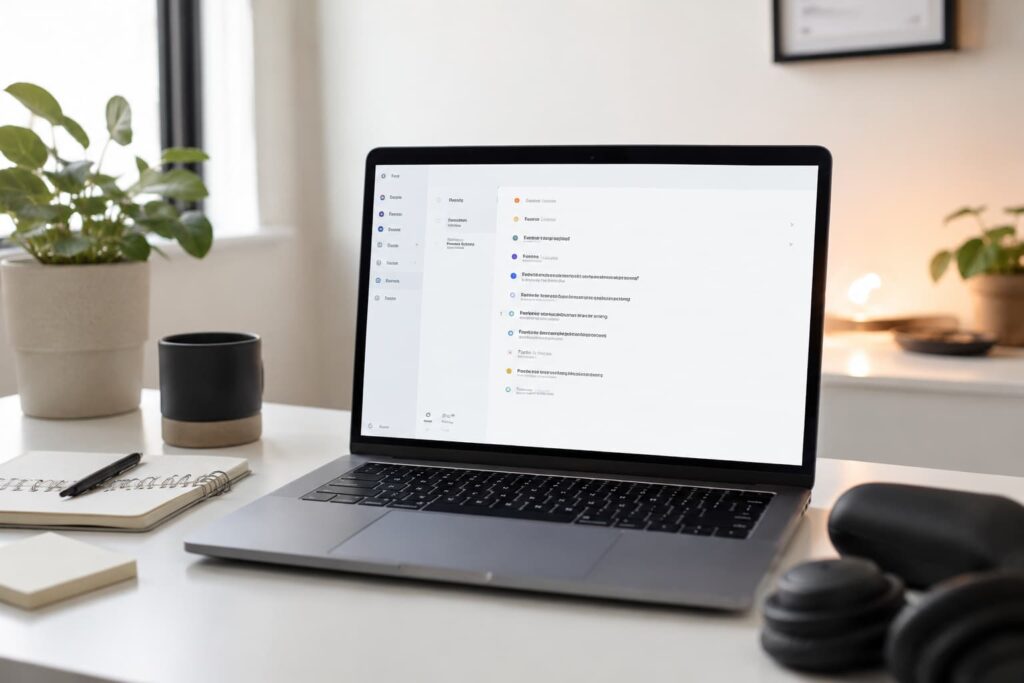
At a Glance
- Simple task management app designed to reduce overwhelm
- Works across phones, tablets, laptops, and browsers
- Useful for routines, recurring reminders, and daily planning
- Clean layout feels less visually chaotic than many productivity apps
- Best suited to people who want structure without too much complexity
Introduction
This Todoist Review for ADHD Productivity focuses on one simple question: does this app genuinely help you organise tasks without creating even more mental clutter? That is often the real problem with productivity tools for ADHD. Many apps promise organisation but end up becoming another complicated system to manage.
Todoist has become one of the most popular task management apps because it keeps things relatively simple while still offering enough structure to handle work, routines, reminders, and daily life. Instead of trying to turn productivity into a full-time hobby, it focuses on quick task capture, recurring reminders, and easy-to-read lists.
For people building a wider ADHD productivity setup, Todoist can also fit alongside other systems and tools. Some people combine it with digital planning devices from this Best Digital Tablets for ADHD Productivity (UK Guide) roundup to create a cleaner planning workflow without relying entirely on paper notes or memory.
This review looks at how Todoist works in real life, where it helps most, where friction can appear, and whether it is genuinely useful for ADHD productivity rather than just looking organised on social media.
Todoist Review for ADHD Productivity: Key Features
The main strength of Todoist is that it gives structure without feeling too heavy or complicated. It tries to reduce the amount of thinking needed to organise everyday tasks.
- Quick task capture with natural language input
- Recurring reminders for routines and repeating tasks
- Project folders and labels for organisation
- Cross-device syncing between desktop, phone, and tablet
- Priority levels for urgent tasks
- Simple interface with low visual clutter
- Calendar integrations and productivity tracking tools
Who This Guide Is For
- Adults with ADHD who struggle with task overwhelm
- People who forget repeating routines or responsibilities
- Remote workers trying to structure their day more clearly
- Students managing assignments and deadlines
- People who want a cleaner alternative to scattered notes and reminders
Key Takeaways
- Todoist works best when you want a simple but consistent system
- The clean layout helps reduce visual overload
- Recurring reminders are one of its strongest ADHD-friendly features
- It is flexible enough for work, home routines, and study
- Overcomplicating the app can reduce its usefulness
How It Works
Todoist is essentially a digital task manager built around lists, reminders, and recurring tasks. You create tasks, assign due dates if needed, and organise them into projects or categories. The app then gives you a structured place to return to instead of trying to hold everything in your head.
The natural language input is one of the most useful features. You can type something like “Pay electricity bill every first Friday at 7pm” and Todoist usually understands it automatically. That reduces setup friction, which matters more than people sometimes realise. ADHD systems often fail because they take too many steps to maintain.
The app also works well across devices. You can add something quickly from your phone while out, then review it later on your laptop or tablet. That consistency helps reduce the “I’ll remember later” trap that usually ends with forgotten tasks.
What stood out to me most is that Todoist feels calmer than many productivity apps. Some task managers try to include dashboards, graphs, habit systems, chats, notes, and dozens of extra tools all at once. Todoist feels more focused. That simplicity can make it easier to trust and easier to reopen consistently.
Why It May Help (ADHD Context)
Many ADHD productivity struggles are not caused by laziness or lack of effort. Often the problem is cognitive overload. Too many unfinished tasks, reminders, ideas, and responsibilities end up competing for attention at the same time.
Todoist can help because it creates an external system for holding those tasks instead of relying on working memory alone. Rather than mentally carrying twenty unfinished things around all day, you can move them into a structured space and return to them when needed.
Resources such as ADDitude often discuss common ADHD difficulties like executive dysfunction, overwhelm, and time blindness. A task manager cannot solve those challenges on its own, but it can reduce the mental friction involved in organising daily life.
The recurring reminders are particularly useful for ADHD routines. Bills, medication, household admin, appointments, and repeat tasks often disappear from awareness once they are no longer directly visible. Todoist helps bring those things back into view automatically without needing constant manual effort.
It also works well for “brain dump” moments. If your thoughts feel noisy or overloaded, quickly emptying tasks into one trusted system can create a surprising sense of relief. I think that is one of the understated benefits of a good task manager. Sometimes clarity matters more than productivity itself.
Real-World Use Cases
Todoist fits surprisingly well into ordinary daily life because it is flexible without feeling overwhelming. For work, it can help organise projects, deadlines, emails to follow up on, and smaller tasks that otherwise disappear between meetings.
For home life, recurring reminders are extremely useful. You can create repeating prompts for medication, cleaning, food shopping, bin collection days, pet care, or other household responsibilities that are easy to forget when routines become busy.
Students can use it for revision plans, assignment deadlines, reading lists, and breaking larger coursework into smaller actions. That breakdown process is particularly important because large vague tasks often create paralysis for ADHD brains.
It can also work well alongside wider ADHD productivity systems. Some people combine it with timers, digital planning tablets, or distraction-blocking apps to create a more complete setup rather than relying on one single app to solve everything.
I also think Todoist works best when you keep it lightweight. The app becomes much more useful when it acts as a trusted external brain rather than a perfectly colour-coded productivity project.
Feature Breakdown Table
| Feature | What It Means in Practice | Why It Matters for ADHD |
|---|---|---|
| Natural language task entry | Tasks and reminders can be added quickly | Reduces setup friction and mental effort |
| Recurring reminders | Repeating tasks automatically return | Helps with routines and forgotten responsibilities |
| Cross-device syncing | Access tasks anywhere | Reduces the chance of losing information |
| Simple visual layout | Cleaner interface with less clutter | Feels less overwhelming to reopen daily |
| Project organisation | Tasks can be grouped into categories | Helps separate work, home, and personal responsibilities |
| Priority levels | Important tasks can stand out visually | Useful when everything feels equally urgent |
Focus Environment Fit
Todoist fits best into calm, low-friction productivity setups. It works particularly well if you prefer clean digital environments without excessive visual stimulation.
Because the interface is relatively uncluttered, it pairs nicely with quieter desk setups, digital tablets, or structured focus systems. It does not constantly push notifications or visual noise in the same way some productivity apps do.
It also works well for people trying to reduce scattered planning methods. If you currently use random sticky notes, screenshots, browser tabs, and half-finished reminders, Todoist can help centralise things into one clearer system.
If you are building a wider ADHD productivity setup, it can also fit naturally into a broader ADHD Productivity Tools UK workflow alongside timers, planning devices, and distraction-management tools.
Real Use Review
In day-to-day use, Todoist feels strongest when you stop trying to make it perfect. The app works well because it lowers friction. Adding tasks is fast, the interface is calm, and the recurring reminders quietly keep things moving in the background.
The biggest strength is consistency. Some productivity apps feel exciting for two days and exhausting after two weeks. Todoist avoids that problem because it stays relatively lightweight. You are not forced into complicated workflows unless you actively choose them.
I found the recurring reminders especially useful because they reduce the mental pressure of needing to remember everything manually. That is where the app feels genuinely ADHD-friendly. It removes some of the invisible cognitive load rather than adding more structure to manage.
The cross-device syncing is also genuinely practical. You can quickly capture something while out and know it will still be there later when you sit down to work properly. That sounds basic, but it stops a surprising amount of forgotten admin.
The main weakness appears when people overbuild the system. If you start creating endless labels, filters, projects, and colour systems, the app can slowly become another source of overwhelm. Simpler setups usually work better for ADHD.
Friction Points to Consider
- The free version has some feature limitations
- Too much customisation can become overwhelming
- Notifications may become background noise if overused
- Requires consistency to become genuinely useful
- Some people may prefer a more visual calendar-based system
Practical Reality Check
Todoist is not a magic productivity fix. If tasks are entered and then ignored forever, no app can solve that problem. The real value comes from building a habit of checking one trusted system consistently.
What makes Todoist more practical than many alternatives is that it does not fight you constantly. It opens quickly, tasks are easy to add, and the interface does not feel overly demanding. That lowers resistance, which is extremely important for ADHD productivity systems.
The best approach is usually to keep the system simple. A small number of projects, recurring reminders for important routines, and one clear daily list often works far better than trying to build a perfect life-management dashboard.
Buying Guide
Before choosing Todoist, think about what you actually need from a productivity app. If you mainly want a calm place to store tasks, reminders, and routines, it is a strong option.
If you prefer heavily visual planning with drag-and-drop scheduling, full calendar layouts, or large project management systems, another app may fit better. Todoist leans more toward structured task management than visual planning.
It is also important to decide whether simplicity matters more than advanced features. Todoist succeeds because it stays relatively clean and lightweight. That simplicity is either its greatest strength or its biggest limitation depending on your needs.
For many ADHD users, though, fewer decisions often means greater consistency. And consistency is usually more valuable than having endless productivity features that never actually get used.
Frequently Asked Questions
Is Todoist good for ADHD productivity?
Todoist can work well for ADHD productivity because it provides structure without feeling overly complicated or visually overwhelming.
Does Todoist help with routines?
Yes. Recurring reminders are one of its strongest features for managing repeating tasks and responsibilities.
Is the free version enough?
For many people, yes. The free version covers basic task management well, although premium features add more flexibility.
Can Todoist replace paper planners?
It depends on personal preference. Some people prefer digital systems because they sync across devices and reduce physical clutter.
Does Todoist become overwhelming?
It can if overcomplicated. Simpler systems usually work best for ADHD productivity.
Alternatives to Consider
If Todoist feels too minimal, Notion offers more flexibility and deeper organisation systems, although it can also feel heavier and more complex for ADHD users.
TickTick is another strong option if you want built-in timers and habit features alongside task management. Some people prefer the extra structure, while others find it slightly busier visually.
Microsoft To Do is worth considering if you want something extremely simple and tightly connected to the Microsoft ecosystem. It may suit people who feel overwhelmed by too many productivity features.
If you are trying to reduce phone distraction while managing tasks, distraction-management tools from this Best Distraction-Blocking Apps for ADHD Adults (UK-Compatible) roundup may also pair well with Todoist.
Final Verdict
Todoist Review for ADHD Productivity comes down to this: it is one of the better task management apps for people who want structure without excessive complexity. Its biggest strengths are simplicity, recurring reminders, and a clean layout that feels easier to return to consistently.
It will not solve executive dysfunction on its own, and it works best when kept lightweight rather than overbuilt. But for many people with ADHD, that balance of structure and simplicity is exactly why it works. If you want a calmer system for tasks, routines, and daily organisation, Todoist makes a strong case for itself.
Build a Simple ADHD Productivity System
If you want to bring everything together into one clear setup, this guide shows how tools, apps, and routines can work as one system.