
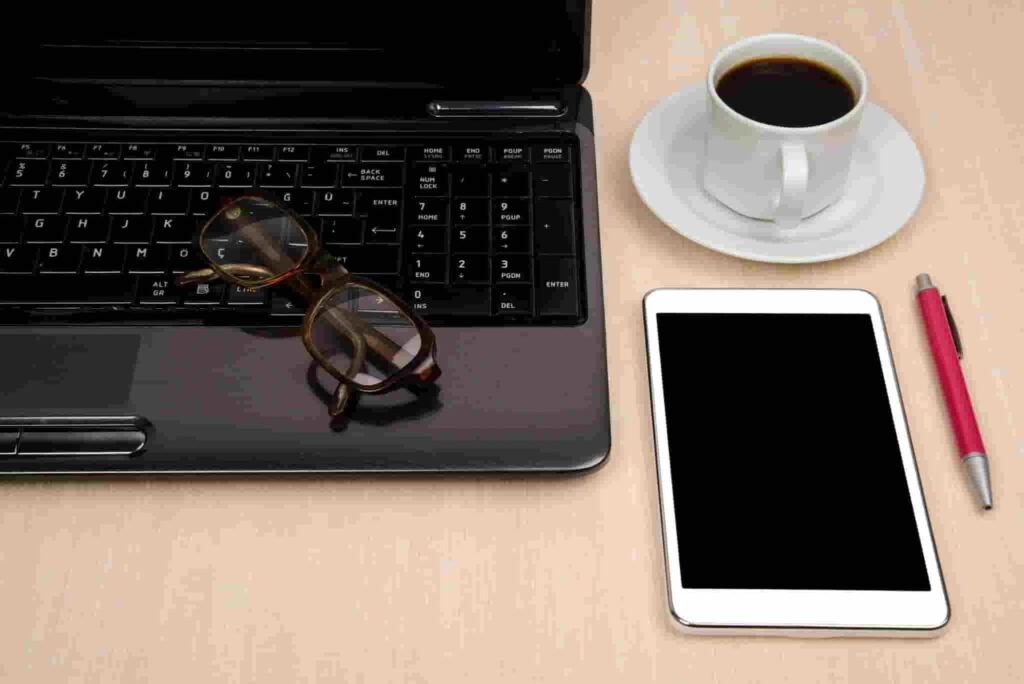
Tablet vs Laptop for ADHD Productivity: Quick Picks
-
- Best for fewer distractions: reMarkable 2
- Best all-round tablet: Apple iPad Air 11-inch
- Best value tablet: Samsung Galaxy Tab S9 FE
- Best simple everyday tablet: Apple iPad (A16)
- Best for heavier work tasks: Apple MacBook Air 13-inch
Quick Picks by Situation
For people who mainly struggle with distraction, a tablet often feels calmer than a laptop. A simpler home screen, fewer open windows, and touch-based use can make it easier to stay on one task.
A laptop tends to make more sense when the work involves proper multitasking, longer writing sessions, or lots of browser tabs. The extra room and flexibility can make more demanding tasks feel less compromised.
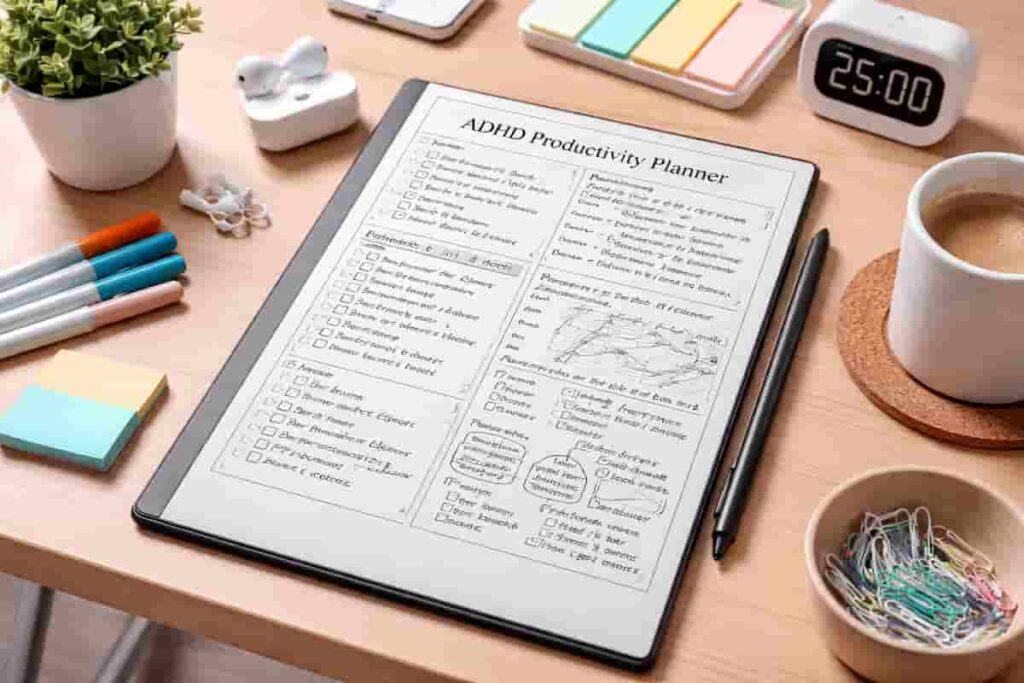
For planning, reading, and handwritten notes without constant app temptation, the reMarkable 2 stands out. Its more paper-like approach is particularly suited to people who want fewer digital distractions around them.
The iPad Air 11-inch is the easiest all-round recommendation for notes, media, light admin, and everyday productivity. It offers plenty of flexibility without immediately moving into a full laptop setup.
For a more budget-conscious option, the Samsung Galaxy Tab S9 FE gives you a lot of useful features without pushing into premium pricing.
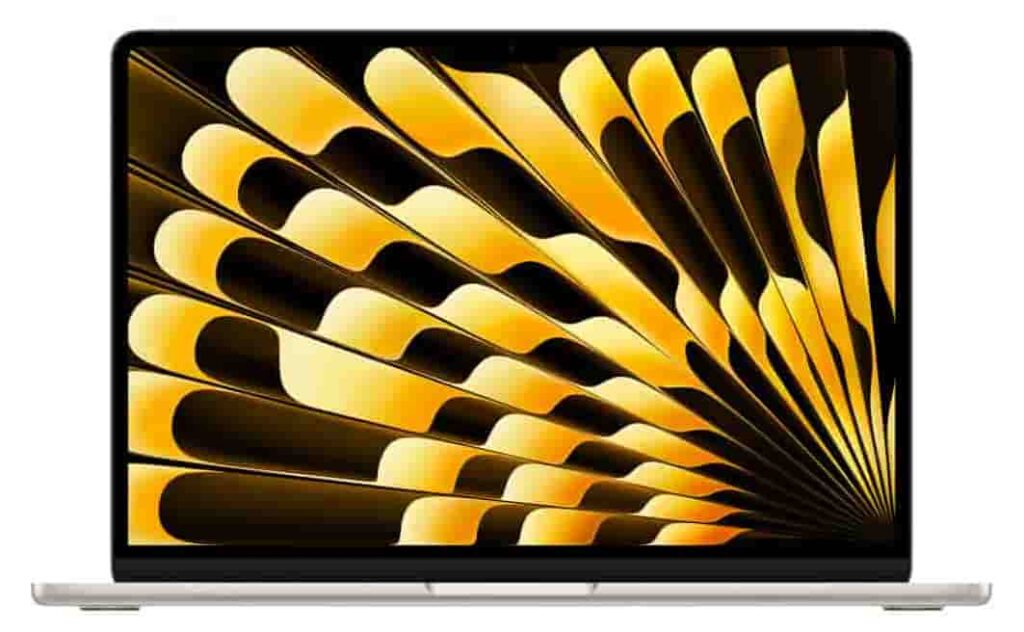
Longer writing sessions, research, spreadsheets, and heavier multitasking are where the Apple MacBook Air 13-inch (M5) becomes the stronger choice. It provides a more complete working environment while remaining relatively lightweight and straightforward for everyday productivity.
Introduction
Choosing between a tablet and a laptop isn’t really about which one is more powerful. It’s about which one makes it easier to get started, stay focused, and avoid drifting off into other things. For some people, a tablet feels simpler and calmer to use. For others, a laptop makes work feel smoother and more complete.
What stood out to me is that the better choice usually comes down to the kind of work you do when your attention is already a bit stretched. If your day involves reading, planning, note-taking, and single-task work, tablets often feel easier to manage. If your day involves longer writing sessions, spreadsheets, or lots of browser tabs, laptops still have a strong edge.
If you are still deciding which tablet setup feels most ADHD-friendly, it is worth browsing the full Best Digital Tablets for ADHD Productivity (UK Guide). For background reading on ADHD-friendly productivity tools, it can also help to look at advice from ADDitude.
Alternatively the guide how different productivity tools work together for ADHD shows other articles about how to build a more reliable routine.
Who This Guide Is For
- People with ADHD trying to decide between a tablet and a laptop for daily productivity
- Students who want a more focused device for notes, reading, and assignments
- Remote workers who need a practical setup that feels easier to use
- Anyone who finds phones too distracting but laptops a bit overwhelming at times
- Buyers choosing between a simple digital workspace and a more traditional computer setup
Key Takeaways
- Tablets can feel less distracting because they often encourage one-task-at-a-time use
- Laptops are usually better for heavier workloads, longer typing sessions, and complex multitasking
- The best choice depends more on your work style than the raw specs
- For ADHD productivity, ease of use and effort to get started matter just as much as performance
- Some people do best with both: a tablet for planning and focus blocks, and a laptop for deeper work
How These Products Were Evaluated
For this guide, I looked at how each device fits real everyday productivity rather than just headline specs. That means how easy it is to pick up and start, how distracting the interface feels, how well it handles notes and planning, and whether it supports longer work sessions without becoming annoying.
I also looked at practical things that matter like value for money, battery life, accessory options, app support, and whether the device makes day-to-day work feel simpler rather than more complicated.
Quick Comparison Table
| Product | Type | Best For | Strength | Main Trade-Off |
|---|---|---|---|---|
| Apple iPad (A16) | Tablet | Everyday light productivity | Simple, familiar, easy to carry | Less comfortable for heavier work |
| Apple iPad Air 11-inch | Tablet | Balanced study and work use | Fast, flexible, polished app support | Accessories add to the cost |
| Samsung Galaxy Tab S9 FE | Tablet | Value-focused buyers | Good features for the price | Not as polished as premium options |
| reMarkable 2 | E-ink tablet | Notes, reading, deep focus | Very low-distraction experience | Limited compared with a full tablet |
| Apple MacBook Air 13-inch (M5) | Laptop | Longer work sessions | Excellent for typing and multitasking | Can invite more digital clutter |
Focus Environment Fit
When comparing a Tablet vs Laptop for ADHD Productivity it often comes down to the kind of environment you are trying to create. A tablet can make your workspace feel quieter. You open one app, do the task, and there is less visual noise around you. That can be a big help on low-energy days.
A laptop tends to suit people who need a more complete work setup. If you are switching between documents, writing for long periods, or managing several things at once, a laptop usually feels less limiting. For me, tablets can feel easier for getting started, while laptops often make more sense once the work becomes longer or more complicated.
If your main goal is making tablet use feel more intentional, the supporting guide How to Stay Focused Using a Tablet (ADHD Guide UK) is a natural next read.
It also helps to read Why Tablets Can Reduce Distraction for ADHD if you want a clearer sense of why tablets often feel calmer than phones or laptops.
Focus Score Comparison Table
| Product | Start-Up Ease | Low Distraction Feel | Typing Comfort | Flexibility | Overall Focus Score |
|---|---|---|---|---|---|
| Apple iPad (A16) | 9/10 | 8/10 | 6/10 | 7/10 | 8/10 |
| Apple iPad Air 11-inch | 9/10 | 8/10 | 7/10 | 9/10 | 9/10 |
| Samsung Galaxy Tab S9 FE | 8/10 | 8/10 | 7/10 | 8/10 | 8/10 |
| reMarkable 2 | 9/10 | 10/10 | 4/10 | 4/10 | 8/10 |
| Apple MacBook Air 13-inch (M5) | 7/10 | 6/10 | 10/10 | 10/10 | 8/10 |
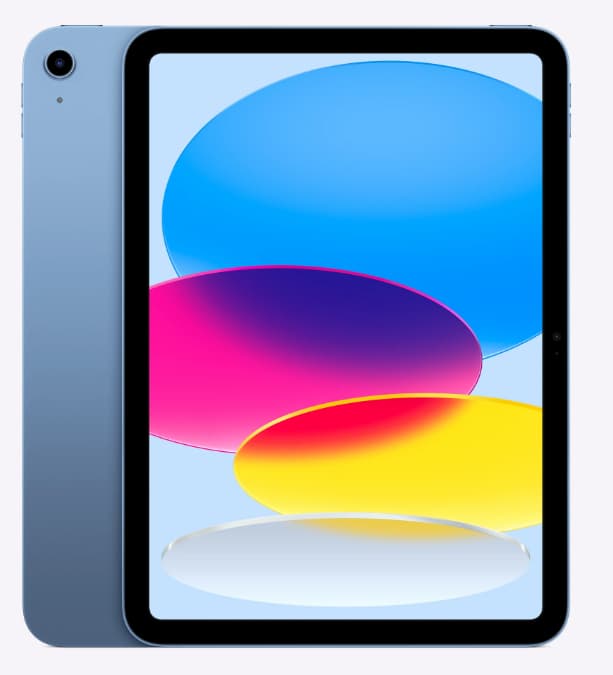
Apple iPad (A16)
Who It May Suit
This suits people who want a straightforward tablet for notes, planning, reading, videos, and light admin without spending on a more premium model.
Why It May Help
The standard iPad is often a good middle ground. It is easy to pick up, apps are well supported, and it offers enough flexibility without immediately feeling like a full computer. For ADHD productivity, that lower barrier to starting can matter a lot.
It also works well for people moving away from phone-based working. The bigger screen gives you more breathing room, but the device still feels simpler than opening a full laptop.
Friction Points to Consider
- Typing for long periods can be awkward without a keyboard
- Multitasking is possible, but not as comfortable as on a laptop
- Storage and accessories can push the overall price up
Practical Reality Check
This is a strong choice if your work is mostly reading, writing short notes, calendar use, and focused app-based tasks. It is less ideal if your day involves heavy browser work or lots of file management. Read the full Apple iPad (A16) for ADHD Productivity (UK Review) for the detailed breakdown.
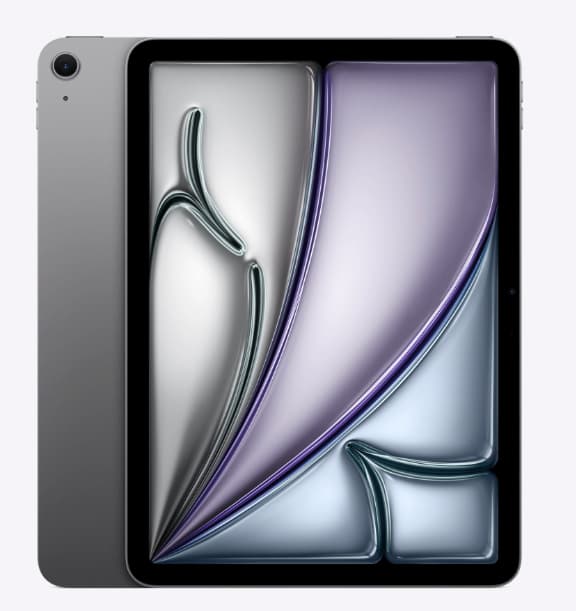
Apple iPad Air 11-inch
Who It May Suit
This suits people who want one of the best all-round tablet options for study, creative work, and everyday productivity without stepping into laptop territory full-time.
Why It May Help
The iPad Air 11-inch feels more capable without becoming bulky. It is fast, smooth, and easy to customise around the way you work. If you want a device that can handle notes, reading, task apps, writing, and occasional deeper work, it gives you more room to grow.
For some people, this is the point where a tablet stops feeling like a companion device and starts feeling like a proper work tool.
Friction Points to Consider
- It can become expensive once you add a keyboard and stylus
- Still not as comfortable as a laptop for long typing-heavy sessions
- Some workflows remain better on a traditional computer
Practical Reality Check
If you want a tablet first and only occasionally need laptop-like flexibility, this is one of the safest picks. It suits people who want less distraction than a laptop, but more headroom than a basic tablet. You can read the full Apple iPad Air 11-inch for ADHD Productivity review here.
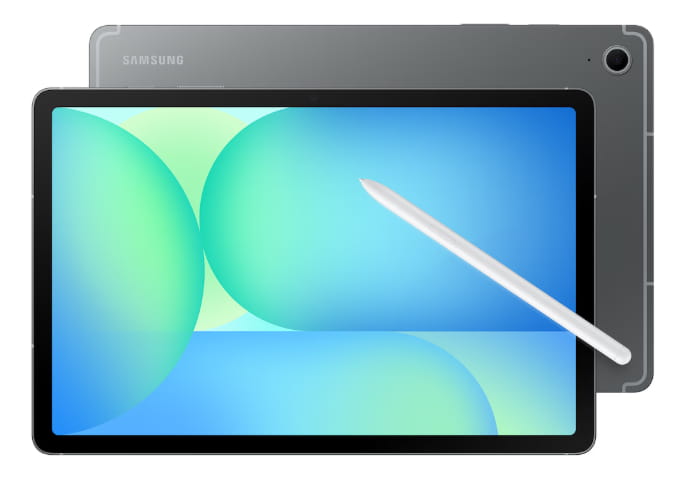
Samsung Galaxy Tab S9 FE
Who It May Suit
This suits buyers who want a capable Android tablet for planning, study, note-taking, and media use without paying premium Apple prices.
Why It May Help
The Galaxy Tab S9 FE gives you a lot for the money. It is roomy enough for task apps and note-taking, and it generally feels less cramped than trying to manage everything from a phone. It can be a good fit if you want a tablet that feels flexible without creating the same level of desktop-style clutter as a laptop.
It also makes sense for people already comfortable with Android services and Samsung devices.
Friction Points to Consider
- App quality can feel a bit less consistent than on iPad
- Keyboard-style work is possible, but not its strongest point
- Performance is good for normal use, but not top-tier
Practical Reality Check
This is a sensible mid-range choice for people who want a practical tablet for ADHD productivity without overspending. It makes most sense when you want flexibility and value rather than the most polished ecosystem. Read the full Samsung Galaxy Tab S9 FE for ADHD Productivity review here.
reMarkable 2
Who It May Suit
This suits people who mainly want distraction-free reading, handwritten notes, planning, and deep-focus work with as little digital noise as possible.
Why It May Help
The reMarkable 2 is different from the others because it is not trying to be an all-purpose tablet. That is exactly why some people love it. It strips away a lot of the usual digital temptation and leaves you with something much closer to paper.
I find this kind of setup can feel noticeably calmer when your attention is already being pulled in several directions..
Friction Points to Consider
- It is much more limited than a standard tablet or laptop
- Not suited to people who need lots of apps or browser-based work
- Value depends on whether you truly want a minimal device
Practical Reality Check
This works best as a focus and thinking tool, not a replacement for every bit of digital work. If your main struggle is distraction rather than capability, it can make a lot of sense. Read the full reMarkable 2 for ADHD Productivity (UK Review) here.
Apple MacBook Air 13-inch
Who It May Suit
This suits people who need longer writing sessions, browser-heavy work, admin tasks, and a more complete setup for work or study.
Why It May Help
A good laptop still makes plenty of sense for ADHD productivity when the work itself is complex. A larger screen, better keyboard, easier file handling, and smoother multitasking can reduce the effort involved in getting real work done. That matters just as much as reducing distraction.
If your tablet keeps turning simple tasks into awkward workarounds, a laptop may actually feel easier and more calming in practice.
Friction Points to Consider
- More open tabs and desktop tools can lead to more distraction
- It is less portable and less casual to pick up than a tablet
- For light planning or reading, it can feel like more device than you need
Practical Reality Check
If your day involves writing, research, spreadsheets, or proper multitasking, a laptop still earns its place. It is not always the calmer option, but it is often the more efficient one. Check the Apple MacBook Air 13-inch (M5) on Amazon.
Buying Guide: Choosing a Tablet vs Laptop for ADHD Productivity
When choosing between a tablet and a laptop, start with the type of work you actually do most often, not the one you wish you did. That sounds obvious, but it saves a lot of wasted money.
Compatibility matters first. Make sure the apps, files, and services you rely on work properly on the device you choose. A tablet may look more focused, but if it creates awkward steps every day, that benefit fades quickly.
Notification control is another big one. Tablets can be easier to simplify, especially if you only keep a small number of apps on them. Laptops can also be set up well, but they usually need more conscious effort to stay tidy.
Battery life matters because a dead device is a broken routine. If you move around the house, commute, or work in different places, long battery life makes it easier to keep momentum going.
Ease of use is the final piece. For ADHD productivity, the best device is often the one with the fewest small annoyances between you and the task. If it feels fiddly, cluttered, or too open-ended, you are less likely to use it well.
Find a Tablet That Works for You
Compare tablet options designed to support focus, organisation, and daily structure.
Frequently Asked Questions
Is a tablet better than a laptop for ADHD?
Sometimes, yes. A tablet can feel simpler and less distracting, especially for reading, planning, note-taking, and single-task work. A laptop is usually better for longer, more complex work.
Can a tablet replace a laptop for productivity?
It depends on your workload. For light to moderate tasks, it often can. For heavier writing, research, admin, and multitasking, many people still find a laptop easier.
Are tablets less distracting than laptops?
They often are, but not automatically. A tablet with too many apps and notifications can still be distracting. The difference is that tablets are usually easier to keep simple.
What is the best setup for ADHD productivity?
There is no single answer. Some people do best with one well-chosen device. Others do better with a tablet for planning and focus blocks, plus a laptop for deeper work.
Final Verdict
Choosing between a tablet and a laptop for ADHD productivity really comes down to the kind of work you struggle with most. If distraction, visual clutter, and constant task-switching tend to pull you off track, a tablet can feel simpler and easier to manage. But if your work starts to feel cramped or frustrating on a smaller device, a laptop is often the better fit.
For the best all-round tablet, the iPad Air 11-inch is the strongest choice for most people. A simpler everyday option is the Apple iPad (A16), while the Galaxy Tab S9 FE stands out for value. For low-distraction reading and note-taking, the reMarkable 2 makes the most sense. Longer writing sessions and more complete multitasking are where the Apple MacBook Air 13-inch (M5) becomes the stronger fit.
There is no single best choice for everyone. The right choice is the one that helps your daily work feel clearer, easier to start, and easier to stick with.