
Quick Answer
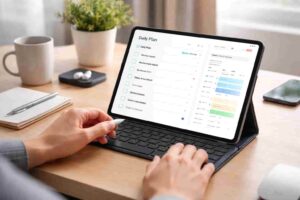
Tablets can help reduce distraction because they feel more deliberate to use than phones. You’re less likely to mindlessly check them, and they don’t usually pull you into messages or scrolling in the same way. That makes it easier to stay on one task for longer without drifting off.
That said, a tablet is not a fix on its own. What actually helps is how you use it — keeping distractions low, sticking to a simple setup, and using it as a focused workspace rather than another all-in-one device.
Introduction
Why Tablets Can Reduce Distraction for ADHD is something a lot of people notice after struggling with their phone. You pick it up to check your calendar, write something down, or start a task, and before you realise it, you are in messages, scrolling, or checking something completely unrelated.
That is not a lack of effort — it is how phones are designed. Everything is quick, close together, and easy to switch between. A tablet, on the other hand, can feel a bit more separate from that. It is something you tend to sit down and use on purpose, which can make a real difference when you are trying to stay focused.
For a lot of people with ADHD, the phone becomes both the tool and the distraction. A tablet can create a bit more separation. It often feels less like a social device and more like a work surface, which is one reason many people exploring the best digital tablets for ADHD productivity in the UK start to find them easier to use for focus, planning, and study.
The benefit is not magic. It is practical. A bigger screen, fewer pocket-check habits, and less automatic app-switching can make it easier to stay with the thing you meant to do in the first place.
Why Tablets Can Reduce Distraction for ADHD: Key Causes
Phones are built for speed, alerts, and quick switching. Tablets can still distract you, but they often remove some of the automatic habits that make phones so hard to manage.
- Phones are linked to constant checking throughout the day
- Social and messaging apps feel more automatic on a phone
- Smaller screens make it easier to jump between apps quickly
- Tablets often feel more like dedicated work tools
- Using a tablet usually requires more intention than grabbing a phone
- A larger display can make planning, reading, and note-taking feel simpler
Why This Happens (ADHD Context)
ADHD distraction is not just about willpower. It is often about what is easiest to do in the moment. Phones are designed around speed, novelty, and constant input, which makes them a perfect storm when your attention already tends to jump toward what feels immediate.
With a phone, everything is close together. Your reminders, your messages, your social feeds, your browser, and your entertainment are all living in the same small space. That means one tiny shift can send you somewhere completely different. You open one app for a sensible reason and end up somewhere else before you even notice it happening.
A tablet changes the feel of that interaction. It is usually not in your hand all day. It is less likely to be checked while standing in a queue, walking between rooms, or sitting in the car. For me, that is one of the biggest differences. A phone invites constant checking. A tablet usually asks you to sit down and use it on purpose.
That extra bit of intention matters. When ADHD makes it hard to pause before acting, any device that slows the jump from impulse to distraction can be genuinely helpful.
What Usually Goes Wrong
One common mistake is assuming that any digital device will help as long as it has the right apps on it. In reality, the setup matters as much as the device. If a tablet is filled with the same tempting apps, noisy notifications, and cluttered layout as a phone, the benefit quickly disappears.
Another problem is trying to use a phone for longer focus sessions, planning, reading, and reminders while also using it for entertainment and communication all day long. That is a lot of mixed signals for one device. It becomes hard for your brain to treat it as a focus tool when it is also the place where the most distracting things live.
People also often rely on motivation instead of environment. They say they will ignore distractions next time, but the device is still built around easy switching and quick rewards. That usually does not hold for long, especially on tired or stressful days.
Step-by-Step: How to Fix This
Step 1: Reduce Immediate Triggers
Start by removing the things that pull you off task fastest. Turn off non-essential notifications on both devices, but be especially strict on the tablet if you want it to become a calmer workspace. Keep only the alerts you truly need for work, study, or routine.
It also helps to keep the tablet home screen plain. Put your main focus tools on the first screen and move entertainment apps away or remove them entirely. The less visual noise you see, the easier it is to begin.
Step 2: Make Distractions Harder to Reach
If something distracts you easily, make it slightly harder to access. That could mean logging out of social apps, using website blockers, or keeping your phone in another room when you’re trying to focus. A small amount of extra effort can be enough to stop the automatic switch.
This is one reason a tablet can work well. It naturally creates a bit more effort than a phone. It is not always in your pocket, and that alone can reduce constant checking. If you want a more practical setup, this guide on staying focused using a tablet pairs well with a simple distraction-reduction routine.
Step 3: Replace the Habit Loop
It is not enough to remove distractions. You also need something useful to do instead. If your usual habit is picking up your phone when you feel stuck, create a replacement action on the tablet. Open your notes app, daily checklist, reading app, or planning page first.
What stood out to me here is that replacement works better than pure restriction. If you only block distractions, the brain still looks for a quick escape. If you replace that escape with a simple next step, it is much easier to keep going.
Step 4: Use Tools That Support Behaviour
Choose tools that fit the way you actually work. A tablet is most useful when it supports one or two core behaviours such as planning, reading, handwritten notes, or single-task work blocks. For example, some people may prefer a familiar setup like the Apple iPad (A16) for ADHD productivity, while others may want a more writing-focused experience with fewer distractions.
The goal is not to find a perfect device. It is to build a setup that makes the right action easier than the distracting one.
Real-World Use Cases
Working from home: A tablet can be used as a dedicated task board, note screen, or focus device while your phone stays out of reach. This works well if your phone usually pulls you into messages or random checking during the workday.
Study sessions: Reading on a tablet can feel more stable than reading on a phone, especially for PDFs, longer notes, or split-screen study tasks. The larger screen reduces the cramped feeling that can make attention drift.
Deep work blocks: During a timed session, a tablet can be set up with only one document, one note page, or one checklist visible. That is often easier than using a phone, where everything feels one tap away from something else.
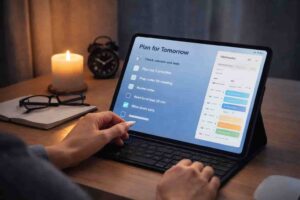
Evening routine: Some people find tablets helpful for a calmer wind-down routine such as planning tomorrow, reading, or reviewing tasks. A phone often pulls you toward short-form content instead, which can make the evening disappear faster than expected.
Tools That May Help
A few types of tablet can support different ADHD needs. If you want a more familiar all-rounder for notes, planning, and apps, the Apple iPad Air 11-inch review may be useful to compare. If you prefer a less cluttered setup with more room for writing and reading, the reMarkable 2 review is worth a look.
For people who want flexibility without going fully into a premium setup, a standard tablet with a clean layout, note app, and limited notifications can still work very well. The main thing is not brand loyalty. It is whether the device helps you stay with one task instead of pulling you into ten others.
You may also prefer an Android option with a more open setup, in which case the Samsung Galaxy Tab S9 FE review may help you compare styles of use.
Friction Points to Expect
- A tablet can still become distracting if you install the same tempting apps as your phone
- You may forget to use it at first unless it is built into a daily routine
- Switching devices can feel awkward for the first week or two
- Not every task is better on a tablet, especially quick communication
- The benefit drops quickly if notifications are left unmanaged
Practical Reality Check
A tablet is not distraction-proof. It is simply easier to shape into a calmer, more focused tool than a phone. That difference matters more than it might seem at first.
If you buy a tablet expecting instant focus, you will probably be disappointed. But if you use it as part of a simple setup, it can make daily work feel a lot less scattered. A cleaner screen, fewer checking habits, and more space to stay on one task can go a long way.
Progress usually looks small at first. Maybe you stay with a task for ten more minutes. Maybe you plan your day without ending up in three different apps. Those are not small wins — they are exactly the kind of changes that build momentum.
Choosing the Right Support Strategy
When thinking about Why Tablets Can Reduce Distraction for ADHD, it helps to focus on the full strategy rather than the device alone. Start with environment control by keeping your phone out of reach during focus blocks. Then use habit replacement so the tablet becomes the place you plan, read, or take notes instead of drifting elsewhere.
After that, think about tool support. Choose a tablet setup that matches what you actually need, whether that is handwritten notes, reading, task planning, or simple work sessions. Finally, make sure it fits your routine. The best setup is the one you can repeat on ordinary days, not just your most motivated ones.
Frequently Asked Questions
Are tablets always better than phones for ADHD?
No. Tablets are not automatically better for everyone, but they can be easier to use intentionally. The main advantage is that they are often less tied to constant checking and quick social distractions.
Can a tablet replace a phone for productivity?
For some tasks, yes. A tablet can work well for planning, reading, writing, and focus sessions. Most people will still use a phone for messages, calls, and quick admin, but keeping the two devices in different roles can help.
What if I get distracted on tablets too?
That can still happen. Usually it means the setup needs work rather than the idea being wrong. Remove distracting apps, cut notifications, and give the tablet one clear job in your routine.
Do I need an expensive tablet for this to work?
No. A useful setup depends more on how you use the device than how much it costs. A simpler tablet with a clean layout can be more effective than an expensive one filled with distractions.
Final Thoughts
Why Tablets Can Reduce Distraction for ADHD comes back to how the device fits your habits. Phones are brilliant at grabbing attention, which is exactly why they can be so hard to manage. Tablets often create a calmer middle ground where planning, reading, note-taking, and focused work feel more deliberate.
If distraction is a daily problem, the answer is not to chase perfection. It is to make the next right action easier. A tablet can be a helpful part of that, especially when it is paired with a simple routine, fewer alerts, and realistic expectations. For broader ADHD-friendly strategies and practical advice, it is also worth browsing ADDitude.