
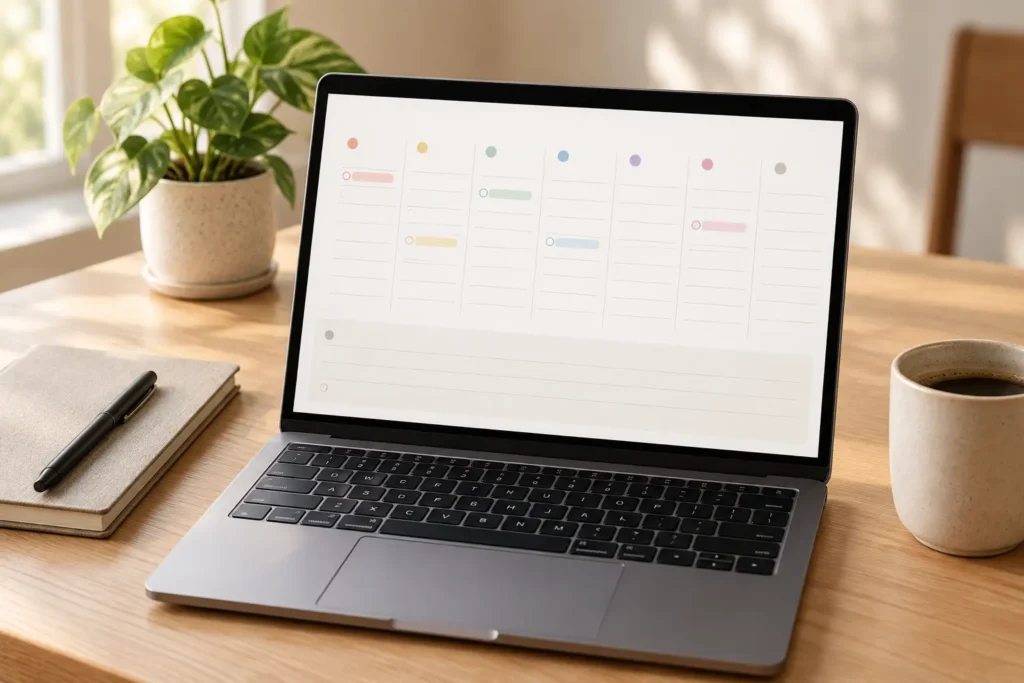
At a Glance
- Best for: seeing the week’s tasks quickly in a low-clutter layout that feels closer to a paper planner.
- Core approach: a simple weekly view, with a monthly overview and paid extras.
- Availability: web, iPhone, iPad and Android.
- Price: a free version is available, with additional features on Premium. Check the Tweek website for current pricing and what each plan includes.
- Main trade-off: clarity and low setup effort instead of detailed task-to-time scheduling.
Introduction
Some planning apps ask you to build a system before you can see the week. Tweek takes a more familiar route: a simple seven-day layout where you can put tasks where you expect to do them. In this Tweek review, we look at whether that paper-planner feel makes everyday ADHD planning easier, and where a simple list may leave you needing more.
That view can help if a long to-do list makes it hard to tell what belongs on Tuesday and what can wait until Friday. It does not make an overloaded day realistic, and it is not trying to plan every hour for you. Best Weekly Planning Tools for ADHD compares this lighter approach with the other four tools.
This review looks at Tweek’s published features with everyday ADHD planning in mind: seeing what’s coming up, finding today’s tasks and returning to the week when plans have changed.
What Stands Out
The weekly layout gives each day a visible place without covering the screen in a detailed timeline. You can scan the coming days, spot a crowded one and move a task before it becomes an overdue reminder. That is useful when you need a broad sense of the week more often than a minute-by-minute plan.
Tweek does have other views and Premium extras, including calendar sync and recurring tasks. They do not change its central character: it remains a task-oriented planner whose simplicity is part of the appeal. It is easy to make the screen less helpful by packing every day with too many items.
The breathing room is part of the appeal, especially when a busy dashboard makes you want to close the app before you’ve started. But it’s easy to fill Tweek’s columns with everything you hope to get done. Thursday can look neatly organised while still holding far more work than you have time for. The layout makes that list easier to see; you’ll still need to decide what can wait.
Who It May Suit
- Someone who likes paper weekly planners but wants tasks available across devices.
- A person who needs to choose which day to tackle a task without estimating an exact time slot.
- Someone put off by dashboards, many integrations or automated scheduling.
- A household or small team that wants a straightforward shared task view.
Key Takeaways
- The default weekly view is Tweek’s most distinctive benefit.
- The free version lets you see whether this way of planning fits before subscribing.
- Premium is needed for features such as calendar sync, reminders and recurring tasks.
- Web and mobile access let you check the same plan at your desk or while you’re out.
How It Works
Tasks sit under the days when you expect to do them, so the week is there to scan when you open Tweek. An unfinished Monday task can move to another day without rebuilding the whole plan. The monthly overview lets you look further ahead, while the separate day view on iOS gives you a closer look at today.
Premium can bring calendar events into the picture and add recurring tasks and reminders. The important distinction is that a dated task in a weekly list does not automatically reserve enough time to complete it. How to Build a Weekly Planning System That Works with ADHD can help you decide how many tasks belong in a realistic week.
The day columns become more useful when the task names tell you what needs doing. “Prepare presentation” can leave you wondering where to start; “draft the opening three slides” gives you something clearer to return to. Jobs tied to a meeting or deadline also need room before that event. Tweek gives you somewhere to put those reminders, though the page can become misleading when old tasks stay on days that no longer make sense.
Why It May Help with ADHD Planning
Friday’s deadline is easier to lose track of when you’re already caught up in Wednesday’s errands. Having both on the same page gives you a reminder of what’s approaching without opening several lists. It may also make returning after a few days away less daunting: the week is still there to look through, without a dashboard full of sections to check first.
The limit is that Tweek shows planned tasks more clearly than it measures their duration. A day with six short items might be fine; a day with six large tasks probably is not. If estimating time is your main difficulty, a calendar-based time-blocking app may give you a more honest picture.
Real-World Use Cases
A household week: put shopping, a school event, a prescription pickup and a bill on the days they matter. You can see where errands might be grouped without creating a detailed timetable.
Study or side-project planning: divide a larger assignment into a few dated actions, such as finding sources on Tuesday and drafting the introduction on Thursday. The week stays visible without committing every spare hour.
A missed day: yesterday’s unfinished list can make today feel overloaded before you’ve begun. In Tweek, the tasks that still matter can move across, while anything that’s no longer needed can come off the plan. How to Reset Your Planning System After Falling Behind looks at returning without feeling you have to catch up on everything.
A shared week: a partner or small team could use a shared calendar to see which dated jobs belong to the coming days. That can help with visibility, but a shared task still needs a clear owner. “Order supplies” on Wednesday is less useful if everyone assumes somebody else has taken it on.
Feature Breakdown Table
| Feature | What it does | Why it may matter |
|---|---|---|
| Weekly view | Shows seven days and their tasks together. | Makes the distribution of work across the week easy to scan. |
| Monthly overview | Lets you look beyond the default week. | Offers wider context without a complex planning setup. |
| Calendar sync | Brings supported calendar events into the planner on Premium. | Helps reveal fixed commitments beside dated tasks. |
| Recurring tasks and reminders | Support repeated work and prompts on Premium. | May reduce the need to re-enter regular responsibilities. |
Focus Environment Fit
Tweek may appeal when you want a quick look at the week between other things, rather than a separate planning session. At your desk or on your phone, the day columns give you somewhere to check what’s coming up. The catch is remembering to look. A calm layout may be easier to face, but it can still become another app you forget to open.
If you want to move from a large brain dump into a visual day with optional timeboxing, compare Ellie Planner Review for ADHD Planning. If your week depends on several calendars and you want suggestions for task placement, Morgen Review for ADHD Planning addresses a different level of scheduling.
Friction Points to Consider
- Calendar sync, recurring tasks and reminders are Premium features.
- A day column can hide unrealistic workload if you do not consider how long tasks take.
- People needing complex project relationships or extensive automation may find the simplicity limiting.
- Calendar sync has provider-specific rules; check the current help pages if two-way changes matter to you.
How It Fits a Real Week
An ordinary week will show whether Tweek’s simplicity helps when things stop going to plan. A few extra requests can turn a spacious Thursday column into a long list surprisingly quickly. Being able to see that may help you notice what needs to wait, although moving a task to Friday won’t necessarily mean Friday has enough room either.
If you repeatedly need to know precisely when a task will happen, that is a sign to compare a time-blocking app. Tweek’s value lies in keeping the week understandable with very little setup.
The free version gives you a chance to see whether this weekly layout suits you before paying for extras. For current Premium pricing and a comparison of what’s included, visit the Tweek website using the button below.
The reason to consider Premium is whether you keep missing something from the free view. Calendar sync may help when you forget to check appointments elsewhere, while recurring tasks can save you adding the same weekly job again. Those extras may be less useful if your existing calendar already handles them comfortably. Tweek could still earn its place simply as somewhere to see the week’s tasks.
Tweek: Practical Reality Check
Moving the same task into next week can feel easier than dealing with whatever makes it difficult to start. After a few weeks, even a tidy Tweek page can become a reminder of things you’re avoiding. Sometimes the task needs a clearer starting point; sometimes it no longer matters. Moving it again won’t tell you which, and that’s a limitation a simpler layout can’t remove.
Why Perfect Productivity Systems Fail with ADHD is a useful companion because the best-looking week is not always the one you can actually follow.
Before You Commit
The free version is a useful place to find out whether you like having tasks spread across the week. Everyday jobs will tell you more than a neatly arranged sample plan, particularly when you need to check something on your phone or move work after a busy day. It’s also worth seeing which extras you actually miss before deciding whether Premium adds enough to what your existing calendar already does.
Also test whether a simple dated task list is enough. If you repeatedly have to leave Tweek to work out how many hours are free, Akiflow Review for ADHD Planning may be a better fit for planning work into time.
See How Tweek Fits Into Your Week
The useful thing to notice during the week is how easily you can find what matters today. A short day column may be easier to come back to than one long list, particularly when you’ve been distracted. When plans change, moving a few tasks may be straightforward. Moving most of the day’s list every evening could become tiring, even in an app that looks simple.
By the weekend, you may have a clearer sense of whether Tweek is something you naturally return to or another planner you’ve stopped opening. The layout also needs to stay readable as new jobs arrive. A week that looks organised but repeatedly leaves you short of time suggests that seeing tasks under dates isn’t giving you enough information about how much work fits.
The month overview may help you notice a deadline before it suddenly feels urgent. But an assignment sitting on its due date still leaves you with the work of figuring out how to get there. A few smaller tasks in the earlier weeks can make that work more visible. Tweek gives them somewhere to sit, though deciding what those tasks are may still be the difficult part.
For a shared household or team plan, the useful question is whether everyone can tell who’s doing what. A task such as “order supplies” may be visible to everyone while still being forgotten because each person assumes someone else is handling it. Starting with one shared job gives you a chance to see whether the view makes that clearer, and whether the other person actually checks it, before moving more responsibilities across.
Frequently Asked Questions
Does Tweek work on Android?
Yes. Tweek lists an Android app as well as web, iPhone and iPad access.
Is Tweek a time-blocking app?
Its main view is a day-by-day weekly task layout. If you need to reserve precise hours for work beside meetings, compare a calendar-led tool.
Can I use it without paying?
Yes. Tweek offers a free version. Check its current pricing page for the Premium features you would need, particularly calendar sync, reminders or recurring tasks.
Is Tweek made specifically for ADHD?
No. It is a general weekly planner. The uncluttered view may suit some people with ADHD, but it is not a treatment.
Alternatives to Consider
Ellie Planner Review for ADHD Planning adds a dedicated Brain dump and more visual day planning. Akiflow Review for ADHD Planning focuses on gathering tasks from several services and reserving time for them. Morgen Review for ADHD Planning goes further into combined calendars and scheduling suggestions.
See Best Weekly Planning Tools for ADHD for the complete five-tool comparison.
Tweek Review: Is It Worth Trying?
Tweek may appeal if you like a paper weekly planner but want to check it on your phone as well as at your desk. The seven-day view gives tasks a place without asking you to build a dashboard or schedule every hour. That can make the week easier to look through, particularly when a long list leaves you unsure what needs doing today.
The main drawback is that six tasks can look manageable in a column while still being too much for a three-hour afternoon. When working out how long things will take is where planning tends to unravel, a tool that shows tasks against available hours may help more. The free version gives you a chance to see whether Tweek’s simpler view is enough for your week.
Build a Simple ADHD Productivity System
If you want to bring everything together into one clear setup, this guide shows how tools, apps, and routines can work as one system.