
Phone vs Desktop Distraction: Which Is Worse for ADHD? (UK Guide)

Phone vs Desktop Distraction: Quick Picks
- Phone distraction is often harder to resist because it is always within reach and tied to habits, messages, and quick dopamine loops.
- Desktop distraction can be more damaging during work because it hides inside “productive” tabs, multitasking, and endless browser switching.
- Freedom is the best fit if you want to block both phone and desktop at the same time.
- Stay Focused is the strongest option if your main problem is compulsive phone checking.
- Cold Turkey is the strongest option if laptop or desktop rabbit holes keep wrecking deep work.
Quick Picks by Situation
If your attention keeps drifting to notifications, social apps, and quick checks, a phone-first tool usually makes the biggest difference. That is where Stay Focused and Forest make the most sense.
If you sit down to work but lose an hour to tabs, YouTube, news, or “just checking one thing”, desktop distraction may be the bigger issue. Cold Turkey and RescueTime are stronger fits there.
If both environments pull you off track, which is common, Freedom is the most balanced option because it works across devices and helps reduce the gap between intention and actual behaviour.
Introduction
Phone vs Desktop Distraction is not a simple debate for ADHD adults, because both environments can break focus in different ways. The phone is fast, emotional, and automatic. The desktop is quieter, but it can swallow entire work sessions through tab-switching, background browsing, and “useful” procrastination. If you are still deciding where to start, it helps to begin with a broader overview of the best distraction blocking apps for ADHD adults in the UK.
In practice, I have found that phones create more impulse-based distraction, while desktops create more disguised distraction. One feels urgent. The other feels justified. For many ADHD users, both matter, but one usually causes more damage in daily life depending on how you work, study, or manage routines.
This guide compares five UK-available tools that can help reduce both types of distraction: Freedom, Cold Turkey, Forest, Stay Focused, and RescueTime.
Who This Guide Is For
- ADHD adults who keep checking their phone during work blocks
- People who lose time to tabs, email, YouTube, or browser wandering on desktop
- Students trying to reduce digital distractions during revision
- Remote workers who need clearer boundaries between focused work and online drift
- Anyone deciding whether to fix phone distraction first, desktop distraction first, or both together
Key Takeaways
- Phone distraction is usually more automatic and habit-driven.
- Desktop distraction often lasts longer once it starts.
- The “worse” one depends on where your day actually breaks down.
- Cross-device tools are often better than relying on willpower in one environment.
- The best tool is the one that matches your real distraction pattern, not the one with the most features.
How These Products Were Evaluated
These products were evaluated based on practical ADHD-friendly criteria rather than technical specs alone. I looked at how easy they are to set up, how well they block distractions during real work, whether they work across phone and desktop, how much friction they create, and how realistic they feel in everyday routines.
I also considered whether the tool helps reduce decision fatigue. That matters because an app can be powerful on paper but still fail if it takes too many taps, choices, or manual resets to keep using it.
For general ADHD-focused reading around distraction, attention, and routines, ADDitude remains a useful external reference point.
Quick Comparison Table
| Product | Best For | Phone | Desktop | Overall Fit |
|---|---|---|---|---|
| Freedom | Blocking both environments | Yes | Yes | Best all-rounder |
| Cold Turkey | Serious desktop blocking | Limited | Yes | Best for deep work on computer |
| Forest | Gentle phone behaviour change | Yes | Some support | Best for short focus sessions |
| Stay Focused | Reducing compulsive phone checking | Yes | No | Best budget phone-first option |
| RescueTime | Awareness and tracking on desktop | Some support | Yes | Best for understanding patterns |
Focus Environment Fit
If your worst moments happen while standing in the kitchen, waiting for a kettle, or picking up your phone “for one second”, then phone distraction is probably your main problem. If your worst moments happen after opening the laptop and sliding into email, tabs, comparison searches, and random reading, desktop distraction is likely the bigger issue.
That is why Phone vs Desktop Distraction needs a realistic answer rather than a universal one. You may even notice that your phone breaks initiation, while your desktop destroys follow-through. If that sounds familiar, it is worth also reading how to stop checking your phone every 5 minutes, because many focus problems start with repeated micro-checking before the main work even begins.
Focus Score Comparison Table
| Product | Phone Control | Desktop Control | Ease of Use | ADHD Practicality |
|---|---|---|---|---|
| Freedom | 9/10 | 9/10 | 8/10 | 9/10 |
| Cold Turkey | 4/10 | 10/10 | 7/10 | 9/10 |
| Forest | 8/10 | 5/10 | 9/10 | 8/10 |
| Stay Focused | 9/10 | 2/10 | 7/10 | 8/10 |
| RescueTime | 5/10 | 8/10 | 8/10 | 7/10 |
Freedom
Who It May Suit
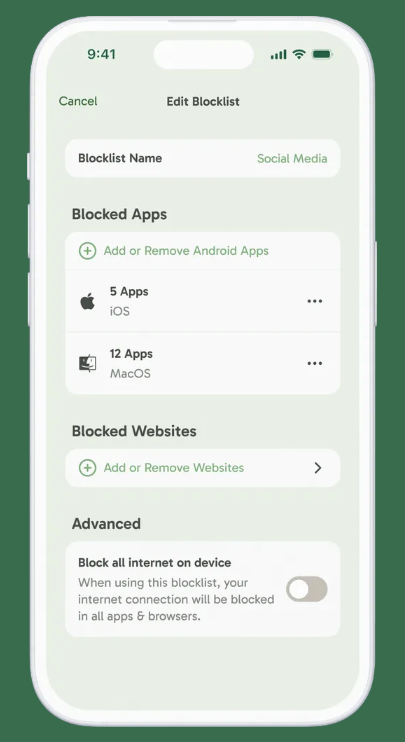
Freedom may suit people whose distraction jumps between devices throughout the day. It is especially useful if you start tasks on a laptop but keep drifting back to your phone.
Why It May Help
Freedom creates a more unified focus environment by blocking distractions across phone and desktop at the same time. That matters because ADHD distraction often moves to the easiest available device the second one route is closed.
Friction Points to Consider
- It can feel slightly over-structured if you only need light blocking.
- Some users may need a bit of setup time to get schedules right.
- It works best when you plan sessions in advance rather than relying on motivation.
Practical Reality Check
If your attention pinballs between devices, Freedom is probably the most practical place to start. Read the full review here: Freedom app review for ADHD.
Cold Turkey
Who It May Suit
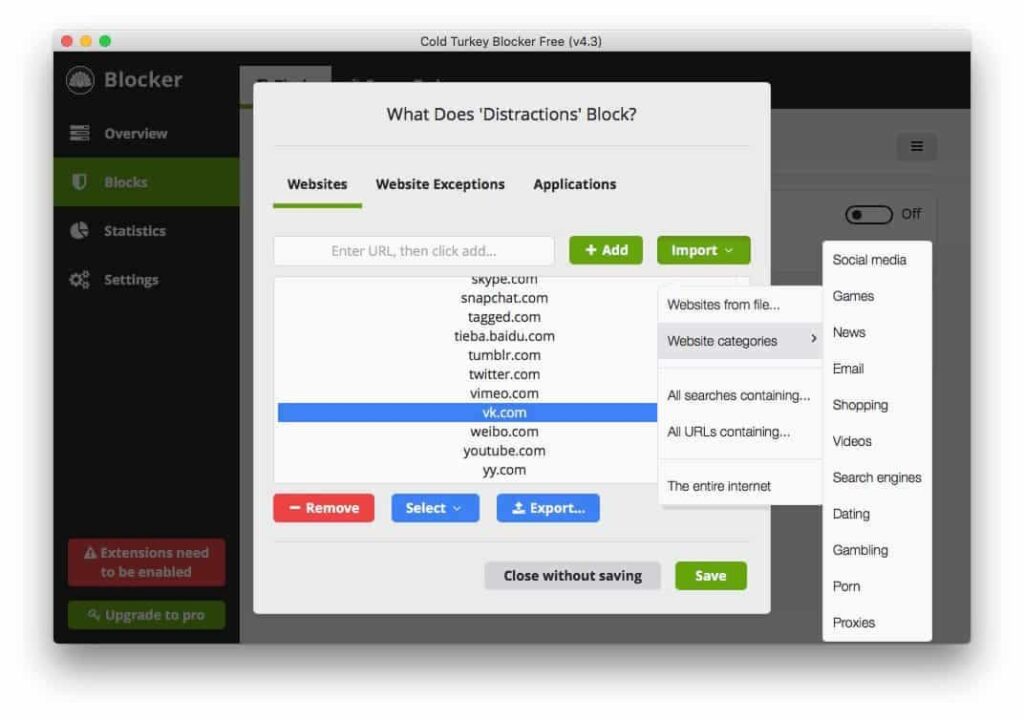
Cold Turkey may suit people whose main focus collapses happen on laptop or desktop, especially during work, admin, or study sessions.
Why It May Help
It is one of the strongest tools for removing desktop escape routes. If you keep opening news sites, video platforms, forums, or endless tabs when you should be working, this kind of harder-edged blocking can be helpful.
Friction Points to Consider
- It can feel strict if you dislike hard limits.
- It is less useful if your main issue is phone checking.
- Some people may find the lock-in effect frustrating on lower-energy days.
Practical Reality Check
Cold Turkey is strongest when desktop distraction is the real enemy, not just an occasional annoyance. Read the full review here: Cold Turkey Blocker review for ADHD.
Forest
Who It May Suit
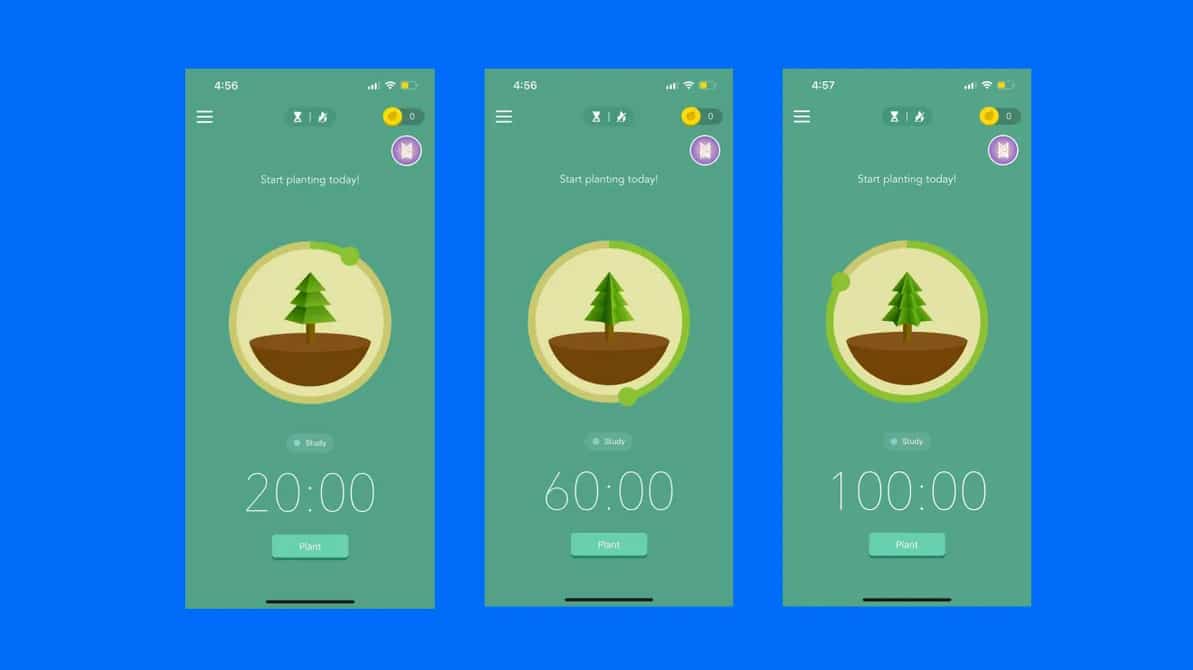
Forest may suit people who respond better to gentle structure than harsh blocking, especially for shorter phone-led focus sessions.
Why It May Help
It encourages staying off your phone during a set timer rather than just shutting everything down. For ADHD users, that softer approach can feel less confrontational and easier to repeat.
Friction Points to Consider
- It may be too lightweight for heavy desktop distraction.
- It works best in shorter blocks rather than complex multi-hour sessions.
- Users wanting detailed cross-device control may outgrow it.
Practical Reality Check
I think Forest works well when the problem is repeated checking rather than all-day digital chaos. Read the full review here: Forest app review for ADHD focus.
Stay Focused
Who It May Suit
Stay Focused may suit people whose phone is the main issue, especially Android users who need stronger limits on specific apps.
Why It May Help
It lets you reduce time spent inside the exact apps that keep stealing attention. That makes it useful when phone distraction is repetitive, specific, and tied to a small group of problem apps.
Friction Points to Consider
- It is much less helpful if desktop is your main issue.
- Some setups can feel fiddly at first.
- It depends on you identifying your worst apps honestly.
Practical Reality Check
If your day keeps getting broken by fast phone checks, this is one of the clearest solutions. Read the full review here: Stay Focused app review for ADHD.
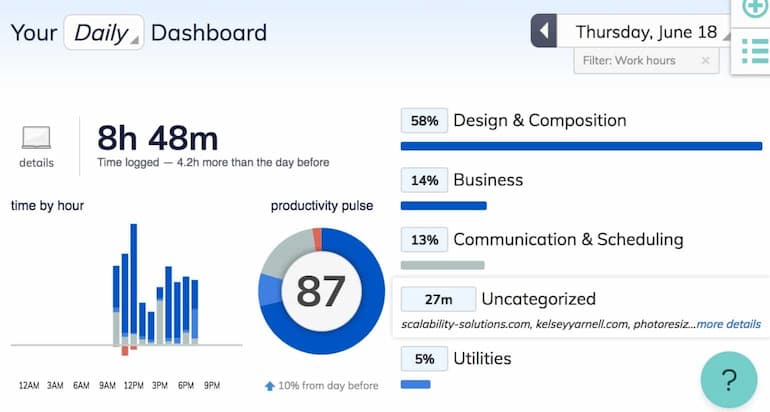
RescueTime
Who It May Suit
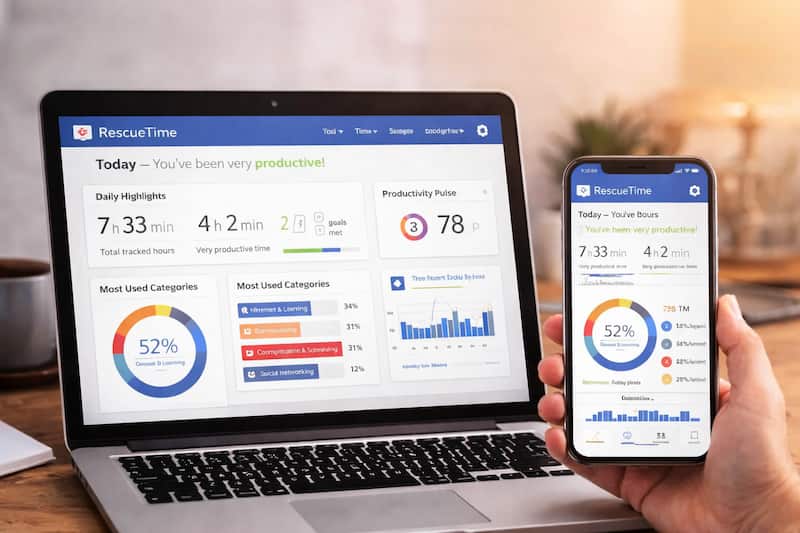
RescueTime may suit people who need better awareness of where desktop time actually goes before adding stronger blocks.
Why It May Help
It is useful for pattern spotting. If you genuinely do not know whether the phone or desktop is worse, RescueTime can show you the answer more clearly than guesswork can.
Friction Points to Consider
- Tracking alone may not be enough if you need stronger blocking.
- It may feel too passive for people wanting immediate behaviour change.
- It is more insight-driven than phone-control driven.
Practical Reality Check
RescueTime is best for understanding distraction before trying to force a solution. Read the full review here: RescueTime app review for ADHD.
Buying Guide: Choosing a Distraction Blocking Tool
When choosing a tool, start with compatibility. If you move between Android, iPhone, Windows, and Mac, cross-device support matters more than extra features.
Next, look at notification control. If alerts, badges, and app pings trigger instant checking, stronger phone-level limits matter. If your attention leaks through tabs and browser wandering, desktop controls matter more.
Battery life is more relevant for phone-based tools and timers than people realise. If a tool drains your device or feels heavy in the background, you are less likely to keep using it.
Ease of use matters a lot for ADHD. The best setup is usually the one you will actually reopen tomorrow. In Phone vs Desktop Distraction, the right product is the one that reduces friction in your real routine rather than the one that looks best on a feature list.
Frequently Asked Questions
Is phone distraction worse than desktop distraction for ADHD?
Phone distraction is often more impulsive because it is always nearby and built around quick rewards. Desktop distraction is often more time-consuming once it starts. The worse one is usually the environment that breaks your day most often.
Should I block my phone or desktop first?
Start with the environment causing the biggest daily loss. If work never gets started because of phone checking, begin there. If you start working but vanish into tabs for an hour, begin with desktop blocking.
Can one app solve both phone and desktop distraction?
Sometimes. Freedom is the strongest all-round option in this list for people who need control across both environments. Others are better when you want a more targeted fix.
What if I ignore or disable focus apps?
That is common, especially with ADHD. The answer is usually more friction, better timing, and a tool that matches your real behaviour pattern rather than relying on motivation alone.
Final Verdict
Phone vs Desktop Distraction usually comes down to how your focus breaks, not which device is objectively worse. If your attention is constantly interrupted by quick checks, messages, and app switching, phone distraction is probably the bigger problem. If you lose whole chunks of time to browsing, tab drift, and “productive procrastination”, desktop distraction may be doing more damage.
Freedom is the best match for mixed-device distraction. Cold Turkey is strongest for serious desktop control. Stay Focused is ideal for phone-first behaviour problems. Forest is good for lighter, friendlier focus sessions. RescueTime is best when you need clarity before committing to harder blocking.
There is no universal winner here, but there is usually a right starting point. For ADHD adults, the most useful tool is the one that makes your hardest distraction slightly less easy to follow.