
How to Stop Checking Your Phone Every 5 Minutes
Quick Answer
If you want to know How to Stop Checking Your Phone Every 5 Minutes, the most effective approach is usually not willpower alone. It works better to reduce visible triggers, make the phone slightly harder to access, replace the checking habit with a simpler action, and use tools that support your attention instead of relying on memory in the moment.
For many adults with ADHD, phone checking is less about laziness and more about automatic distraction, low-friction dopamine seeking, and difficulty re-starting focus once attention has shifted. Small environmental changes often help more than strict rules.
Introduction
How to Stop Checking Your Phone Every 5 Minutes is a very practical problem for adults with ADHD because the habit often feels automatic rather than deliberate.
You may sit down to work, study, reply to one message, or quickly check the time, and then realise ten or twenty minutes have disappeared into notifications, scrolling, app switching, or random searches. If you are also trying to build a calmer focus setup, it can help to pair behaviour changes with tools discussed in this Best Distraction-Blocking Apps for ADHD Adults (UK-Compatible) guide.
The frustrating part is that phone checking often happens before you have even noticed the urge. I have found that when my phone is within reach, my hand can move towards it before I have properly decided to pick it up. That is why this problem usually needs practical friction, not just motivation.
This guide looks at why the habit happens, what usually goes wrong, and how to make realistic changes that are easier to stick to during work, study, deep focus, and evenings at home.
How to Stop Checking Your Phone Every 5 Minutes: Key Causes
The habit usually builds from a mix of attention drift, instant access, and repeated reward loops. It is rarely just one issue.
- Notifications, badges, and screen lights act as constant triggers
- Your phone is often the easiest source of stimulation when a task feels boring or effortful
- Checking the time can turn into checking messages, apps, or news without meaning to
- ADHD can make it harder to tolerate the small discomfort of staying with one task
- Phone use becomes linked to transitions, breaks, and moments of uncertainty
- The habit feels harmless in the moment even when it repeatedly breaks concentration
Why This Happens (ADHD Context)
Phone checking fits neatly into several common ADHD patterns. When a task feels dull, mentally heavy, or unclear, the brain often looks for a faster reward. A phone provides novelty, visual stimulation, and quick feedback within seconds. That makes it very easy to reach for during admin work, reading, writing, revision, or anything with delayed payoff.
There is also the issue of task switching. Many adults with ADHD do not just get distracted more easily; they also find it harder to return to the original task once attention has been pulled away. One quick phone check can create a full reset of working memory, especially during deep work. I notice this most when I am halfway through something mentally demanding. A short glance at my phone can make the original thought vanish much faster than I expect.
Environmental cues matter too. A phone on the desk, a smartwatch buzz, an unread badge, or a lock screen preview all keep your attention slightly open. Even when you are not actively using the phone, part of your focus remains available for it.
What Usually Goes Wrong
When trying to learn How to Stop Checking Your Phone Every 5 Minutes, many people rely on willpower alone, which usually fades quickly.
A lot of common advice sounds sensible but falls apart in real life. Telling yourself to “just use more self-control” tends to work for a few hours at best. Deleting one distracting app often does not solve the wider habit because the behaviour simply moves somewhere else. You may switch from social media to email, news, shopping apps, weather checks, or unnecessary messages.
Another common mistake is creating rules that are too strict too quickly. For example, deciding that you will never look at your phone until lunch sounds productive, but if your current habit is checking it every few minutes, that jump may be too big. Once the rule breaks, many people abandon the whole system.
It also goes wrong when there is no replacement behaviour. If the phone has become your default move whenever attention dips, boredom appears, or a task gets frustrating, removing the phone without adding an alternative leaves a gap. That gap usually gets filled by more checking later.
Step-by-Step: How to Fix This
Step 1: Reduce Immediate Triggers
Start with the signals that pull your attention before you have made a conscious choice. Turn off non-essential notifications, remove lock screen previews, disable red badges where possible, and keep the phone face down when you need to focus. If the phone is only being used as a clock, replace it with a small desk clock or timer so you are not unlocking the screen just to check the time.
This step matters because reducing cues lowers the number of decisions you have to make. You are not trying to become more disciplined every five minutes. You are trying to be interrupted less often.
Step 2: Add Friction to Distraction
Make checking your phone slightly more inconvenient. Put it on a shelf behind you, in a drawer, in another room, or in a bag during focused work. The goal is not to create misery. The goal is to insert a pause between urge and action.
For many people, even a small amount of friction helps. Standing up to get the phone gives your brain one extra moment to ask whether you actually need it. That pause is useful. It breaks the automatic sequence.
Step 3: Replace the Habit Loop
If you remove the checking behaviour, add something simple in its place. When you feel the urge to pick up your phone, try one of these instead: sip water, stand up and stretch for ten seconds, write the distracting thought on paper, or take one slow breath and return to the task for just two more minutes.
This works better than vague rules because it gives you a concrete alternative. You are not just stopping something. You are redirecting it.
Step 4: Use Tools That Support Behaviour
Some people do better with gentle visual support, while others need stronger blocking. If light accountability helps, a focus app such as Forest App Review for ADHD (UK Guide) may suit shorter focus sessions. If your phone is the main problem, stronger mobile controls may be more useful, as covered in this Stay Focused App Review ADHD (UK Guide). The point is not to let an app do all the work, but to make good behaviour easier when attention dips.
This approach also helps if you’re trying to learn how to reduce phone distractions without relying entirely on willpower.
Real-World Use Cases
Working from home: Keep your phone in another room during your first work block of the day, then check it at planned intervals such as every 45 or 60 minutes. This tends to work better than trying to ignore it while it sits next to your keyboard.
Study sessions: Put the phone in a bag or drawer before starting. Use a visible timer instead of your phone timer. If you need music, prepare that in advance so you are not unlocking the screen during the session.
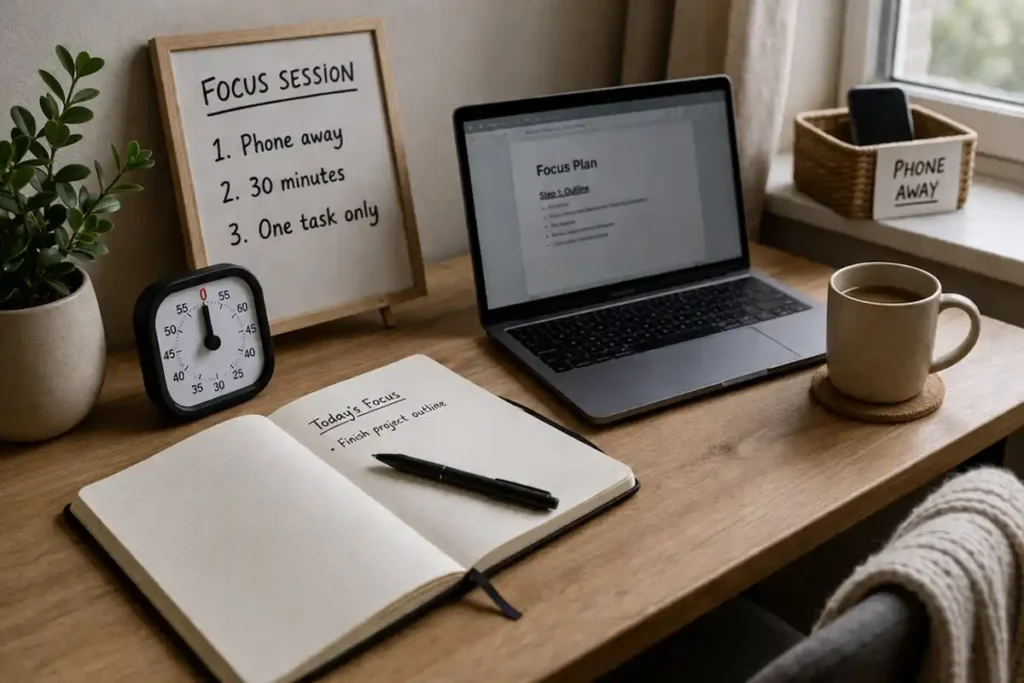
Deep work blocks: Use a short setup routine: silence the phone, place it out of reach, write down the one task you are doing, and begin with a 20- to 30-minute block. Deep work usually collapses when the phone remains available as an easy escape route.
Evening routine: Evening phone checking often increases because tiredness lowers friction. A charging station outside the bedroom, a paperback book, or a simple wind-down routine can reduce endless “just one more check” loops before bed.
Tools That May Help
Different tools support different levels of difficulty. A lighter visual focus tool may help if you mainly need a cue to stay on task. Stronger blockers may help if checking has become very repetitive and automatic.
Forest can be useful for short focus sessions because it gives you a visible reason not to interrupt yourself. Stay Focused is more suitable when mobile app access itself is the main problem. For broader blocking across devices and routines, Freedom may help if you work across phone and desktop.
It is also worth reading practical ADHD-friendly advice from ADDitude, especially if you want wider strategies around routines, distraction, and attention management.
Friction Points to Expect
- The urge may feel stronger for a few days when you first reduce access
- You may find yourself replacing phone checks with other low-value distractions
- Strict systems can backfire if they are too rigid for your normal routine
- Some work tasks genuinely require your phone, which means you may need timed check windows rather than total removal
- Tiredness, stress, and boredom often increase the habit again, even after progress
Practical Reality Check
When working on How to Stop Checking Your Phone Every 5 Minutes, you do not need to stop perfectly for this to count as progress. For many adults with ADHD, a realistic win is reducing automatic checking from every few minutes to a few planned times per hour, then gradually stretching the gap. That is still meaningful. It protects attention, lowers task switching, and makes it easier to complete work without feeling constantly interrupted.
It also helps to measure success by recovery speed. You may still check your phone sometimes. What matters is whether you can return to the original task faster and with less disruption than before.
Choosing the Right Support Strategy
When deciding how to approach How to Stop Checking Your Phone Every 5 Minutes, think in four parts. First, improve environment control by moving the phone out of sight and reducing alerts. Second, use habit replacement so the checking urge has somewhere else to go. Third, add tool support if the behaviour is too automatic to manage with environment changes alone. Fourth, choose a routine fit that works with your real day rather than an idealised one. A good system should feel repeatable on average days, not just very motivated ones.
Frequently Asked Questions
Is checking my phone every few minutes actually a big problem?
It can be, especially if it repeatedly interrupts work, study, sleep, or conversations. The issue is often not the total number of checks alone, but how often they break concentration and how hard it is to restart afterwards.
Should I delete all distracting apps?
Sometimes that helps, but not always. If the habit is broader than one app, your attention may simply move somewhere else. It is usually better to combine app limits with environmental changes and replacement habits.
What if I need my phone for work?
In that case, total removal may not be realistic. Planned check windows, stronger notification control, and app blocking during specific work blocks are often more practical than trying not to look at the phone at all.
How long does it take to improve this habit?
That varies. Many people notice quick improvement once triggers are reduced, but the deeper habit usually takes longer to change. It is more realistic to aim for gradual reduction and better recovery than instant perfection.
Final Thoughts
How to Stop Checking Your Phone Every 5 Minutes usually becomes easier when you stop treating it as a character flaw and start treating it as a behaviour loop. Reduce triggers, add friction, replace the checking reflex, and use support tools when needed. For adults with ADHD, the best answer is often a practical system that lowers temptation before it starts rather than expecting yourself to win the same attention battle all day long.
The goal is not to become someone who never wants to check a phone. The goal is to make checking less automatic, less frequent, and less disruptive to the parts of life that matter.