
Best Distraction-Blocking Apps for ADHD Adults (UK-Compatible)
Best Distraction-Blocking Apps for ADHD Adults (UK-Compatible) is a useful topic for anyone trying to reduce digital distractions, support reminders, and make focus sessions easier to start. Many adults find that even small interruptions, such as a quick social media check or a notification alert, can break concentration and make it harder to return to the original task.
This guide compares several of the best distraction-blocking apps available to UK users. These Best Distraction-Blocking Apps for ADHD Adults (UK-Compatible) vary in how they handle blocking, reminders, and focus sessions across different devices. The tools may help reduce distraction, support time awareness, and make it easier to notice when attention has drifted. Instead of focusing on technical specifications, this comparison looks at real-world usability factors such as blocking strength, cross-device flexibility, reminder visibility, and how well each tool fits everyday routines.

Best Distraction-Blocking Apps for ADHD Adults (UK-Compatible): Quick Picks
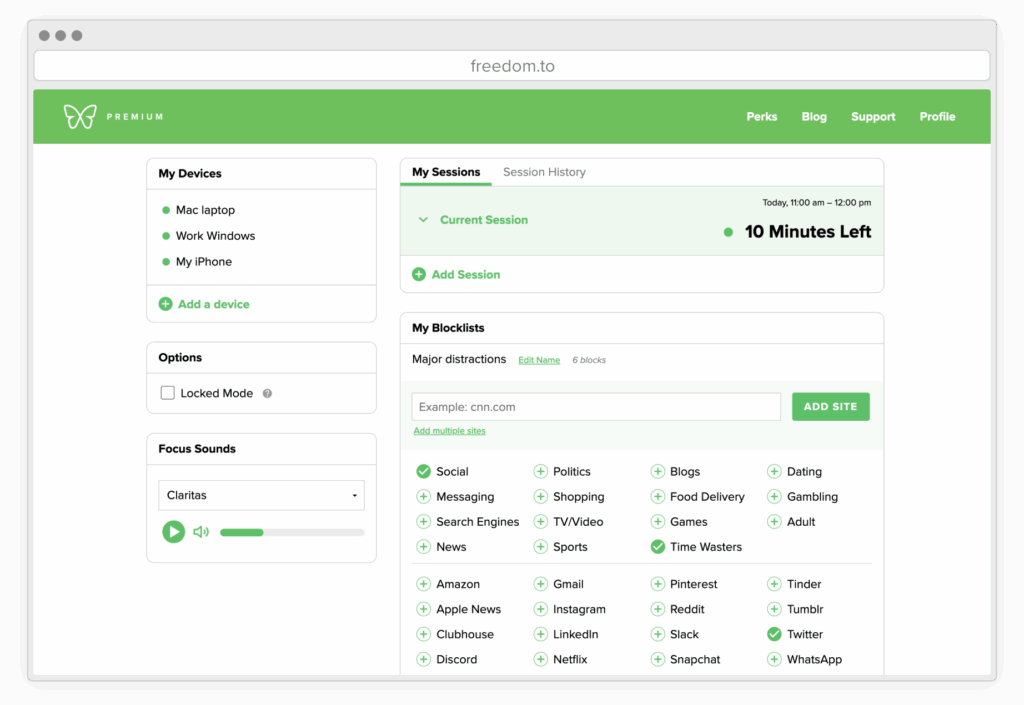
- Best for cross-device blocking: Freedom
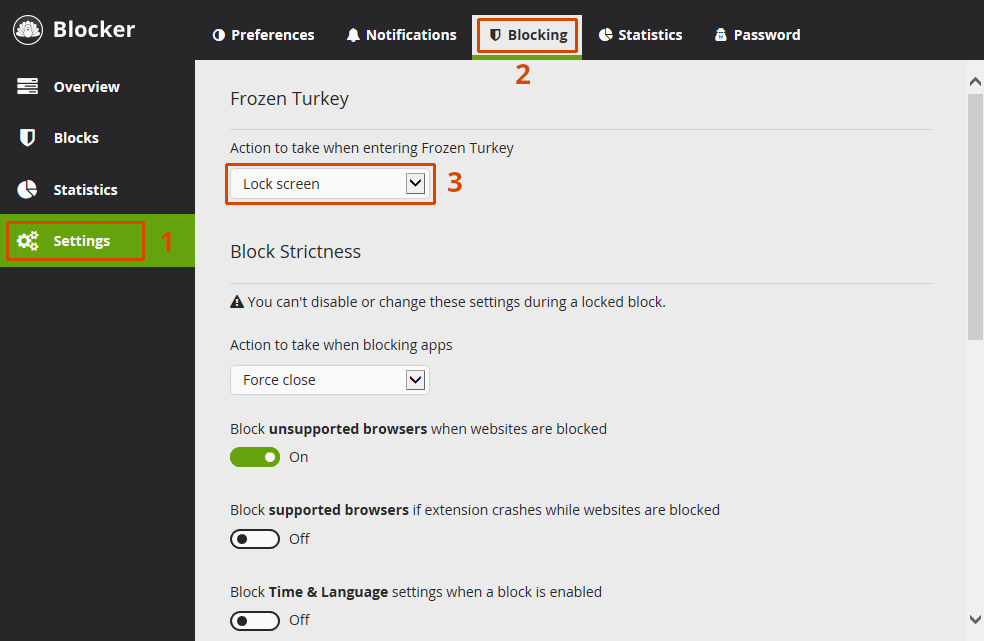
- Best for strict desktop control: Cold Turkey Blocker
- Best for simple focus sessions: Forest
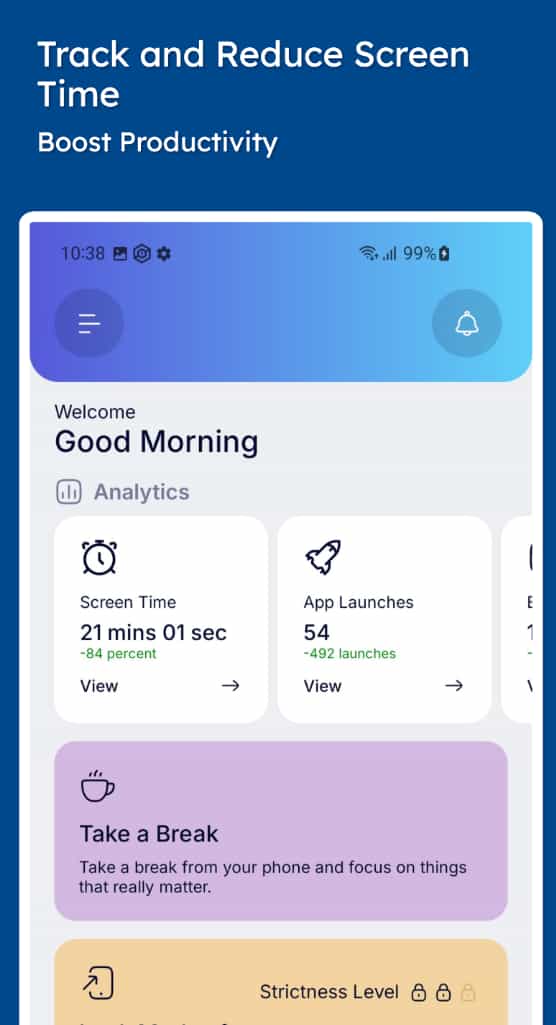
- Best for customisable mobile blocking: Stay Focused
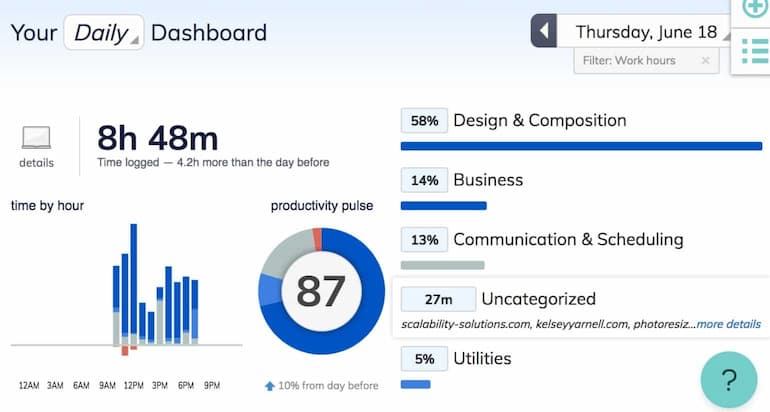
- Best for time awareness and habit tracking: RescueTime
Quick Picks by Situation
- If your distraction moves between phone and laptop: Freedom
- If you want a tougher blocker for desktop work: Cold Turkey Blocker
- If you prefer a softer, visual focus tool: Forest
- If your main issue is phone-based apps: Stay Focused
- If you want to understand where your time goes: RescueTime
Introduction
Best Distraction-Blocking Apps for ADHD Adults (UK-Compatible) is a useful topic for anyone trying to reduce digital distractions, improve focus sessions, and build more reliable routines. The right app may help reduce distraction, support reminders, and make it easier to notice when attention has drifted before a short check turns into twenty lost minutes.
Choosing the best distraction-blocking app is less about finding the most aggressive blocker and more about finding a tool that fits the way distraction actually happens. Some people need hard website locks. Others do better with a short pause before opening a distracting app, or with a timer that makes the next work session feel easier to start.
From my own experience, distraction often starts with something tiny like checking one app for a second. Even a small amount of friction can sometimes be enough to interrupt that automatic habit before a quick check turns into a longer distraction.
For a broader overview of how these tools fit into a bigger system, you can explore how to choose productivity tools for ADHD.
Who This Guide Is For
- Adults who lose time to repeated app checking or browser drift
- People who struggle to start focus sessions consistently
- Users working across multiple devices during the day
- Anyone trying to reduce impulsive distraction loops
- People who prefer practical tools over complex systems
Key Takeaways
- Freedom is the strongest all-round option for multi-device use
- Cold Turkey Blocker is best for strict desktop control
- Forest is easier to stick with for short focus sessions
- Stay Focused works well for mobile-based distraction control
- RescueTime improves awareness of time use and habits
How These Apps Were Evaluated
These apps were assessed using practical criteria: blocking strength, ease of setup, cross-device behaviour, ability to interrupt impulsive distraction, and how well they support routines. A tool may look powerful on paper but still fail if it is too complex to maintain.
I also looked at how each app behaves during real usage. Some tools work best for structured deep work, while others are better at catching quick distraction loops. From experience, tools that reduce friction and fit naturally into daily habits tend to last longer than those that require constant adjustment.
Quick Comparison Table
| App | Platform | Blocking Style | Best For | Pricing |
|---|---|---|---|---|
| Freedom | Cross-device | Full blocking | Multi-device focus | Subscription |
| Cold Turkey Blocker | Desktop | Strict blocking | Deep work sessions | Free + paid |
| Forest | Mobile | Timer-based | Light focus sessions | Paid |
| Stay Focused | Mobile | Custom blocking | App usage control | Free + premium |
| RescueTime | Cross-device | Tracking + focus | Time awareness | Free + premium |
Focus Environment Fit
Hybrid work: Freedom is strongest when switching between devices.
Desktop-heavy work: Cold Turkey Blocker provides the most control.
Short focus sessions: Forest makes starting easier with minimal setup.
Mobile distraction: Stay Focused helps control app usage directly.
Time awareness: RescueTime helps identify hidden productivity leaks.
For additional guidance on ADHD and focus, you can visitADDitude.
Freedom
Who It May Suit
Best for users working across multiple devices.
Why It May Help
Prevents distraction from shifting between phone and laptop.
Friction Points to Consider
- Subscription cost
- Needs setup
- Can feel strict
Practical Reality Check
Works best when blocklists and schedules are properly configured. Full review
Cold Turkey Blocker
Who It May Suit
Best for desktop-heavy users needing strict control.
Why It May Help
Provides strong blocking including full system lock.
Friction Points to Consider
- No mobile support
- Less polished UI
- Strict approach
Practical Reality Check
Very effective for deep work if distraction starts on desktop. Full review
Forest
Who It May Suit
Best for simple, low-friction focus sessions.
Why It May Help
Encourages starting work through visual timers.
Friction Points to Consider
- Less strict blocking
- Gamified style
- Limited desktop strength
Practical Reality Check
Easy to stick with when energy is low. Full review
Stay Focused
Who It May Suit
Best for controlling mobile app usage.
Why It May Help
Allows detailed rules for app limits and schedules.
Friction Points to Consider
- Mobile-focused
- Setup required
- Can be strict
Practical Reality Check
Useful when distraction is mainly on your phone. Full review
RescueTime
Who It May Suit
Best for improving awareness of time usage.
Why It May Help
Tracks behaviour and reveals hidden distraction patterns.
Friction Points to Consider
- Less strict blocking
- Data-heavy
- Needs review habit
Practical Reality Check
Strong for awareness but works best with other tools. Full review
Buying Guide: Choosing the Best Distraction-Blocking Apps for ADHD Adults
When choosing the best distraction-blocking apps for ADHD adults, match the tool to your main distraction point.
Compatibility
Choose apps that match your devices.
Blocking Strength
Decide whether you need strict or light control.
Ease of Use
Simpler tools are easier to stick with long-term.
Routine Fit
Choose tools that integrate naturally into your day.
Frequently Asked Questions
Do these apps work for ADHD?
They may support focus and reduce distraction but are not a treatment.
Which app is best overall?
It depends on your routine and where distraction happens.
Are free apps enough?
Free versions work for basic needs but premium features add more control.
Final Verdict
The best distraction-blocking apps for ADHD adults depend on your routine. Freedom suits multi-device users, Cold Turkey Blocker fits strict desktop control, Forest works for simple sessions, Stay Focused handles mobile distraction, and RescueTime improves awareness.