
At a Glance
- Structured daily planning app designed around realistic workload management
- Useful for people who feel overwhelmed by long task lists
- Combines tasks, calendars, time blocking, and daily shutdown routines
- Best suited to adults who want guidance rather than a blank productivity system
- May feel too slow or expensive if you only need a simple to-do list
Introduction
This Sunsama review focuses heavily on how the app handles task overwhelm. If you regularly plan far more than you can realistically finish in a day, the built-in time estimates can help create a more manageable workload.
For a broader overview of how apps fit into an ADHD-friendly setup, you may also find the ADHD productivity tools UK guide useful.
The app is built around daily planning. Instead of throwing every task into one endless list, it asks you to choose what you will work on today, estimate how long tasks will take, connect them to your calendar, and close the day properly. For ADHD, that can be useful because the hardest part is often not knowing what needs doing, but choosing what matters now.
Sunsama Review for ADHD Productivity: Key Features
The main appeal is its guided structure. It does not just store tasks. It tries to slow the planning process down enough to make the day feel more realistic.
- Daily planning workflow
- Calendar integration
- Time estimates for tasks
- Drag-and-drop time blocking
- Daily shutdown routine
- Integrations with tools like Gmail, Trello, Asana, ClickUp, Notion, and Todoist
- Focus mode for working through one task at a time
Who This Guide Is For
This guide is for adults who often start the day with too many tasks, too little structure, and no clear sense of what should happen first. Sunsama may suit you if ordinary to-do lists become dumping grounds rather than usable plans.
It may also suit remote workers, freelancers, students, and professionals who already use a calendar but struggle to connect that calendar with daily task choices.
Key Takeaways
- Sunsama is strongest as a daily planning and workload control tool
- It can help reduce task overwhelm by forcing prioritisation
- Calendar-based planning may support time blindness
- The guided workflow is useful, but it is not instant
- The price may be hard to justify if you only need basic reminders
How It Works
The app works by turning your task list into a daily plan. You collect tasks from inside Sunsama or connected apps, choose what belongs in today’s workload, estimate how long each task will take, and place work into your calendar.
This is different from a normal task app. A basic to-do list may show everything at once, which can become overwhelming very quickly. Sunsama encourages you to narrow the day down. That matters because ADHD productivity often improves when the next step is visible and limited.
The daily shutdown feature is also useful. At the end of the day, Sunsama prompts you to review what was completed, move unfinished tasks, and close the loop. This can reduce the “I failed because I did not finish everything” feeling that often comes from unrealistic planning.
Why It May Help (ADHD Context)
ADHD productivity struggles are often linked to executive function, task initiation, prioritisation, working memory, and time awareness. Resources such as ADDitude regularly discuss how ADHD can affect planning, routines, and follow-through.
It may help because it makes planning more visible. Instead of asking you to hold the whole day in your head, it lets you see tasks alongside available time. That can make it easier to notice when the plan is too full before the day collapses.
Sunsama is particularly strong when it comes to managing task overwhelm. If you tend to write twenty tasks for a day and complete three, Sunsama’s time estimates can be a useful reality check.
Real-World Use Cases
It works well for morning planning. You can sit down, review tasks, choose the important few, and place them around meetings or appointments. This gives the day a shape before distractions take over.
It can also help with weekly work patterns. For example, you might use it to separate deep work, admin, email, and personal tasks rather than mixing everything into one chaotic list.
For students, Sunsama can be useful for planning study blocks, assignment work, reading, and revision sessions. For self-employed users, it can help separate client work from admin and business development.
If you are building a wider productivity setup, Sunsama can also pair well with physical writing, tablets, or visual planning tools. For example, the best digital tablets for ADHD productivity UK guide may be useful if you prefer planning with handwriting alongside digital systems.
Feature Breakdown Table
| Feature | What It Does | Why It Matters for ADHD |
|---|---|---|
| Daily planning | Helps you choose tasks for today | Reduces overwhelm from endless lists |
| Calendar integration | Shows tasks alongside appointments | Makes available time easier to see |
| Time estimates | Encourages realistic planning | Helps with time blindness |
| Focus mode | Shows one task at a time | Reduces visual clutter |
| Shutdown routine | Reviews and closes the day | Supports follow-through and reset |
Focus Environment Fit
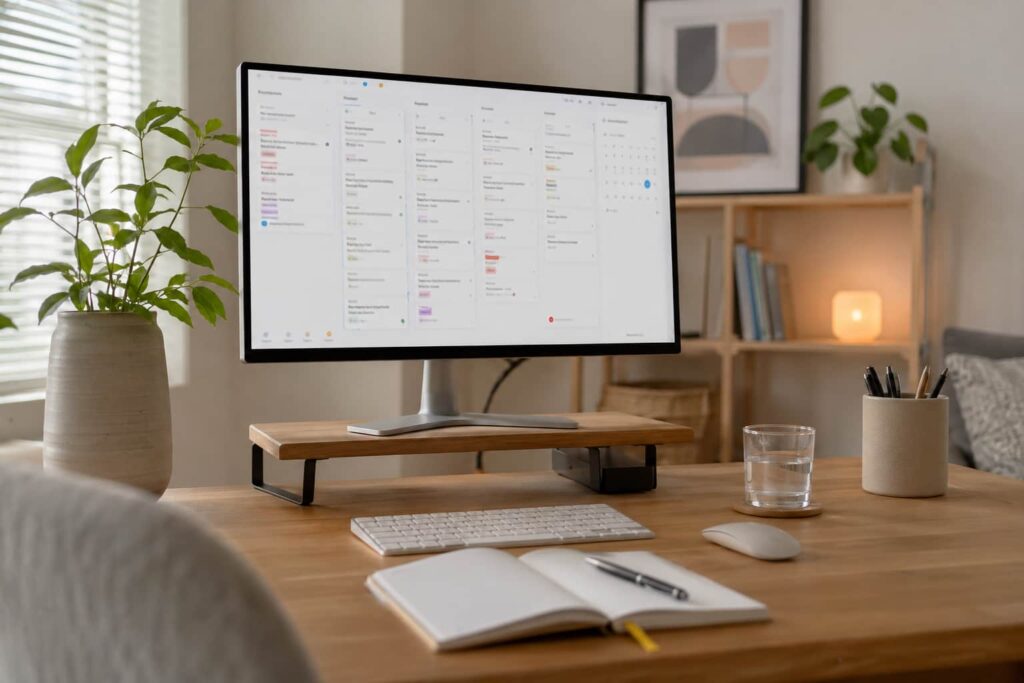
Sunsama suits people who work best with a calm, intentional planning space. It is not just a quick reminder app. It works best when you give it a few minutes at the start and end of the day.
This makes it a strong fit for desk-based work, remote working, studying, or project-based roles. It may be less useful if your day is highly reactive and you cannot realistically plan blocks of time.
Real Use Review
In real use, it feels more like a planning coach than a standard app. That can be a good thing. It gently pushes you to slow down, choose fewer tasks, and stop pretending everything will fit.
The strongest part is the way tasks and calendar time sit together. For ADHD, this can make a big difference because a task list alone does not show capacity. Sunsama makes it clearer that five medium tasks and three meetings may already be a full day.
The downside is that it requires consistency. If you do not use the daily planning flow, much of the benefit disappears. It is not the best option for someone who wants to quickly capture a task and move on.
Friction Points to Consider
- It may feel expensive compared with simpler productivity apps
- The guided planning flow takes time to use properly
- It may be too structured for people who prefer flexible lists
- It works best when paired with a calendar habit
- It may feel unnecessary if you only need basic task reminders
Practical Reality Check
The practical question is whether you want an app that helps you plan the day, not just store tasks. Sunsama is not ideal if you want the fastest possible to-do list. It is better for people who need help making realistic decisions about what can fit into a day.
Sunsama works particularly well for adults who tend to over-plan, lose track of priorities, or finish the day wondering where the time went
Buying Guide
Before choosing Sunsama, think about your main problem. If you need simple reminders, a lighter app may be enough. If your issue is planning too much, avoiding prioritisation, or not connecting tasks to time, Sunsama is more relevant.
It is also worth considering whether you already use a calendar. Sunsama becomes much more useful when your appointments, meetings, and task blocks are visible together.
Frequently Asked Questions
Is Sunsama good for ADHD productivity?
Yes, it can be helpful for ADHD productivity if you struggle with daily planning, task overwhelm, time blocking, or unrealistic workload expectations.
Is Sunsama better than a normal to-do list?
It depends. Sunsama is better for guided daily planning, but a simpler to-do list may be better if you only need quick task capture.
Does Sunsama help with time blindness?
It may help because it encourages time estimates and shows tasks alongside calendar availability.
Is Sunsama too complicated?
It is not complicated, but it does require a routine. The app works best when used daily.
Is Sunsama worth the price?
It may be worth it if it helps you reduce overwhelm and plan more realistically. If you only need basic reminders, it may feel expensive.
Alternatives to Consider
If Sunsama feels too structured, a simpler task app may be a better starting point. Apps like Todoist, TickTick, Microsoft To Do, and Notion can suit different planning styles depending on how much structure you want.
If your main issue is distraction rather than planning, the best distraction-blocking apps for ADHD adults UK-compatible guide may be more relevant.
If reminders are the bigger problem, you may prefer wearable prompts. The best smart watches for ADHD task reminders UK guide covers options that may work better for time-sensitive prompts.
Final Verdict
Sunsama is best suited to adults who need help turning an overwhelming task list into a realistic daily plan. It is not the cheapest or quickest productivity app, but it offers a calmer and more structured approach that can be especially useful if planning is where things usually start to fall apart.
If you want a clearer way to organise your day, connect tasks to your calendar, and avoid constantly overloading yourself, Sunsama is well worth considering. If all you need is a basic checklist, though, it may feel like more structure than you actually need.
Build a Simple ADHD Productivity System
If you want to bring everything together into one clear setup, this guide shows how tools, apps, and routines can work as one system.