
How to Choose the Best Distraction Blocking App for ADHD (UK Guide)
How to Choose the Best Distraction Blocking App for ADHD: Quick Overview
- Choose tools based on your main distraction source
- Match the app to your routine, not just its feature list
- Use different apps for phone, desktop, or cross-device control
- Start simple before building a more layered setup
- Focus on long-term consistency rather than strict perfection
Introduction
Understanding how to choose the best distraction blocking app for ADHD is less about finding the “perfect” tool and more about building a system that actually works with your behaviour and daily routine.
If you’re just starting, it helps to see how tools fit together. A good starting point is this roundup of distraction blocking apps, which gives an overview of the main options available in the UK.
This guide will walk you through how to choose the best distraction blocking app for ADHD by focusing on how tools work together, rather than in isolation.
5 Key Factors to Consider
- Your biggest distraction source, such as phone use, desktop browsing, or both
- How strict you need the blocking to be during work or study sessions
- Whether you need scheduling, session timers, or device syncing
- How easily the app fits into your existing routine
- Whether the tool feels sustainable enough to use consistently
Why ADHD Productivity Systems Matter
ADHD distraction isn’t just about willpower — it’s often about environment, access, and habits. Phones are always within reach, notifications are constant, and switching tasks feels effortless, even when it pulls you away from what you meant to do.
One thing I’ve noticed personally is that when there’s no structure in place, I’ll check my phone without even realising I’ve done it. It feels automatic. That’s where systems, not just apps, start to make a difference.
Instead of relying on motivation, the goal is to reduce friction around focus and increase friction around distractions.
For more evidence-based information on attention and focus, resources like ADDitude can also be useful alongside practical tools.
The Core Components of an ADHD Productivity System
- Focus tools
- Reminder systems
- Environment control
- Routine structure
How Different Tools Work Together
Learning how to choose the best distraction blocking app for ADHD means understanding that no single app solves everything. Instead, different tools handle different parts of your day.
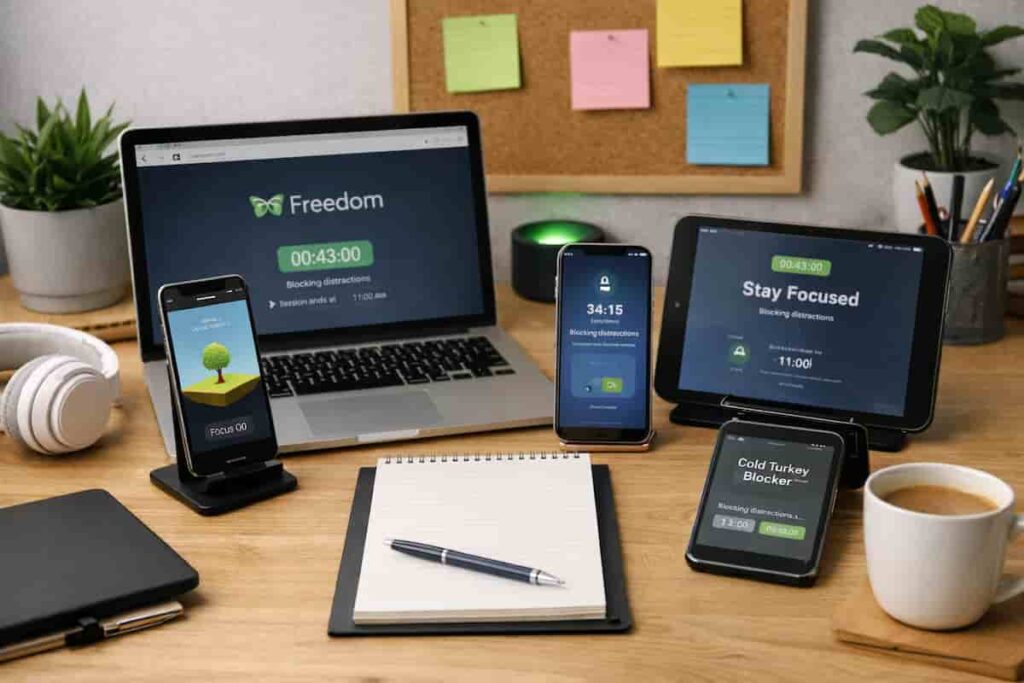
For example, you might use a desktop blocker like Cold Turkey during work sessions, while using a mobile-focused app like Stay Focused to manage phone use.
You can then layer in something like Freedom to synchronise blocking across devices, creating a more consistent environment.
This layered approach is what turns individual tools into a functioning system.
This is a key part of how to choose the best distraction blocking app for ADHD, as the right combination often matters more than the individual tool.
If you are not sure whether your main problem is your phone or your computer, this guide on phone vs desktop distraction can help you identify where to focus first.
Example ADHD Productivity Setup
Morning Setup
Start by blocking the most common distractions early. This could mean activating a phone blocker before opening messages, email, or social media, so your day begins with less decision-making.
Work Blocks
Use stronger blockers during deep work. Desktop tools tend to be more effective here, especially when paired with scheduled sessions that reduce the temptation to “just quickly check” something else.
Break Management
Use breaks intentionally by allowing limited access to specific apps or websites, helping you stay on track without completely losing focus.
End of Day Reset
Reduce evening overstimulation by limiting notifications or setting softer restrictions. This helps prevent late-night scrolling and can make it easier to switch out of work mode.
Common Mistakes to Avoid
- Trying to rely on one app to fix everything
- Choosing overly restrictive tools too early
- Ignoring phone distractions while focusing only on desktop
- Not aligning tools with your actual routine
- Giving up after one failed attempt instead of adjusting the setup
How to Choose the Best Distraction Blocking App for ADHD in a Simple System
When thinking about how to choose the best distraction blocking app for ADHD, simplicity matters more than features. The more complex your setup, the harder it is to maintain.
Start with one or two tools that target your biggest distraction. For many people, that’s the phone. If that’s the case, this guide on how to stop checking your phone can help you identify where to begin.
Once that feels manageable, you can expand gradually. This might mean adding cross-device blocking or introducing scheduled focus sessions.
Another useful step is understanding why apps sometimes fail. This article on why distraction blocking apps don’t work for ADHD explains common pitfalls and how to avoid them.
This is also part of how to choose the best distraction blocking app for ADHD in a realistic way, because the right setup depends on how you actually use your devices day to day.
Frequently Asked Questions
Do I need more than one distraction blocking app?
In many cases, yes. Different apps serve different purposes, such as phone control, desktop blocking, or cross-device syncing. A layered setup often works better than relying on a single tool.
What’s the best type of app for ADHD?
There isn’t one universal best option. The right choice depends on whether your biggest distraction comes from your phone, desktop, notifications, or difficulty sticking to focus sessions.
Why do distraction blocking apps sometimes stop working?
They often fail when they are used without a wider routine. If the tool does not match your habits, schedule, or environment, it can feel restrictive for a few days and then get ignored.
Should I use strict blocking or flexible tools?
Starting flexible is often easier. Strict tools can work very well, but they may feel too harsh if you have not yet built the routine around them.
Final Thoughts
Learning how to choose the best distraction blocking app for ADHD is really about building something sustainable. The right app is not necessarily the most powerful — it is the one you will actually use consistently.
By combining tools, simplifying your setup, and focusing on your real habits, you can create a system that supports your focus rather than fighting against it. That is ultimately how to choose the best distraction blocking app for ADHD in a way that actually works long term.