
Samsung Galaxy Tab S9 FE for ADHD Productivity (UK Review)
At a Glance
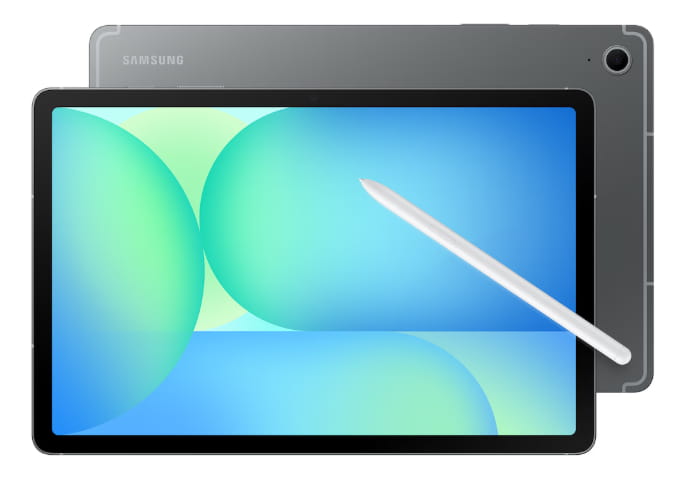
- 10.9-inch tablet with S Pen included in the box
- Feels roomy enough for notes, planning, and split-screen work
- Works well for visual organisation and low-friction handwriting
- More flexible than an e-ink device, but more distracting too
- Best suited to people who want one tablet for planning, focus, and everyday use
Check price and available options on Amazon
Introduction
Samsung Galaxy Tab S9 FE for ADHD Productivity is an interesting option if you want one device that can handle planning, note-taking, reminders, and everyday digital life without feeling too limited. For UK readers comparing it with other tablets, it sits in a useful middle ground between basic budget tablets and more expensive premium models. If you want a wider overview first, the main best digital tablets for ADHD productivity UK guide gives a broader picture of where it fits.
What makes this tablet stand out is not just the hardware. It is the combination of screen size, S Pen support, flexible apps, and the fact that it can move between handwritten notes, calendar planning, timers, visual to-do lists, and entertainment without needing a second device. That can be genuinely helpful for adults with ADHD who often do better when things feel visible, easy to reach, and quick to start.
At the same time, this is not a magic fix. A tablet can help you organise your day, but it can also become another bright screen pulling you into YouTube, shopping, or endless tab switching. So the real question is not whether the Samsung Galaxy Tab S9 FE is good in general. It is whether it helps enough in real daily use to justify the cost and effort.
Samsung Galaxy Tab S9 FE for ADHD Productivity: Key Features
The Samsung Galaxy Tab S9 FE gives you a fairly balanced setup for planning, writing, reading, and light laptop-style work without going all the way into high-end tablet pricing.
- 10.9-inch display that gives more room for calendars, notes, and split-screen use
- S Pen included for handwritten notes, sketching, and quick marking up
- Expandable storage if you want extra room for apps, files, and downloads
- Long battery life that suits day-to-day routine use
- Optional keyboard-style setup for more desk-based work
- Portable design that still feels solid enough for regular carry-around use
Who This Guide Is For
- Adults with ADHD who prefer writing things down by hand
- People who want one device for planning, reading, and media
- Students or remote workers who need a bigger screen than a phone
- Anyone choosing between a traditional tablet and an e-ink device
- People who like visual organisation tools and calendar-based planning
Key Takeaways
- The included stylus makes it easier to capture thoughts quickly
- The larger screen helps if your brain works better when everything is visible
- It is flexible enough to support routines, but flexible enough to distract you too
- It suits people who want one practical all-rounder rather than a specialist device
- It works best when set up intentionally instead of left as a default entertainment tablet
How It Works
In day-to-day use, the Samsung Galaxy Tab S9 FE is fairly simple to get started with. You set it up like a normal Android tablet, sign into your apps, choose a notes app, pin your main tools on the home screen, and decide what role you want the device to play. That last part matters more than it sounds. If the tablet is meant to be your planning hub, it needs to open into planning, not into random distractions.
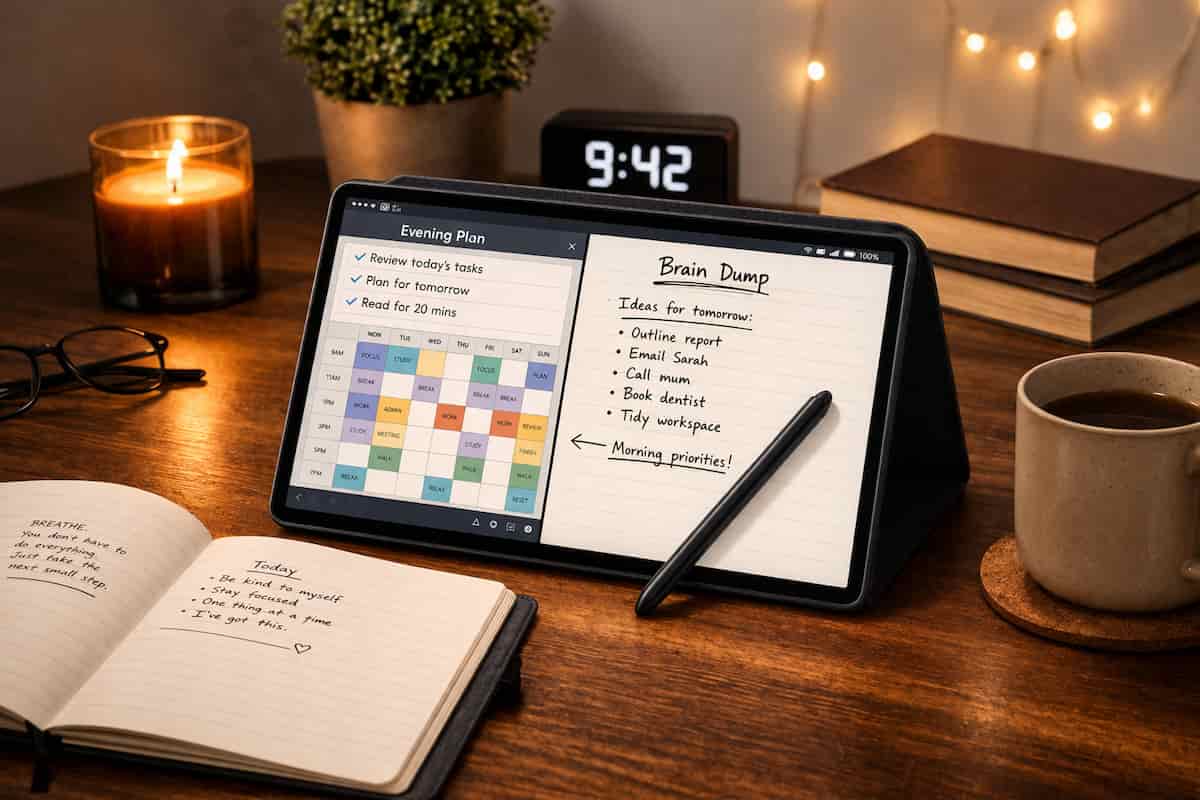
A practical setup would be a homepage with calendar, notes, task list, and maybe one timer or focus widget. Then the S Pen becomes the fast capture tool. You can jot down a thought before it disappears, rewrite a messy to-do list, map out a project visually, or mark up a PDF without that stop-start feeling you get when typing interrupts the thought.
During a work session, the bigger screen helps because you can keep more in view. You might have a task list on one side and notes on the other, or a reading app open beside a notebook. That reduces some of the constant switching between apps that can throw you off track. I found that this is one of the biggest differences between a decent tablet and a phone. On a phone, everything feels hidden behind another tap. On a tablet, the task is more visible, which makes it easier to stay with it.
If you try to drift off into distractions, the experience depends on your setup. By default, the tablet is still a tablet, so social apps, video, web browsing, and messages are all right there. But if you use focus mode, app limits, notification control, and a simplified layout, it can become a much calmer workspace. Scheduling helps too. If you use the tablet at the same times each day for planning, study, or admin, it starts to feel like a cue for a certain kind of work rather than just another screen.
That is really where the Samsung Galaxy Tab S9 FE for ADHD Productivity makes most sense: not as a gadget you buy and hope will fix everything, but as a flexible tool you can shape around your routine.
Why It May Help (ADHD Context)
Many adults with ADHD do better when information is visible, editable, and easy to return to. A larger tablet can help because it gives you enough space to keep your plan in front of you instead of buried inside menus. That can make the day feel simpler. It can also reduce the annoying little moments where a thought disappears while you are opening the right app or trying to type too neatly.
Another reason it may help is decision fatigue. When your brain is already tired, even small choices can feel bigger than they should. A tablet with a pen can make capture easier because you can just write, circle, cross out, and move things around. You are not spending as much effort deciding where every thought belongs. Resources like ADDitude often discuss how ADHD can affect time management, planning, and everyday follow-through, which is why low-effort systems matter so much.
Environment matters as well. If your workspace is scattered, noisy, or visually messy, a clean tablet setup can act like a portable control panel for your day. You can keep routines, checklists, notes, and reading in one place. For me, what stood out was how much smoother things felt when I could move from handwritten notes to a calendar view without changing devices.
The limit is obvious though. Because this is still a full-colour tablet with apps and internet access, it can help focus or completely wreck it depending on how you set it up. That balance is important to be honest about.
Real-World Use Cases
Working from home: The tablet works well as a visible desk companion for time blocking, meeting notes, and daily priorities. Instead of opening a laptop every time you want to check a list, you can glance at the tablet, update your notes with the pen, and keep the day moving.
Study sessions: It suits people who read PDFs, annotate slides, and rewrite notes to stay engaged. The screen is large enough to make study materials feel readable without always zooming in and out.
Deep work blocks: If you use it with a stripped-back home screen and a defined session plan, it can support longer focused periods. Split-screen note-taking is especially useful when you need one task in view and do not want to keep flipping back and forth.
Evening routine: It can also support winding down with journalling, planning tomorrow, reading, or writing a short brain-dump before bed. That may be more helpful than doing the same thing on a phone, where notifications and random scrolling are harder to resist.
Feature Breakdown Table
| Feature | What It Means in Practice |
|---|---|
| 10.9-inch screen | Enough space for calendars, notes, reading, and split-screen work |
| Included S Pen | Useful for quick capture, handwritten notes, and visual planning |
| Portable build | Easy to move between desk, sofa, commute, and study space |
| Expandable storage | Helpful if you keep lots of files, apps, downloads, or study materials |
| Optional keyboard support | Better for emails, admin, and more laptop-like tasks |
| Flexible app ecosystem | Lets you build your own routine, though it needs boundaries |
Focus Environment Fit
The Samsung Galaxy Tab S9 FE for ADHD Productivity fits best in a setup where you want one central device for planning and action, not just content consumption. It makes sense on a desk, in a study corner, or in a work bag where you need quick access to notes, lists, and schedules. If your focus style leans more towards lighter, more portable Apple workflows, the Apple iPad Air 11-inch for ADHD Productivity review is another useful comparison point.
If your environment is very distraction-heavy, you will probably need to simplify the tablet heavily. That means fewer home screen apps, fewer alerts, and a clearer purpose. Used that way, it can feel like a practical productivity surface. Used casually, it can slide into being just another screen competing for your attention.
Real Use Review
In realistic daily use, this tablet is at its best in the middle of the day rather than at the extremes. In the morning, it is great for checking your plan, writing a quick list, and opening the day without the cramped feel of a phone. During work or study, it is genuinely useful for note-taking, reading, and visual task management. In the evening, it can still be helpful for planning tomorrow, but it can also drift into videos and browsing if you are tired.
Where it works well is ease. The screen gives you room, the pen lowers the barrier to getting started, and the whole device feels capable enough that you are not constantly fighting lag or poor layout. That matters because ADHD-friendly tools often win or lose on whether they feel easy in the moment.
Where it feels less ideal is self-control. Because it can do so many things, it asks you to be the one creating boundaries. Some people will love that flexibility. Others may find that a more restricted device is actually better for focus. I found it most useful when treated like a dedicated planning and writing device for set blocks of time, not something to pick up every spare minute.
Friction Points to Consider
- It can become a distraction device if you leave social and entertainment apps wide open
- The size is useful for productivity, but less convenient than a phone for quick carry
- A full setup takes effort at the start if you want it to support focus properly
- Some people may still prefer the lower-distraction feel of an e-ink tablet
Practical Reality Check
This tablet will not automatically make you more organised. It will not create a routine for you, and it will not remove the need for boundaries. What it can do is make planning, writing, reviewing, and structuring your day feel easier and more visible. For many people, that is enough to make a real difference.
The strongest reason to buy it is not that it is perfect. It is that it can cover several useful roles at once without feeling too basic or too limited. The weakest reason to buy it would be hoping that hardware alone will solve attention problems. It will not. The setup still matters.
Buying Guide
When choosing Samsung Galaxy Tab S9 FE for ADHD Productivity, think less about raw specs and more about routine fit. Compatibility matters if you already use Android phones, Samsung services, or Windows-based work. Notification control matters because the best tablet for focus is often the one you have bothered to quiet down properly. Ease of use matters because if note-taking, app switching, or planning feels clunky, you will stop using it. Routine fit matters most of all. If you can picture exactly when and where you would use it, that is a much better sign than just liking the idea of it.
It is worth asking yourself whether you want one flexible device for several jobs, or a more limited device that keeps you on task. The Galaxy Tab S9 FE is clearly in the first camp.
Check current price on Amazon
Frequently Asked Questions
Is the Samsung Galaxy Tab S9 FE good for note-taking?
Yes, especially if you like handwriting and visual planning. The included pen makes quick capture easier, which is helpful when thoughts move fast and you do not want to lose them.
Is it too distracting for ADHD?
It can be if you leave it set up like a general entertainment tablet. It works better when you simplify the home screen, reduce notifications, and give it a clear role in your routine.
Is it better than an iPad for productivity?
It depends on how you like to work. If you prefer writing things out and having more flexibility, Samsung tends to feel better. If you’re already using Apple devices, the iPad usually fits in more smoothly.
Can it replace a laptop?
For light admin, notes, planning, reading, and email, possibly. For heavier desktop work, it is better seen as a strong companion device rather than a full laptop replacement.
Alternatives to Consider
If you want a wider shortlist before deciding, the best digital tablets for ADHD productivity UK roundup is the best place to compare different styles of device.
If you prefer a simpler standard iPad option, take a look at the Apple iPad (A16) for ADHD Productivity (UK Review).
If you want something a bit more premium and polished in the Apple range, the Apple iPad Air 11-inch for ADHD Productivity is another strong alternative.
Final Verdict
Samsung Galaxy Tab S9 FE for ADHD Productivity is a strong choice for adults who want a flexible, pen-friendly tablet that can support planning, note-taking, reading, and daily structure in one place. It suits people who benefit from seeing their work clearly, writing things out by hand, and using one device across home, study, and work. It may be less suitable if you know full-colour tablets pull you into distractions too easily, or if you want a more locked-down device that limits temptation by design.
Overall, this is a practical all-rounder rather than a specialist focus machine. Used intentionally, it can be genuinely helpful. Used casually, it can turn into just another screen.