
Why Distraction Blocking Apps Don’t Work for ADHD (And What Helps Instead)
Quick Answer
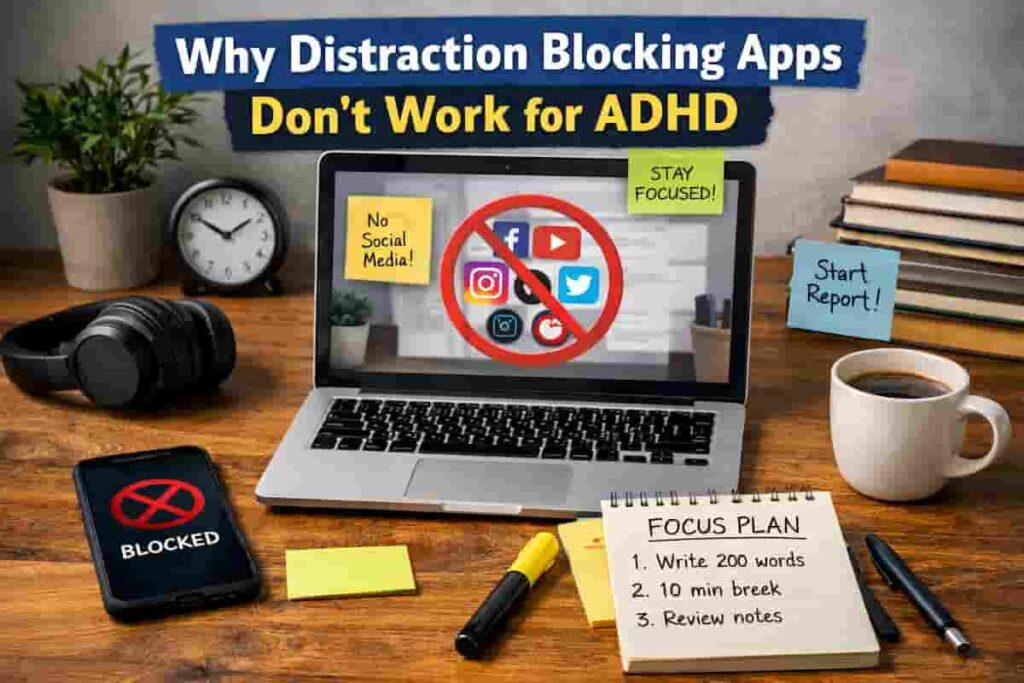
Why Distraction Blocking Apps Don’t Work for ADHD often comes down to one issue: blocking alone does not fix the urge, habit loop, or environment that keeps pulling your attention away. These apps can still be useful, but they usually work better when they are paired with friction, routine cues, and a realistic replacement for the distraction you are trying to reduce.
In practice, the most helpful approach is to make distractions harder to reach, make the next right action easier to start, and use tools as support rather than as the whole strategy.
Introduction
Why Distraction Blocking Apps Don’t Work for ADHD is a common question because many people try one app, feel hopeful for a few days, and then find themselves bypassing it, ignoring it, or switching it off. If that sounds familiar, you are not failing. In many cases, the tool is being asked to solve a behaviour pattern that needs a wider setup around it. If you are still comparing options, you can start with the best distraction blocking apps for ADHD adults guide to see which types of tools may fit your routine.
For ADHD adults, distraction is rarely just about weak willpower. It is often about novelty seeking, low friction access to phones and tabs, inconsistent energy, and difficulty restarting after an interruption. A blocker may reduce one access point, but it does not automatically create a better next action.
I have found that this is where frustration starts. You install the app expecting it to “make” you focus, but when the urge to check something appears, your brain simply looks for another doorway.
Why Distraction Blocking Apps Don’t Work for ADHD
Distraction blockers often help with surface-level access, but they do not always address the real reason attention keeps drifting. These key causes explain why distraction blocking apps don’t work for ADHD in day-to-day use.
- The distraction urge is still there even when one website or app is blocked.
- The blocked activity is not replaced with a clear next step.
- The environment still contains easy triggers such as notifications, tabs, or nearby devices.
- The app creates friction, but not enough to interrupt an established habit loop.
- The setup is too strict, so it gets abandoned after one difficult day.
- The tool does not match the person’s real routine, energy pattern, or device use.
Why Distraction Blocking Apps Don’t Work for ADHD (ADHD Context)
ADHD distraction patterns are often fast, automatic, and context-dependent. A sound, a banner, a thought, or a tiny moment of boredom can create an instant switch in attention. The problem is not always that a person wants to stop working. Sometimes the brain is simply searching for relief, novelty, stimulation, or an easier task.
That is why blocking apps can feel oddly incomplete. They may close one door, but ADHD brains are very good at spotting the window next to it. If social media is blocked, email suddenly feels urgent. If the phone is locked away, desktop tabs become interesting. If everything is blocked, getting up for a snack starts to feel essential.
This is one reason why distraction blocking apps don’t work for ADHD, especially when the underlying habit loop has not been replaced.
I think this is one of the hardest parts to explain to other people. From the outside it can look like a motivation issue, but from the inside it often feels more like your attention is constantly renegotiating with the environment.
What Usually Goes Wrong
One of the biggest reasons distraction blocking apps don’t work ADHD users is because they only address surface-level behaviour rather than underlying habits.
The second issue is using a blocker without a clear task plan. If you block distractions but still feel vague about what to do next, your brain often looks for a different escape route. Unclear work creates just as much avoidance as open access to distractions.
The third issue is choosing a setup that is too harsh. Strict modes can be useful, but if the whole system feels punishing, people often rebel against it, uninstall the app, or avoid using it on difficult days. That makes the routine fragile.
The fourth issue is failing to address physical and digital triggers together. A blocking app may cover websites, but it does not move your phone off the desk, silence unnecessary notifications, or tell you what to do during the first two minutes of resistance.
Step-by-Step: How to Fix This
Step 1: Reduce Immediate Triggers
Start with the distractions that are easiest to reach. Put your phone out of arm’s reach, close unused tabs, mute non-essential notifications, and keep only the task you need visible. This reduces the number of decisions your brain has to resist in the first place.
If phone checking is your main problem, pairing this with a specific phone-focused strategy is often more effective than relying on willpower alone. A related guide is how to stop checking your phone every 5 minutes.
Step 2: Add Friction to Distraction
Use blockers to add just enough inconvenience. The goal is not to create a prison. It is to make impulsive checking slightly slower and less automatic. That might mean blocking selected apps during work hours, adding passcode friction, or scheduling website blocks for the times you usually drift.
For stronger desktop friction, a tool such as Cold Turkey may help. For cross-device blocking, Freedom may suit people who switch between laptop and phone.
Step 3: Replace the Habit Loop
If you remove the distraction but do not replace it, the urge usually returns quickly. Give yourself a default action for the moment you feel like checking out. That could be writing one sentence, setting a five-minute timer, standing up for water, or opening a prepared task note with the next tiny step already written down.
This matters because many distractions are not random. They are a relief pattern. Once you recognise that, the job becomes replacing the relief pathway, not just blocking the old one.
Step 4: Use Tools That Support Behaviour
Choose tools based on the behaviour you are trying to support. If you need light visual accountability, a gamified option may help. If you need hard boundaries, stronger blockers are better. If your issue is scattered device use, cross-platform control matters more than fancy features.
For example, Forest may work well for short, visible focus sessions, while Stay Focused can be useful for tighter phone limits. The tool should fit the routine, not the other way round.
Real-World Use Cases
Working from home: A blocker may help during admin tasks, but it works better when the phone is in another room, Slack or email checks are batched, and the first task is already defined before the session starts.
Study sessions: Students often benefit from short blocks rather than long heroic sessions. Blocking apps can reduce obvious detours, but a visible checklist and a planned break point usually make the session more sustainable.
Deep work blocks: For writing, reports, or creative work, stronger desktop restrictions can help reduce tab-hopping. Even then, a written “next action” note is useful so the moment of uncertainty does not send you searching for stimulation.
Evening routine: Evening distraction is often less about work and more about mental fatigue. In this setting, blockers work best when paired with a low-effort alternative such as reading, stretching, showering, or laying out the next day’s essentials.
Tools That May Help
Tools can still play an important part, especially when you use them to support a wider system rather than replace one. Freedom can help if you need blocking across multiple devices. Cold Turkey may suit people who need stronger desktop boundaries. Forest may be useful if visible sessions and a gentler approach help you get started.
It can also help to learn from wider ADHD productivity advice from ADDitude, especially around routine building and distraction triggers.
Friction Points to Expect
- You may still seek different distractions once the obvious one is blocked.
- The system may work well for a week and then need adjusting when your routine changes.
- Hard blocks can feel useful one day and too restrictive the next.
- You may forget to switch the blocker on unless it is scheduled or tied to a cue.
- Even a good setup will not remove every urge to avoid difficult tasks.
Practical Reality Check
A good distraction setup should reduce drift, not create perfection. Some sessions will still go badly. Some days you will bypass your own system. That does not mean the strategy is useless. It usually means the system needs to be lighter, clearer, or better matched to the type of work you are doing.
This is another example of why distraction blocking apps don’t work for ADHD when the system relies on restriction without behavioural support.
The most realistic goal is not “I never get distracted again.” It is “I notice distraction sooner, recover faster, and make focus easier to restart.” That is a far more durable standard for ADHD adults.
Choosing the Right Support Strategy
The best support strategy usually combines environment control, habit replacement, tool support, and routine fit. Why Distraction Blocking Apps Don’t Work for ADHD becomes much easier to understand when you stop asking one app to solve everything. Instead, choose a setup that removes obvious triggers, offers a replacement behaviour, and fits your actual day rather than your ideal one.
If your distraction is mostly environmental, change the room and device setup first. If it is mostly habitual, focus on replacement actions. If it is mostly digital access, use blockers more deliberately. If your routine is inconsistent, build around repeatable anchors such as first work block, after lunch, or evening wind-down.
Frequently Asked Questions
Do distraction blocking apps help ADHD at all?
Yes, they can help, but usually as part of a wider routine. They are often most useful for reducing automatic access to common distractions rather than fixing focus on their own.
Why do I keep bypassing blocking apps?
This often happens because the urge to escape or switch tasks is still active. If there is no replacement behaviour or the blocker feels too harsh, your brain may simply look for another outlet.
Should I use a strict blocker or a gentle one?
That depends on your pattern. Some people do better with strong boundaries, especially on desktop. Others stick more consistently with lighter tools that feel less punishing. The better option is usually the one you will actually keep using.
What works better than blocking alone?
Clear next actions, fewer visible triggers, scheduled focus windows, replacement habits, and realistic expectations usually make a bigger difference than blocking on its own.
Final Thoughts
Why Distraction Blocking Apps Don’t Work for ADHD is not really a story about bad tools. It is usually a story about mismatched expectations. Blocking apps can be useful, but they tend to work best when they support a broader system that includes friction, environment design, and a simple replacement for the distraction loop.
If you treat the tool as one part of the setup rather than the whole answer, you are far more likely to build something practical and repeatable. That is usually what helps instead. Why Distraction Blocking Apps Don’t Work for ADHD becomes much easier to manage when you build around behaviour, not just blocking.