
Boox Note Air 5 C for ADHD Productivity (UK Review)
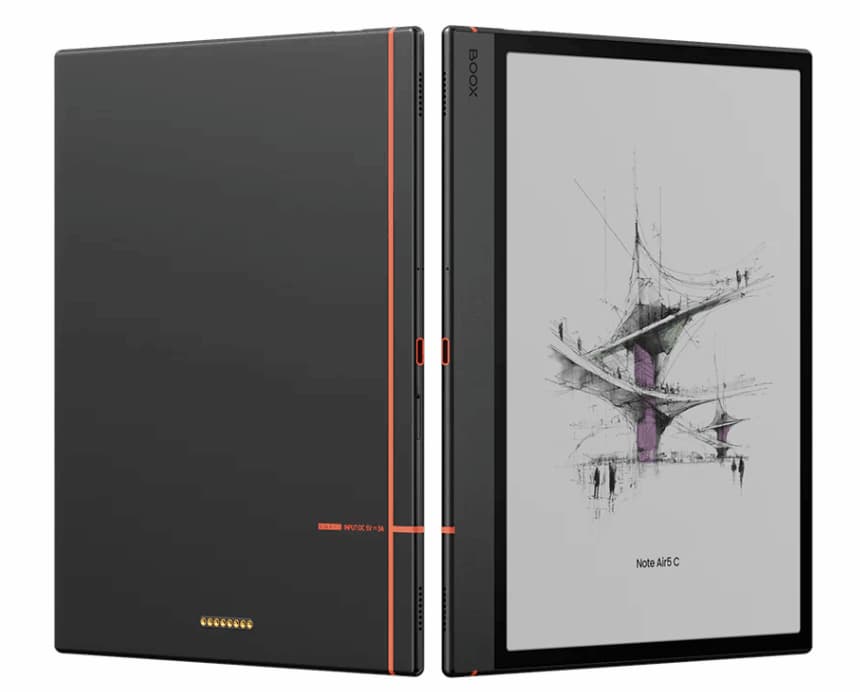
At a Glance
- Colour e-ink tablet designed for distraction-free planning and reading
- Feels closer to paper than a traditional tablet screen
- Supports note-taking, PDFs, and light app usage
- Long battery life compared to standard tablets
- Best suited for focused work rather than multitasking
Check price and available options on Amazon
Introduction
The Boox Note Air 5 C for ADHD Productivity is designed for people who want a calmer, less distracting way to plan, read, and organise their day. If you’ve ever opened a normal tablet and immediately ended up scrolling instead of working, this type of device aims to solve that exact problem.
There is access to apps through Android, but this isn’t where the device shines. Apps work, but they’re slower and less responsive than on a normal tablet, which naturally discourages distraction-heavy use. It’s designed to prioritise focus and simplicity rather than speed.
This review breaks down how it actually feels to use day-to-day, where it works well, and where it might frustrate you.
Boox Note Air 5 C for ADHD Productivity: Key Features
The Boox Note Air 5 C focuses on reducing distractions while still giving you flexibility for planning and reading.
- Colour e-ink display for a paper-like experience
- Stylus support for handwritten notes and planning
- Access to Android apps (with limitations)
- Split-screen for light multitasking
- Long battery life lasting days instead of hours
Who This Guide Is For
- Adults with ADHD who get distracted easily on phones or tablets
- People who prefer writing notes by hand but want digital organisation
- Those who read a lot and want less eye strain
- Anyone trying to build a calmer, more focused work setup
- Users who don’t need heavy apps like video editing or gaming
Key Takeaways
- Excellent for reducing digital overwhelm
- Feels more intentional than using a standard tablet
- Not ideal if you rely on fast apps or multitasking
- Best used as a focused planning and reading tool
- Can help create a more structured daily routine
How It Works
The Boox Note Air 5 C runs on a modified Android system, but the experience is very different from a typical tablet. Everything feels slower — and that’s actually the point.
The e-ink screen refreshes differently, which means you won’t get the same smooth animations you’re used to. Instead, interactions feel more deliberate. You tap, wait a moment, and then continue. At first, this can feel strange. After a while, it can actually help slow your thinking down in a good way.
You can write directly on the screen using a stylus, just like a notebook. Notes can be organised into folders, converted into text, or exported. For planning, this works really well because it feels physical but stays digital.
It also supports reading PDFs, ebooks, and documents. If you often get distracted when reading on a phone, this is a noticeable upgrade.
There is access to apps through Android, but this isn’t where the device shines. Apps work, but they’re slower and less responsive than on a normal tablet. This naturally discourages distraction-heavy use. This device is clearly built for focus first, not speed first.
Why It May Help (ADHD Context)
One of the biggest challenges with ADHD is not a lack of tools — it’s having too many of them competing for attention. Devices like phones and tablets are designed to pull you in different directions.
The Boox Note Air 5 C does the opposite. It removes friction from focused tasks while adding just enough effort to distracting ones.
For example:
Writing notes feels simple and natural, so you’re more likely to do it.
Opening social apps feels slower and less rewarding, so you’re less likely to drift into them.
This shift can make a big difference over time. Instead of constantly fighting distractions, the environment itself starts working with you.
Resources like ADDitude often highlight how reducing visual and digital noise can support better focus for ADHD. This device leans heavily into that idea.
What stood out to me was how much calmer it felt compared to a normal tablet. It doesn’t try to do everything — and that’s exactly why it works. For many people, this will feel easier to stick with than a more distracting device.
Real-World Use Cases
This device tends to shine in specific situations rather than trying to replace everything.
Daily planning: Writing out your day by hand can feel more engaging than typing. It’s easier to stay focused and actually think through tasks.
Deep reading: Whether it’s articles, PDFs, or books, the screen makes longer reading sessions feel less tiring.
Meeting notes: It’s quick to jot things down without switching between apps or getting distracted.
Brain dumps: If your thoughts feel scattered, writing freely on a distraction-free screen can help organise them.
Light task management: Simple to-do lists work well here, especially if you prefer a more visual approach.

Feature Breakdown Table
| Feature | Details |
|---|---|
| Display | Colour e-ink (paper-like, low eye strain) |
| Battery Life | Several days depending on usage |
| Note-Taking | Stylus with handwriting support |
| Apps | Android-based but slower than standard tablets |
| Best For | Focused work, planning, reading |
Focus Environment Fit
The Boox Note Air 5 C works best as part of a distraction-reduced setup rather than your only device.
For example, you might use this for planning, reading, and deep work — and keep your phone for communication only. That separation can make it much easier to stay on track.
If you want something more flexible with apps and multitasking, you might find a traditional tablet like the iPad Air 11-inch review a better fit.
Real Use Review
Using this device feels very different from a normal tablet. At first, the slower speed stands out. It can feel slightly frustrating if you’re expecting a fast, responsive experience.
But after a short adjustment period, it starts to make sense.
I found that I was less tempted to switch tasks constantly. Writing felt more intentional, and reading felt easier to stick with. It’s not flashy, but it does what it’s supposed to do.
The colour screen is a nice addition compared to older e-ink devices, especially for documents and light visual organisation. It’s not as vibrant as a normal screen, but that’s part of the trade-off.
Friction Points to Consider
- Slower performance compared to standard tablets
- Limited app experience
- Not ideal for multitasking-heavy workflows
- Colour display is muted compared to LCD screens
- Learning curve if you’re used to fast devices
Practical Reality Check
This is not a replacement for your phone or laptop.
It’s a tool for specific types of work — planning, reading, and focused thinking.
If you expect it to behave like an iPad, you’ll likely be disappointed. But if you want something that helps you slow down and focus, it can be surprisingly effective.
Buying Guide
Before choosing the Boox Note Air 5 C, ask yourself:
Do you get distracted easily on normal devices?
Do you prefer writing over typing?
Do you want a calmer, simpler digital setup?
If the answer is yes, this device is worth considering.
If you need speed, apps, and flexibility, a traditional tablet will likely suit you better.
Frequently Asked Questions
Is the Boox Note Air 5 C good for ADHD?
It can be very helpful if distraction is your main issue. The slower, simpler design supports focused work.
Can it replace a laptop?
No. It’s best used alongside other devices rather than as a full replacement.
Is it good for note-taking?
Yes. This is one of its strongest features, especially if you prefer handwriting. It is especially well suited to digital planning and handwritten organisation.
Alternatives to Consider
If the Boox Note Air 5 C doesn’t feel like the right fit, here are a few alternatives:
Samsung Galaxy Tab S9 FE review – better for apps and flexibility
Apple iPad (A16) review – strong all-round performance
iPad Air 11-inch review – balance between power and usability
Final Verdict
The Boox Note Air 5 C for ADHD Productivity is not trying to compete with standard tablets — and that’s exactly why it stands out.
It creates a quieter, more focused space for thinking, planning, and reading. If distractions are your biggest challenge, this shift can make a real difference.
It won’t suit everyone, especially if you rely on fast apps or multitasking. But for the right person, it can feel like a reset button for how you work.