
Apple iPad Air 11-inch for ADHD Productivity (UK Review)
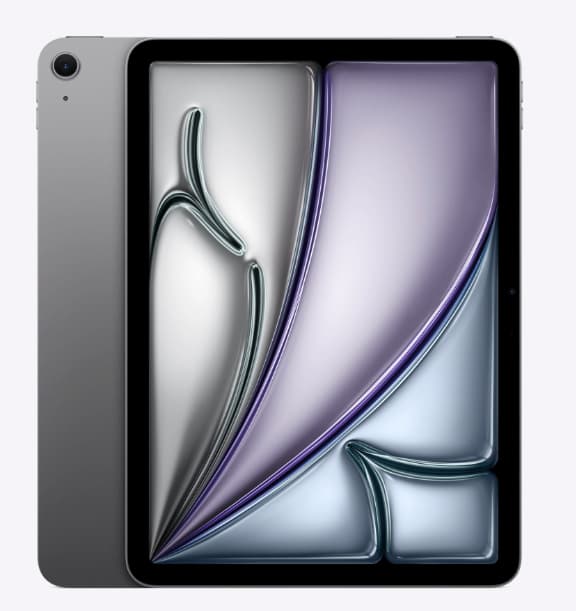
At a Glance
- Lightweight tablet that feels easier to carry than a laptop
- Large, bright screen that works well for planning, reading, and focused work
- Useful for splitting tasks across apps without feeling too cramped
- Works best when set up with simple routines and reduced notification noise
- Better suited to structured digital planning than distraction-heavy casual use
Check price and available options on Amazon
Introduction
Apple iPad Air 11-inch for ADHD productivity stands out as a flexible middle-ground tablet for people who want more space than a phone but less friction than opening a full laptop. It sits in a useful position between lighter everyday use and more deliberate, focused work.
If you’re still weighing up different tablet options, it’s worth looking at a broader comparison first. The article I wrote on best digital tablets for ADHD productivity in the UK gives a clearer picture of how this model compares to others before deciding.
The reason this model is worth looking at specifically is that it can cover several ADHD-related productivity needs in one place. It can act as a planning screen, a note-taking device, a visual task board, a reading device, and a low-friction work companion for short or medium focus sessions. That does not mean it is automatically distraction-proof, because it definitely isn’t, but it can be set up in a way that feels cleaner and calmer than relying on your phone for everything.
For me, it only really clicked when I stopped using it like a general device and gave it a specific role. It won’t fix inconsistency by itself, but it does make it easier to see what needs doing and just get going without overthinking it.
Apple iPad Air 11-inch for ADHD Productivity: Key Features
The biggest appeal here is not just one feature on its own, but the way the iPad combines portability, screen space, and app flexibility into a setup that can support planning, writing, reading, and focused task management.
- 11-inch display that gives more visual room for calendars, notes, and split-screen work
- Lightweight design that is easier to move around the house, office, or commute
- Strong app ecosystem for task planning, note-taking, routine building, and reading
- Support for keyboard and stylus accessories for different working styles
- Fast, smooth performance that reduces waiting and interruption during task switching
Who This Is For
- Adults with ADHD who want a bigger, calmer screen than a phone
- Students who need one device for notes, reading, planning, and revision
- Remote workers trying to create clearer work blocks and fewer device switches
- People who like handwriting, visual planning, or moving between desk and sofa
- Users who want flexibility but still need some structure around distractions
Key Takeaways
- The iPad Air 11-inch is most useful when set up around a few core tasks rather than dozens of apps
- It helps most with visibility, portability, and lower-friction planning
- It can support focus, but only if notifications, app layout, and routines are managed properly
- It suits people who prefer visual organisation and short-to-medium work sessions
- It is a strong all-rounder, but not the most minimalist option if you are easily pulled into distractions
How It Works
In practical terms, the iPad Air works by giving you a larger and more adaptable workspace than a phone while still being much easier to pick up than a laptop. Setup usually starts with choosing your core productivity uses. For most people, that will be some mix of calendar access, task management, note-taking, reading, and focused writing.
The first step is to strip back the home screen. For ADHD productivity, the best setup is usually not the most feature-rich one. It is the clearest one. That means keeping only essential apps visible, grouping non-essential apps away, and turning off as many unnecessary alerts as possible. Once that is done, the tablet starts to feel less like a general-purpose screen and more like a defined workspace.
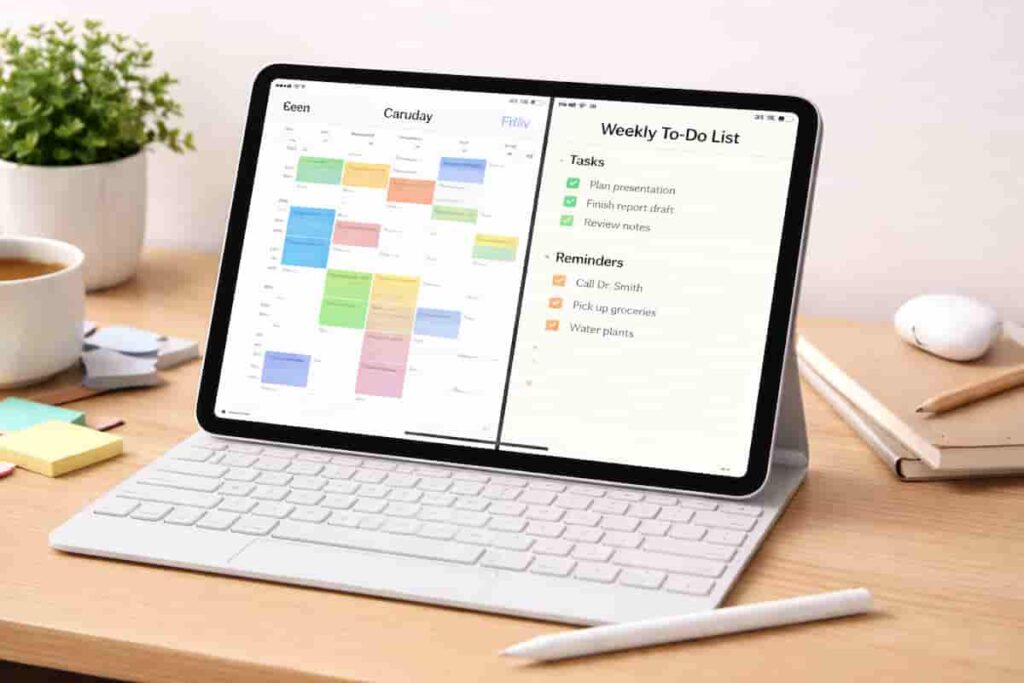
During a session, the bigger display helps because you can see more information without constantly opening and closing apps. A calendar can sit next to notes, a task list can stay visible while working, or a document can be open alongside a planning app. That reduces some of the mental clutter that comes from remembering what was open where.
When distractions are attempted, the experience depends heavily on your setup. If you leave social media, entertainment apps, and message previews fully active, the iPad can become just another shiny detour. If you use focus modes, simplified layouts, and app limits, it becomes much easier to stay inside the task you intended to do.
Scheduling makes a difference as well. When you start using it for set blocks of time, like a 25-minute planning session in the morning or a 45-minute admin block in the afternoon, it begins to feel tied to that kind of work. You pick it up and already know what kind of task happens there. That kind of repeated cueing matters a lot for ADHD. I think this is one of the most useful parts of the experience, because it is not only about the hardware, it is about building a repeatable action around it.
Why It May Help (ADHD Context)
One reason the Apple iPad Air 11-inch can be helpful for ADHD productivity is that it makes things feel a bit less scattered. A lot of the difficulty isn’t just distraction, it’s starting tasks, switching between them, and then trying to remember where you left off. Having a larger screen and a clearer workspace can make it easier to pick things back up without that constant reset.
Decision fatigue also matters here. On a phone, it is easy to open the device for one reason and immediately drift into notifications, messages, or unrelated browsing. On a better-structured tablet layout, tasks can feel more visible and intentional. That doesn’t remove distraction, but it can lower the number of tiny choices you have to make every time you try to get started. For me, those extra choices are the things that take up mental energy and can tire or stress me out on a bad day.
Environment control is another part of it. Some ADHD-friendly routines work better when each device has a clearer role. A phone handles urgent communication, a laptop handles bigger admin or work tasks, and a tablet becomes the planning, reading, or guided focus device. That separation of roles can make the whole day feel less noisy. A wider range of ADHD content and practical strategies can also be explored through ADDitude, which has lots of useful articles on routines, attention patterns, and organisation that can all be used as part of your day-to-day management of ADHD.
My own view is that the iPad Air helps most when it removes barriers to beginning. I always find that if a productivity tool is too awkward, too slow, or too time-consuming to set up, the frustration alone means I’m already fighting an uphill battle. This model feels quick enough to pick up and start, which is a genuine advantage over some other tablets I’ve used.
Real-World Use Cases
For working from home, the iPad Air can act as a second productivity tool rather than your only main device. It works well for keeping a to-do list visible, checking a calendar while writing on a laptop, or handling admin tasks from a quieter room without having to drag the laptop everywhere. It lowers the barrier to getting started, which can really help when you’re already struggling to begin.
For study sessions, the 11-inch screen is large enough for reading course material, highlighting and adding notes, and keeping revision lists accessible. It is not quite the same as a full desktop setup, but it often feels more focused and less overwhelming than sitting in front of multiple browser tabs on a laptop. I’m guilty of this myself all the time — even now while I write this, I have loads open, and sometimes I waste time flicking between them, not really sure which one I’m looking for.
For deeper work sessions, it works well when you use it for one thing at a time, like drafting ideas, reviewing notes, planning the week, or getting through some reading without as many distractions around you. It tends to work best if you keep entertainment apps out of sight and switch on a simple focus mode before you start.
In the evening, it can be useful for planning the next day, doing a bit of journalling, tracking habits, or reading without the same pull you get from your phone. It’s not about doing everything perfectly, it’s about whether it helps you take the next step without overthinking it.
Feature Breakdown Table
| Feature | What It Means in Practice | ADHD Productivity Relevance |
|---|---|---|
| 11-inch display | Enough room for planning, reading, and split-screen use | Helps reduce constant app switching |
| Lightweight build | Easy to move between rooms or take out | Lowers friction to start tasks |
| Fast performance | Apps open quickly and feel smooth | Reduces interruption and waiting frustration |
| Accessory support | Can be paired with keyboard or stylus | Gives flexibility for typing or handwriting |
| App ecosystem | Wide choice of planning and note tools | Useful for custom routines, but needs restraint |
Focus Environment Fit
The iPad Air fits best into an environment where you want flexibility without carrying a full laptop all day. It works well on a desk, kitchen table, sofa corner, or commute, which makes it easier to keep one planning system with you and stay focused on it. That said, people who want the most stripped-back and basic setup may still prefer a more entry-level option. For comparison, the Apple iPad (A16) for ADHD Productivity review may be useful if you are deciding between a simpler standard iPad and the Air.
It works especially well when you use it as a simple place to keep track of your day. If you’ve already got a lot going on around you, it’s better to keep things minimal and just use it to make your most important tasks easy to see and come back to.
Real Use Review
In a typical day, this is the kind of device that helps in small but consistent ways. In the morning, you can open straight into your planner or calendar without getting pulled into messages. Mid-morning, it works well for a writing or admin block, with your notes open alongside what you’re doing. By the afternoon, it can shift into something lighter, like reading or reviewing things away from your desk when you’re starting to feel a bit drained.
Where it really works is in making it easier to go from thinking about a task to actually starting it. You pick it up, check what you need to do, make a few notes, and move on. The screen is big enough to be useful, but still easy enough to use casually without it feeling like a whole setup. That matters more than it sounds.
Where it’s less helpful is when there aren’t clear boundaries. If you start using it for everything, like work, shopping, videos, and social media, it quickly turns into just another distraction. It can also feel a bit too open for people who need stricter limits to stay focused.
Overall, the Apple iPad Air 11-inch works best as a flexible support tool rather than something that fixes everything on its own. It’s most useful when you already have some structure in place and just need something that makes it easier to follow.
Friction Points to Consider
- It can become distracting if entertainment and communication apps stay fully exposed
- Accessories can improve the experience, but they also add cost
- It may be more device than you need if your main use is only basic reminders and browsing
- People who prefer ultra-minimal tools may find the app ecosystem too tempting
Practical Reality Check
This is not the right buy just because it is a nicer tablet. The real question is whether it fits the way you already work or want to work. If you benefit from visual planning, flexible note-taking, and a device that moves easily between spaces, it makes sense. If you mainly need harder restrictions and fewer choices, it may feel too broad.
It is also worth being honest about routine fit. A good tablet does not create consistency on its own. It supports consistency when your layout, app choices, and work habits are kept simple enough to repeat.
Buying Guide
When buying the Apple iPad Air 11-inch for ADHD productivity, it helps to think about how you’ll actually use it day to day. If you’re already using Apple services like shared calendars or notes, it will fit in more smoothly. It’s also worth setting expectations around notifications, because the device works best when distractions are kept to a minimum.
Ease of use matters more than most people think. If it’s quick to pick up and start using, you’re far more likely to rely on it consistently. But the biggest factor is how it fits into your routine. Whether that’s planning your day, doing focused work, reading, or winding down in the evening, it’s better to choose it for a clear purpose rather than an ideal version of how you hope you’ll use it.
Check current price on Amazon
Frequently Asked Questions
Is the iPad Air 11-inch good for ADHD productivity?
It can be, especially for planning, note-taking, reading, and structured focus sessions. The value comes more from how you set it up than from the device alone.
Is it better than using a phone for productivity?
For many people, yes. The larger screen gives more context and can reduce constant switching, while also feeling less cramped than doing everything on a phone.
Does it replace a laptop?
For some lighter workflows, it might, but for heavier work it is often better as a companion device. It shines when used for portable planning and focused support rather than everything at once.
Will it stop distractions?
No. It can reduce friction and make focus easier, but distractions still need managing through notification control, app layout, and routines.
Alternatives to Consider
If you want a simpler and potentially more budget-friendly Apple option, the Apple iPad (A16) for ADHD Productivity is the clearest comparison point and may suit people who want a more straightforward setup.
If you are still deciding across categories rather than between two Apple models, the full guide to best digital tablets for ADHD productivity in the UK gives a broader view of what may fit different routines and budgets.
Final Verdict
Apple iPad Air 11-inch for ADHD Productivity is a strong option for adults who want a portable, flexible, and visually clear device for planning, notes, reading, and structured work sessions. It suits people who benefit from having more space than a phone without the weight and commitment of always opening a laptop.
It may not suit those who need extremely hard limits or a very minimal tool with fewer temptations. But for users willing to keep the setup focused on what you need it for, it offers a good balance of speed, portability, and practical everyday usefulness. In short, this is a very capable tablet for ADHD productivity support, provided you use it as a focused workspace rather than just another all-purpose screen.